
ADA Site Wide Audit: Your Roadmap to Total Compliance
ADA Site Wide Audit: Your Roadmap to Total Compliance
Why a Comprehensive WCAG Site Audit Is the First Step to ADA Compliance
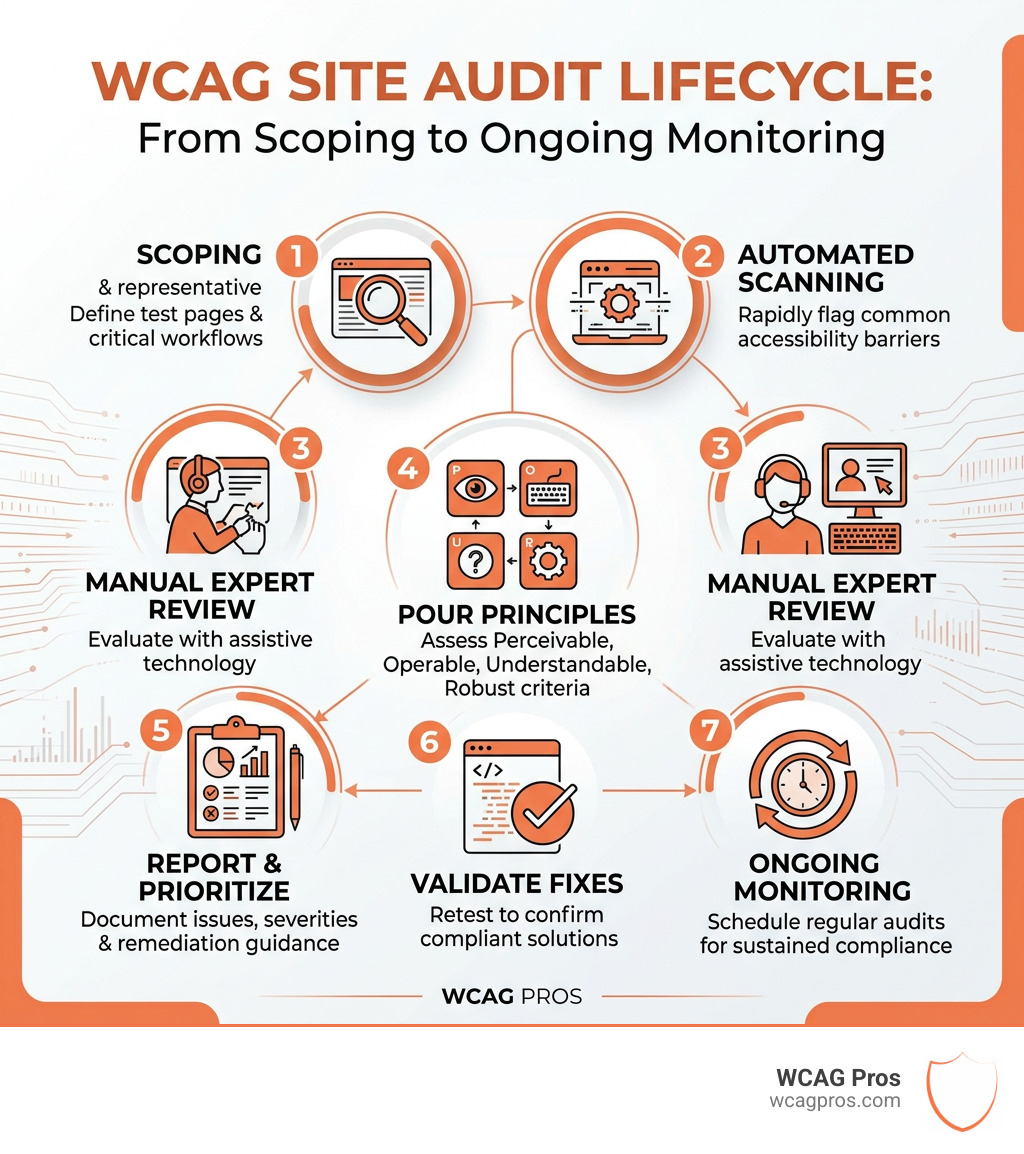
A comprehensive WCAG site audit is a structured evaluation of your website against the Web Content Accessibility Guidelines (WCAG) to identify barriers that prevent people with disabilities from using your site. Here is what it covers at a glance:
- Scope: Select representative pages and user journeys to test
- Automated scanning: Use tools like axe-core to flag common issues quickly
- Manual expert review: Test with screen readers, keyboard-only navigation, and visual inspection
- POUR principles: Evaluate every page against Perceivable, Operable, Understandable, and Robust criteria
- Report and prioritize: Document issues with severity ratings and remediation guidance
- Validate fixes: Retest after remediation to confirm compliance without introducing new problems
- Ongoing monitoring: Schedule regular audits to stay compliant as your site changes
The stakes are real. Over 8,800 ADA lawsuits were filed in 2024 alone, with average settlements around $15,000. Yet 96% of websites still fail basic accessibility compliance. That means most commercial websites are exposed to legal risk right now, often without knowing it.
The good news is that a thorough audit gives you a clear, actionable roadmap. You learn exactly what is broken, why it matters, and how to fix it.
I’m Matthew Post, co-founder of WCAG Pros and a web developer with over 20 years of experience specializing in accessibility compliance and comprehensive WCAG site audits. I personally supervise every audit we conduct, bringing deep technical expertise to help businesses reduce legal risk and build genuinely inclusive websites. In this guide, I’ll walk you through every phase of the audit process so you know exactly what to expect.
Defining a Comprehensive WCAG Site Audit for Legal Compliance
When we talk about a comprehensive WCAG site audit, we are referring to a deep dive into your digital presence to ensure it meets the gold standard of accessibility. This isn’t just a “nice to have” feature. According to the World Health Organization, 15% of the global population lives with some form of disability. If your site isn’t accessible, you are effectively locking the digital front door on millions of potential customers.
In the United States, the Americans with Disabilities Act (ADA) has become the primary driver for web accessibility. While the ADA was originally written for physical spaces, courts have consistently ruled that it applies to “places of public accommodation” on the internet as well. To stay safe, you need to know How to Tell Your Website is ADA Compliant.
The industry follows the Web Content Accessibility Guidelines (WCAG) as the technical benchmark. Currently, WCAG 2.2 is the most recent version, building upon the foundations of 2.0 and 2.1. These guidelines are categorized into three levels of conformance:
- Level A: The bare minimum. If you don’t meet these, your site is likely unusable for many.
- Level AA: The global standard. This is the target for most businesses and is required for Section 508 compliance (for government-related entities) and other international laws.
- Level AAA: The highest level of specialized accessibility, often reserved for specific dedicated resources.
At WCAG Pros, our comprehensive WCAG site audit focuses on all 54 success criteria within the A and AA levels to ensure you meet the most stringent legal expectations. Whether you are navigating Section 508 for federal contracts or preparing for international standards, a thorough audit is your primary shield against litigation.
The Core Components of a Thorough Accessibility Evaluation
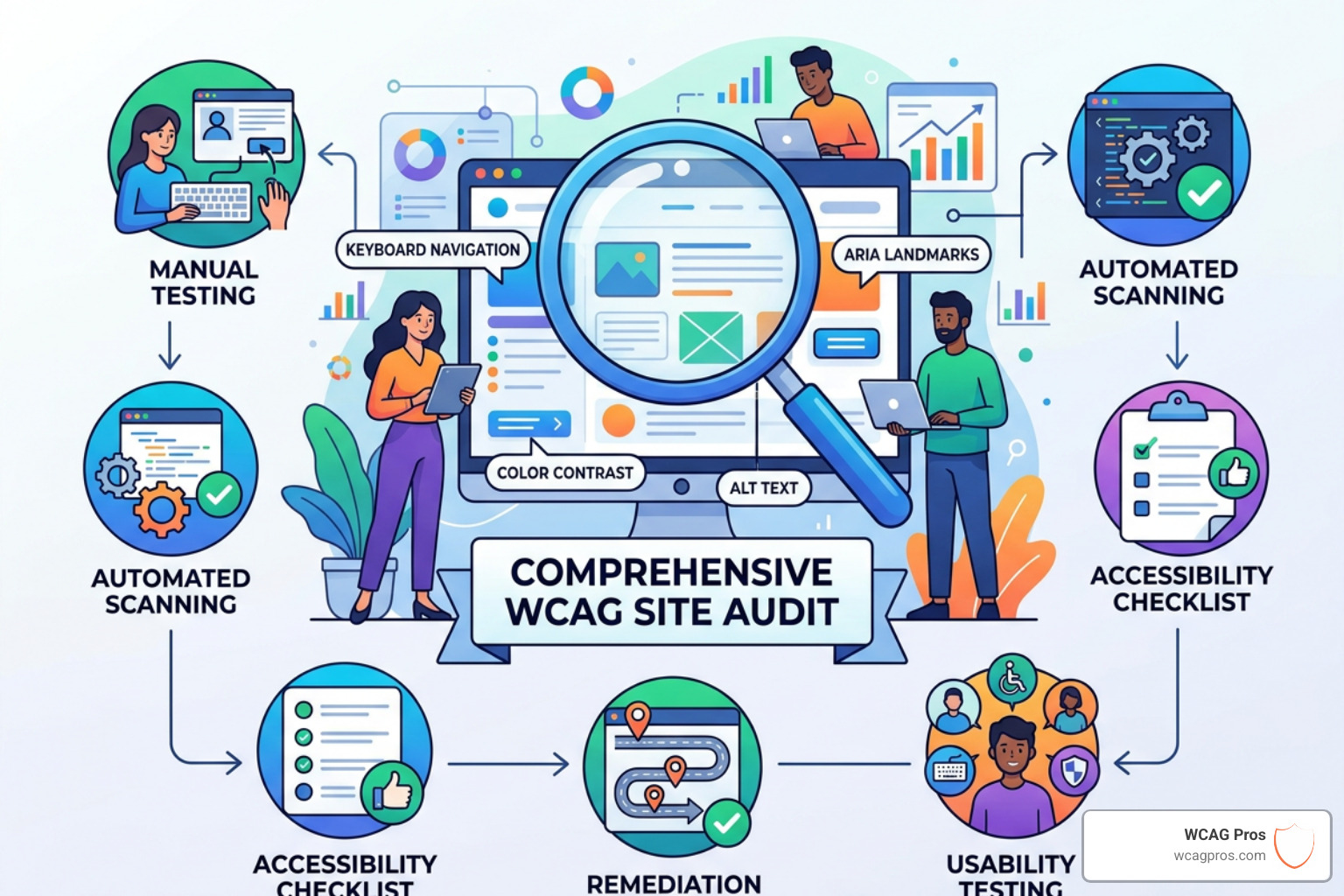
A true audit is a hybrid process. You cannot rely on software alone, nor can a human catch every tiny code error as efficiently as a machine. We use a “belt and suspenders” approach to ensure nothing slips through the cracks.
Automated Testing
Automated tools, often powered by the axe-core engine, are fantastic for catching “low-hanging fruit.” They can instantly scan thousands of lines of code to find missing alt text, empty buttons, or improper ARIA roles. However, statistics show that automated scans typically only flag about 25% to 57% of total accessibility issues. They are prone to false negatives because they cannot understand context. For example, a tool can tell if an image has alt text, but it can’t tell if that text actually describes the image accurately.
Manual Expert Review
This is where the real work happens. Human expertise is required to test the “subjective” parts of the guidelines. Our team manually tests your site using assistive technologies like NVDA (for Windows) and VoiceOver (for iOS and Mac). We check for logical tab orders, keyboard traps, and the clarity of error messages.
| Feature | Automated Scans | Manual Audits | Full Validation Testing |
|---|---|---|---|
| Speed | Instant | 1-2 Weeks | Ongoing |
| Accuracy | 25-57% | 100% of WCAG criteria | Confirms fixes |
| Context | None | High | High |
| Cost | Low | Moderate | Included in support |
Using Automated Tools for Accessibility Audit is a great starting point, but the manual review provides the legal “teeth” your organization needs.
Scoping and Methodology for a Comprehensive WCAG Site Audit
We don’t just click random buttons. A professional audit follows a strict methodology. We start with Scoping, where we identify the primary page layouts and high-traffic templates. Since most websites use templates (like a standard product page or blog layout), we don’t necessarily need to test every single one of your 5,000 pages. Instead, we test one of each “type” to find the systemic errors.
Our process follows The Ultimate Website Accessibility Testing Checklist for 2026 to ensure we cover:
- Keyboard-only navigation: Can a user browse your entire site without a mouse?
- Mobile responsiveness: Does the site remain accessible when zoomed or viewed on a small screen?
- User journey testing: Can a user successfully complete a purchase or fill out a contact form?
- Testing environments: We test across various browser and screen reader combinations to ensure a robust experience for everyone.
Applying the POUR Principles to Your Digital Assets
The WCAG guidelines are organized under four main principles, known as POUR. If your website doesn’t meet these four pillars, it isn’t accessible.
- Perceivable: Information and user interface components must be presentable to users in ways they can perceive. This means they can see it or hear it.
- Operable: User interface components and navigation must be operable. The site shouldn’t require interactions that a user cannot perform (like hover-only menus that keyboard users can’t open).
- Understandable: Users must be able to understand the information as well as the operation of the user interface.
- Robust: Content must be robust enough that it can be interpreted reliably by a wide variety of user agents, including assistive technologies.
A major part of being perceivable involves color. You should How to Use a Color Contrast Checker to Save Your Design to ensure your text doesn’t blend into the background. We have seen cases where visually impaired users struggle because a site used greyscale or low-contrast themes even if it’s for a just cause.
Technical Success Criteria in a Comprehensive WCAG Site Audit
During the audit, we look for specific technical failures that often trigger lawsuits. One of the most common is WCAG Guideline 1.1.1 Non-Text Content, which requires text alternatives for images.
Other key criteria include:
- Captions: Ensuring WCAG 1.2.2 Captions (Prerecorded) Explained is followed so deaf users can access video content.
- ARIA Labels: Providing “behind the scenes” labels for screen readers when visual labels are missing.
- Form Associations: Ensuring every form field has a properly linked label so a user knows what they are typing.
- Focus Indicators: That little blue box that appears when you “Tab” through a site? That is a focus indicator, and it is vital for keyboard users to know where they are.
- Skip Links: A hidden link at the top of the page that lets screen reader users jump straight to the main content, skipping the repetitive navigation menu.
Post Audit Remediation and Validation Strategies
Once the audit is finished, you will receive a detailed report. At WCAG Pros, our reports are designed for developers. We don’t just say “this is broken.” We provide the exact code fixes needed to resolve the issue.
The next phase is Remediation. This is the process of actually fixing the code. We offer WCAG Remediation Services to help teams who may not have the in-house expertise to handle complex ARIA or focus management issues.
After the fixes are implemented, we perform Validation Testing. This is a critical step because fixing one accessibility issue can sometimes accidentally create another. We re-audit the resolved points to ensure they meet the criteria and provide you with a conformance statement. This statement, often linked to an Accessibility statement on your footer, shows the public and legal entities that you are actively working on inclusivity.
Finally, a comprehensive WCAG site audit is not a one-time event. Websites are living things. Every time you add a new blog post, a new product, or a new plugin, you risk introducing a “bug” in your accessibility. A professional website accessibility audit service should include options for ongoing monitoring to keep your compliance score high.
Frequently Asked Questions about WCAG Auditing
How often should we conduct a website audit?
We generally recommend a comprehensive WCAG site audit at least once a year for a deep dive. However, for active sites, quarterly updates are better. If you are making significant changes to your layout or adding new features, you should refer to an ADA Website Compliance 2025 Accessibility Checklist to ensure those new elements are born accessible. Continuous monitoring tools can help catch small errors between major audits.
What is the difference between WCAG 2.1 and 2.2?
WCAG 2.2 is the latest update and includes nine new success criteria. These focus heavily on mobile users and people with cognitive disabilities. New requirements include “Focus Appearance” (making sure those focus indicators are actually visible), “Dragging Movements” (ensuring users don’t have to use a mouse to drag things), and “Target Size Minimums” (making sure buttons are large enough to tap easily).
Can automated tools guarantee 100% compliance?
No. While they make Automated Web Accessibility Testing Made Easy, they cannot replace the human eye. Automated tools cannot tell if a video’s captions are accurate, if the reading order of a complex layout makes sense, or if the “alt” text is helpful or just keyword stuffing. Manual testing is a legal and functional necessity for total compliance.
Conclusion
Conducting a comprehensive WCAG site audit is one of the smartest business moves you can make. Beyond avoiding the average $15,000 lawsuit settlement, accessibility improves your SEO, as search engines love well-structured, semantic code. It also opens your business to a massive market. Adults with disabilities in the U.S. control an estimated $490B in disposable income. By making your site inclusive, you aren’t just following the law, you are inviting a huge audience to spend their money with you.
At WCAG Pros, we specialize in taking the guesswork out of compliance. Our page-by-page audits, code-level remediation guidance, and free re-audits ensure that you don’t just get a report, you get a solution.
If you are ready to protect your business and provide a better experience for all your users, explore our WCAG Audit Services or reach out to learn more about our WCAG Remediation Services. Let’s make the web a place where everyone belongs.
Read more website accessibility articles
Get Help With Your Website
We'll follow up with info about:
- The process
- Cost
- Timeline
We promise to respect your privacy, and never abuse the information you provide. We will not sell or rent your information to any third party.
By submitting this form, you consent to receive SMS messages and/or emails from SEM Dynamics LLC, dba WCAG Pros. To unsubscribe, follow the instructions provided in our communications. Msg & data rates may apply for SMS. Your information is secure and will not be sold to third parties.