
Detailed Accessibility Fixes for a More Inclusive Web
The Fastest Way to Fix Website Accessibility (and Why It Matters Now)
Accessibility fixes for websites are no longer optional for businesses that want to avoid lawsuits, reach more customers, and stay competitive online.
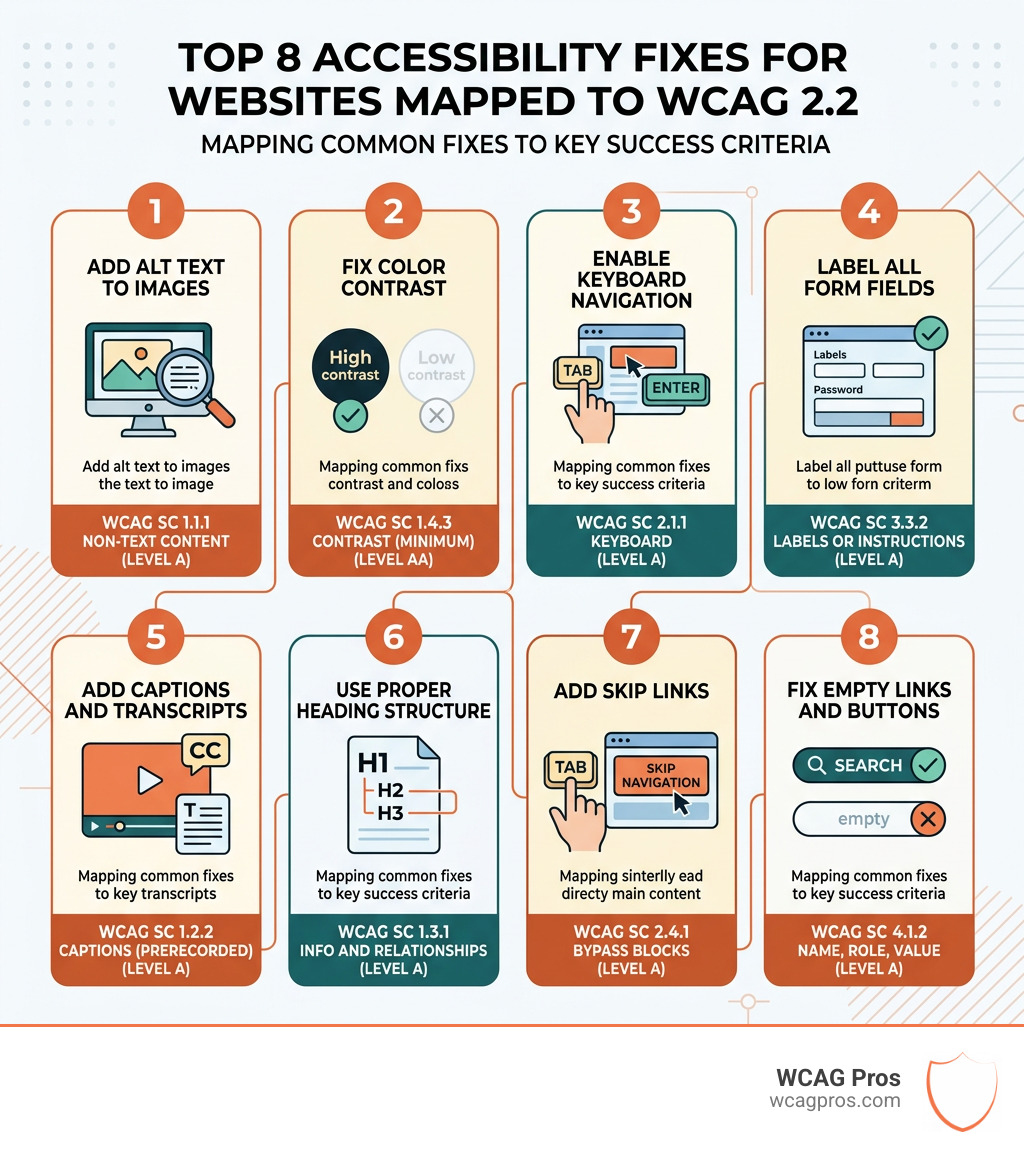
Here are the most important fixes to implement right away:
- Add alt text to all images so screen readers can describe them to visually impaired users
- Fix color contrast to meet the WCAG 2.2 minimum ratio of 4.5:1 for normal text
- Enable keyboard navigation so every page element is reachable without a mouse
- Label all form fields with visible, descriptive labels tied to their inputs
- Add captions and transcripts to all video and audio content
- Use proper heading structure (H1, H2, H3) to organize content logically
- Add skip links so keyboard users can jump past repeated navigation
- Fix empty links and buttons so assistive technology can describe their purpose
These fixes address the most common reasons websites fail WCAG audits and trigger ADA complaints.
Over 70 million Americans live with a recognized disability. And according to WebAIM’s analysis of one million web pages, 98.1% of home pages had at least one WCAG 2.0 failure. The DOJ filed and enforced WCAG 2.1 standards for public-facing websites in April 2024, and ADA-related web accessibility lawsuits reached 8,800 in 2024 alone, with over 2,000 more already filed in 2025.
The cost of ignoring this is rising fast. But the good news is that most accessibility problems are fixable with targeted, technical changes.
I’m Matthew Post, a web developer and accessibility specialist with nearly three decades of experience, and as co-founder of WCAG Pros, I’ve personally audited and remediated hundreds of websites to bring them into compliance with current accessibility standards, making accessibility fixes for websites the core of my daily work. In this guide, I’ll walk you through exactly what needs to be fixed, how to fix it, and how to keep your site accessible over time.
Why Prioritizing Accessibility Fixes for Websites is Essential
When we talk about making a website accessible, we are not just checking boxes for developers. We are opening the front door of your business to a massive audience that is often left standing on the sidewalk. In the United States, the Americans with Disabilities Act or ADA has been interpreted by the Department of Justice to include digital properties. This means that if your website is open to the public, it must be accessible to everyone regardless of their physical or cognitive abilities.
The numbers tell a compelling story. 70 million Americans live with a recognized disability, and these individuals hold roughly $1.2 trillion in annual disposable income. If your site is difficult to use, 69 percent of these users will simply leave and take their business elsewhere. On the other hand, 70% of consumers want brands to be proactive about social issues like inclusion. By prioritizing these fixes, you are building brand loyalty and tapping into a significant market.
Beyond the moral and financial benefits, there is the very real threat of legal action. Lawsuits regarding web accessibility rose by 75 percent between 2018 and 2022. We often see small businesses struggle with these requirements because they do not know where to start. To help you get a head start, we have identified 5 Common Accessibility Issues on Small Business Websites and How to Fix Them so you can protect your company and serve your community better.
Essential Technical Accessibility Fixes for Websites
To truly understand accessibility fixes for websites, we have to look at the Web Content Accessibility Guidelines (WCAG). These are the international standards that define what an accessible site looks like. The guidelines are built on four main principles known as POUR. This stands for Perceivable, Operable, Understandable, and Robust.
Perceivable means users must be able to see or hear the content. Operable means they must be able to use the interface without a mouse. Understandable means the content and navigation must make sense. Robust means the site must work well with current and future assistive technologies like screen readers.
Most websites fail because of simple technical oversights. We recommend starting with some Quick Fixes to Improve Your Website’s Accessibility Today to build momentum. These small changes can significantly lower your legal risk and improve the user experience for everyone.
Implementing Image Alt Text as Key Accessibility Fixes for Websites
One of the most frequent errors we find during audits is missing or poor alternative text for images. Alt text is a short description embedded in the code of an image. When a person who is blind uses a screen reader, the software reads this text aloud. If the alt text is missing, the user might just hear the file name like image123.jpg, which tells them nothing about the content.
To meet Guideline 1.1.1: Non-text Content, every image needs an alt attribute. However, not every image needs a long description. If an image is purely decorative, like a background swirl or a divider line, you should use an empty alt attribute like alt=””. This tells the screen reader to skip the image entirely so the user is not distracted by irrelevant information. You can learn more about this in our guide on Mastering the Art of Decorative Alt Text for Web Accessibility.
For informative images, be descriptive but concise. If you have a photo of people at a marathon, do not just write “people.” Instead, use something like “a group of runners crossing the finish line at a sunny marathon event.” This gives the user the context they need to understand the page.
Optimizing Color Contrast Accessibility Fixes for Websites
Color contrast is a major barrier for users with low vision or color blindness. If your text is too light against a light background, it becomes unreadable. The standard for WCAG Success Criterion 1.4.3 requires a minimum contrast ratio of 4.5 to 1 for normal text. For larger text, the requirement is slightly lower at 3 to 1.
We often see designers choose aesthetic colors that fail these tests. For example, light gray text on a white background is very popular but often impossible for many people to read. We suggest you learn How to Use a Color Contrast Checker to Save Your Design before you finalize your site’s color palette. It is a simple step that ensures your content is legible for everyone.
Improving Navigation and Structural Integrity
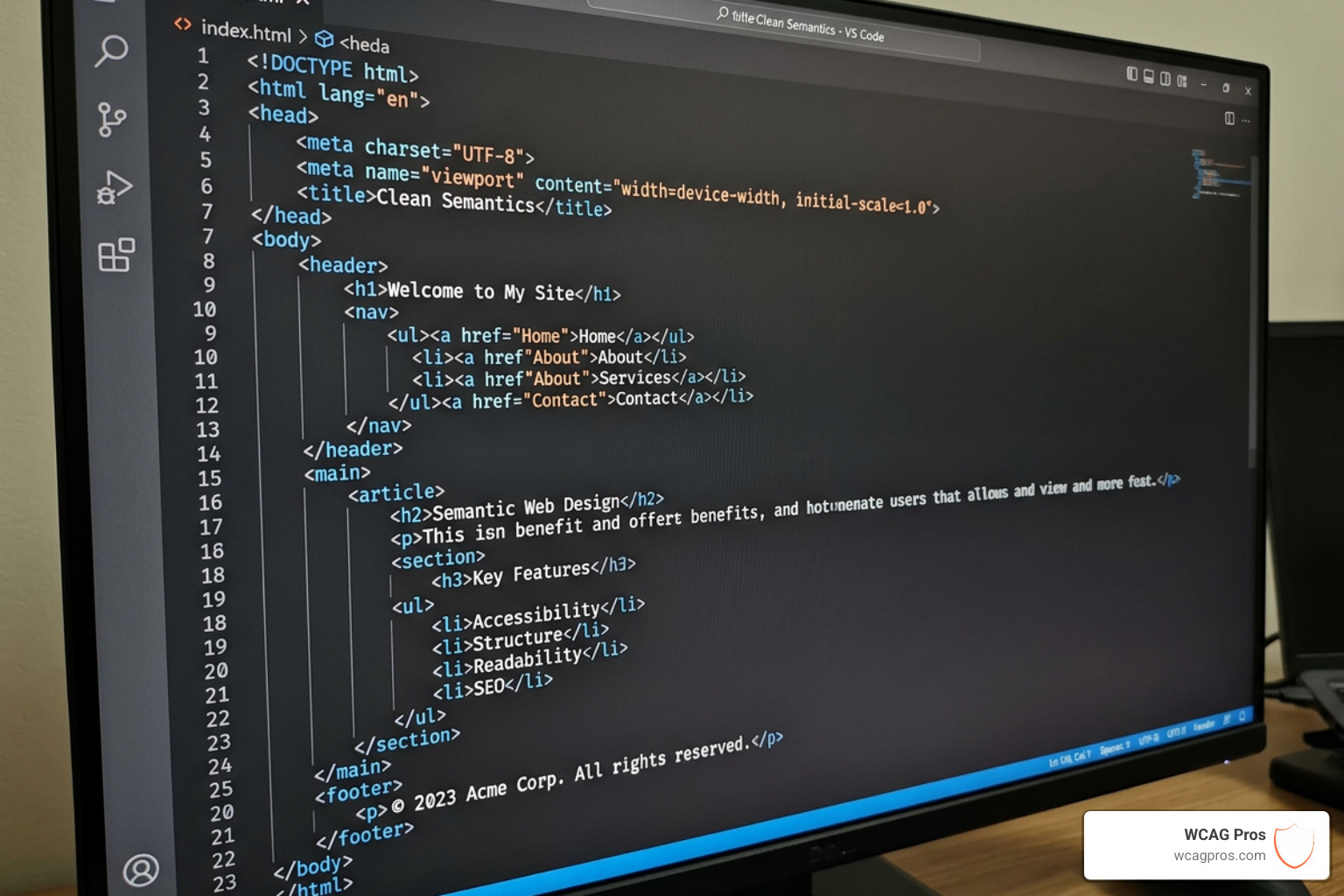
The way your website is built under the hood determines how easily people can navigate it. Using semantic HTML is the foundation of a good user experience. This means using tags for their intended purpose. For example, use a button tag for something that triggers an action and an anchor tag for something that links to another page.
Proper heading hierarchy is also vital. You should only have one H1 tag per page to represent the main topic. Subtopics should follow in a logical order like H2, then H3, and so on. Do not skip levels just to get a certain font size. If you want an H2 to look smaller, use CSS to change the style rather than using an H4 tag.
| Element Type | Semantic Tag | Non-Semantic Alternative (Avoid) |
|---|---|---|
| Main Content | |
|
| Navigation | |
|
| Sidebar | |
|
| Footer | |
|
| Heading | |
|
Keyboard Only Navigation and Focus Indicators
Many users with motor impairments cannot use a mouse. They rely on the Tab key to move through a website. To comply with WCAG Success Criterion 2.1.1, every interactive element must be reachable and usable via keyboard alone.
A common mistake is hiding the “focus indicator.” This is the outline that appears around an element when you tab to it. If you remove this outline with CSS, a keyboard user will have no idea where they are on the page. We must ensure that focus indicators are always visible and have enough contrast to be seen clearly. We also recommend adding a “skip to main content” link at the very top of your page. This allows keyboard users to jump past the main navigation menu and get straight to the content they want.
Accessible Forms and Error Handling
Forms are often the most frustrating part of a website for users with disabilities. If a form field does not have a clear label, a screen reader user will not know what information to enter. We must always use the label tag and associate it with the input using the “for” and “id” attributes.
Error handling is another critical area. If a user makes a mistake, the website should clearly explain what went wrong and how to fix it. Do not just turn the border red, because a color-blind user might not see the change. Use text to describe the error and use ARIA attributes like “aria-describedby” to link the error message to the input field. Additionally, WCAG Success Criterion 3.3.7 reminds us to avoid making users re-enter information they have already provided in the same session. This reduces cognitive load and makes the process much smoother.
Multimedia and Content Readability Solutions
As more businesses use video and audio, accessibility in multimedia has become a priority. For synchronized media, WCAG Success Criterion 1.2.2 requires captions for all pre-recorded video content. Captions should include not just the dialogue but also speaker identification and important sounds like “door slamming” or “applause.”
We also suggest providing full text transcripts for audio-only content like podcasts. This helps users who are deaf or hard of hearing and also benefits people who prefer to read content at their own pace. When writing your content, aim for an 8th-grade reading level. Using plain language and avoiding complex jargon makes your site more accessible to people with cognitive disabilities and non-native speakers.
Testing and Monitoring Your Progress
Accessibility is not a one-time project but an ongoing commitment. Websites change constantly as you add new blog posts or products. This means you need a system for regular testing. We suggest a hybrid approach that combines automated tools with manual testing.
Automated tools are great for catching obvious errors like missing alt text or low contrast. You can learn more about how to set this up in our article on Automated Web Accessibility Testing Made Easy. however, these tools can only find about 30 percent of issues. To be truly compliant, you need manual testing by experts who use screen readers and keyboard navigation. To help you plan for the future, we have created The Ultimate Website Accessibility Testing Checklist for 2026.
Recommended Tools for Accessibility Audits
There are several free and paid tools that can help you identify accessibility fixes for websites. WAVE and axe DevTools are excellent browser extensions that highlight errors directly on your page. For checking color contrast, the WebAIM Contrast Checker is a reliable choice.
If you want to experience your site like a user with a visual impairment, try using a screen reader. NVDA is a free option for Windows, while VoiceOver is built into all Apple devices. Testing against Section 508 Standards is also helpful for any business that works with the federal government. Finally, Google Lighthouse audits are built into the Chrome browser and provide a quick overview of your site’s accessibility health.
Frequently Asked Questions about Website Accessibility
What are the most common accessibility barriers?
The most frequent barriers include low color contrast between text and backgrounds, which makes reading difficult. Missing alt text on images prevents screen reader users from understanding visual content. Empty links and buttons that have no text are another major issue because users do not know where they lead. Inaccessible forms and “keyboard traps” where a user gets stuck in a menu are also very common.
How does the ADA apply to private business websites?
The ADA requires businesses that are open to the public to provide equal access to their services. The DOJ has made it clear that this includes websites. Programs like Project Civic Access show how the government enforces these rules for local entities, and private businesses are held to similar standards in court. Fixing your site is the best way to mitigate legal risk and ensure you are not discriminating against customers.
What is the difference between WCAG 2.1 and 2.2?
WCAG 2.2 is the newest version and it builds on the previous standards. It adds nine new success criteria that focus more on mobile devices, users with low vision, and people with cognitive disabilities. Key additions include better rules for focus appearance, larger target sizes for buttons, and protections against redundant data entry. Staying updated with the latest version ensures your site remains future-proof.
Conclusion
Making your website accessible is one of the most rewarding investments you can make for your business. It improves your SEO, increases your reach, and protects you from legal trouble. At WCAG Pros, we specialize in helping businesses in Norco CA and beyond navigate these complex requirements. We offer comprehensive audits of all 54 WCAG A and AA points, providing you with exact code fixes and the support you need to reach your inclusion goals. If you are ready to make your digital presence welcoming to everyone, Get a Professional WCAG Audit from us today. Let us help you build a web that works for everyone.
Read more website accessibility articles
Get Help With Your Website
We'll follow up with info about:
- The process
- Cost
- Timeline
We promise to respect your privacy, and never abuse the information you provide. We will not sell or rent your information to any third party.
By submitting this form, you consent to receive SMS messages and/or emails from SEM Dynamics LLC, dba WCAG Pros. To unsubscribe, follow the instructions provided in our communications. Msg & data rates may apply for SMS. Your information is secure and will not be sold to third parties.