
Everything You Need to Know About WCAG Versions and Audits
Everything You Need to Know About WCAG Versions and Audits
What Is a WCAG Compliance Audit? A Plain-English Answer
What is a WCAG compliance audit is one of the most searched questions by business owners facing ADA lawsuits right now, and for good reason.
Here is the short answer:
A WCAG compliance audit is a structured review of your website that tests it against the Web Content Accessibility Guidelines (WCAG). The goal is to find barriers that prevent people with disabilities from using your site, and to give you a clear plan to fix them.
At a glance:
- What it tests: Your website vs. WCAG standards
- What it finds: Accessibility barriers such as missing alt text, poor contrast, and keyboard traps
- What you get: A report with severity ratings and remediation steps
The stakes are real. Over 1.3 billion people worldwide live with a disability. That is 16% of the global population. If your website is not accessible to them, you are not just losing customers. You are exposed to legal risk. More than 2,000 accessibility lawsuits were filed in 2019 alone, and that number has grown every year since.
A proper audit is the first step to understanding where you stand and what needs to change.
I’m Matthew Post, co-founder of WCAG Pros and a web developer with nearly three decades of hands-on experience building and auditing websites. I created WCAG Pros specifically to help businesses like yours understand what is a WCAG compliance audit and navigate the remediation process with confidence. Let’s break down everything you need to know.
What is WCAG Compliance Audit and Why It Matters
When we talk about a what is WCAG compliance audit, we are talking about using a technical benchmark to measure how inclusive your digital presence truly is. Think of it like a building inspection but for the internet. Just as a physical store needs ramps and wide doorways, your website needs specific code structures and design choices to be usable by everyone.
The importance of these audits cannot be overstated. Beyond the moral obligation to include everyone, there are massive practical and legal reasons to take this seriously. The Real Costs of Ignoring Website Accessibility can include lost revenue, a damaged brand reputation, and expensive legal fees.
In fact, the legal landscape is more active than ever. Over 2,000 lawsuits were filed in 2019 regarding website accessibility, and that trend has only accelerated. An audit acts as a form of legal mitigation. It shows that you are taking proactive steps to identify and fix issues before they lead to a demand letter or a court case.
From a business perspective, accessibility is simply good for the bottom line. When your site is easy to navigate and understand, you improve the user experience for everyone, not just those with disabilities. This leads to better search engine rankings, higher conversion rates, and increased customer loyalty.
Understanding the POUR Principles of Accessibility
The Web Content Accessibility Guidelines are built on four foundational pillars known as the POUR principles. These principles ensure that all users, regardless of how they interact with technology, can use your site. According to the Understanding the Four Principles of Accessibility guide, these are:
- Perceivable: Information and user interface components must be presented in ways users can sense. This means if someone cannot see your images, they need a text alternative. If they cannot hear your video, they need captions.
- Operable: Users must be able to operate the interface. The site shouldn’t require interactions that a user cannot perform. For example, all functions must be available via a keyboard for those who cannot use a mouse.
- Understandable: Users must be able to understand the information as well as the operation of the user interface. Your navigation should be consistent, and your instructions should be clear.
- Robust: Content must be robust enough that it can be interpreted reliably by a wide variety of user agents, including assistive technologies like screen readers. As technology evolves, your site should remain accessible.
Conformance Levels A AA and AAA
WCAG is not an all or nothing standard. It is categorized into three levels of conformance that build upon each other. Understanding these is vital when defining the goal of your what is WCAG compliance audit.
- Level A: This is the minimum level of accessibility. It covers the most basic barriers. While it is a start, meeting only Level A is usually not enough to meet legal requirements or provide a truly accessible experience.
- Level AA: This is the “Gold Standard” that most organizations aim for. It is the level typically referenced in legal regulations like the ADA and Section 508. It addresses the most common and significant barriers for users with disabilities.
- Level AAA: This is the highest and most complex level of accessibility. While it provides the best experience, it is often not possible or practical to satisfy all Level AAA criteria for every type of content.
For a deeper dive into how these levels work, you can review the official W3C page on Understanding Conformance.
Comparing WCAG Versions 2.0 2.1 and 2.2
The guidelines are constantly evolving to keep up with new technology. The good news is that these versions are designed to be “backward compatible.” This means that if you meet the requirements of the newest version, you automatically meet the requirements of the older ones.
The most significant recent update is the release of WCAG 2.2. This version has even been recognized as an international standard under ISO/IEC 40500:2025.
- WCAG 2.0 (Released 2008): Established the 4 POUR principles and 12 original guidelines.
- WCAG 2.1 (Released 2018): Added 17 new criteria focusing on mobile accessibility and users with low vision or cognitive disabilities.
- WCAG 2.2 (Released 2023): Added 9 new criteria to further help users with cognitive disabilities and improve mobile interactions.
Key Success Criteria in a What is WCAG Compliance Audit
During an audit, we look at dozens of specific “success criteria.” These are the testable requirements that determine if your site passes or fails. Some of the most common issues we find include:
- Color Contrast: Text must be easy to read against its background. We often recommend using tools to verify this. You can learn How to Use a Color Contrast Checker to Save Your Design on our blog.
- Keyboard Access: A user should be able to navigate your entire site using only the Tab, Enter, and Arrow keys. A major failure in this area is a No keyboard trap, where a user gets stuck in a menu or form field and cannot move focus elsewhere.
- Alt Text: Every meaningful image needs a text description so that screen reader users know what is on the page. This is a core requirement under Guideline 1.1.1 Non-text Content.
How to Conduct an Effective Accessibility Audit
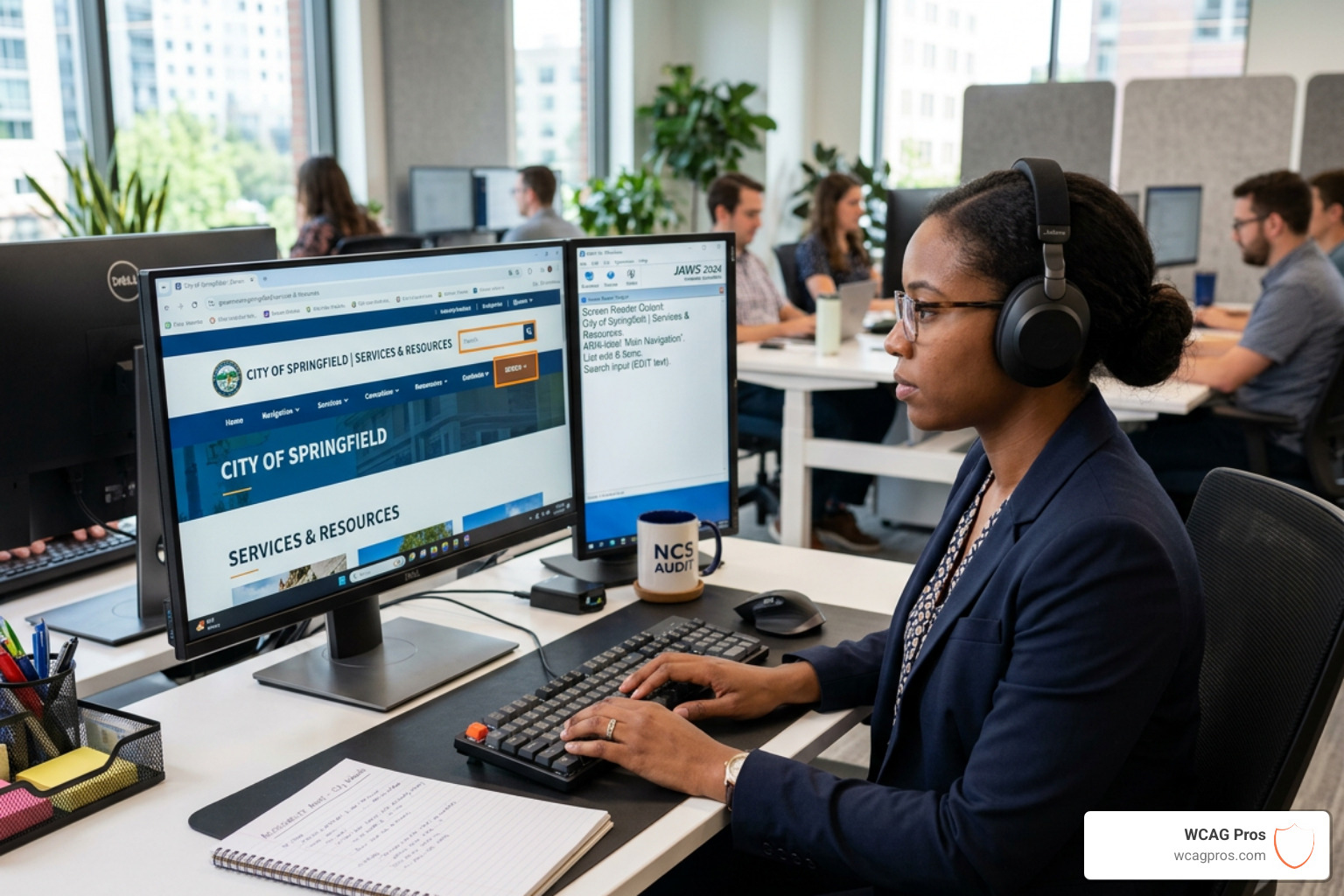
Conducting an effective audit requires more than just a quick scan. While there are many tools available, they cannot catch everything. In fact, most automated tools only catch about 25% to 40% of accessibility issues. To get a complete picture, you need a hybrid approach that combines the speed of automation with the nuance of human testing.
An Automated Tools Audit is a great way to find “low-hanging fruit” like missing alt tags or broken links. However, a manual review is necessary to determine if that alt tag actually describes the image correctly or if the site’s navigation makes logical sense to a human user.
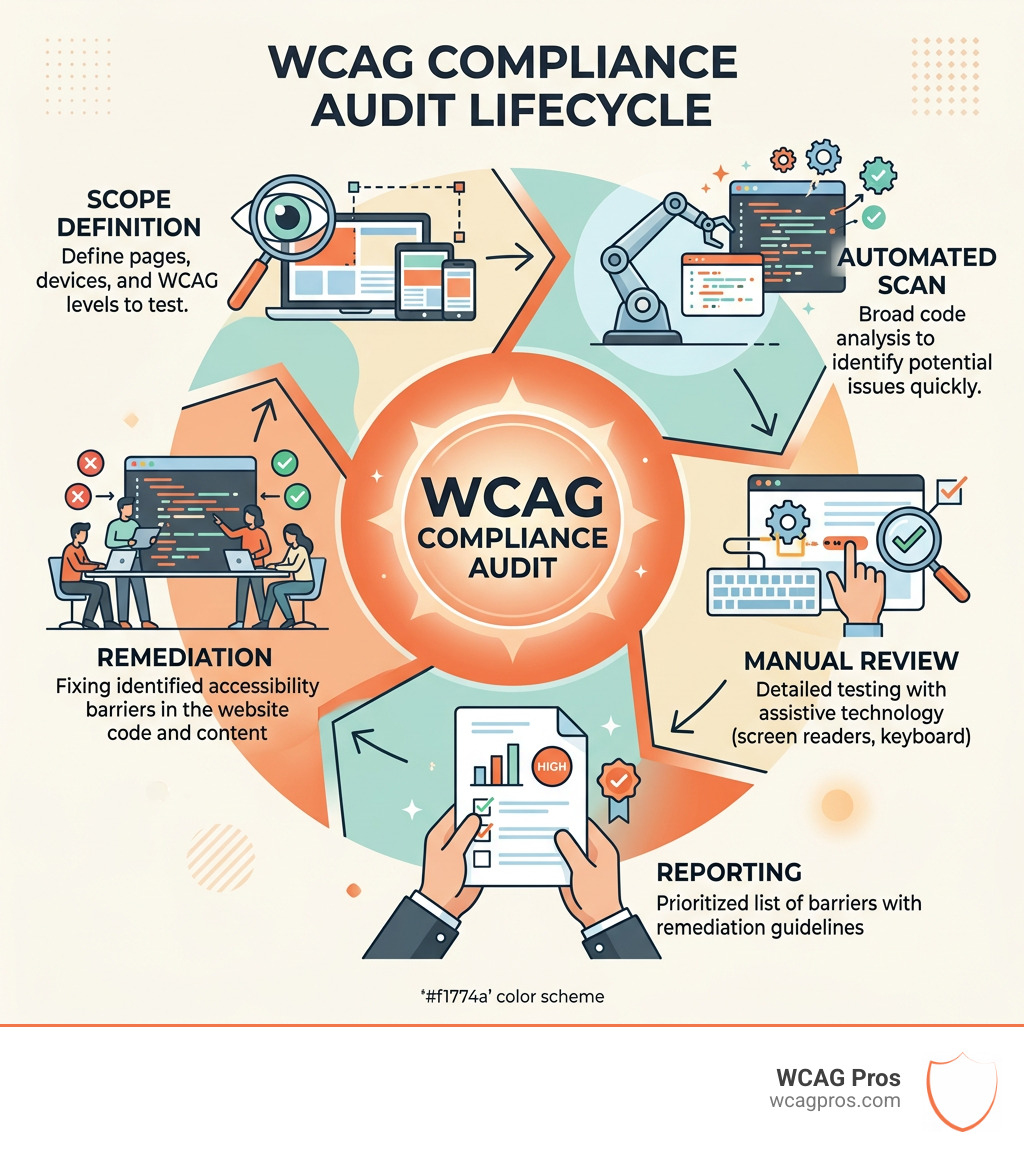
Step by Step Process for What is WCAG Compliance Audit
When we perform a what is WCAG compliance audit, we follow a rigorous multi-step process to ensure nothing is missed:
- Define Scope: We identify which pages, templates, and user journeys (like checking out or signing up) need to be tested.
- Automated Scanning: We use industry leading tools to crawl the site and flag obvious code violations.
- Manual Evaluation: Our experts go through the site page by page to test complex interactions that software can’t understand.
- Assistive Technology Testing: We use actual screen readers like NVDA or JAWS to experience the site as a user with a visual impairment would.
- User Testing: Sometimes the best way to find barriers is to see how people interact with the site. You can learn How to Test Your Website’s Accessibility Using Real Users to gain deeper insights.
- Mobile Review: We test the site on various mobile devices to ensure touch targets are large enough and the layout remains accessible on small screens.
- Documentation: We provide a comprehensive report that lists every issue found, its severity, and exactly how to fix it.
Legal Requirements and Global Standards
Understanding the legal landscape is a major part of why businesses ask what is WCAG compliance audit. In the United States, the Americans with Disabilities Act (ADA) Title III is the primary law. While the ADA does not explicitly mention websites, the Department of Justice and the courts have consistently ruled that it applies to digital spaces.
To help you stay on track, we have developed an ADA Website Compliance 2025 Accessibility Checklist that aligns with current legal expectations.
Other important standards include:
- Section 508: This applies to federal agencies and any organization that receives federal funding or does business with the government.
- The European Accessibility Act (EAA): This is a landmark piece of legislation that requires a wide range of products and services in the EU to be accessible. You can find more details at the European Accessibility Act official page.
- The Accessibility for Ontarians with Disabilities Act (AODA): This law sets out clear standards for accessibility in Ontario, Canada. More information is available at the Accessibility for Ontarians with Disabilities Act website.
Frequently Asked Questions about WCAG Audits
What is the difference between a WCAG audit and an ADA audit?
This is a common point of confusion. Think of it this way: the ADA is the law, while WCAG is the technical standard used to prove you are following that law.
An ADA audit focuses on legal risk and whether you are providing “equal access” to your services. A WCAG audit is the technical validation process. It uses the WCAG success criteria as a technical benchmark to measure exactly how accessible your code and design are. You need the technical audit to satisfy the legal requirement.
How often should my organization conduct an audit?
Accessibility is not a “one and done” project. Every time you add a new blog post, launch a new feature, or update your theme, you risk introducing new accessibility barriers.
We recommend a full audit for all new launches and major updates. For ongoing maintenance, quarterly monitoring is a best practice. This helps you catch issues through regression testing before they become a liability.
Can automated tools replace manual testing?
The short answer is no. While automated tools are helpful for catching basic errors, they are prone to false positives and negatives. For example, a tool can tell you if an image has an “alt” attribute, but it cannot tell you if the description is helpful or accurate.
Automated tools generally offer only about 25% coverage of the total WCAG criteria. Human evaluation is essential for testing things like logical reading order, the clarity of instructions, and overall usability.
Conclusion
Achieving and maintaining digital accessibility is an ongoing journey. A what is WCAG compliance audit is the essential first step in that journey, providing you with the roadmap you need to protect your business and serve all your customers.
Once the audit is complete, the next phase is WCAG Remediation, where the identified issues are actually fixed in your code. At WCAG Pros, we specialize in this entire lifecycle. We don’t just give you a list of problems. We provide comprehensive page by page audits and the code fixes you need to achieve true conformance.
Ready to see where your website stands? Let us help you navigate the complexities of digital accessibility. Check out our WCAG Audit services today and start building a more inclusive web for everyone.
Read more website accessibility articles
Get Help With Your Website
We'll follow up with info about:
- The process
- Cost
- Timeline
We promise to respect your privacy, and never abuse the information you provide. We will not sell or rent your information to any third party.
By submitting this form, you consent to receive SMS messages and/or emails from SEM Dynamics LLC, dba WCAG Pros. To unsubscribe, follow the instructions provided in our communications. Msg & data rates may apply for SMS. Your information is secure and will not be sold to third parties.