
Expert Website WCAG Audit Guide for Businesses
Expert Website WCAG Audit Guide for Businesses
Understanding the Website WCAG Expert Audit Process
When we talk about a website wcag expert audit, we are referring to a rigorous evaluation based on the Web Content Accessibility Guidelines. Currently, the industry standard for most businesses is WCAG 2.1 AA or the newer WCAG 2.2 AA. These standards consist of specific success criteria that a website must meet to be considered accessible. While WCAG 2.1 AA includes 50 success criteria, the 2.2 version adds six additional requirements that focus heavily on mobile users and people with cognitive disabilities.
The process is not just a simple checklist. It involves a deep dive into how your website functions for real people. At WCAG Pros, we believe in a comprehensive approach. We don’t just skim the surface. We perform comprehensive page-by-page audits of all 54 WCAG points to ensure nothing is missed.
A true expert audit involves several layers of testing. First, we identify the technical standards applicable to your industry. Then, we move into manual evaluation. This means a human being actually interacts with your site using the same tools a person with a disability would use. We look at the underlying code to ensure it is structured correctly and we test every interactive element to see if it behaves as expected.
One of the most important parts of the process is page sampling. For very large websites with thousands of pages, auditing every single one might be redundant if they all use the same templates. We work with you to select representative layouts. By testing a “master” version of a product page, a blog post, and your homepage, we can identify systemic issues that affect the entire site.
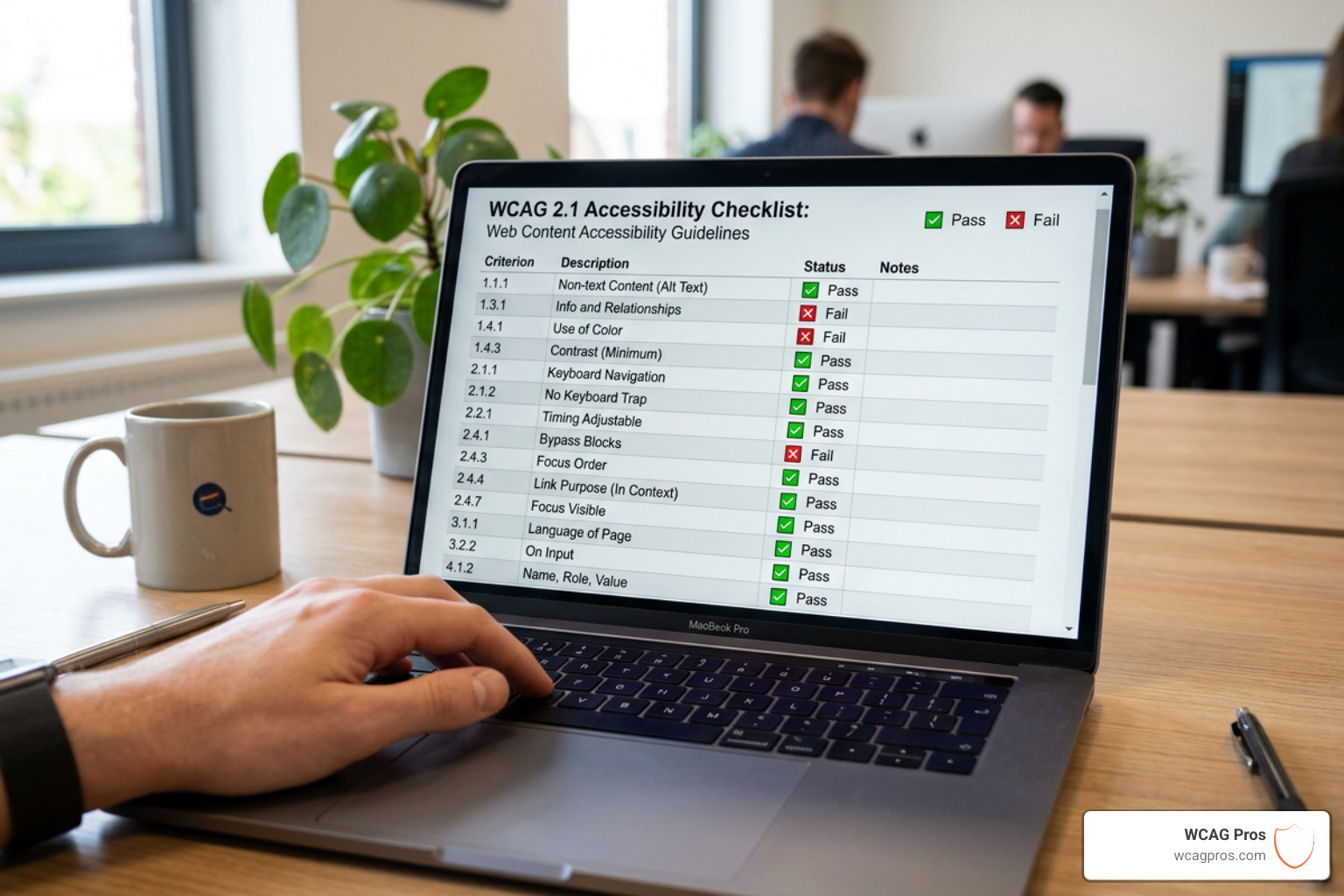
Selecting Pages for a Website WCAG Expert Audit
Choosing which pages to audit is a strategic decision. You want to cover the areas where users spend the most time or where the most critical actions happen. We typically recommend including:
- High-traffic pages: Your homepage and main landing pages.
- Conversion paths: Checkout flows, registration pages, and “Contact Us” forms.
- Dynamic content: Areas with search filters, carousels, or interactive maps.
- Utility pages: Login screens, password reset flows, and your 404 error page.
- Document archives: Samples of PDFs or other downloadable media.
By focusing on these “representative pages,” we can uncover the vast majority of accessibility barriers. If you want to see a full list of what should be on your radar, you can check out The Ultimate Website Accessibility Testing Checklist for 2026.
Testing with Assistive Technologies and Real Users
A website wcag expert audit is only as good as the tools and people behind it. We don’t just look at the screen. We listen to it. Our experts use industry standard screen readers such as NVDA and JAWS for Windows, and VoiceOver for Mac and iOS. These tools read the content of a page aloud, and if the code isn’t perfect, the experience can be a confusing mess of “unlabeled button” or “link link link.”
Keyboard navigation is another massive component. Many users with motor disabilities cannot use a mouse. We test to ensure that every part of your site can be reached using only the Tab and Enter keys. If a user gets “trapped” in a popup or cannot see where their focus is on the page, that is a major accessibility failure.
Beyond technical tools, we often advocate for testing with real users. Seeing how a person with a visual or motor impairment actually navigates your specific site provides insights that no software can replicate. You can learn more about this human centric approach in our guide on How to Test Your Website’s Accessibility Using Real Users.
Manual Testing vs Automated Accessibility Scans
There is a common misconception that you can just “install a plugin” or run a free scan to become compliant. While automated tools are a great starting point for catching low hanging fruit like missing alt text or poor color contrast, they are remarkably limited.
Research shows that automated testing alone can only detect about 30% of WCAG 2.2 issues. Some studies suggest it might go as high as 40% with modern AI, but that still leaves 60% or more of your site’s potential legal risks completely invisible to the software.

| Feature | Automated Scans | Expert Manual Audit |
|---|---|---|
| Detection Rate | ~30% to 40% of issues | ~100% of detectable issues |
| Human Judgment | None (uses rigid rules) | High (evaluates context and meaning) |
| Assistive Tech | Simulates basic rules | Uses actual screen readers/keyboards |
| False Positives | Common | Rare (verified by experts) |
| Code Fixes | Generic suggestions | Specific, copy-paste ready code |
| Legal Standing | Weak (only a starting point) | Strong (demonstrates manual due diligence) |
Why a Website WCAG Expert Audit Outperforms AI Tools
The biggest problem with AI and automated tools is that they lack context. For example, an automated tool can tell you if an image has an “alt” attribute. However, it cannot tell you if that text actually describes the image accurately. If you have a picture of a “Submit” button but the alt text says “blue-rectangle-5.png,” the automated tool might give you a green checkmark, but a blind user will have no idea what that button does.
Another major issue is the “ARIA Problem.” ARIA (Accessible Rich Internet Applications) is a set of attributes used to make complex web content more accessible. However, when misused, it actually makes things worse. Research has found that pages using ARIA often have 34.2% more errors than those without it because developers use the attributes incorrectly. An automated tool often struggles to flag these logical errors, whereas a human expert will spot them immediately during a website wcag expert audit.
For a deeper look into the limitations of software, you might find our article on Automated Web Accessibility Testing Made Easy helpful for understanding where automation fits into the larger picture.
Legal Benefits and Compliance Standards for 2025
Achieving accessibility is about more than just being a good digital citizen. It is about protecting your business. In the United States, the Americans with Disabilities Act (ADA) has been interpreted by the Department of Justice and the courts to apply to websites. If your site is a “place of public accommodation,” it must be accessible.
But the legal landscape is expanding. The European Accessibility Act (EAA) is now a major factor for any company doing business in the EU. Much like GDPR, the EAA can apply to US companies if they serve European citizens. Furthermore, Section 508 of the Rehabilitation Act requires federal agencies and any company receiving federal funding to maintain accessible digital assets.
A professional website wcag expert audit serves as your primary defense. It demonstrates that you are taking proactive, manual steps to ensure inclusion. When you complete an audit and remediation with us, we provide a compliance badge and a letter of conformance. These act like a “security system sign” on your front lawn. While they don’t physically stop someone from filing a lawsuit, they often deter frivolous “drive by” legal threats because they show your site has been professionally vetted.
To stay ahead of the curve, we recommend reviewing the ADA Website Compliance 2025 Accessibility Checklist to see how the requirements are evolving. You can also find official guidance directly from the government at the Americans with Disabilities Act website.
Frequently Asked Questions about WCAG Audits
How much does a professional WCAG audit cost?
The cost of an audit is usually determined by the size and complexity of the website. A small site with just a few unique page layouts will naturally cost less than a massive e-commerce platform with complex filtering, user accounts, and thousands of products.
Generally, professional audits in the industry can range from around 1250 dollars to 5000 dollars or more for very complex enterprise systems. When you are looking at quotes, make sure you are comparing apples to apples. Some providers only give you a list of errors. At WCAG Pros, our audits include specific code fixes and unlimited support for your developers. We also offer free re-audits until you reach full compliance. If you are looking for ways to start improving right now without a huge budget, check out these Quick Fixes to Improve Your Website’s Accessibility Today.
How long does a typical expert audit take?
For a standard business website, a website wcag expert audit usually takes between one and two weeks to complete. This timeline allows our experts to manually test your selected pages across different browser and screen reader combinations.
The “remediation” phase, where your developers actually fix the issues we find, usually takes longer. Depending on your team’s availability, this can take anywhere from a few weeks to a few months. Once the fixes are in place, we perform a validation audit to confirm that everything is working correctly. This final check is crucial for issuing a certification.
What qualifications should an accessibility auditor have?
You wouldn’t hire a plumber to fix your electrical wiring, and you shouldn’t hire a general web developer to perform an accessibility audit unless they have specific training. Look for auditors who hold certifications from the International Association of Accessibility Professionals (IAAP).
Common certifications include:
- CPACC: Certified Professional in Accessibility Core Competencies.
- WAS: Web Accessibility Specialist.
Beyond certifications, look for experience. You want a team that has handled hundreds of audits and understands the nuances of the official Web Content Accessibility Guidelines. At WCAG Pros, our team consists of senior developers who don’t just find problems but understand how to write the code to fix them. We don’t use interns or offshore our work. You get expert eyes on every page.
Conclusion
Investing in a website wcag expert audit is one of the smartest moves a business can make in 2025. It moves you beyond the “guesswork” of automated tools and provides a clear, actionable roadmap to total compliance. By identifying barriers through manual testing and assistive technology, you open your doors to a wider audience, improve your SEO, and significantly reduce your legal risk.
At WCAG Pros, we are obsessed with making the web a better place for everyone. We don’t just hand you a report and walk away. We provide the exact code fixes your team needs, offer unlimited developer support, and stick with you through the remediation process. Once the work is done, we provide the compliance badges and certification you need to show the world that your brand values inclusion.
Ready to see where your website stands? Start your journey with the ADA compliance guide for small businesses or contact us today for a comprehensive audit. Let’s work together to build a digital world that works for everyone.
Read more website accessibility articles
Get Help With Your Website
We'll follow up with info about:
- The process
- Cost
- Timeline
We promise to respect your privacy, and never abuse the information you provide. We will not sell or rent your information to any third party.
By submitting this form, you consent to receive SMS messages and/or emails from SEM Dynamics LLC, dba WCAG Pros. To unsubscribe, follow the instructions provided in our communications. Msg & data rates may apply for SMS. Your information is secure and will not be sold to third parties.