
The Ultimate List of Free Online Accessibility Checkers
The Ultimate List of Free Online Accessibility Checkers
The Best Free Online Accessibility Checkers (Quick Answer)
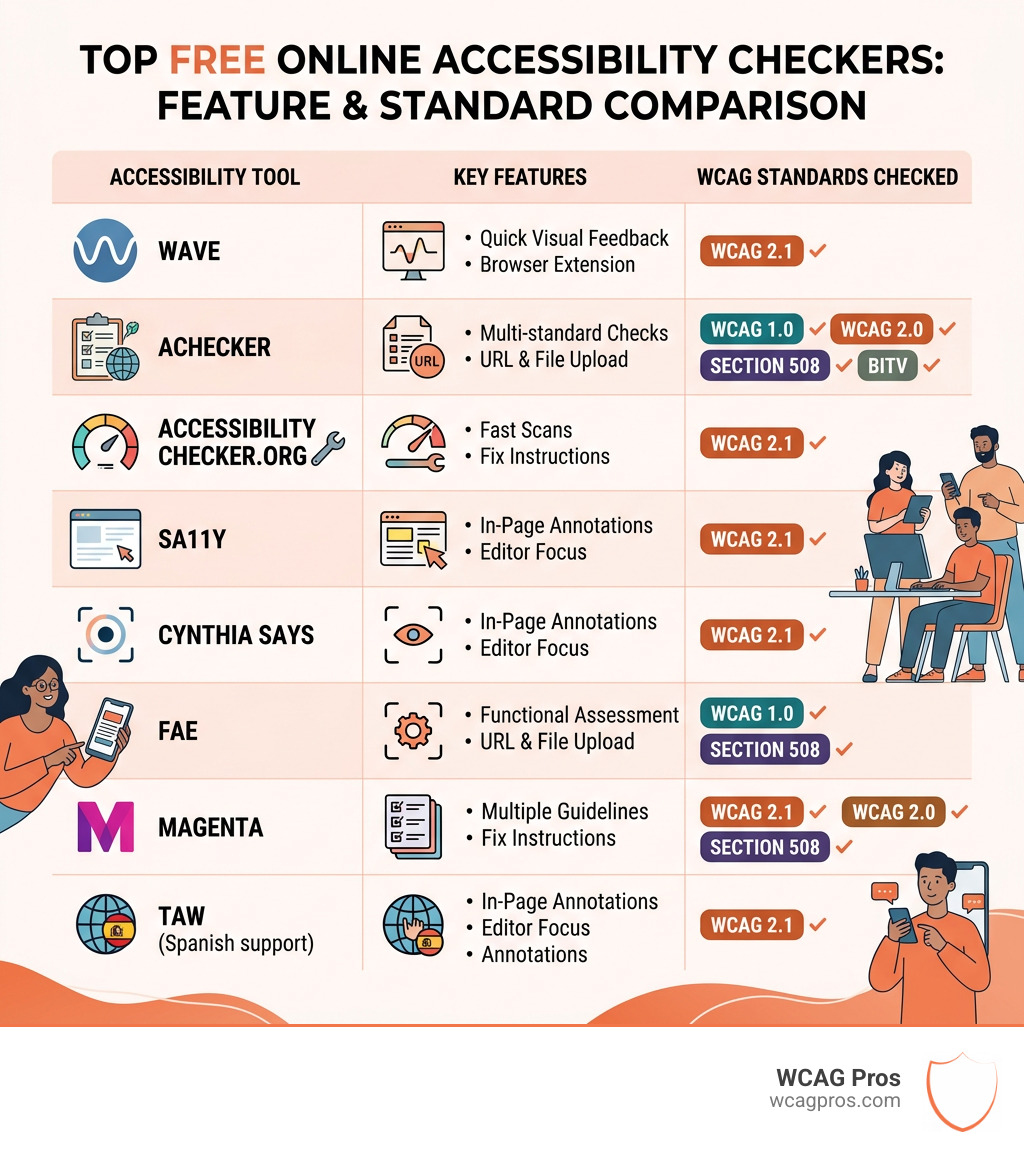
An online website accessibility checker is a tool that scans your web pages and flags issues that may prevent people with disabilities from using your site. Here are the top free options covered in this article:
| Tool | Best For | Standards Checked |
|---|---|---|
| WAVE | Quick visual feedback | WCAG 2.1 |
| AChecker | Multi-standard checks | WCAG 1.0/2.0, Section 508, BITV |
| AccessibilityChecker.org | Fast scans with fix instructions | WCAG, ADA |
| Cynthia Says | Section 508 focus | WCAG, Section 508 |
| FAE | Functional evaluation | WCAG 2.0 |
| MAGENTA | Multi-guideline analysis | Multiple standards |
| TAW | Spanish-language support | WCAG |
| Sa11y | In-page annotation | WCAG 2.1 |
An estimated 1.3 billion people worldwide live with a significant disability. That is about 16 percent of the global population. If your website is not accessible, you are locking out a massive audience and exposing your business to real legal risk.
The good news is that free automated tools can give you a solid starting point. But they are only part of the picture. Manual testing by an expert is still essential for true compliance.
I’m Matthew Post, co-founder of WCAG Pros and a web developer with nearly three decades of experience building and auditing websites. Over the years, I have used virtually every online website accessibility checker available and understand exactly where these tools help and where they fall short.
Why You Need an Online Website Accessibility Checker
In the modern digital landscape, accessibility is not just a nice to have feature. It is a fundamental requirement for any business that operates online. When we talk about an online website accessibility checker, we are looking at a first line of defense against exclusion.
Legal Risk and ADA Title III
For many business owners, the primary driver for accessibility is legal compliance. In the United States, the Americans with Disabilities Act (ADA) has become a major focal point for digital services. Specifically, ADA Title III requires that places of public accommodation provide equal access to their services. While the law was originally written with physical buildings in mind, the Department of Justice and various courts have made it clear that websites are included in this definition.
If your site is not accessible, you are essentially closing your front door to millions of people. This can lead to costly lawsuits and significant damage to your brand. Beyond the ADA, government agencies and their contractors must also adhere to Section 508, which sets specific standards for electronic and information technology.
Market Reach and Economic Impact
Beyond the legal stick, there is a very large carrot. The global population of people with disabilities is huge. In the US alone, there are 56 million people living with a disability. In the EU, one in four people live with a disability. When you combine these individuals with their families and friends, you are looking at a market with a spending power of over $13 trillion.
When you use an online website accessibility checker to clean up your site, you aren’t just avoiding a lawsuit. You are opening your business to a massive, underserved segment of the population. There are massive Business Benefits of an Accessible Website that include better SEO, improved user experience for everyone, and increased brand trust.
Top Free Tools for Compliance
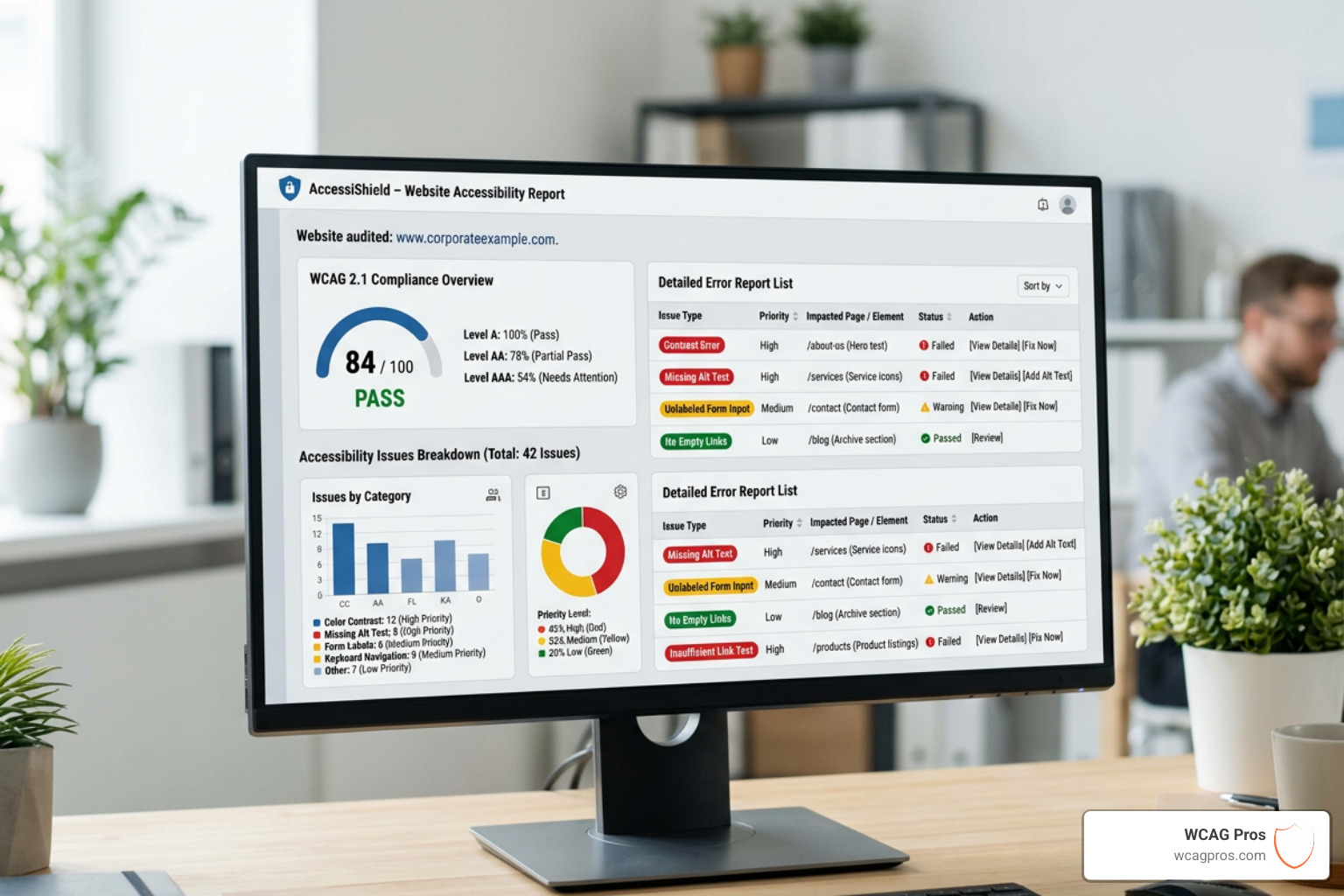
Using an automated tool is often the only financially viable way to scan hundreds or thousands of pages quickly. While these tools cannot catch everything, they are incredible for identifying low hanging fruit like missing alt text or poor color contrast.
Top 8 Free Online Website Accessibility Checker Tools
Here is a breakdown of the most reputable free tools currently available to help you evaluate your site.
WAVE (Web Accessibility Versatile Evaluator) Developed by WebAIM, WAVE is perhaps the most famous tool in the industry. It provides a visual overlay on your website, showing exactly where errors occur. It is excellent for authors who want to see how their content looks to an evaluation engine. You can use their online tool for single pages or install their browser extensions.
AChecker This is a highly versatile tool that allows you to check a page by URL, file upload, or by pasting HTML code directly. It supports a wide range of standards, including WCAG 2.0, Section 508, and even international standards like the German BITV or the Italian Stanca Act. You can find it at achecker.ca.
AccessibilityChecker.org This tool is known for its speed and user friendly reports. It performs over 50,000 scans every month and provides a unique accessibility score. What makes AccessibilityChecker.org stand out is that it gives you a clear explanation of each error and instructions on how to fix it at the code level.
Cynthia Says If your primary goal is Section 508 compliance, Cynthia Says is a classic choice. It is an educational tool that validates one page at a time, specifically flagging issues related to US federal standards.
FAE (Functional Accessibility Evaluator) The FAE evaluates web pages based on the ITAA Web Accessibility Standards. It breaks results into five helpful categories: Navigation and Orientation, Text Equivalents, Scripting, Styling, and HTML Standards.
MAGENTA Developed by the HIIS Laboratory, MAGENTA is a web-based tool that goes beyond standard WCAG checks. It specifically evaluates websites for their conformance to guidelines that affect visually impaired users, providing a deep dive into specific accessibility needs.
TAW TAW is a long standing tool that references WCAG 1.0 and 2.0. It is particularly useful because it generates an annotated version of your website, marking violations clearly and offering recommendations for resolution.
Sa11y Sa11y is a specialized tool geared toward content authors. It is a bookmarklet that visually marks potential errors on the page. It is excellent for spotting common issues like broken heading structures or missing alt text while you are working in your CMS.
How to Choose the Right Online Website Accessibility Checker
With so many options, how do you pick? You should consider the depth of reporting you need. Some tools just give you a list of errors, while others explain the impact on the user. You should also check which version of the WCAG guidelines they support. Most modern tools should at least support WCAG 2.1 Level AA.
We recommend checking your site against an ADA Website Compliance 2025 Accessibility Checklist to see which tool aligns best with your goals.
| Feature | WAVE | AChecker | AccessibilityChecker.org |
|---|---|---|---|
| URL Input | Yes | Yes | Yes |
| Code Paste | No | Yes | No |
| Fix Instructions | Basic | Detailed | Very Detailed |
| Browser Extension | Yes | No | No |
The Limitations of Automated Testing
It is a common myth that running an online website accessibility checker is enough to make a site compliant. In reality, even the best automated tools can only detect about 30 percent to 40 percent of potential accessibility issues.
The Need for Manual Review
Automation is great for things that follow strict rules, like checking if an image has an “alt” attribute. However, an automated tool cannot tell if that alt text actually describes the image accurately. If you have a picture of a cat and the alt text says “blue car,” a checker will give you a green light, but a screen reader user will be completely confused.
Manual testing is the only way to ensure proper keyboard navigation. Many users with motor disabilities do not use a mouse. They rely on the Tab key to move through a site. An automated tool might not catch a “keyboard trap” where a user gets stuck in a menu and cannot get out.
Contextual Errors and ARIA
Complex components like carousels, modals, and forms often require WAI-ARIA attributes to tell assistive technology what they are and how they work. Automated tools often struggle with these because they require an understanding of the context.
We always suggest that businesses Test Their Website’s Accessibility Using Real Users. There is no substitute for watching someone with a disability try to navigate your checkout process. They will find barriers that no software can detect.
Frequently Asked Questions
Is an automated scan enough for legal compliance?
No. While an online website accessibility checker is an excellent starting point for identifying errors, it does not constitute a full audit. Most legal settlements and accessibility experts require a combination of automated scans and manual expert reviews. To truly mitigate risk, you need to ensure your site meets WCAG 2.1 Level AA standards through a comprehensive audit.
What is the difference between WCAG and ADA?
This is a common point of confusion. The ADA is a civil rights law in the United States that prohibits discrimination. However, the ADA does not contain specific technical instructions for websites. Instead, the industry and the courts point to the Web Content Accessibility Guidelines (WCAG) as the “gold standard” for what an accessible site looks like. Think of the ADA as the law and WCAG as the technical manual you follow to obey that law.
How often should I run an accessibility check?
Accessibility is not a one time project. Every time you add a new blog post, update a plugin, or change your design, you risk introducing new errors. We recommend running an automated check at least once a month and performing a full manual re-audit whenever you make significant structural changes to your site.
Conclusion
Starting your accessibility journey with a free online website accessibility checker is a smart move. It helps you see the immediate problems and gives you a roadmap for improvement. However, to achieve true digital inclusion and protect your business from legal threats, you eventually need to go deeper.
At WCAG Pros, we specialize in taking businesses beyond the automated scan. We provide professional WCAG Audits that involve a page by page review of all 54 success criteria. We don’t just give you a report of what is wrong. We provide the actual code fixes and offer free re-audits to ensure you earn your compliance badge.
Whether you are in Norco CA or anywhere else in the country, we are here to help you make the web a more inclusive place for everyone.
Read more website accessibility articles
Get Help With Your Website
We'll follow up with info about:
- The process
- Cost
- Timeline
We promise to respect your privacy, and never abuse the information you provide. We will not sell or rent your information to any third party.
By submitting this form, you consent to receive SMS messages and/or emails from SEM Dynamics LLC, dba WCAG Pros. To unsubscribe, follow the instructions provided in our communications. Msg & data rates may apply for SMS. Your information is secure and will not be sold to third parties.