
The Great Debate: WCAG AA vs AAA Explained
The Great Debate: WCAG AA vs AAA Explained
WCAG AA vs AAA: What’s the Difference and Which Do You Need?
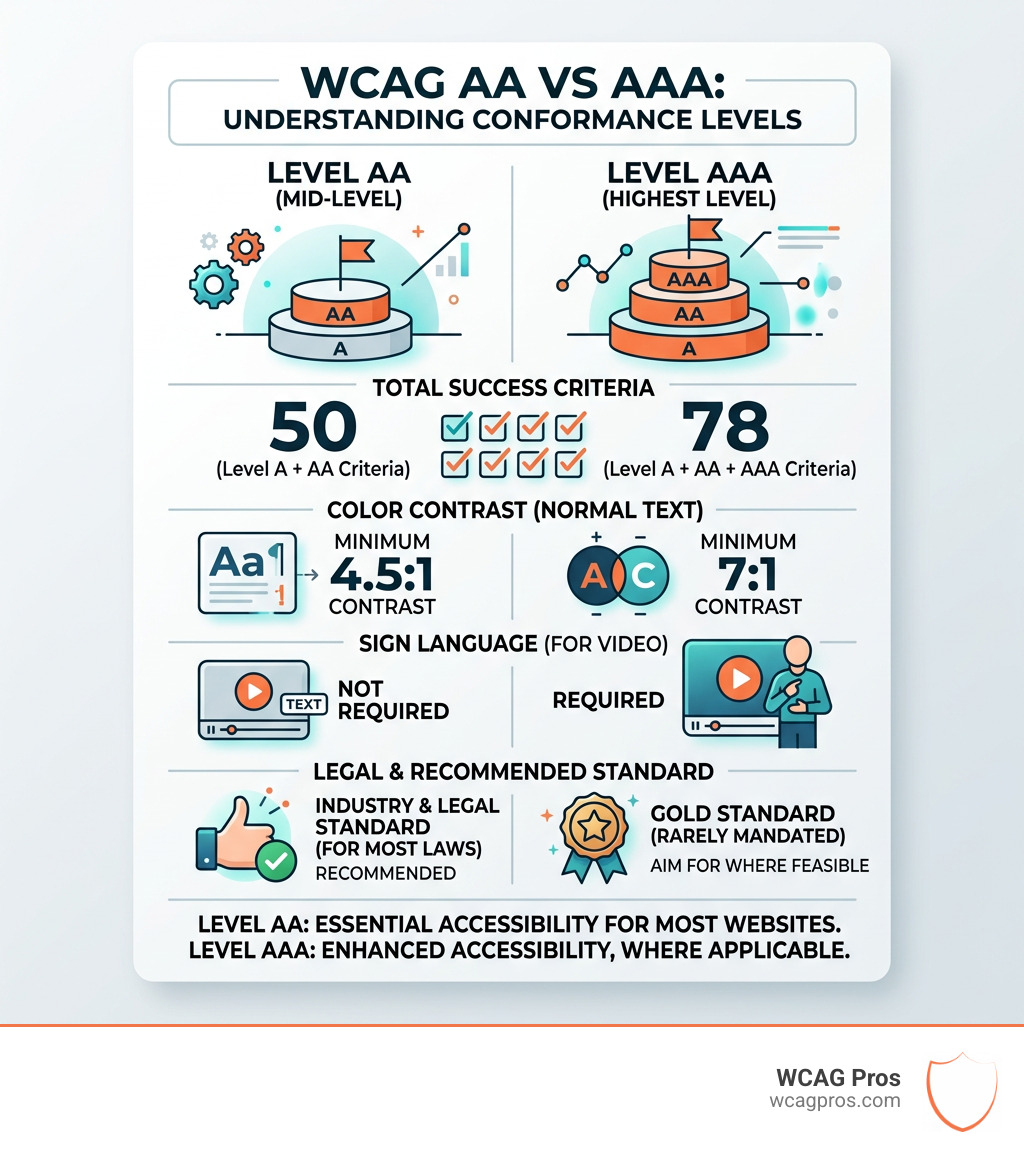
WCAG AA vs AAA are two conformance levels defined by the Web Content Accessibility Guidelines (WCAG), and they are not the same thing.
| Feature | WCAG AA | WCAG AAA |
|---|---|---|
| Total success criteria | 50 (Level A + AA) | 78 (Level A + AA + AAA) |
| Color contrast (normal text) | 4.5:1 minimum | 7:1 minimum |
| Sign language for video | Not required | Required |
| Legal standard | Yes, for most laws | Rarely mandated |
| Achievable for all content? | Yes | No, not always |
| Recommended for most sites? | Yes | Only where feasible |
The short answer: WCAG AA is the legal and industry standard that most websites must meet. WCAG AAA is the highest level, adding 28 more criteria, but it is not required by law and is not always achievable for all types of content.
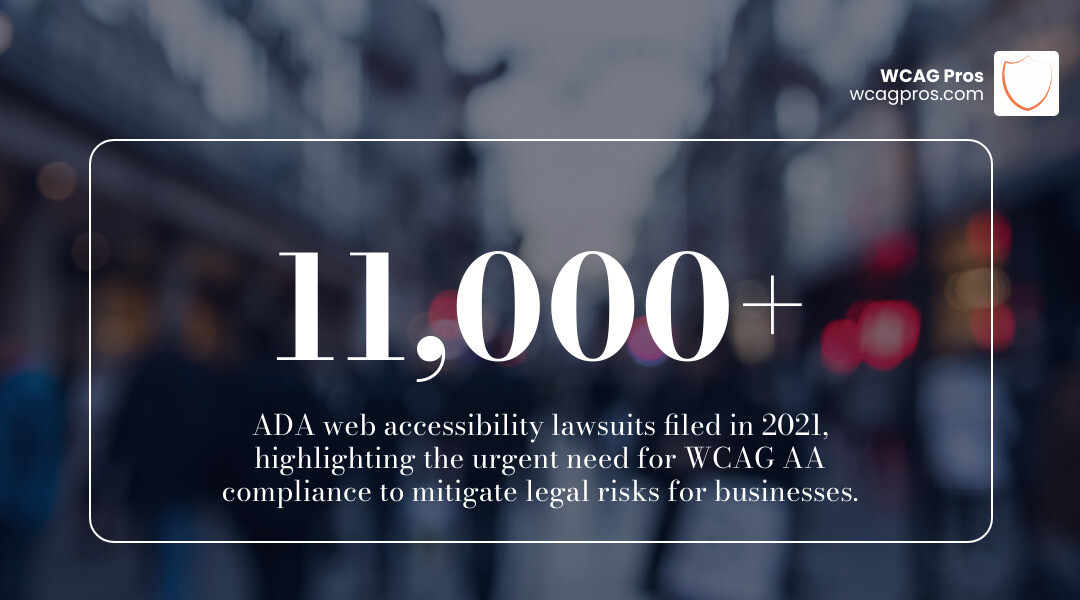
The stakes are real. Over 11,000 ADA Title III lawsuits were filed in 2021 alone, and 96% of the top one million homepages still fail basic WCAG requirements. If your site is not at least AA-conformant, you are exposed to serious legal risk.
I’m Matthew Post, a web developer and accessibility specialist with nearly three decades of experience, and I co-founded WCAG Pros specifically to help businesses navigate the complexities of WCAG AA vs AAA compliance through hands-on audits and remediation. Let’s break down exactly what separates these two levels so you can make the right call for your site.
Understanding the Three Levels of WCAG Conformance
To understand the WCAG AA vs AAA dynamic, we first have to look at how the World Wide Web Consortium (W3C) structures these rules. The guidelines are built on four core principles known by the acronym POUR: Perceivable, Operable, Understandable, and Robust. Within these principles are the success criteria that determine your level of conformance.
The levels are cumulative. Think of them like a tiered cake. Level A is the base layer, representing the absolute minimum requirements to make a site usable. Level AA sits on top of Level A, adding more rigorous standards. Finally, Level AAA is the top tier, representing the gold standard of digital inclusion.
In the current WCAG 2.1 version, there are 78 total success criteria.
- Level A includes 30 criteria covering the basics like WCAG Guidelines for non-text content and keyboard navigation.
- Level AA adds 20 more criteria, bringing the total to 50. This level addresses the most common and significant barriers for users with disabilities.
- Level AAA adds another 28 criteria for a total of 78.
One of the most important things to remember is that you cannot reach a higher level without first satisfying all the criteria of the levels below it. If you fail a single Level A requirement, you cannot claim AA or AAA conformance, even if you meet every other rule in the book. This cumulative nature ensures a solid foundation of accessibility before moving toward more specialized enhancements.
Furthermore, WCAG is designed with backward compatibility in mind. Newer versions like 2.1 or 2.2 add new criteria but do not remove the old ones, meaning if you meet the latest standards, you are generally covered for previous versions as well.
Key Differences Between WCAG AA vs AAA
When we look at WCAG AA vs AAA, the differences often come down to how much effort is required from the developer and how much clarity is provided to the user. Level AA is often described as the “sweet spot” because it removes significant barriers without completely stripping away design flexibility. Level AAA, however, can be much more restrictive.
For example, Level AAA has very strict rules about how text is presented. It prohibits justified text because the uneven spacing can be difficult for people with cognitive disabilities or dyslexia to read. It also requires specific line and paragraph spacing that can significantly alter the “look and feel” of a high-end design.
The technical requirements also ramp up significantly. While Level AA focuses on making sure a site is generally usable, Level AAA dives into the nitty-gritty of user interaction. A great example of this is Success Criterion 2.5.5 Target Size, which recommends that touch targets like buttons be at least 44 by 44 CSS pixels. This ensures that users with mobility impairments or those using mobile devices can accurately click elements without hitting the wrong thing.
Practical challenges often prevent sites from reaching full AAA status. Even the W3C admits that Level AAA is not recommended as a general policy for entire websites because some types of content simply cannot meet the criteria. This is why you rarely see a standard commercial site claiming AAA. Instead, you see it on specialized websites, such as the NHS website in the UK, which provides sign language videos and enhanced contrast for critical healthcare information.
Despite these clear paths to improvement, the reality of the web is quite stark. Research shows that 96 percent of homepages have detectable WCAG failures. With over 1 billion people worldwide living with some form of disability, these failures represent a massive missed opportunity for connection and commerce.
Contrast Ratios in WCAG AA vs AAA
Color contrast is one of the most visible battlegrounds in the WCAG AA vs AAA comparison. For users with visual impairments or low vision, the ability to distinguish text from its background is the difference between a usable site and a blank screen.
- Level AA (Minimum): Requires a contrast ratio of at least 4.5:1 for normal text and 3:1 for large text. This is generally considered sufficient for most users and allows for a wide range of brand colors.
- Level AAA (Enhanced): Pushes this requirement to 7:1 for normal text and 4.5:1 for large text.
While 7:1 provides a much better experience for low-vision users, it can be very limiting for designers. Many popular color palettes simply cannot achieve a 7:1 ratio, which is why many brands stick to AA for their primary design and offer a “High Contrast Mode” as a AAA-inspired alternative.
Media and Navigation in WCAG AA vs AAA
The way we handle video, audio, and site movement also changes drastically between these levels. Level AA is quite comprehensive, but AAA goes several steps further to ensure no one is left behind.
In terms of media:
- Level AA requires captions for live audio and audio descriptions for pre-recorded video content.
- Level AAA adds the requirement for sign language interpretation for all pre-recorded audio content. It also requires an “extended audio description” when the pauses in foreground audio are not long enough to allow for a standard description.
Navigation and timing also see major upgrades at the AAA level. While AA requires consistent navigation menus, AAA looks for redundant paths, ensuring there is more than one way to find a page (like a search bar plus a site map). AAA also demands that “timing is not an essential part of the activity,” meaning users should be able to turn off time limits entirely unless it’s a real-time event like an auction. Furthermore, AAA requires that animations triggered by interaction can be disabled, which is vital for users who experience vestibular disorders or seizures.
Legal Compliance and the Industry Standard
Is WCAG AA vs AAA just a technical choice? Not at all. It is a legal one. In the United States, the Americans with Disabilities Act (ADA) Title III has been interpreted by courts to include websites as “places of public accommodation.” While the ADA itself does not explicitly mention WCAG, the Department of Justice (DOJ) and the courts almost universally point to WCAG 2.1 Level AA as the benchmark for a site being “accessible.”
Similarly, Section 508 of the Rehabilitation Act requires federal agencies to make their electronic technology conform to WCAG 2.0 Level AA. This has made AA the de facto industry standard for almost every sector, from retail to education.
For many, this is about legal risk mitigation. In 2021, over 11,000 ADA lawsuits were filed, many of them targeting small businesses that lacked basic accessibility features. We have put together an ADA Compliance for Small Businesses in 2025: A Complete Guide to help owners understand these risks.
The European Accessibility Act (EAA) also leans heavily on Level AA. For most organizations, achieving AA conformance is enough to satisfy regulators and significantly reduce the chance of a lawsuit. Aiming for AAA is seen as a proactive, ethical choice rather than a legal mandate.
Common Questions and Testing Methods
Achieving any level of conformance requires a rigorous testing process. You cannot simply install a plugin and call it a day. In fact, many “overlay” tools fail to catch the majority of issues. Statistics show a 96.3 percent failure rate on homepages even when automated tools are present.
At WCAG Pros, we advocate for a hybrid approach. Automated scans are great for catching low-hanging fruit like missing alt text or basic color contrast issues. However, manual audits are the only way to test for complex logic. For instance, an automated tool can tell you if an image has alt text, but it can’t tell you if that text actually describes the image accurately for a screen reader user.
Manual testing involves:
- Keyboard Navigation: Can you navigate the entire site using only the “Tab” and “Enter” keys?
- Screen Reader Testing: Does the site make sense when read aloud by software like NVDA or JAWS?
- User Testing: Having actual people with disabilities navigate the site to find pain points that code checkers miss.
Is WCAG Level AAA required by law?
Generally, no. For the vast majority of private businesses and even government entities, WCAG Level AA is the standard required by law. While some specialized government contracts or very specific disability-focused organizations might mandate AAA, it is not a general legal requirement. For most, AA sufficiency is the goal.
Do AA sites automatically meet AAA requirements?
Absolutely not. While a AAA site must meet all AA requirements, the reverse is not true. A site can be perfectly conformant to Level AA but still fail nearly every Level AAA criterion. There are significant criteria gaps, particularly in areas like sign language, extended audio descriptions, and reading level complexity. Moving from AA to AAA is a major undertaking that requires a fundamental shift in how content is created and presented.
Which level is recommended for most websites?
We always recommend Level AA as the target for most websites. It provides a high level of inclusive design and meets almost all legal benchmarks worldwide without requiring the extreme technical and financial investment of AAA. It is the practical industry benchmark. However, we also encourage clients to adopt “AAA-lite” by picking specific AAA criteria that make sense for their audience, such as larger target sizes or better error prevention in forms.
Conclusion
The debate of WCAG AA vs AAA isn’t about which one is “better” in a vacuum. It’s about what is right for your users, your budget, and your legal standing. While Level AAA is the pinnacle of digital inclusion, Level AA is the standard that keeps the internet open and accessible to the widest possible audience while keeping businesses compliant.
At WCAG Pros, we specialize in helping you find that balance. Whether you need a comprehensive WCAG audit to identify where you stand or help with remediation to reach that elusive AA badge, we are here to help. Digital inclusion is a journey, and every step you take toward conformance makes the web a better place for everyone.
Read more website accessibility articles
Get Help With Your Website
We'll follow up with info about:
- The process
- Cost
- Timeline
We promise to respect your privacy, and never abuse the information you provide. We will not sell or rent your information to any third party.
By submitting this form, you consent to receive SMS messages and/or emails from SEM Dynamics LLC, dba WCAG Pros. To unsubscribe, follow the instructions provided in our communications. Msg & data rates may apply for SMS. Your information is secure and will not be sold to third parties.