
How to retest your website for ADA compliance for free
How to retest your website for ADA compliance for free
Why ADA Compliance Retest Free Tools Matter for Your Website
ADA compliance retest free tools let you verify your website’s accessibility after fixes without spending money. Here are the most reliable free options you can use right now:
- ARC Toolkit (Chrome/Firefox extension) — scans individual pages for WCAG failures with code-level detail
- axe DevTools (browser extension) — powered by the axe-core engine trusted by Google and Microsoft
- Siteimprove Accessibility Checker — free browser plugin that checks 15 common accessibility issues
- Free online scanners (such as those powered by axe-core) — paste a URL and get an instant report
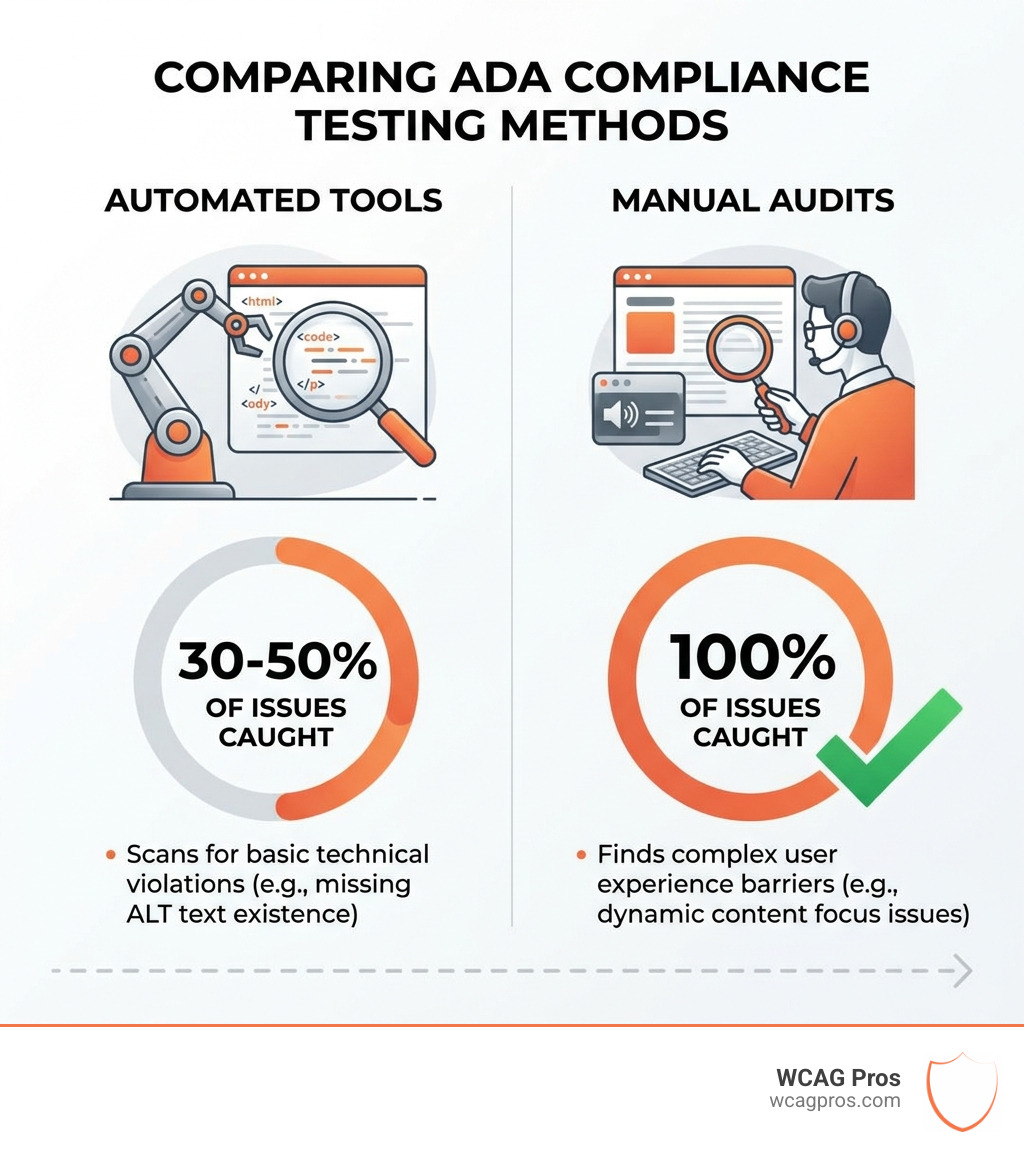
Important: Free automated tools catch only 30 to 50% of accessibility issues. Manual testing is always required for full coverage.
Here is why this matters. Over 5,100 ADA lawsuits were filed in 2025, a 20% jump from the year before. The average settlement tops $50,000. And 96% of websites still fail basic accessibility tests. If you recently fixed accessibility issues on your site, you need to verify those fixes actually held. That is what retesting is for.
A retest is not the same as your first audit. It is a targeted check to confirm that the issues you fixed are truly resolved, and that no new problems crept in through content updates, plugin changes, or design tweaks.
I’m Matthew Post, co-founder of WCAG Pros and a programmer with over 20 years of experience auditing and remediating websites for ADA and WCAG compliance. I’ve personally overseen hundreds of ADA compliance retest free and paid projects, giving me a clear picture of what tools work and where they fall short. Let’s walk through exactly how to retest your site effectively.
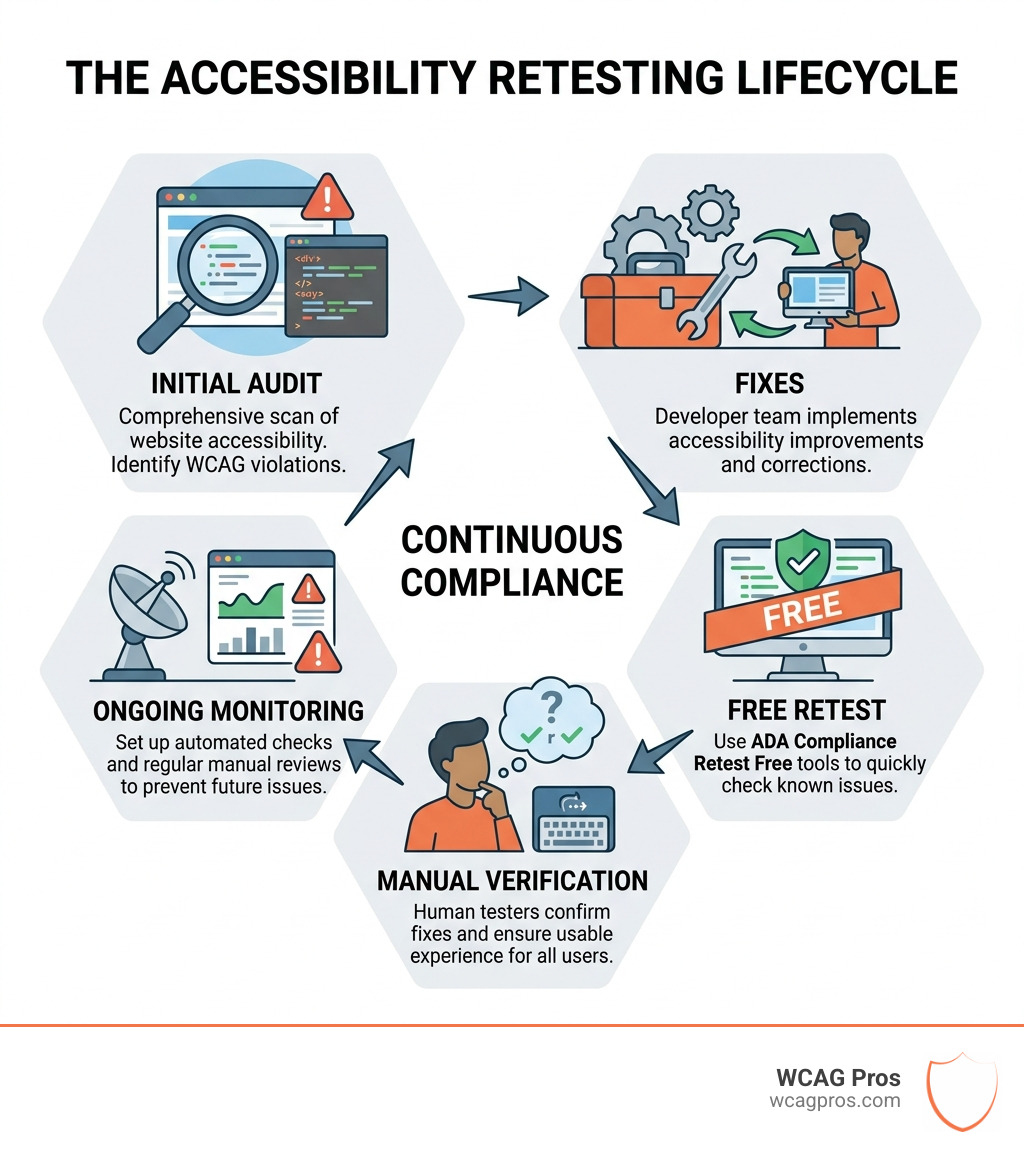
Why you need an ADA compliance retest free of errors
Maintaining an accessible website is no longer a “nice to have” feature. It is a strict legal requirement. As of April 2026, the landscape of digital accessibility has shifted significantly. The Department of Justice (DOJ) has formalized rules that demand higher standards for digital content. Specifically, for state and local governments, a major Title II deadline passed on April 24, 2026, for large entities. This rule mandates that web content and mobile apps must align with WCAG 2.2 Level AA standards.
Even if you are a private business, the risk is real. In 2025, we saw over 5,100 ADA-related lawsuits filed against websites. That is a 20% increase year-over-year. Serial plaintiffs often use automated scanners to find “low hanging fruit” like missing alt text or broken forms. If you have already gone through the effort of fixing your site, an ADA compliance retest free check ensures your investment actually protected you.
Retesting is essential because websites are dynamic. Every time you update a plugin, add a blog post, or change a hero image, you risk an accessibility “regression.” A regression is when a previously accessible feature becomes broken. Research shows that 96% of websites have accessibility errors, and the average site has over 51 issues to fix. Without regular retesting, those issues will crawl back into your code.
For those in California, the ADA Compliance – California Department of Insurance highlights the importance of these standards for all digital interactions. To understand the full scope of what you need to cover, you can view our ADA Site-Wide Audit: Your Roadmap to Total Compliance. You should also review the State and Local Governments: First Steps Toward Complying with the ADA to ensure you are meeting the latest federal expectations.
Step-by-step guide to perform an ADA compliance retest free
Performing a retest does not have to be an overwhelming technical hurdle. Think of it like a home inspection after a renovation. You want to make sure the “plumbing” of your code is still working for everyone.

Follow these steps to conduct your own ADA compliance retest free of charge:
- Identify the Scope: Do not just test your homepage. Courts and users look at the entire journey. Identify your high-traffic pages, your contact forms, and your checkout process.
- Run an Automated Scan: Use a tool like ARC Toolkit or axe DevTools to catch the technical errors that a computer can see instantly.
- Verify the Fixes: Go back to your original audit list. Check each item one by one. If you fixed a color contrast issue on the “Submit” button, use a free contrast checker to ensure it still meets the 4.5:1 ratio.
- Test Keyboard Navigation: Put your mouse away. Can you move through every link and button using only the “Tab” key?
- Check Mobile Responsiveness: Over 60% of web traffic is mobile. Ensure your site does not break when users zoom in to 200%.
For a detailed roadmap of what to look for, check out The Ultimate Website Accessibility Testing Checklist for 2026.
Using automated tools for your ADA compliance retest free
Automated tools are your first line of defense. They are fast, free, and can catch about 30 to 50% of WCAG 2.2 errors. These tools are excellent for catching “hard” errors like missing image descriptions (alt text), empty links, or missing form labels.
One of our favorite tools is the ARC Toolkit. It integrates directly into your browser’s developer tools. It provides a breakdown of errors by category, such as “Images,” “Structure,” and “Forms.” Another industry standard is the axe-core engine. This is the same technology used by Google in their Lighthouse reports. It is highly accurate and reduces “false positives,” which means it won’t waste your time with errors that aren’t actually there.
You can also use the Siteimprove Accessibility Checker. It is a lightweight browser plugin that gives you a quick score and highlights 15 common issues. These tools are perfect for a quick ADA compliance retest free check after you push a small update to your site. To learn more about how these work, read our guide on the Automated Tools Audit.
Manual checks for a complete ADA compliance retest free
While automated tools are great, they are not perfect. A computer cannot tell if an image description is actually meaningful. It only knows if the description exists. For a truly complete ADA compliance retest free of major risks, you must perform manual checks.
- Screen Reader Testing: If you use a Mac, you have VoiceOver built-in. If you use Windows, you can download NVDA for free. Turn it on and try to “read” your page. Does it make sense? Are the headings in the right order?
- Color Contrast: Tools like the TPGi Color Contrast Analyser are free to download. They help you ensure that text is readable for people with low vision.
- Focus Indicators: When you tab through a site, do you see a box around the active link? This is a “focus indicator.” If it is missing, a keyboard user is essentially “blind” on your site.
- Dynamic Content: If you have a pop-up or a sliding menu, does the focus move inside that element? If not, it is a “keyboard trap,” and it is a major compliance violation.
Testing with real people is the gold standard. You can learn more about this in our article on How to Test Your Website’s Accessibility Using Real Users.
Comparing free versus paid retesting options
When deciding between a free retest and a paid professional audit, you have to weigh the cost against the risk. Free tools are excellent for ongoing maintenance, but they have limitations.
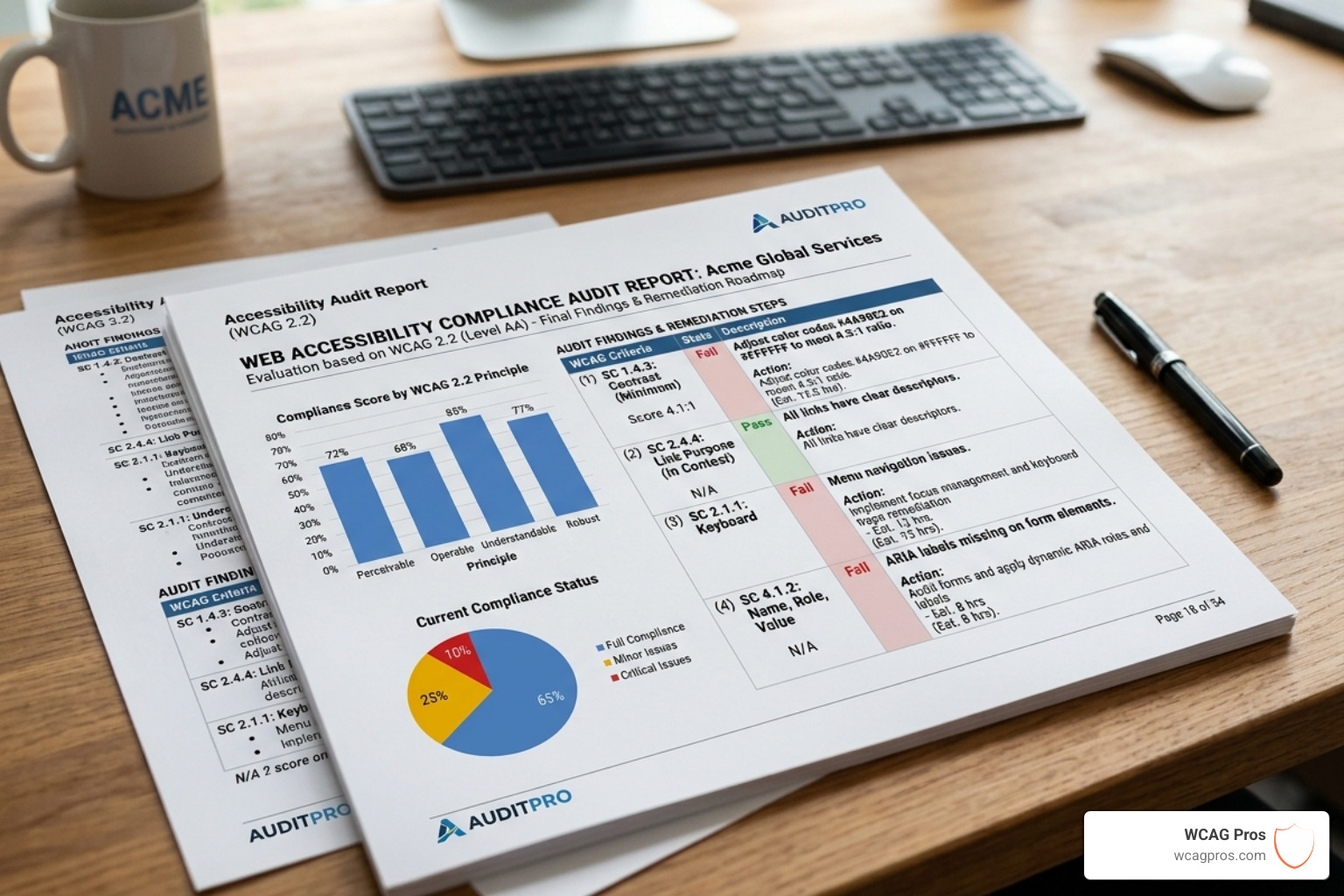
| Feature | Free Automated Retest | Paid Professional Audit |
|---|---|---|
| Cost | $0 | Varies by site size |
| Accuracy | 30-50% of issues | 100% of WCAG 2.2 points |
| Manual Review | No | Yes (Expert human review) |
| Legal Protection | Low (Good faith only) | High (Legally defensible) |
| Documentation | Basic reports | Full ACR / VPAT |
| Code Fixes | Suggestions only | Exact code provided |
The biggest limitation of a free ADA compliance retest free is that it cannot provide “legal defensibility.” If you are sued, a court wants to see that a human expert verified the site. Automated reports are often dismissed by judges because they miss so many critical user experience issues.
At WCAG Pros, we believe in a hybrid approach. Use free tools for your weekly checks, but bring in the pros for your annual certification. Our WCAG Audit service provides a comprehensive page-by-page review of all 54 WCAG points. We don’t just find the problems; we give you the exact code to fix them. Plus, we offer free re-audits for compliance badges to prove your site is up to standard.
Frequently Asked Questions about ADA retesting
How often should I retest for WCAG 2.2?
We recommend a two-tier retesting schedule. You should run an automated ADA compliance retest free scan every time you publish new content or update a plugin. For most businesses, this means weekly or monthly.
For a deeper dive, you should conduct a manual audit at least quarterly. This prevents “accessibility debt” from building up. If you wait a full year to retest, you might find hundreds of new errors that will be expensive and time consuming to fix. Regular monitoring is the best way to avoid a $50,000 settlement.
Can free tools provide a VPAT?
No. A VPAT (Voluntary Product Accessibility Template) is used to create an ACR (Accessibility Conformance Report). This is a formal document often required for government contracts or large corporate RFPs.
A VPAT requires a detailed, manual analysis of every WCAG criteria. Free automated tools simply do not have the capability to verify subjective requirements like “meaningful sequence” or “proper labels.” While you can use free tools to help gather data, a valid VPAT must be completed by a qualified accessibility professional.
Do overlays help with retesting?
This is a common question. Accessibility overlays or widgets are small pieces of code that claim to “fix” your site instantly. However, they are widely rejected by the disability community and the courts. In 2025, many companies were sued despite having an overlay installed.
Overlays often interfere with screen readers and do not fix the underlying code. When you run an ADA compliance retest free scan on a site with an overlay, the scanner might show a passing score, but a real user will still struggle. True compliance happens in your source code, not through a “band-aid” widget.
Conclusion
Retesting is the only way to ensure your website remains a welcoming place for all users. While the ADA compliance retest free tools we discussed are powerful, they are just one part of a complete strategy. They are perfect for catching common errors and maintaining your site between professional reviews.
However, given the 20% increase in lawsuits and the strict new Title II deadlines of 2026, relying solely on free tools is a risky move. You need a partner who understands the nuances of WCAG 2.2 and can provide the manual verification that automated scanners miss.
At WCAG Pros, we make the process simple. We provide comprehensive audits that cover every single WCAG point. We give you the code fixes you need to get compliant fast. And the best part? We offer free re-audits to ensure your fixes are perfect, allowing you to display a compliance badge with confidence.
Don’t wait for a demand letter to arrive in the mail. Take control of your digital presence today. For more info about ADA compliance retesting services, visit our website or book a call with our team. We are here to help you plan, fix, and prove your accessibility.
Read more website accessibility articles
Get Help With Your Website
We'll follow up with info about:
- The process
- Cost
- Timeline
We promise to respect your privacy, and never abuse the information you provide. We will not sell or rent your information to any third party.
By submitting this form, you consent to receive SMS messages and/or emails from SEM Dynamics LLC, dba WCAG Pros. To unsubscribe, follow the instructions provided in our communications. Msg & data rates may apply for SMS. Your information is secure and will not be sold to third parties.