
The Complete Guide to Website WCAG Full Audit
The Complete Guide to Website WCAG Full Audit
Why a Website WCAG Full Audit is the First Step to Real Accessibility
A website WCAG full audit is the most reliable way to find out whether your site meets the Web Content Accessibility Guidelines (WCAG) and protects your business from growing legal risk.
Quick answer: What does a website WCAG full audit involve?
- Scope – Identify which pages, user journeys, and content types to test
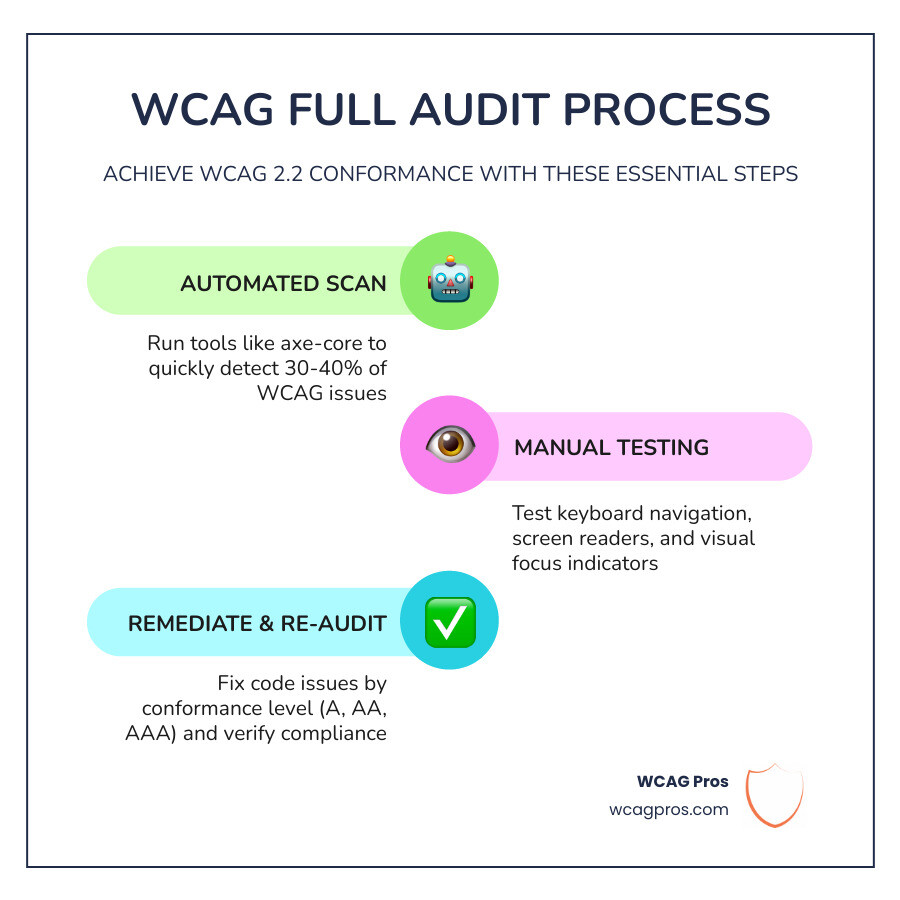
- Automated scan – Run tools like axe-core to catch detectable issues fast
- Manual testing – Check keyboard navigation, screen readers, and visual focus
- Document findings – Map every issue to a specific WCAG 2.2 success criterion
- Prioritize fixes – Rank issues by severity and legal risk (Level A first, then AA)
- Remediate – Fix issues in the source code, not with overlays or patches
- Re-audit – Verify fixes and set up ongoing monitoring
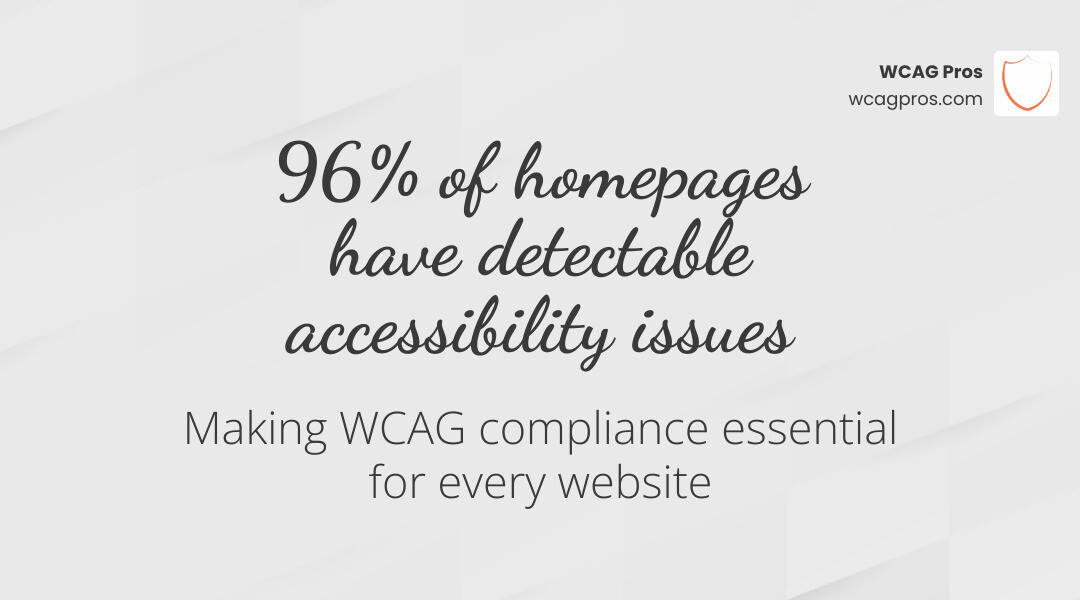
More than 1.3 billion people worldwide live with a disability. In the U.S. alone, 1 in 4 adults has a disability, and ADA-related website lawsuits have risen by 23% in recent years. A full audit is no longer optional for businesses that want to stay protected.
Automated tools only catch 30 to 40% of WCAG issues. That means the majority of barriers that block real users go undetected without a thorough, expert-led review.
I’m Matthew Post, co-founder of WCAG Pros and a web developer with over 20 years of experience, and I personally oversee every website WCAG full audit we conduct. In that time, I’ve seen how a proper audit transforms a business’s legal standing and opens their site to a much wider audience.
What is a Website WCAG Full Audit and Why is it Essential?
A website WCAG full audit is an exhaustive evaluation of your digital presence against the international standards set by the World Wide Web Consortium (W3C). These standards are organized around four core principles known as POUR: Perceivable, Operable, Understandable, and Robust. When we perform an audit, we are checking to see if your website is built in a way that allows everyone to perceive the information, operate the interface, understand the content, and rely on the technology to work with assistive devices.
Why is this so essential in 2026? First and foremost, it is about people. There are over 1.3 billion people globally living with a disability. According to the CDC, 1 in 4 U.S. adults has a disability. If your website is not accessible, you are effectively closing your digital doors to 25 percent of the population. From a business perspective, this is a massive missed opportunity. Consider the “Silver Tsunami” of Baby Boomers who hold over half of the wealth in the United States. As this demographic ages, they increasingly rely on accessibility features like high contrast and screen magnification.
Beyond the moral and financial incentives, there is the matter of legal protection. Lawsuits related to the Americans with Disabilities Act (ADA) have seen a 23 percent increase recently. A Website WCAG full audit acts as your roadmap to compliance, helping you identify and fix vulnerabilities before they result in a demand letter. For a deeper look at how this impacts your organization, check out our Expert Website WCAG Audit Guide for Businesses.
Furthermore, many organizations are now discovering that accessibility is a competitive advantage. When you follow ADA Accessibility – Aura Science principles, you often see improvements in SEO and general user experience. Features like clear heading structures and alt text for images help search engines understand your site better, while easy navigation helps every user find what they need faster.
Comparing Automated vs Manual vs Hybrid Auditing Methods
When you begin looking into a website WCAG full audit, you will find three main ways to get the job done. Each has its place, but they are certainly not equal in terms of the protection they provide.
| Audit Type | Issues Caught | Pros | Cons |
|---|---|---|---|
| Automated | 30 to 40 percent | Fast, cheap, catches low-hanging fruit | Misses 60 percent of issues, high false positives |
| Manual | 90 to 100 percent | Catches complex logic errors, tests real UX | Time-consuming, requires high expertise |
| Hybrid | 100 percent | Most efficient, combines speed with depth | Requires professional coordination |
The Limitations of Automated Tools
Automated scanners are great for a quick pulse check. They can instantly tell you if an image is missing alt text or if your text color is too light against the background. However, they are not smart. An automated tool can tell you an image has alt text, but it cannot tell you if that text is actually helpful. If a photo of a “Submit Button” has alt text that says “Blue Circle,” the automated tool gives you a green checkmark, but a blind user is still stuck.
The Depth of Manual Auditing
Manual auditing is where the real work happens. This involves human experts using assistive technologies like NVDA or JAWS screen readers to navigate your site. We check for keyboard traps where a user can get stuck in a menu and cannot get out without a mouse. We also look at things like focus indicators—the little boxes that show you where you are on a page when you use the Tab key. If you want to see the basic steps we take, read How to WCAG Test in 5 Simple Steps.
The Hybrid Gold Standard
At WCAG Pros, we believe the hybrid approach is the only way to go. We use industry-standard engines like axe-core to sweep for the easy stuff, and then our experts dive into a page-by-page manual review of all 54 WCAG 2.2 points. This ensures nothing is missed and your remediation efforts are focused on what actually matters for compliance and usability.
Step-by-Step Process for Conformance
Achieving conformance is a journey, not a one-time task. It starts with understanding what level you are aiming for. WCAG 2.2 is divided into three levels:
- Level A: The most basic accessibility features. If you don’t meet these, your site is likely unusable for many.
- Level AA: The global legal standard. This is what most laws like the ADA and Section 508 require.
- Level AAA: The highest level of accessibility. While great for specialized sites, it is often not required for entire general-interest websites.
For those just starting out, we recommend our Beginner’s Guide to Website Accessibility Audit to get your bearings.
Scoping Your Website WCAG Full Audit
You cannot fix what you haven’t measured. Scoping is the process of deciding what parts of your site need testing. For a small site, we might test every single page. For a massive enterprise site with thousands of pages, we look for “unique page templates.” If your blog has 500 posts that all use the same layout, auditing two or three of them will usually uncover the systemic issues.
We also focus heavily on critical user journeys. Can a user with a disability successfully reach your contact form? Can they complete a purchase? We analyze your sitemap and dynamic content to ensure the audit is truly representative of the user experience. You can find more on this in The Ultimate Website Accessibility Testing Checklist for 2026 and through ADA Website Accessibility Audits – MBCS .
Executing the Website WCAG Full Audit Checklist
Once the scope is set, we run through the 54 success criteria of WCAG 2.2. This is a rigorous process that includes:
- Contrast Ratios: Ensuring text is readable against its background (usually a 4.5:1 ratio for standard text).
- Alt Text: Verifying that every meaningful image has a description that conveys its purpose.
- Form Labels: Checking that every input field (like a name or email box) is programmatically linked to a label so screen readers can identify it.
- Heading Hierarchy: Ensuring H1, H2, and H3 tags are used in the correct order to provide a logical “map” of the page.
- Focus Indicators: Making sure there is a clear visual sign of where the keyboard focus is at all times.
For a full list of these points, you can download The Ultimate WCAG Checklist (PDF, Excel, and Print-Ready Versions).
Legal Requirements and Global Compliance Standards
The legal landscape for digital accessibility has never been more active. In the United States, the ADA Title III applies to “places of public accommodation,” which courts have increasingly interpreted to include websites. If your business serves the public, you are likely covered.
Other important standards include:
- Section 508: Applies to federal agencies and any organization receiving federal funding. This requires strict adherence to WCAG 2.2 AA standards.
- EAA (European Accessibility Act): A massive shift coming in June 2025 that will require many private businesses in the EU to meet accessibility standards.
- AODA (Accessibility for Ontarians with Disabilities Act): For those doing business in Ontario, Canada, non-compliance can lead to staggering fines of up to $100,000 per day for corporations.
The trend is clear: governments are no longer treating accessibility as a “nice to have.” They are treating it as a civil right. We have seen cases like Scandinavian Airlines being fined $200,000 for accessibility violations. To protect your business, you need a roadmap, which you can find in our ADA Site-Wide Audit: Your Roadmap to Total Compliance.
A certified audit is your best defense. It shows that you have taken proactive steps to identify and fix barriers. Learn more about this protection in The Certified WCAG Audit Process: Your Shield Against Lawsuits.
Conclusion and Frequently Asked Questions
A website WCAG full audit is not a finish line—it is a foundation. Once the audit is complete and you have your list of 54 points to address, the remediation phase begins. At WCAG Pros, we don’t just hand you a list of problems; we provide the actual code fixes your developers need to implement. We even offer free re-audits to verify those fixes so you can display your compliance badge with confidence.
Maintaining accessibility requires ongoing effort. Websites are living things; every time you add a new blog post, a new product, or a new plugin, you risk introducing an accessibility barrier. We recommend a strategy that includes quarterly monitoring and a full audit whenever you undergo a major site redesign.
How often should we conduct a full audit?
We recommend a website WCAG full audit at least once a year or whenever you make significant changes to your site’s code or design. Regular monitoring should happen monthly or even weekly if you are a high-volume e-commerce site. This “regression testing” ensures that new content doesn’t break the accessibility you worked so hard to achieve.
What is the difference between WCAG 2.1 and WCAG 2.2?
WCAG 2.2 is the latest version and it builds upon 2.1 by adding nine new success criteria. These new points focus heavily on users with cognitive or learning disabilities, users with low vision, and users on mobile devices. Key additions include requirements for “Focus Appearance” (making sure focus indicators are easy to see) and “Target Size” (ensuring buttons are large enough to be easily tapped or clicked).
Can automated tools guarantee 100 percent compliance?
Absolutely not. As we’ve discussed, automated tools are great for speed but poor for context. They cannot tell if your navigation is logical or if your site is easy to use with a screen reader. A tool might tell you your code is “valid,” but only a human can tell you if your website is “accessible.” For true compliance, you must use a hybrid approach that includes expert manual testing.
Ready to start your journey toward a more inclusive digital world? Visit us at WCAG Pros to learn how we can help you achieve total compliance and protect your business today.
Read more website accessibility articles
Get Help With Your Website
We'll follow up with info about:
- The process
- Cost
- Timeline
We promise to respect your privacy, and never abuse the information you provide. We will not sell or rent your information to any third party.
By submitting this form, you consent to receive SMS messages and/or emails from SEM Dynamics LLC, dba WCAG Pros. To unsubscribe, follow the instructions provided in our communications. Msg & data rates may apply for SMS. Your information is secure and will not be sold to third parties.