
How to Test Web Accessibility and Succeed
How to Test Web Accessibility and Succeed
Why Every Business Needs a Web Page Accessibility Test
A web page accessibility test checks whether your website can be used by people with disabilities, including those who rely on screen readers, keyboard navigation, or other assistive technologies.
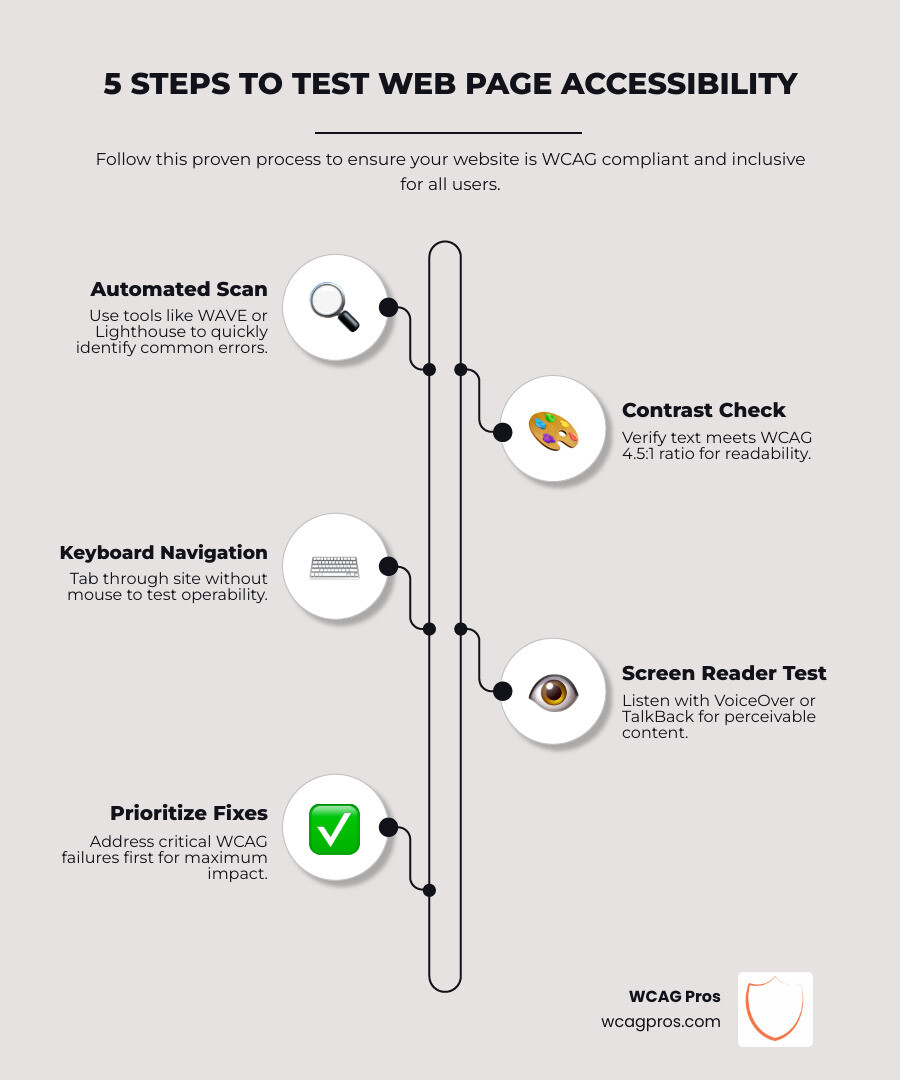
Here is how to test web page accessibility quickly:
- Run an automated scan using a free tool like WAVE or Google Lighthouse to catch common errors fast.
- Check color contrast to ensure text meets the minimum 4.5:1 ratio required by WCAG.
- Test keyboard navigation by tabbing through your site without a mouse.
- Test with a screen reader such as VoiceOver (iOS/Mac) or TalkBack (Android) to check how content is read aloud.
- Review results and prioritize fixes starting with the most critical WCAG failures.
No single tool catches everything. Combining automated and manual testing gives you the most complete picture.
ADA-related website lawsuits are rising, and businesses that ignore accessibility face real legal and financial risk. Around 20% of the world’s population lives with a disability. That is a large share of potential customers who may not be able to use your site at all.
The good news is that testing does not have to be complicated or expensive. Free tools, clear standards, and a simple process can get you moving in the right direction today.
I’m Matthew Post, co-founder of WCAG Pros and a web developer with over 20 years of experience, and I have spent much of my career conducting web page accessibility tests and overseeing WCAG remediation for businesses across industries. In the guide below, I’ll walk you through exactly how to test, what to look for, and how to fix what you find.
Understanding Web Accessibility Standards and Laws
Before we dive into the actual testing, we need to understand the rules of the game. Digital accessibility is guided by several standards and laws that help us create a fair internet for everyone.
The most important technical standard is the Web Content Accessibility Guidelines or WCAG. The latest version is WCAG 2.2. These guidelines are organized under four main principles often called POUR. This stands for Perceivable, Operable, Understandable, and Robust. If your website follows these principles, it means users can see or hear your content, interact with it using various tools, understand the information presented, and rely on the site to work with modern technology.
In the United States, the Americans with Disabilities Act or ADA Title III is the primary law driving accessibility for the private sector. While the ADA does not explicitly mention websites in its original text from 1990, courts and the Department of Justice have made it clear that websites are places of public accommodation. If you want to know more about this, you can read our guide on How to Tell Your Website is ADA Compliant.
For government agencies or organizations that receive federal funding, Section 508 is the law to follow. It requires that all electronic and information technology be accessible to people with disabilities. In California, where we are located in Norco CA, there are specific Web Accessibility Requirements and Assessment Checklists provided by state departments to help organizations stay on track.
Other regions have their own rules. For example, the European Accessibility Act or EAA will require many private European websites to be accessible by June 28 2025. In Canada, the Accessibility for Ontarians with Disabilities Act or AODA carries heavy fines for non-compliance. These laws almost always point back to WCAG as the technical benchmark for success. To get a deeper look at how to navigate these audits, check out our Expert Website WCAG Audit Guide for Businesses.
How to Perform a Comprehensive Web Page Accessibility Test
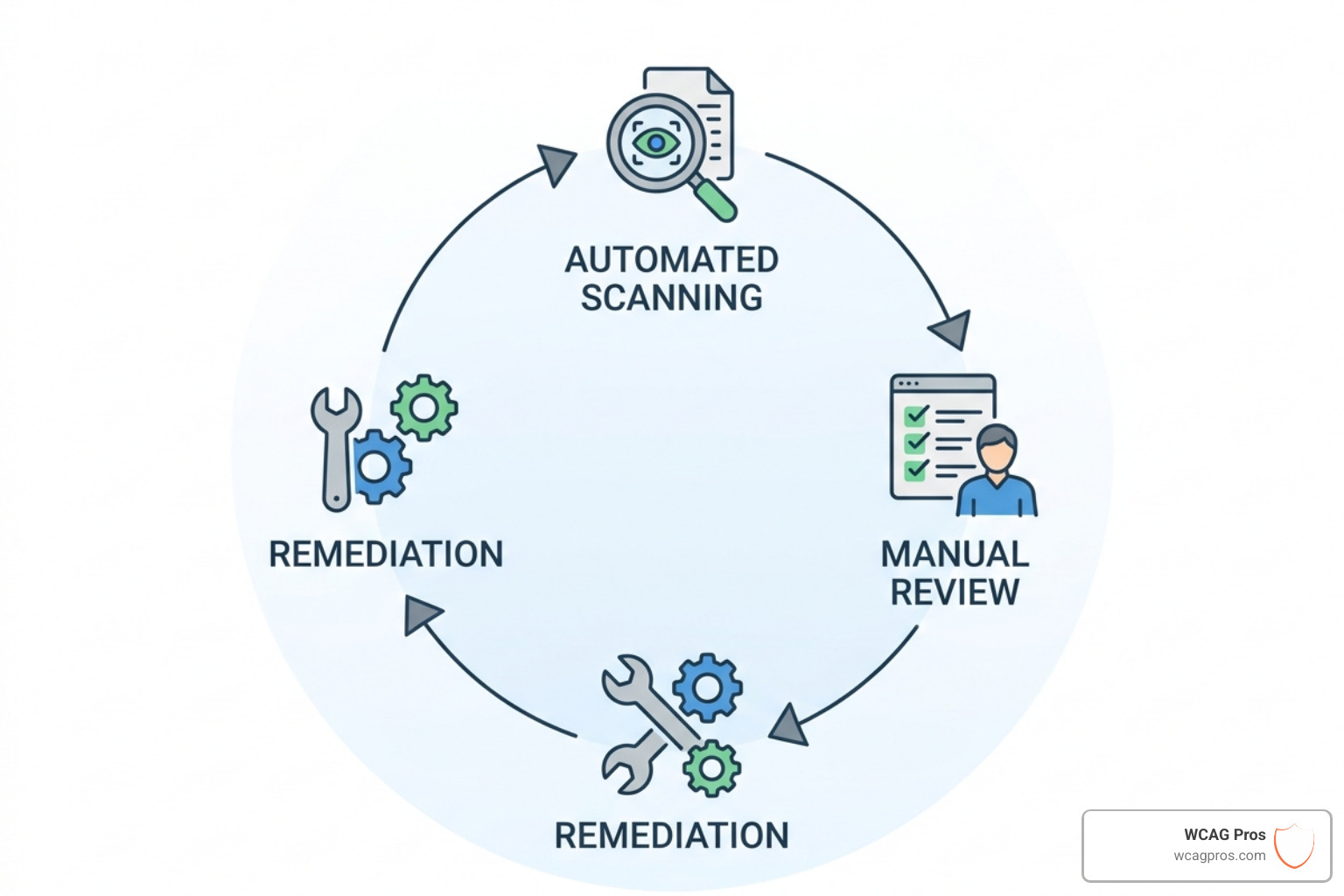
A single web page accessibility test is a great start but a truly accessible site requires a multi-layered approach. We like to think of it as a three-legged stool. If you remove one leg, the whole thing falls over. These three legs are automated scanning, manual review, and user testing.
Automated tools are great for finding “low-hanging fruit” like missing alt text or poor color contrast. Manual reviews are necessary to understand context, such as whether a button label actually makes sense. Finally, user testing with people who have disabilities provides the most authentic feedback on how your site performs in the real world. You can find a detailed breakdown in The Ultimate Website Accessibility Testing Checklist for 2026.
Starting with an Automated Web Page Accessibility Test
Automated tools are the fastest way to get a baseline for your site. They are efficient and can scale to scan hundreds of pages in minutes. Tools like WAVE, Lighthouse, and AccessibilityChecker.org are industry favorites for a reason.
WAVE is a suite of evaluation tools developed by WebAIM that helps authors make their web content more accessible. It identifies many WCAG errors while also facilitating human evaluation. It is particularly handy for checking password-protected or dynamic pages through its browser extensions.
Lighthouse is built right into Google Chrome. It provides audits for performance, SEO, and accessibility. Each audit includes reference documents explaining why the test matters and how to fix failing elements.
AccessibilityChecker.org is another powerful option that performs over 50,000 scans every month. It provides a free ADA and WCAG compliance checker that gives exact instructions for fixing issues. This is a great first step for any business owner. For more tips on this part of the process, read Automated Web Accessibility Testing Made Easy.
Conducting a Manual Web Page Accessibility Test
While robots are smart, they lack human context. An automated tool can tell you if an image has an alt tag, but it cannot tell you if that alt tag accurately describes the image. That is where manual testing comes in.
The most basic manual test is keyboard navigation. Put your mouse away and try to navigate your entire site using only the Tab key, Enter key, and Spacebar. Can you see where the focus is? Can you reach all menus and forms? If you get stuck in a “keyboard trap” where you cannot move forward or back, that is a major accessibility failure.
You should also use a screen reader to hear how your site sounds. Screen readers like NVDA for Windows or VoiceOver for Mac read the underlying code of your site. If your code is messy or lacks semantic structure, the screen reader will struggle to provide a clear experience for the user. For more on this, the Evaluating Web Content – CCC Accessibility Center offers great insights. We also highly recommend learning How to Test Your Website’s Accessibility Using Real Users to find issues that tools might miss.
Testing Mobile Accessibility on iOS and Android
More people than ever browse the web on their phones, so your web page accessibility test must include mobile checks. Mobile accessibility involves more than just responsive design. It includes touch target size, screen rotation, and mobile-specific screen readers.
On an iPhone, you can use VoiceOver. On Android, the equivalent is TalkBack. These tools provide semantic information beyond just reading content. They help users understand the layout and interactive elements of your mobile site.
When testing on mobile, pay attention to:
- Touch Targets: Buttons and links should be large enough to tap easily. A common standard is at least 44 by 44 pixels.
- Screen Rotation: Does your site work in both portrait and landscape modes? Some users have their devices mounted to wheelchairs in a fixed position, so your site must support both orientations.
- Gestures: Do not rely on complex gestures like swiping or pinching unless there is a simple alternative.
Essential Tools for Evaluating Digital Compliance
Choosing the right tools can feel overwhelming because there are hundreds available. In fact, the W3C directory lists over 118 different tools. However, most teams only need a core set to be successful.
WAVE and Lighthouse are the two heavy hitters. Here is a quick comparison of how they stack up:
| Feature | WAVE | Lighthouse |
|---|---|---|
| Best For | Visualizing errors on the page | Performance and technical SEO integration |
| Browser Support | Chrome, Firefox, Edge | Chrome (Built-in) |
| Manual Assistance | High (Shows structure and contrast) | Moderate (Provides fix documentation) |
| API Support | Yes, for enterprise monitoring | Yes, via Node or CLI |
For a more exhaustive list, you can browse The Ultimate List of Free Online Accessibility Checkers. If you want to dive deeper into the specific features of these tools, check out WAVE by WebAIM or Lighthouse | Chrome for Developers.
Checking Color Contrast and Visual Elements
Color contrast is one of the most common failures found during a web page accessibility test. If your text is too light against a light background, people with low vision or color blindness will not be able to read it.
WCAG requires a contrast ratio of at least 4.5:1 for normal text and 3:1 for large text. Large text is defined as 14pt bold or 18pt regular. If you are aiming for the stricter WCAG AAA level, you will need a 7:1 ratio for normal text.
You can use a color contrast checker to enter your foreground and background hex values. If your brand colors fail, do not panic. You can often fix this by slightly darkening your text color or desaturating the background. It is also important to remember that color should never be the only way you convey information. For example, if a form field error is only shown by a red border, a person who is red-green color blind might miss it. Always include a text label or an icon as well. To find the right tool for these checks, see our guide on how to Pick the Best Web Accessibility Evaluation Tool for Your Team.
Fixing Common Issues and Monitoring Progress
Once you have run your web page accessibility test, you will likely have a list of errors. Do not feel discouraged. Most websites have these common issues, and they are usually easy to fix.
- Missing Alt Text: Every meaningful image needs a description in the code. If an image is purely decorative, use an empty alt attribute so screen readers know to skip it.
- Empty Form Labels: Every input field needs a label. If a user cannot tell what a text box is for, they cannot fill out your contact form.
- Incorrect Heading Order: Use H1, H2, and H3 tags to create a logical outline of your page. Do not skip levels just to change the font size.
- Vague Link Text: Avoid links that say “click here” or “read more.” Instead, use descriptive text like “Read our guide on WCAG audits.”
Fixing these issues is just the beginning. Accessibility is an ongoing process, not a one-time project. As you add new content or features, you need to keep testing. For a look at how to handle this at a deeper level, check out 5 Common Accessibility Issues on Small Business Websites and How to Fix Them or our guide on conducting an Automated Tools Audit.
Frequently Asked Questions about Accessibility Testing
We get a lot of questions about the best way to maintain compliance. Here are some of the most common ones we hear at WCAG Pros.
Can automated tools find all accessibility errors?
No, they cannot. Automated tools typically only catch about 30 percent of accessibility issues. They are excellent at finding technical errors like missing code attributes or color contrast failures. However, they cannot judge the quality of your content. They cannot tell if your video captions are accurate or if your navigation menu is intuitive. This is why human judgment and manual testing are essential for a complete web page accessibility test.
What is the difference between ADA and Section 508?
The main difference is who they apply to. ADA Title III applies to the private sector, including businesses, non-profits, and any “place of public accommodation.” Section 508 applies specifically to federal agencies and any organization that receives federal funding or works as a federal contractor. Both standards generally use WCAG as the guideline for what makes a website accessible, so if you meet WCAG standards, you are likely in good shape for both.
How often should I test my website for accessibility?
You should think of accessibility testing like SEO or security. It needs continuous monitoring. We recommend running automated scans every time you update your content. For larger sites, a comprehensive manual audit should be done at least once a year or whenever you launch a major redesign. This ensures that new features or pages do not accidentally introduce barriers for your users.
Conclusion
Conducting a web page accessibility test is one of the best things you can do for your business. It expands your market reach to the 20% of the population with disabilities, improves your overall user experience, and protects you from legal risks.
At WCAG Pros, we make this process simple. We provide comprehensive ADA website compliance consulting, including page-by-page WCAG audits that cover all 54 points of the A and AA standards. We do not just give you a list of problems. We provide code fixes and offer free re-audits so you can earn your compliance badge with confidence.
Whether you are a small business in Norco CA or a large corporation, we are here to help you navigate the complexities of digital inclusion. Ready to ensure your site is accessible to everyone? Start your journey today with a professional WCAG Audit and let us help you build a better web for all.
Read more website accessibility articles
Get Help With Your Website
We'll follow up with info about:
- The process
- Cost
- Timeline
We promise to respect your privacy, and never abuse the information you provide. We will not sell or rent your information to any third party.
By submitting this form, you consent to receive SMS messages and/or emails from SEM Dynamics LLC, dba WCAG Pros. To unsubscribe, follow the instructions provided in our communications. Msg & data rates may apply for SMS. Your information is secure and will not be sold to third parties.