
Audit-ing for All: Understanding Digital Accessibility
Audit-ing for All: Understanding Digital Accessibility
Why Accessibility Audits Matter More Than Ever in 2026
What is an accessibility audit? It is a structured evaluation of your website or digital product to identify barriers that prevent people with disabilities from using it effectively.
Here is a quick answer:
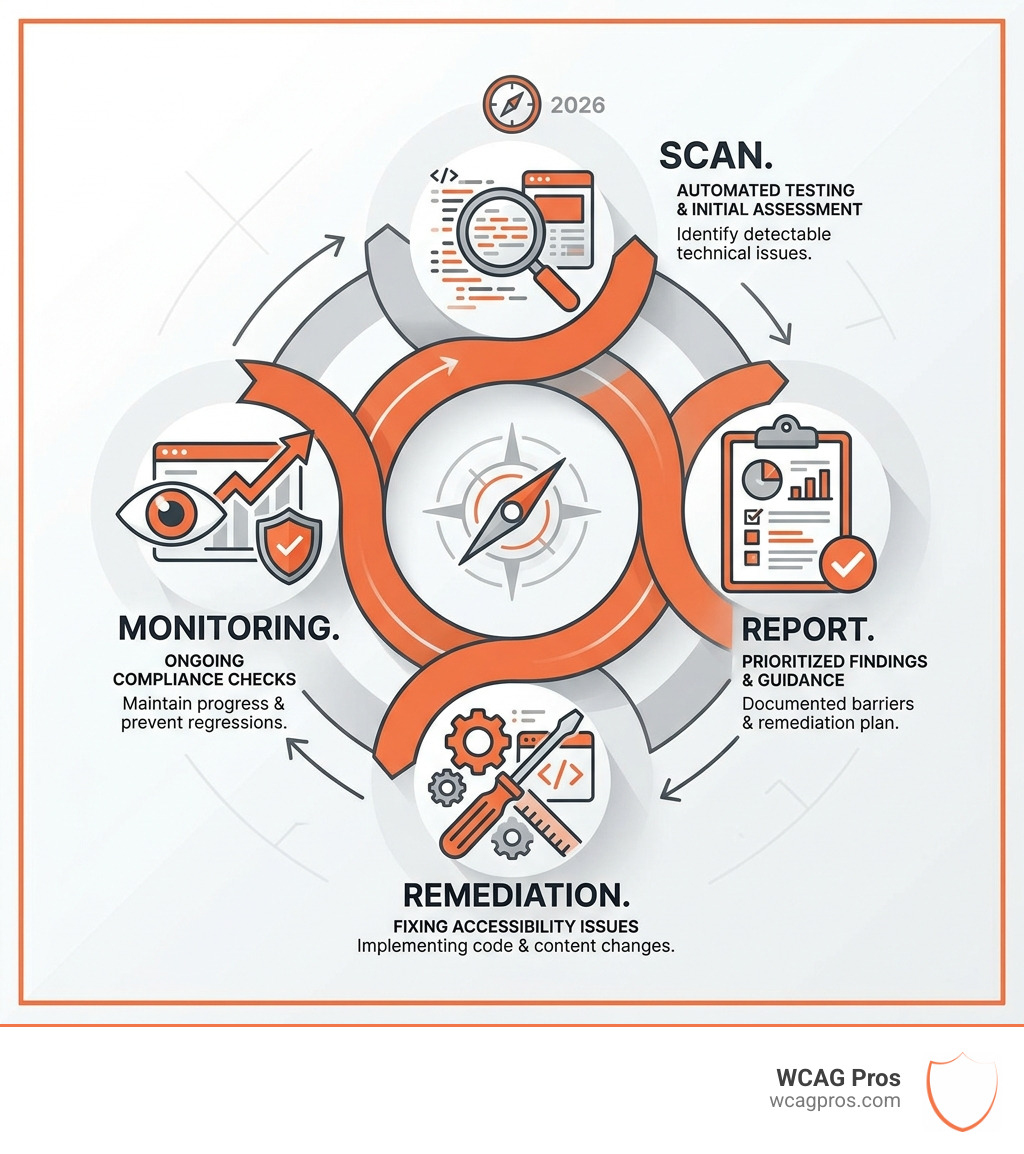
An accessibility audit is a systematic review of a digital product (website, app, or software) tested against standards like WCAG 2.2 to find and document accessibility barriers, so they can be fixed.
What an accessibility audit covers:
- Automated scanning for detectable code-level issues
- Manual testing with screen readers and keyboard-only navigation
- Review of color contrast, alt text, form labels, and heading structure
- Evaluation against legal standards like the ADA, Section 508, or the European Accessibility Act
- A prioritized report with remediation guidance
Right now, this matters more than it ever has.
ADA-related lawsuits have increased by 23% in recent years. Over 5,100 accessibility lawsuits were filed in 2025 alone. And as of April 2026, updated ADA Title II requirements now explicitly demand WCAG 2.2 compliance for state and local government websites.
But it is not just government sites at risk. Commercial websites face demand letters, litigation, and reputational damage every day.
The hard truth? 94.8% of the top one million websites fail basic accessibility checks. That means the odds are high your site has issues you do not know about yet.
I am Matthew Post, co-founder of WCAG Pros and a web developer with over 20 years of experience auditing websites for WCAG compliance and managing remediation projects. Understanding what is an accessibility audit and how to act on the results is exactly what I have built my work around. In this guide, I will walk you through everything you need to know to protect your business and make your site work for everyone.
What is an Accessibility Audit?
At its core, an accessibility audit is a professional health check for your digital presence. Think of it like a building inspection. You would not want to sell a house with a hidden structural flaw that prevents someone from entering the front door. In the digital world, those “structural flaws” are things like buttons that cannot be clicked with a keyboard or images that do not have descriptions for people who are blind.
When we talk about digital assets, we are not just talking about your homepage. A comprehensive audit covers websites, mobile applications, PDF documents, and even internal software used by your employees. It is a systematic evaluation where experts look under the hood of your code and test the user interface to ensure every person has an equal experience.
If you are just starting out, you might want to look at our Beginner’s Guide to Website Accessibility Audit to understand the basics of how these reviews are structured. The goal is to move beyond a simple checklist. A true audit, as described by BarrierBreak, identifies the “what,” “where,” and “why” of a barrier. It does not just say “this is broken” but explains how it impacts a user with a disability and how your developers can fix it.
Legal Standards and WCAG 2.2 Conformance
In the United States, the primary driver for accessibility is the Americans with Disabilities Act (ADA). While the ADA was originally written in 1990 before the internet was a household staple, courts have consistently ruled that “places of public accommodation” include websites. If your business is open to the public, your digital doors must be open too.
For organizations that receive federal funding or are government agencies, Section 508 of the Rehabilitation Act is the guiding light. This law requires that all electronic and information technology be accessible to people with disabilities. In 2026, the global landscape is also shifting with the European Accessibility Act, which impacts any company doing business in the EU.
To make these laws actionable, we use the Web Content Accessibility Guidelines (WCAG). As of April 2026, the gold standard is WCAG 2.2. This version includes new criteria that focus on mobile accessibility and users with cognitive or motor disabilities.
WCAG is organized into three conformance levels:
- Level A: The most basic level of accessibility. If you do not meet this, your site is likely unusable for many people.
- Level AA: The standard for legal compliance. Most laws, including the ADA and Section 508, point to Level AA as the target.
- Level AAA: The highest level of accessibility. While it is great for specific pages, it is often difficult to achieve for an entire complex website.
To learn more about how these versions have evolved, check out Everything You Need to Know About WCAG Versions and Audits. If you are looking for a comprehensive plan to tackle these requirements, our ADA Site-Wide Audit: Your Roadmap to Total Compliance provides a deep dive into the legal landscape.
Different Audit Methodologies and Their Benefits
Not all audits are created equal. Depending on your goals, you might choose a quick scan or a deep manual dive. However, we always recommend a balanced approach.

Automated vs Manual and What is an Accessibility Audit Hybrid Approach
There is a common misconception that you can just click a button, run a scanner, and be “compliant.” Unfortunately, that is not how it works. Research shows that automated tools only catch between 30% and 57% of WCAG violations.
For example, a scanner can tell you if an image has “alt text” (a text description). But it cannot tell you if that text is helpful. If your image of a “Buy Now” button has alt text that says “bluerectanglefinal_v2.jpg,” the scanner gives you a green checkmark, but a blind user is left totally confused. This is why a manual review is non-negotiable.
| Audit Type | Pros | Cons |
|---|---|---|
| Automated | Fast, inexpensive, covers 100% of pages instantly. | Misses 60% of issues, high false positives. |
| Manual | Extremely accurate, finds complex logic errors. | Takes more time, requires expert knowledge. |
| Hybrid | The “Gold Standard.” Combines speed and depth. | Requires a structured process and specialized tools. |
A hybrid approach is what we specialize in at WCAG Pros. We use high-powered scanners to find the low-hanging fruit (like missing labels or low contrast) and then send our experts in to perform manual testing on your most important user paths. As Silktide points out, an audit should be an educational tool for your team, not just a list of errors.
For a closer look at the tools involved in the first half of this process, you can read about our Automated Tools Audit methodology.
Step-by-Step Guide to Performing a Digital Audit
Conducting an audit can feel like a massive undertaking, but it is manageable when broken down into steps. We follow a specific flow to ensure nothing gets missed.

Step 1: Define the Scope You do not necessarily need to test every single page of a 5,000-page site. Instead, we identify “representative samples.” This includes your homepage, contact forms, checkout flows, and one of each unique page template. If you fix the header on one template, it usually fixes it for every page using that layout.
Step 2: Automated Scanning We run a comprehensive scan to identify sitewide issues like color contrast failures or missing language tags. This gives us a baseline of “technical debt” that needs to be cleared.
Step 3: Manual Keyboard Testing This is where we put the mouse in a drawer. Can we navigate the entire site using only the Tab, Enter, and Arrow keys? If a user gets “trapped” in a popup menu and cannot get out, that is a critical failure.
Step 4: Screen Reader Evaluation Our team uses software like NVDA or VoiceOver to listen to the website. We check if the reading order makes sense and if interactive elements like buttons and links are announced correctly.
Step 5: Visual and Content Review We look at things like zoom levels. If a user zooms in to 400%, does the text overlap or disappear? We also check that instructions do not rely on color alone (e.g., “click the red button to continue”).
Step 6: Reporting and Prioritization We provide a report that ranks issues by severity. “Critical” issues are those that stop a user from completing a task, like checking out. “Minor” issues might be a slightly off-color contrast on a footer link.
For more technical details on this process, the W3C Evaluating Web Accessibility Overview is an excellent resource. If you are a business owner looking for a high-level strategy, our Expert Website WCAG Audit Guide for Businesses is designed just for you.
Essential Tools for What is an Accessibility Audit Testing
To get the job done right, we use a specialized toolkit. You can even try some of these yourself to get a feel for your site’s status.
- Screen Readers: NVDA (Windows) and VoiceOver (Mac/iOS) are the most common. Testing with these reveals how non-visual users experience your content.
- Color Contrast Checkers: Tools that measure the ratio between text and background color. WCAG 2.2 requires a ratio of at least 4.5:1 for normal text.
- WAVE and axe DevTools: These browser extensions highlight accessibility errors directly on your screen.
- The Tab Key: Your most powerful (and free) testing tool. Try tabbing through your site right now. Do you always know where the “focus” is?
For a full list of what we check, see The Ultimate Website Accessibility Testing Checklist for 2026.
Conclusion
What is an accessibility audit? It is more than a compliance checkbox. It is a commitment to inclusion that opens your business to the one in four adults in the U.S. who live with a disability. Beyond avoiding lawsuits, accessible sites enjoy better SEO (because screen readers see the web much like Google’s crawlers do) and a better overall user experience for everyone.
At WCAG Pros, we take the guesswork out of compliance. We provide comprehensive page-by-page audits of all 54 WCAG A through AAA points. We do not just give you a list of problems; we provide the actual code fixes your developers need. Plus, we offer free re-audits to ensure your fixes are correct so you can proudly display your compliance badge.
If you are ready to see how your site performs with real assistive technology users, check out How to Test Your Website’s Accessibility Using Real Users. When you are ready for a professional deep dive, our WCAG Audit services are here to guide you every step of the way.
How often should we perform an audit?
Accessibility is not a “one and done” project. Websites are living things. Every time you add a new blog post, launch a product, or update a plugin, you risk introducing a new barrier. We recommend a full professional audit at least once a year, with smaller bi-annual reviews. For high-traffic sites, monthly automated monitoring is a great way to catch issues before they turn into legal headaches.
Can we use automated tools alone?
The short answer is no. As we discussed, automated tools miss context. They cannot tell if a video has accurate captions or if a form’s error message actually helps a user fix a mistake. Relying on automation alone is like having a security system that only monitors the front door while the back door is wide open. Human judgment is essential to ensure a site is truly usable.
Is user testing necessary for compliance?
While not strictly required by the letter of the law in every single jurisdiction, functional testing with real users who have disabilities is the only way to guarantee your site works in the real world. It uncovers “usability” barriers that a technical audit might miss. It is the difference between a site that is “technically compliant” and one that is actually “accessible.”
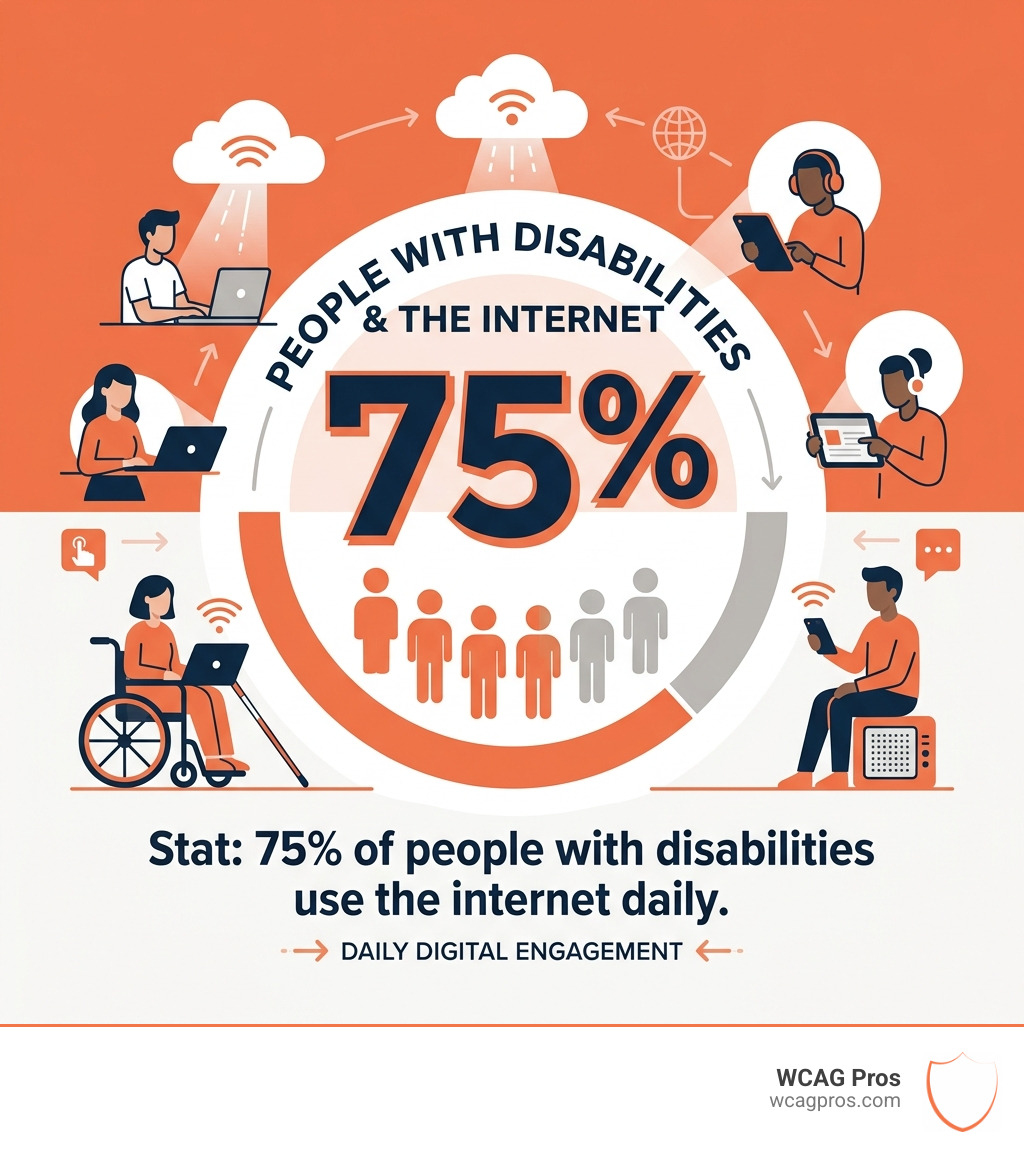
By investing in a thorough accessibility audit today, you are protecting your business, reaching a wider audience, and doing the right thing for the digital community. Let’s make the web work for everyone.
Read more website accessibility articles
Get Help With Your Website
We'll follow up with info about:
- The process
- Cost
- Timeline
We promise to respect your privacy, and never abuse the information you provide. We will not sell or rent your information to any third party.
By submitting this form, you consent to receive SMS messages and/or emails from SEM Dynamics LLC, dba WCAG Pros. To unsubscribe, follow the instructions provided in our communications. Msg & data rates may apply for SMS. Your information is secure and will not be sold to third parties.