
ADA Compliance Website Checklist: 10 Must-Haves
ADA Compliance Website Checklist: 10 Must-Haves
Is Your Website ADA Compliant? Start Here
An ADA compliance website checklist helps you verify that your site meets the legal accessibility standards required under the Americans with Disabilities Act. Here are the 10 must-haves:
- Alt text on all meaningful images
- Color contrast ratio of at least 4.5:1 for normal text
- Keyboard navigation for all interactive elements
- Descriptive form labels on every input field
- Proper heading hierarchy (H1, H2, H3 in logical order)
- Synchronized captions for all video content
- Skip navigation link at the top of each page
- Descriptive link text (no “click here” or “read more”)
- Page language declared in the HTML lang attribute
- Accessible PDFs and downloadable documents
1 in 4 adults in the U.S. has a disability. That means a large share of your potential customers may not be able to use your website right now.
And the legal stakes are real. Over 8,600 ADA website lawsuits were filed in federal court in 2025 alone. Penalties can reach $75,000 for a first violation and $150,000 for repeat violations. Even small businesses are targeted.
The good news: most of the issues that trigger lawsuits are fixable. You just need to know where to look.
I’m Matthew Post, co-founder of WCAG Pros and a web developer with over 20 years of experience auditing and remediating websites against the ADA compliance website checklist standards. I personally oversee every audit and remediation project we take on.
Below, I’ll walk you through exactly what your site needs to meet WCAG 2.2 Level AA, the current legal benchmark.
Understanding ADA Website Compliance and Legal Requirements
To understand why web accessibility is so critical, we have to look at the legal framework of the Americans with Disabilities Act. When the ADA was signed into law in 1990, the commercial internet was in its infancy. However, the Department of Justice has consistently maintained since 1996 that the ADA applies to digital spaces.
In the eyes of the law, an inaccessible website is no different than a physical store with steps at the entrance and no wheelchair ramp. Both exclude people with disabilities from accessing goods, services, and information.
The Department of Justice regulates accessibility through two main sections of the law. Title II applies to state and local governments. Title III applies to private businesses that operate as public accommodations. Over the years, the courts have overwhelmingly ruled that websites are places of public accommodation. For official guidance on this topic, you can read the ADA Website Compliance Guidance from the Department of Justice to understand how these regulations are enforced.
Title II Deadlines for Government Entities
For state and local government entities, the regulatory landscape has recently become much stricter. In April 2024, the Department of Justice finalized a new rule under Title II that establishes clear, binding technical standards for digital accessibility. This rule mandates that all public sector websites, mobile apps, and digital documents must conform to WCAG 2.2 Level AA.
The compliance timeline is based directly on population size:
- Governments with 50,000 or more residents must achieve full compliance by April 26, 2027.
- Governments with fewer than 50,000 residents and special districts have a slightly longer runway, with a compliance deadline of April 26, 2028.
These deadlines are rapidly approaching. Public entities must act quickly to audit and remediate their digital systems because the Department of Justice actively enforces these rules.
Title III and Private Businesses
If you run a private business, you fall under Title III of the ADA. While there is no specific population-based deadline for private companies, the legal risk is immediate. Serial plaintiffs and advocacy groups constantly scan commercial websites for obvious accessibility barriers.
If a blind user cannot navigate your online store or a deaf user cannot understand your promotional videos, your business is exposed to serious legal risks. Most web accessibility lawsuits settle out of court for thousands of dollars, and that does not include the cost of hiring developers to fix the issues under a tight legal deadline. To evaluate where your business currently stands, you can read our guide on How to tell your website is ADA compliant.
The Ultimate ADA Compliance Website Checklist for 2026

When we help businesses in Norco, CA and beyond, we always point them to the Web Content Accessibility Guidelines. WCAG 2.2 is the globally accepted standard for digital accessibility. It is organized into three levels of conformance:
- Level A: The absolute minimum level of accessibility. Without meeting these criteria, your website will be completely unusable for many people with disabilities.
- Level AA: The target standard for legal compliance. This level addresses the most common barriers and is the benchmark used by courts and government regulators.
- Level AAA: The highest and most complex level of accessibility. While excellent for user experience, it is rarely required by law for entire websites.
To dive deep into the official technical specifications, you can consult the W3C WCAG 2.2 Quick Reference. For a comprehensive breakdown of the legal standard, check out our resource on Everything you need to know about WCAG 2.2 AA compliance.
Below is a comparison table to help you understand the differences between these three conformance levels:
| Conformance Level | Target Audience | Legal Requirement | Key Focus Areas |
|---|---|---|---|
| Level A | Basic accessibility needs | Mandatory foundation | Keyboard navigation, basic alt text, page language |
| Level AA | Broad range of disabilities | Standard legal benchmark | Color contrast, form labels, captions, visible focus |
| Level AAA | Specialized accessibility | Rarely legally mandated | Sign language, low contrast alternatives, advanced target sizes |
Core Elements of the ADA Compliance Website Checklist
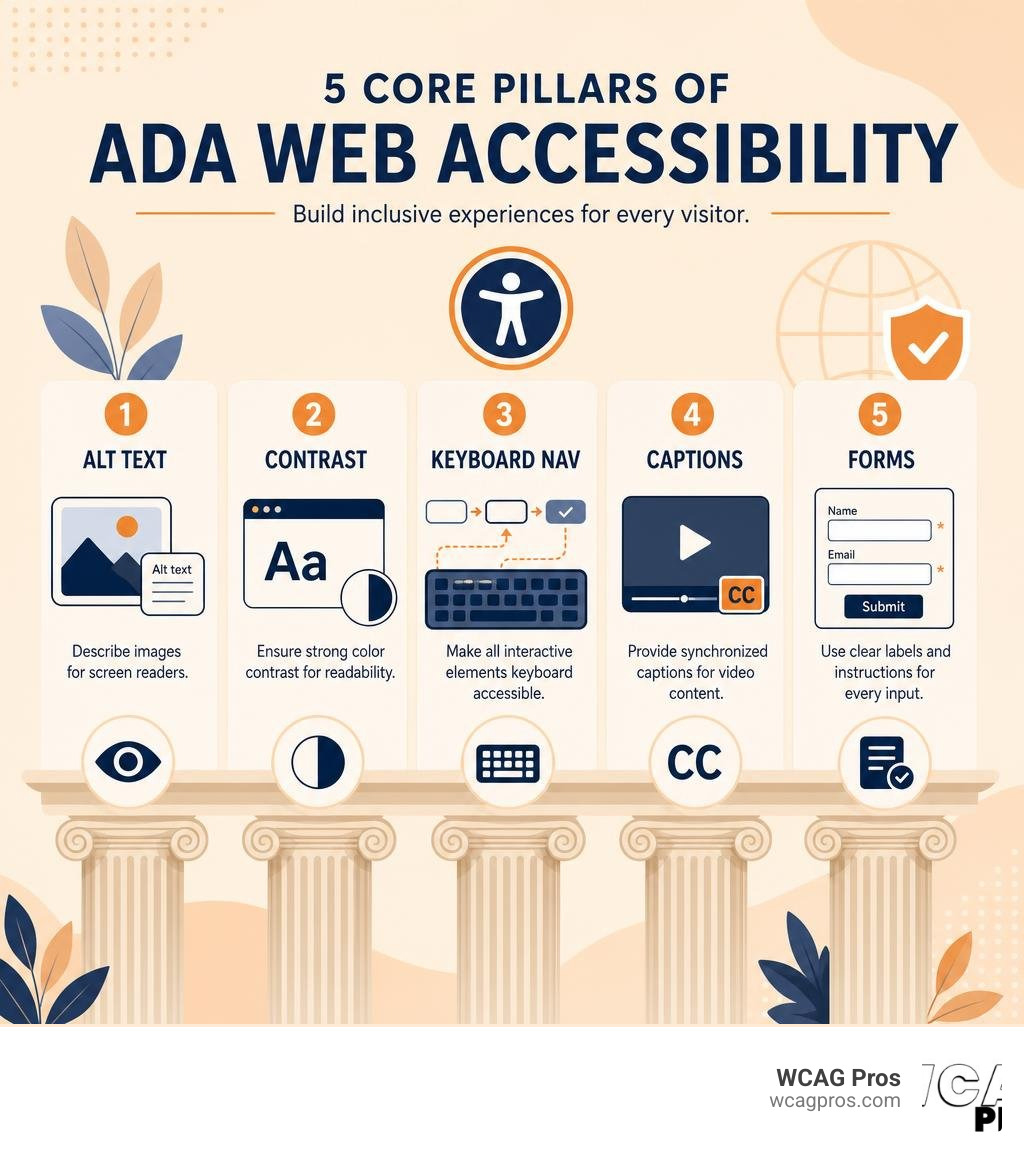
Achieving WCAG 2.2 Level AA compliance requires a systematic approach to your website design and code. Here are the core technical elements that we review during our audits at WCAG Pros:
- Semantic Headings: Your page must use heading tags in a logical, sequential order. You should never skip heading levels, such as jumping from an H1 directly to an H3, because screen readers rely on this structure to build a mental map of your page.
- Alternative Text: Every meaningful image must have descriptive alt text within the HTML code. If an image is purely decorative, it should have an empty alt attribute so screen readers know to skip it.
- Color Contrast: Text must stand out clearly from its background. WCAG 2.2 Level AA requires a contrast ratio of at least 4.5:1 for standard text and 3:1 for large text.
- Keyboard Navigation: Users must be able to navigate every link, button, and form field on your site using only the Tab key, Shift and Tab, Enter, and the spacebar. There must also be a highly visible outline around the element that currently has keyboard focus.
- Accessible Online Forms: Every input field needs a programmatically associated label. Using placeholder text inside the input is not a substitute for a proper label, as placeholders disappear when the user starts typing.
For a downloadable resource that you can share with your development team, you can access The ultimate WCAG checklist PDF Excel and print-ready versions.
Multimedia and PDF Accessibility in the ADA Compliance Website Checklist
Multimedia content and downloadable documents are some of the most common sources of ADA violations. If you host video or audio files, you must provide equivalent alternatives for users with sensory disabilities. This means adding synchronized closed captions to all pre-recorded videos and providing full text transcripts for audio-only content.
Downloadable files like PDFs must also be fully accessible. Screen readers cannot easily parse standard PDFs unless they are properly tagged, structured, and given alternative text for images. In many cases, it is much easier and safer to convert PDF content into a standard HTML web page. To learn more about common pitfalls in this area, read our article on 5 common accessibility issues on small business websites and how to fix them.
How to Audit and Remediate Your Website

Achieving compliance is a two-step process that involves finding the issues and then fixing them. Many business owners make the mistake of relying solely on automated testing tools. While automated scanners are great for catching obvious errors like missing alt text, they can only detect about 25% of actual WCAG 2.2 violations.
For example, an automated tool can tell you if an image has alt text, but it cannot tell you if that alt text actually describes the image accurately. It also cannot verify if your website is easily usable with a screen reader. That is why a comprehensive audit must combine automated scanning with manual testing by accessibility experts. To understand how we perform these deep-dive assessments, you can read The ultimate guide to a WCAG comprehensive website audit and our Expert website WCAG audit guide for businesses.
Step-by-Step Website Remediation
Once you have your audit report, the remediation process begins. This involves modifying your website’s HTML, CSS, and JavaScript source code to eliminate accessibility barriers. We recommend prioritizing your fixes based on legal risk and user impact:
- Fix critical blockers first: Focus on keyboard traps, forms that cannot be submitted, and missing alt text on main navigation elements.
- Address high-impact elements: Fix color contrast issues across your entire site and ensure your heading structure is perfectly logical.
- Remediate multimedia and documents: Add captions to your videos and clean up or convert your PDFs.
For a detailed roadmap on how to execute these fixes, check out our guides on How to fix ADA website issues in 5 easy steps and The no lawsuit guide to website remediation.
Achieving Accessibility Certification
After your development team has completed the remediation work, you should have your site re-audited to verify that all issues have been resolved. Once your site achieves full conformance with WCAG 2.2 Level AA, you can publish an accessibility statement on your website and display a compliance badge. This documentation is highly valuable because it shows a good-faith effort to maintain an inclusive digital environment, which can help protect your business from legal threats. You can read more about this process in A practical guide to website accessibility certification.
Frequently Asked Questions About ADA Web Compliance
What are the penalties for ADA website non-compliance?
Failing to maintain an accessible website can have severe financial consequences. Under Title III of the ADA, private businesses can face lawsuits that result in settlements ranging from thousands to tens of thousands of dollars. You may also be forced to pay the plaintiff’s legal fees in addition to your own. For public entities, the Department of Justice can impose formal civil penalties. These fines can reach up to $75,000 for a first violation and up to $150,000 for any subsequent violations. To learn more about federal enforcement, you can visit the Department of Justice ADA Enforcement page.
Do automated accessibility tools ensure full ADA compliance?
No. Automated tools and quick-fix widgets do not guarantee ADA compliance. In fact, relying on overlay widgets can actually increase your legal risk. These widgets add a toolbar to your site but do not fix the underlying issues in your source code. Many screen reader users find these overlays frustrating because they interfere with their assistive software. Over 450 lawsuits in recent years targeted websites that had accessibility widgets installed. The only way to achieve true compliance is to fix the underlying code of your website.
How often should we audit our website for accessibility?
Websites are dynamic and constantly changing. Every time you add a new blog post, upload a product image, or update a web form, you run the risk of introducing new accessibility barriers. We recommend running automated scans monthly to catch simple errors, combined with a comprehensive manual audit at least once a year. Regular staff training for your content creators and developers is also essential for maintaining long-term compliance.
Conclusion
Ensuring your website is fully accessible is not just about avoiding costly lawsuits. It is about welcoming all users, expanding your customer base, and building a stronger brand. By implementing this ADA compliance website checklist, you can take proactive control of your digital presence.
At WCAG Pros, based in Norco, CA, we specialize in helping organizations navigate the complexities of digital accessibility. We provide comprehensive, page-by-page manual audits of all 54 WCAG points, deliver clear code fixes, and offer free re-audits to help you earn your compliance badges with confidence.
If you are ready to make your website inclusive for everyone and protect your business from legal risks, Get started with WCAG Pros remediation services today.
Read more website accessibility articles
Get Help With Your Website
We'll follow up with info about:
- The process
- Cost
- Timeline
We promise to respect your privacy, and never abuse the information you provide. We will not sell or rent your information to any third party.
By submitting this form, you consent to receive SMS messages and/or emails from SEM Dynamics LLC, dba WCAG Pros. To unsubscribe, follow the instructions provided in our communications. Msg & data rates may apply for SMS. Your information is secure and will not be sold to third parties.