
A Practical Guide to Website ADA Compliance
A Practical Guide to Website ADA Compliance
What Is Website ADA Compliance? (Quick Answer)
Website ADA compliance means making your website accessible to people with disabilities under the Americans with Disabilities Act. Here is what you need to know at a glance:
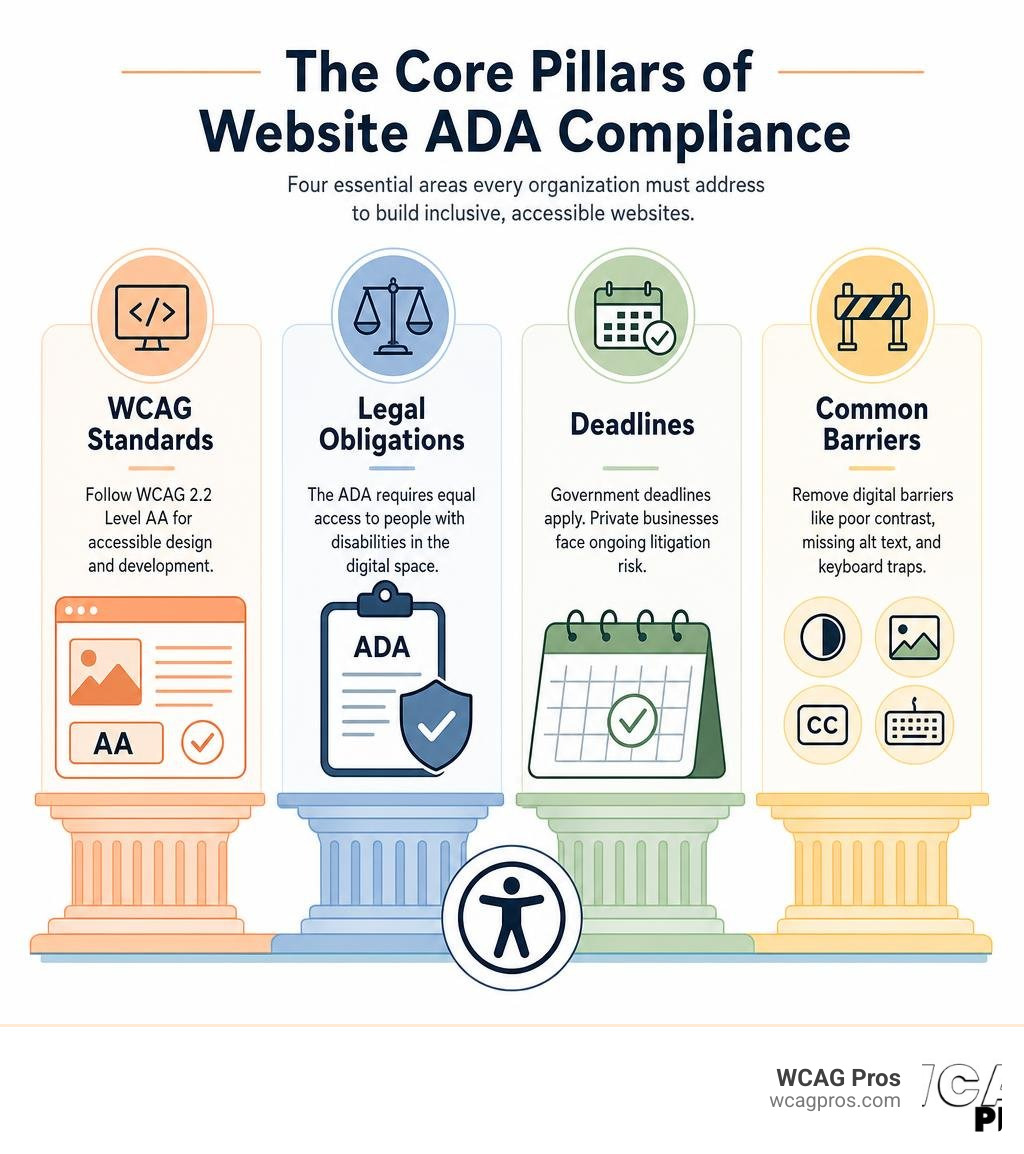
- Who must comply: All state and local governments (Title II) and most private businesses open to the public (Title III)
- The standard to meet: WCAG 2.2 Level AA is the widely accepted technical benchmark
- Key deadlines: Government entities with 50,000+ residents must comply by April 26, 2027. Smaller governments and special districts have until April 26, 2028.
- Private businesses: No single federal deadline, but face continuous litigation risk
- Consequences of noncompliance: Lawsuits, demand letters, settlements, and reputation damage
- Core areas to fix: Color contrast, alt text on images, video captions, form labels, and keyboard navigation
Right now, 1 in 4 adults in the United States lives with some type of disability. Yet only 3% of the web is accessible to them. That gap is not just a moral problem. It is a legal one, and courts have been closing it fast.
Over the past decade, thousands of businesses have received ADA demand letters or faced federal lawsuits because their websites could not be used by people relying on screen readers, keyboard navigation, or other assistive tools. The Department of Justice has made clear that the ADA applies to websites, even though the law was written in 1990 before the internet became part of daily life.
Whether you run a small ecommerce store or a large enterprise, understanding your obligations is no longer optional.
I’m Matthew Post, cofounder of WCAG Pros and a web developer with over 20 years of experience specializing in website ADA compliance audits and remediation. In the sections below, I’ll walk you through everything you need to know to understand the rules, assess your risk, and take action.
Understanding Website ADA Compliance and Its Legal Foundations
The Americans with Disabilities Act is a landmark piece of civil rights legislation. Passed in 1990, its primary goal is to protect people with disabilities from discrimination in all areas of public life. When the law was drafted, lawmakers were thinking about physical spaces like wheelchair ramps, braille signage, and accessible restrooms. They were not thinking about websites, mobile apps, or online portals.
However, as the world moved online, the legal landscape had to evolve. The Department of Justice has consistently maintained that the nondiscrimination mandates of the law extend to digital spaces. In their view, a website is a place of public accommodation. If your website is inaccessible, you are effectively locking the digital front door to millions of potential users.
To understand how these rules apply to your specific situation, you can read our detailed guide on Does My Website Have to Be ADA Compliant?.
The Department of Justice released official guidance to clarify this stance. This documentation emphasizes that web based barriers are illegal. You can review the official position directly in the Guidance on Web Accessibility and the ADA.
For organizations operating today, ignoring web accessibility is a significant legal risk. If a user with a visual impairment cannot read your product descriptions or complete a checkout flow, they have been denied equal access. That is the core foundation of digital civil rights.
Title II vs Title III Requirements
The Americans with Disabilities Act is divided into different sections called titles. When it comes to website ADA compliance, we focus on Title II and Title III. Each title covers a different type of organization, and they carry different legal obligations.
Title II applies directly to public entities. This includes state and local governments, school districts, public universities, and public transit systems. Under Title II, these organizations must ensure that all their services, programs, and activities are accessible. Because online services are now the primary way citizens interact with local government, their websites must be fully compliant.
Title III applies to private businesses that operate as places of public accommodation. This includes retail stores, restaurants, hotels, banks, theaters, and healthcare providers. Even if your business operates entirely online without a physical storefront, courts have increasingly ruled that your website must still comply with Title III.
Title II vs Title III Requirements Comparison
- Entity Type: Title II covers public entities (State and local governments). Title III covers private businesses (Places of public accommodation).
- Examples: Title II includes public schools, municipal utilities, and city portals. Title III includes online retail shops, restaurants, dentists, and banks.
- Technical Standard: Title II requires strict WCAG 2.2 Level AA compliance. Title III uses WCAG 2.2 Level AA as the de facto legal benchmark.
- Federal Deadlines: Title II has staggered deadlines based on population size. Title III has no single federal deadline but carries high litigation risk.
- Enforcement: Title II is enforced through Department of Justice audits and federal lawsuits. Title III is enforced through private lawsuits, demand letters, and civil rights complaints.
For local context, public entities in our home state of California must adhere strictly to these rules. You can see how municipal entities handle this by reviewing the Website Accessibility Information for City of Norco Horsetown USA.
If you run a commercial business, you must understand your exposure. Small businesses are frequently targeted by high volume demand letters. You can learn how to protect your business by reading about ADA Compliance for Small Business Websites.
Technical Standards for Website ADA Compliance
The Americans with Disabilities Act itself does not contain technical specifications for coding websites. Instead, the legal and tech industries rely on the Web Content Accessibility Guidelines. These guidelines are developed by the World Wide Web Consortium, which is the international standards organization for the internet.
The current gold standard for digital accessibility is WCAG 2.2. When courts, lawyers, and accessibility consultants evaluate a website, they look at WCAG 2.2 Level AA. This standard is divided into three levels of conformance:
- Level A: The absolute minimum level of accessibility. Meeting only Level A means many users will still face major barriers.
- Level AA: The target standard for legal compliance. This level addresses the most common and impactful barriers for people with various disabilities.
- Level AAA: The highest and most complex level of accessibility. While excellent, it is often difficult or impractical for every website to meet all Level AAA criteria.
To make these guidelines easy to understand, the World Wide Web Consortium organized them into four core principles. We call these the POUR principles:
- Perceivable: Users must be able to see or hear the information. It cannot be invisible to all their senses.
- Operable: Users must be able to navigate and interact with the site. This means the site must work without a mouse, allowing keyboard only navigation.
- Understandable: The content and user interface must be easy to comprehend. Users should not be confused by how the site works.
- Robust: The website must work reliably across different web browsers and assistive technologies, such as screen readers.
To dive deeper into these technical standards, read A Comprehensive Guide to ADA Compliant Website.
The 2024 ADA Title II Rule and Compliance Deadlines
In April 2024, the Department of Justice published a final rule that changed the landscape for public sector web accessibility. For years, state and local governments had to be accessible, but they lacked a specific, legally binding technical standard. This rule changed that by officially adopting WCAG 2.2 Level AA as the mandatory standard for all Title II web content and mobile applications.
This rule applies to all public entities, regardless of their size. It covers everything from online voting information and school registration portals to municipal utility payment systems. You can read the official federal register publication by viewing the document 31320.
The compliance dates for this rule are staggered based on the population of the public entity:
- Populations of 50,000 or more: These larger state and local government entities must ensure all web content and mobile apps meet WCAG 2.2 Level AA by April 26, 2027.
- Populations under 50,000 and special districts: Smaller jurisdictions, school districts, and special utility districts have a slightly longer runway. Their compliance deadline is April 26, 2028.
These deadlines are firm. If a public entity fails to meet these dates, they face significant exposure to Department of Justice enforcement actions and civil rights lawsuits.
Key Exceptions to the Title II Rule
While the new Title II rule is strict, the Department of Justice recognized that public entities manage vast amounts of digital data. Requiring every single PDF from the last twenty years to be remediated would overwhelm public resources. Therefore, the rule outlines five key exceptions:
- Archived web content: Content that was created before the compliance date, is kept exclusively for historical reference, and has not been altered or updated does not need to be remediated.
- Preexisting conventional electronic documents: Older word processing documents, spreadsheets, and PDFs do not have to be updated, provided they are not actively used to apply for services, make payments, or conduct official business.
- Third party content: Content posted by third parties on a government site is exempt, provided the third party is not acting under a contract or licensing agreement with the public entity.
- Password protected individualized documents: Digital documents that are highly specific to a single person, such as a water bill or a school report card, do not need to meet the standard, though the entity must provide an accessible alternative if requested.
- Preexisting social media posts: Social media posts created before the compliance deadlines are exempt from retroactive remediation.
Even if an exception applies, public entities must still provide reasonable modifications or effective communication to individuals with disabilities upon request.
Common Website Accessibility Barriers and How to Fix Them
To understand how to make a website accessible, we must first look at the barriers that users face. People with disabilities use various assistive technologies to browse the web. Blind users rely on screen readers, which are software programs that read aloud the text on the screen. Users with motor disabilities may use specialized switches or simply navigate using only the keyboard.
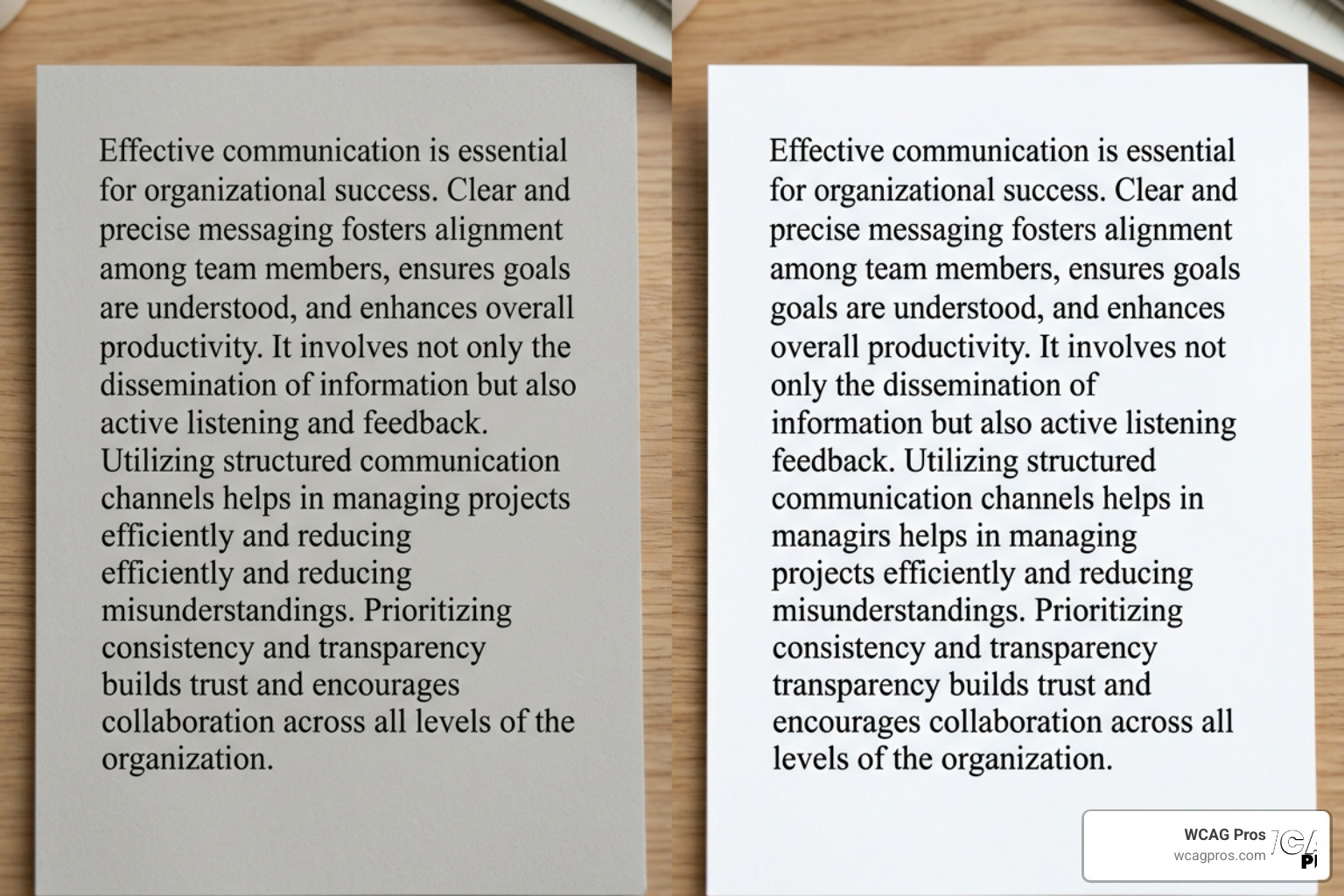
When a website is built without accessibility in mind, it creates digital walls. Here are the most common accessibility barriers and how we fix them:
- Poor color contrast: Text that is too light against its background is unreadable for users with low vision. We fix this by ensuring a contrast ratio of at least 4.5 to 1 for standard text.
- Missing alt text: Screen readers cannot interpret images. We must add short, descriptive alternative text in the HTML code so the screen reader can explain the image to the user.
- No video captions: Deaf or hard of hearing users cannot access audio content. We must include synchronized, accurate captions for all video content and transcripts for audio files.
- Inaccessible online forms: If form fields lack proper labels, a screen reader user will not know what information to type into each box. We must explicitly link labels to their corresponding fields in the code.
- Keyboard navigation failures: Many users cannot use a mouse. The entire website, including dropdown menus, buttons, and links, must be fully usable using only the keyboard tab and enter keys.
How to Test Your Website ADA Compliance
Achieving compliance starts with knowing where your website currently stands. Testing is not a one step process. It requires a strategic combination of automated scanning and manual testing.
Automated scanning tools are a great starting point. They can scan thousands of pages in seconds, flagging high level issues like missing alt text, incorrect heading hierarchies, and poor color contrast. However, automated tools can only catch about 30% of accessibility errors. They cannot tell you if your alt text actually makes sense in context, nor can they verify if a complex checkout flow is easy to navigate with a screen reader.
Manual testing is where the real work happens. This involves navigating your site using only a keyboard, testing interactive elements with screen readers like NVDA or JAWS, and conducting user flow testing.
To learn more about how to evaluate your site, read our guide on How to Tell Your Website is ADA Compliant.
For a complete testing framework, you can also use The Ultimate Website Accessibility Testing Checklist for 2026.
Achieving Website ADA Compliance for Your Organization
Achieving and maintaining website ADA compliance is an ongoing journey, not a one time project. Websites are dynamic. Every time you upload a new blog post, launch a product, or update a theme, you run the risk of introducing new accessibility barriers.

To build a sustainable compliance program, we recommend following a structured remediation process:
- Conduct a comprehensive audit: Run a complete page by page audit of your website to identify every WCAG 2.2 violation.
- Remediate the code: Have your development team fix the underlying HTML, CSS, and JavaScript. Avoid quick fix overlay widgets, as they do not solve the root coding issues and can actually make screen reader navigation worse.
- Publish an accessibility statement: Create a dedicated page on your site explaining your commitment to accessibility, the standards you follow, and a clear way for users to report any issues they encounter.
- Train your team: Ensure your content creators, designers, and developers understand accessibility best practices so they do not introduce new errors.
To help you get started, we have put together the ADA Website Compliance 2025 Accessibility Checklist.
You should also review our guide on the ADA Compliance Website Checklist 10 Must Haves to ensure you do not miss any critical requirements.
At WCAG Pros, we specialize in helping organizations navigate this process. Our team conducts manual audits of all 54 WCAG points, provides precise code fixes, and offers free reaudits to help you earn your compliance badge.
The Business and Legal Risks of Noncompliance
Failing to make your website accessible carries severe consequences. In recent years, digital accessibility lawsuits have surged. In 2025, over 3,000 web accessibility lawsuits were filed in federal courts, representing a massive increase over previous years.
In high risk states like California, the legal stakes are even higher. California’s Unruh Civil Rights Act allows plaintiffs to recover up to $4,000 in statutory damages per individual violation, plus attorney fees. This has led to a flood of demand letters targeting local businesses.
Beyond the legal threat, there is a clear business case for accessibility. When you make your website accessible, you open your business to a massive, underserved market. This concept is known as the curb cut effect. Just as physical sidewalk cutouts help people pushing strollers and delivery workers as well as wheelchair users, digital accessibility improvements make your website cleaner, faster, and easier to use for everyone.
To understand the financial and operational advantages of an accessible site, read about The Business Benefits of an Accessible Website.
How ADA Relates to Section 508 and Global Laws
The Americans with Disabilities Act is not the only accessibility law you need to know. Depending on your industry and location, you may be subject to other domestic and international regulations.
Section 508 of the Rehabilitation Act is a federal law that requires federal agencies and organizations receiving federal funding to make their electronic and information technology accessible. While the ADA applies to public entities and private businesses, Section 508 focuses specifically on federal departments, contractors, and federally funded programs.
If your organization does business internationally, you must also consider global standards. In the European Union, approximately 87 million people live with some form of disability. The European Accessibility Act and EN 301549 set strict digital accessibility mandates for both public and private sector organizations. Similarly, the Accessibility for Ontarians with Disabilities Act in Canada imposes heavy fines for noncompliant websites.
Almost all of these global laws rely on the same technical foundation: WCAG. By ensuring your website meets WCAG standards, you are taking a major step toward global compliance.
To learn more about these technical requirements, explore Everything You Need to Know About WCAG 2.2 AA Compliance.
Frequently Asked Questions
What is the difference between ADA Title II and Title III?
Title II applies strictly to public entities, including state and local governments, public schools, and municipal departments. Title III applies to private businesses that serve as places of public accommodation, such as retail shops, hotels, banks, and online storefronts. While both require equal access for people with disabilities, Title II has specific, state mandated compliance deadlines, whereas Title III compliance is enforced primarily through private lawsuits and Department of Justice civil rights actions.
Are PDF documents on my website required to be ADA compliant?
Yes. Any conventional electronic documents, including PDFs, Word files, and Excel sheets, that are posted on your website must be accessible if they are used to conduct official business, apply for services, or make payments. Unformatted PDFs are a major barrier for screen reader users. To make them compliant, they must be properly tagged, structured, and read aligned.
Can automated tools alone guarantee ADA compliance?
No. Automated tools are incredibly helpful for catching basic errors like missing alt text or poor color contrast, but they can only detect a fraction of total accessibility issues. They cannot tell you if a complex user flow is easy to understand or if your screen reader navigation works logically. Achieving true compliance requires a combination of automated scanning and thorough manual testing by accessibility experts.
Conclusion
Website ADA compliance is no longer a luxury or a project you can put off for another year. Whether you are a local government agency preparing for upcoming federal deadlines or a private business looking to protect yourself from costly litigation, making your website accessible is a critical step.
At WCAG Pros, we make this transition simple and stress free. Based in Norco, California, our team of web accessibility experts provides comprehensive page by page audits, manual testing, code level remediation, and official certification services. We don’t just hand you a list of errors. We write the code fixes for you and offer free reaudits to ensure your site is completely compliant.
To learn more about how we verify and certify websites, read The Ultimate Guide to Website Accessibility Certification Services.
Ready to secure your website, reach a wider audience, and protect your organization? Contact us today to Get Professional WCAG Remediation Services and start your accessibility journey.
Read more website accessibility articles
Get Help With Your Website
We'll follow up with info about:
- The process
- Cost
- Timeline
We promise to respect your privacy, and never abuse the information you provide. We will not sell or rent your information to any third party.
By submitting this form, you consent to receive SMS messages and/or emails from SEM Dynamics LLC, dba WCAG Pros. To unsubscribe, follow the instructions provided in our communications. Msg & data rates may apply for SMS. Your information is secure and will not be sold to third parties.