
The Best Accessible Test Sites for 2026
The Best Accessible Test Sites for 2026
Why Every Business Website Needs an Accessibility Test in 2026
If you need to test site accessibility fast, here are the most effective ways to do it:
- Automated scanner (e.g. axe core, WAVE): Best for finding common WCAG errors quickly (Speed: Seconds to minutes)
- Browser extension: Best for page by page checks during development (Speed: Instant)
- Professional manual audit: Best for full compliance verification and legal protection (Speed: Days)
- Continuous monitoring: Best for catching regressions after code updates (Speed: Ongoing)
96% of websites fail accessibility compliance. That number has barely moved despite years of awareness campaigns and growing legal pressure.
And the pressure is real. Over 5,000 ADA website lawsuits were filed in 2025 alone. Average settlements run between $5,000 and $25,000. For larger companies, the numbers climb much higher. Walmart, Bank of America, and Amazon Web Services have all faced multi million dollar settlements over website accessibility barriers.
What makes this especially frustrating for business owners is that most of these issues are fixable. Missing alt text. Poor color contrast. Broken keyboard navigation. These are not exotic problems. They show up on nearly every site that has not been properly tested.
The stakes go beyond lawsuits too. Critical accessibility issues make your website unusable to roughly 20% of the world’s population living with a disability. In the US alone, 56 million people have a disability. That is a significant portion of your potential customers who may not be able to use your site at all.
The good news: there are excellent tools available in 2026 to find and fix these issues, ranging from free automated scanners to professional audits.
I’m Matthew Post, co founder of WCAG Pros and a web developer with over 20 years of experience helping businesses test site accessibility and bring their digital properties into compliance. In that time I have personally supervised hundreds of WCAG audits and remediation projects across industries.
Test site accessibility definitions:
Why Digital Compliance Matters in 2026

As we navigate through 2026, the digital landscape has shifted dramatically. Digital inclusion is no longer a luxury or a minor line item for web development teams. It is a core business requirement. When we talk about digital compliance, we are talking about ensuring that everyone can access and interact with your digital content. This includes individuals who use assistive technologies like screen readers, alternative keyboards, or voice activation software.
The legal frameworks around the world have become much more stringent. In the United States, ADA Title III applies directly to private sector websites as places of public accommodation. For government agencies and entities receiving federal funding, Section 508 sets strict standards for information and communication technology. If your business operates in or serves clients in California, you must understand how local and national regulations apply to your organization.
Beyond the United States, international laws have introduced severe penalties for non compliance. In Canada, the Accessibility for Ontarians with Disabilities Act (AODA) imposes fines of up to $100,000 per day for corporations that fail to meet standards. The European Accessibility Act (EAA) enforces strict compliance requirements across the European Union. In the EU, one in four people live with a disability, representing a massive market that businesses cannot afford to ignore.
Educational institutions are also leading the charge in accessibility. For example, the Disability Resource Center (DRC) at Norco College in Norco CA provides critical support services to ensure all students have equal access to learning materials. When public and private organizations prioritize these services, they create a more inclusive community.
If you are wondering how to navigate this complex web of regulations, The Ultimate Guide to Online Accessibility Testing offers a fantastic starting point for understanding how to evaluate your current compliance posture.
Building an accessible website is about more than avoiding lawsuits. It strengthens your brand reputation, improves overall customer experience, and expands your market reach. Consumers are highly sensitive to user experience. In fact, research shows that 88% of consumers are less likely to return to a website after a bad experience. By ensuring your site is accessible, you build trust and loyalty with a wider audience.
How to Test Site Accessibility for Compliance
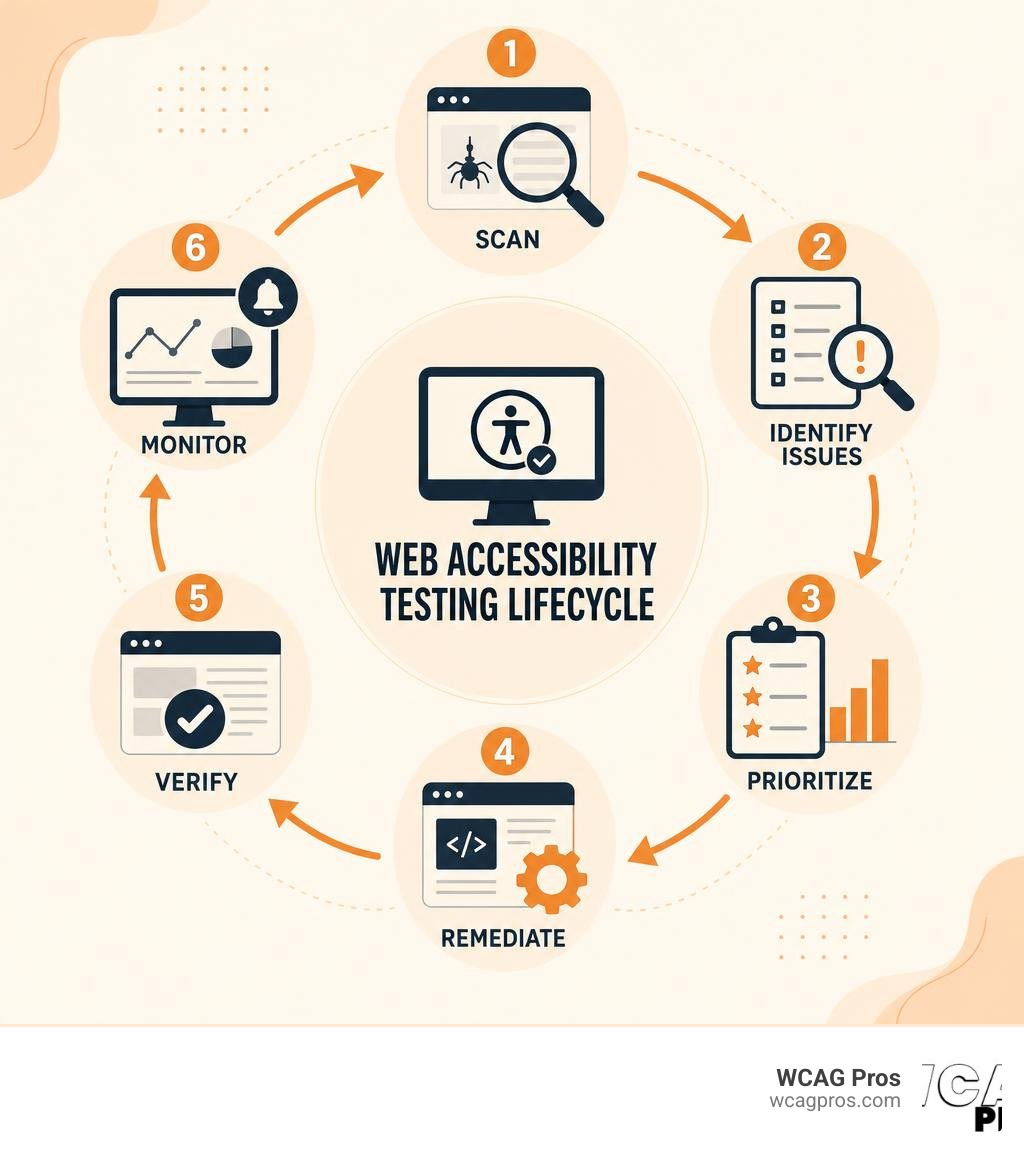
To test site accessibility effectively, we must look at the testing lifecycle as a continuous process. You cannot simply run a single scan and declare your website compliant. A comprehensive strategy combines planning, scoping, testing, remediating, and ongoing monitoring.
To achieve true WCAG 2.2 Level AA compliance, we rely on a hybrid testing methodology. This approach blends the speed of automated tools with the deep qualitative insights of manual human testing. Let us break down how each method contributes to a successful accessibility strategy.
Automated Tools to Test Site Accessibility
Automated scanners are the first line of defense. These tools scan your website’s underlying code to find clear, programmatic errors. Most modern scanners run on the industry standard axe core engine, which evaluates pages against dozens of WCAG 2.2 rules in seconds.
Automated tools are incredibly fast and cost effective. They are perfect for scanning thousands of pages at once to identify low hanging fruit. For example, an automated scan can instantly flag:
- Missing image alt attributes
- Insufficient color contrast ratios
- Missing form input labels
- Improper heading structures (such as skipping from an H1 to an H3)
- Missing language attributes on the HTML tag
Server side scanning is particularly valuable because it provides consistent, reproducible results. Unlike client side browser extensions, which can vary based on individual user settings, server side tools analyze the DOM in a clean environment. This makes them ideal for integration into your development workflows.
However, we must remember that automated tools have limitations. They can only detect about 30% to 40% of all potential accessibility barriers. An automated scanner can tell you if an image has an alt attribute, but it cannot tell you if the text description actually makes sense in the context of the page. For a deeper dive into choosing the right software, check out Your Shortcut to the Best WCAG Checker Tool to streamline your search.
Manual Audits and Human Evaluation
Because automated tools cannot evaluate context or subjective user experiences, manual audits are an essential part of the process. If you want to ensure your website is truly usable for everyone, you must conduct manual testing.
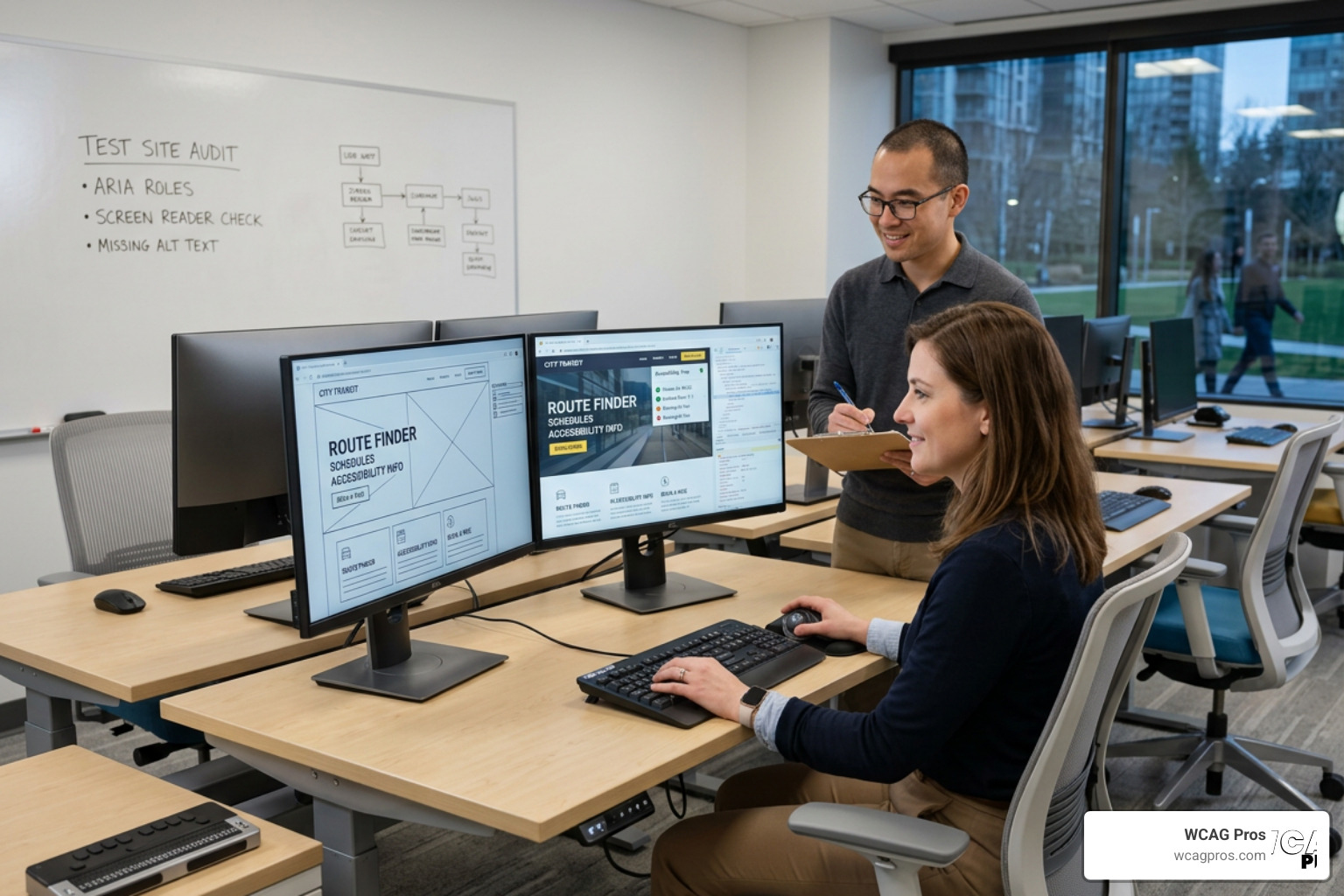
Manual testing involves walking through your website using the same assistive technologies that people with disabilities rely on. This includes:
- Keyboard Navigation: Verifying that a user can navigate through every link, button, form field, and menu using only the Tab key. We must ensure there are no keyboard traps where a user gets stuck and cannot move focus.
- Visible Focus Indicators: Confirming that there is a clear visual highlight around whichever element currently has keyboard focus. If a user cannot see where they are on the page, they cannot navigate.
- Screen Reader Testing: Using screen readers like NVDA, JAWS, or VoiceOver to listen to the page. This helps identify reading order issues, confusing form fields, and dynamic content changes that are not announced.
- Cognitive and Zoom Testing: Testing how the site behaves when zoomed to 200% or 400%. We must verify that the content reflows vertically without requiring horizontal scrolling, which can make reading impossible for low vision users.
We also highly recommend involving real users with disabilities in your testing process. This provides invaluable feedback on real world usability barriers that even the best technical experts might miss. You can learn more about this approach in our guide on How to Test Your Website’s Accessibility Using Real Users.
Why You Must Test Site Accessibility Regularly
Websites are dynamic. You add new blog posts, launch new products, update code libraries, and tweak design elements weekly. Every single one of these changes introduces the risk of new accessibility barriers. A site that was perfectly compliant last month could easily fail today after a minor content update.
This is why we advocate for regular, scheduled testing. By setting up continuous monitoring, you can track your accessibility health score over time and receive alerts the moment a regression occurs.
Integrating accessibility checks into your pre release staging environments ensures that bad code never makes it to production. This proactive approach saves time and reduces the cost of fixing issues later in the development cycle. To learn how to make this process seamless, read our practical guide on how to Test Site for Accessibility Without Breaking a Sweat.
The Best Accessibility Testing Tools and Platforms
To help you choose the right tools for your team, we have put together a comparison of the top options available in 2026.
- WAVE (Type: Browser Extension / Web Suite): Best for quick visual page checks. Key Advantage: Excellent visual annotations for non technical users.
- axe core (Type: Developer Library / CLI): Best for automated CI CD integration. Key Advantage: Highly accurate, zero false positives, industry standard.
- Lighthouse (Type: Built in Browser Tool): Best for quick developer audits. Key Advantage: Already built into Chrome DevTools, easy access.
- WCAG Pros Audits (Type: Professional Service): Best for full compliance and legal protection. Key Advantage: Manual verification of all 54 WCAG criteria with custom code fixes.
Let us look at these options in more detail to see how they can support your accessibility journey.
WAVE Web Accessibility Evaluation Tool
WAVE is a suite of evaluation tools developed by WebAIM. It is one of the most popular and user friendly tools in the accessibility space. WAVE is available as a free online web service and as a browser extension for Chrome, Firefox, and Edge.
What makes WAVE unique is its visual feedback mechanism. Instead of presenting you with a complex technical report, WAVE injects icons directly onto your web page. These icons show you exactly where errors, alerts, and structural features exist.
- Red Icons indicate clear accessibility errors that must be fixed.
- Yellow Icons indicate alerts that require human judgment to verify.
- Green Icons highlight positive accessibility features, like properly structured headings or alt text.
WAVE is fantastic for content editors, designers, and developers who want a quick, visual way to check a page before publishing. It also offers an enterprise level system through Pope Tech for site wide monitoring over time.
axe core and Lighthouse
If you are a developer or working closely with a development team, axe core is the gold standard. Developed by Deque Systems, axe core is an open source accessibility testing engine that powers many of the top testing tools on the market, including Google Lighthouse.
Lighthouse is built directly into Google Chrome’s DevTools. You can open any page, click on the Lighthouse tab, and run an accessibility audit in seconds. It provides an overall score out of 100 and lists specific elements that failed its automated checks.
Because axe core is designed with a strict “no false positives” rule, you can trust that any issue it flags is a genuine error. You can run axe core in your terminal, integrate it into your testing frameworks like Jest or Cypress, or use it as a pre commit hook to prevent inaccessible code from being merged.
WCAG Pros Professional Audits
While automated tools are excellent for catching quick errors, they cannot provide the comprehensive coverage needed for legal protection and true usability. That is where we come in.
At WCAG Pros, we provide comprehensive, page by page manual audits covering all 54 WCAG A/AAA success criteria. We do not just hand you a generic automated report. Our team of human experts manually tests every interactive flow, form, and page template on your site.
We provide:
- Detailed reports with clear descriptions of each barrier
- Exact code fixes for your development team
- Free re audits to verify your fixes
- Compliance badges and certificates to demonstrate your commitment to digital inclusion
If you want to ensure your site is completely compliant, you can read our In-Depth Guide to Test Web Accessibility or explore the How to Test Web Accessibility and Succeed resource. For those who want a structured checklist, our guide on How to WCAG Test in 5 Simple Steps is incredibly helpful. For a broader overview of the industry, see our Website Accessibility Testing Services Definitive Guide.
Guided Manual Testing Checklists
If you want to run manual tests internally, we recommend creating a structured checklist for your team. This ensures consistency and prevents important checks from falling through the cracks. Your checklist should include:
- Tabbing through the entire page to check the focus order
- Testing all dropdown menus and modals with the keyboard
- Verifying that form error messages are descriptive and read by screen readers
- Checking that contrast ratios meet the 4.5:1 requirement for standard text
- Ensuring all video content has accurate closed captions and audio descriptions
By training your team on these basic manual checks, you can catch major usability barriers long before your official audit. If you need help choosing the right approach, read our guide on how to Pick the Best Web Accessibility Evaluation Tool for Your Team.
Frequently Asked Questions about Web Accessibility
What is the difference between ADA Title III and Section 508?
ADA Title III is a broad federal civil rights law that prohibits discrimination on the basis of disability in places of public accommodation. This has been widely interpreted by US courts to include private sector websites, mobile apps, and digital portals.
Section 508 is a specific amendment to the Rehabilitation Act of 1973. It applies specifically to federal government agencies, public universities, and organizations that receive federal funding. Section 508 requires these entities to make their electronic and information technology accessible, using WCAG as the baseline standard.
Can AI completely automate website accessibility compliance?
The short answer is no. While AI has made incredible strides in 2026, it cannot fully replace human testing. AI tools are excellent for writing alternative text suggestions or identifying potential contrast issues. However, AI lacks the human context and subjective judgment required to evaluate actual usability.
For example, an AI might look at a complex interactive map and find no code errors, but a human screen reader user might find the map completely confusing and impossible to navigate. AI powered overlay widgets often make accessibility worse by interfering with native screen reader controls. A hybrid approach combining automated AI tools with expert human evaluation is the only way to ensure true compliance.
How often should a business run an accessibility scan?
We recommend running automated scans at least once a week, or whenever you publish new content or deploy code updates. For larger e commerce sites or dynamic platforms, daily scans are ideal.
However, automated scans should be paired with deep manual audits at least once or twice a year, or whenever you undergo a major website redesign. This ensures that complex interactive elements and user flows remain fully accessible.
Conclusion
Building an accessible website is a continuous journey, but it is one of the most rewarding investments you can make for your business. By ensuring everyone can use your site, you reduce your legal risk, reach a wider audience, and build a brand that stands for inclusion.
While free tools like WAVE and axe core are fantastic for daily checks, they cannot replace the security of a professional audit. If you want to ensure your website is fully compliant with WCAG 2.2 and protected against legal risks, let us help you.
At WCAG Pros, we offer expert manual audits, detailed code fixes, and ongoing support to keep your site accessible. Get a Professional WCAG Audit from our team today and take the first step toward a truly inclusive digital experience.
Read more website accessibility articles
Get Help With Your Website
We'll follow up with info about:
- The process
- Cost
- Timeline
We promise to respect your privacy, and never abuse the information you provide. We will not sell or rent your information to any third party.
By submitting this form, you consent to receive SMS messages and/or emails from SEM Dynamics LLC, dba WCAG Pros. To unsubscribe, follow the instructions provided in our communications. Msg & data rates may apply for SMS. Your information is secure and will not be sold to third parties.