
Test Site for Accessibility Without Breaking a Sweat
Test Site for Accessibility Without Breaking a Sweat
Why You Need to Test Site for Accessibility Right Now
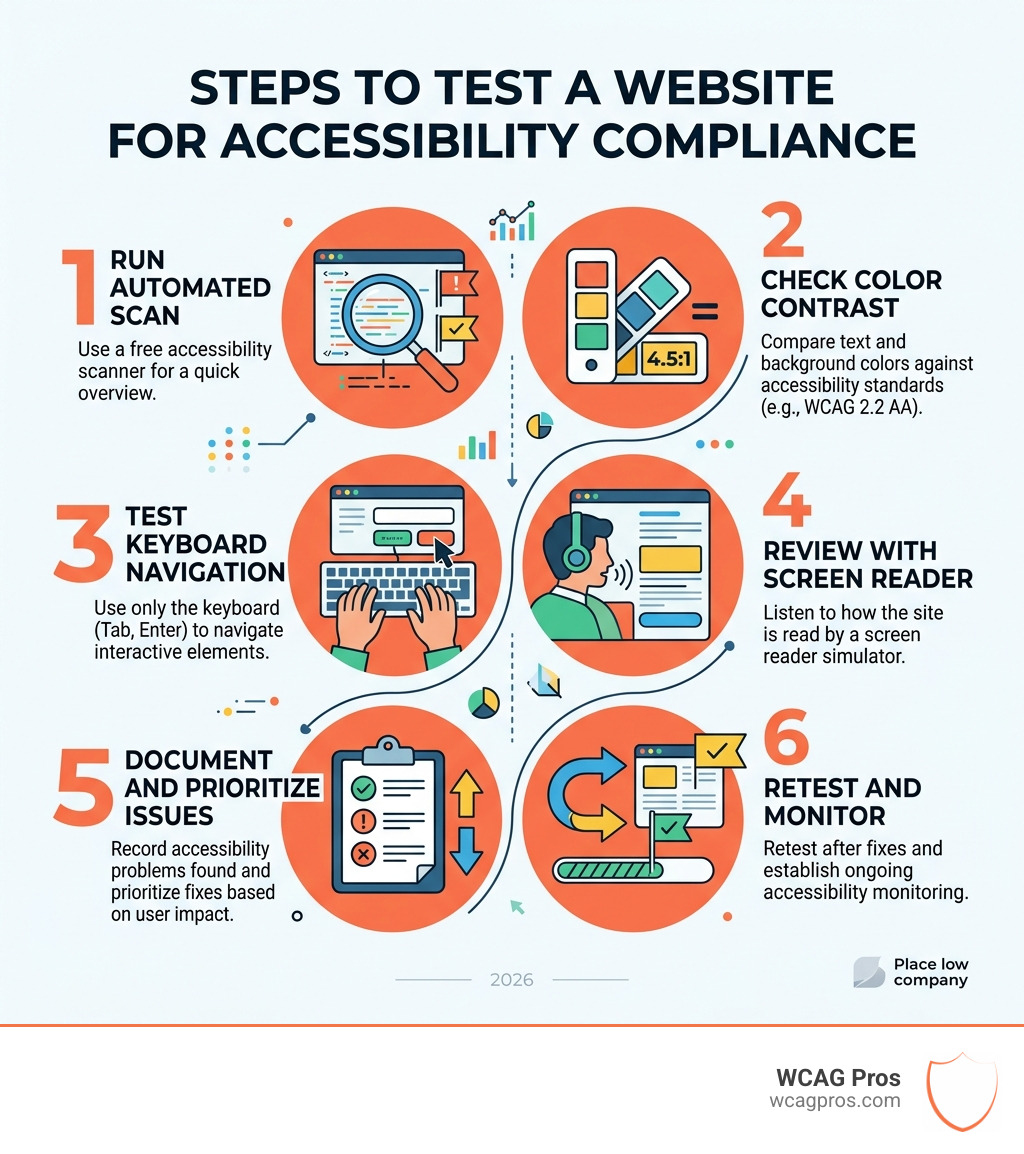
To test site for accessibility, follow these core steps:
- Run a free automated scan (WAVE, accessScan, or AccessibilityChecker.org)
- Check color contrast ratios against WCAG 2.2 AA standards (minimum 4.5:1 for text)
- Test keyboard navigation on all interactive elements
- Review with a screen reader simulator
- Document issues and prioritize fixes by impact
- Retest after remediation and set up ongoing monitoring
Test site for accessibility compliance is no longer optional. An estimated 1.3 billion people worldwide live with a significant disability. That is roughly 16 percent of the global population. In the US alone, 56 million people could be visiting your website and hitting barriers that stop them cold.
Here is what makes this urgent for business owners: digital accessibility lawsuits are rising fast. Websites that do not meet WCAG 2.2 standards face real legal exposure under the ADA and similar laws. And beyond legal risk, an inaccessible site is bad for business. Research shows 88 percent of consumers are less likely to return after a bad experience online.
The good news? Testing your site does not have to be overwhelming. Free tools, browser extensions, and structured audit processes make it possible for any business to find and fix accessibility issues before they become costly problems.
I’m Matthew Post, co-founder of WCAG Pros and a web developer with over 20 years of experience helping businesses test site for accessibility and meet WCAG compliance standards. In this guide, I’ll walk you through every method and tool you need to get it done right.
Understanding the Standards to Test Site for Accessibility

Before we dive into the “how,” we need to understand the “what.” Web accessibility means ensuring that digital content is usable by everyone, including people with vision, hearing, motor, or cognitive impairments. When we test site for accessibility, we are checking if a person using a screen reader, a keyboard instead of a mouse, or a high contrast mode can navigate our pages without frustration.
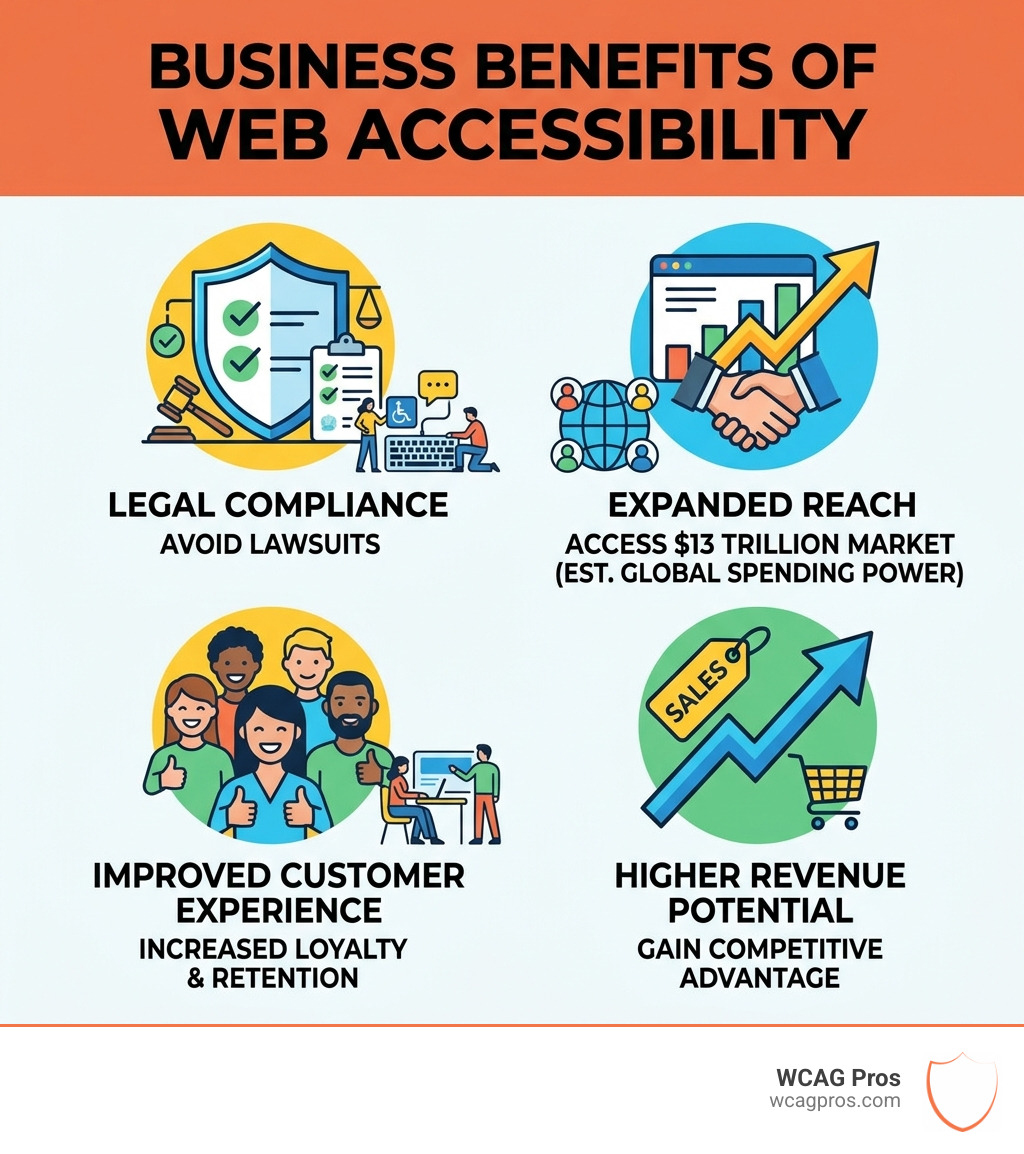
The numbers tell a compelling story about why this matters. Beyond the 1.3 billion people with disabilities globally, people with disabilities and their families represent a massive market with over $13 trillion in spending power. If your site is not accessible, you are essentially closing your doors to 16 percent of the world population.
Global Compliance Frameworks
The “rulebook” for accessibility is the Web Content Accessibility Guidelines, or WCAG. As of April 2026, the current gold standard is WCAG 2.2. These guidelines are organized into three levels of compliance: A (basic), AA (the standard for most businesses), and AAA (the most rigorous).
In the United States, the ADA Accessibility – Aura Science requirements often point back to WCAG 2.2 AA as the target for avoiding discrimination. For those working with government agencies, Section 508 is the law that mandates federal electronic and information technology be accessible. If you are unsure where to start, an Expert Website WCAG Audit Guide for Businesses can help you map out which laws apply to your specific industry.
Legal Risks and Business Benefits
Ignoring accessibility is a gamble. Lawsuits related to digital barriers are at an all time high, and “I didn’t know” is not a valid legal defense. However, the benefits of testing go far beyond staying out of court.
Accessibility and SEO are best friends. Many accessibility best practices, like using descriptive alt text for images and clear heading structures, are exactly what search engines look for when ranking your site. By making your site easier for a screen reader to crawl, you are making it easier for Google to understand too. To see how a full review protects you, check out an ADA Site-Wide Audit: Your Roadmap to Total Compliance.
The Three Pillars of Accessibility Testing Tools
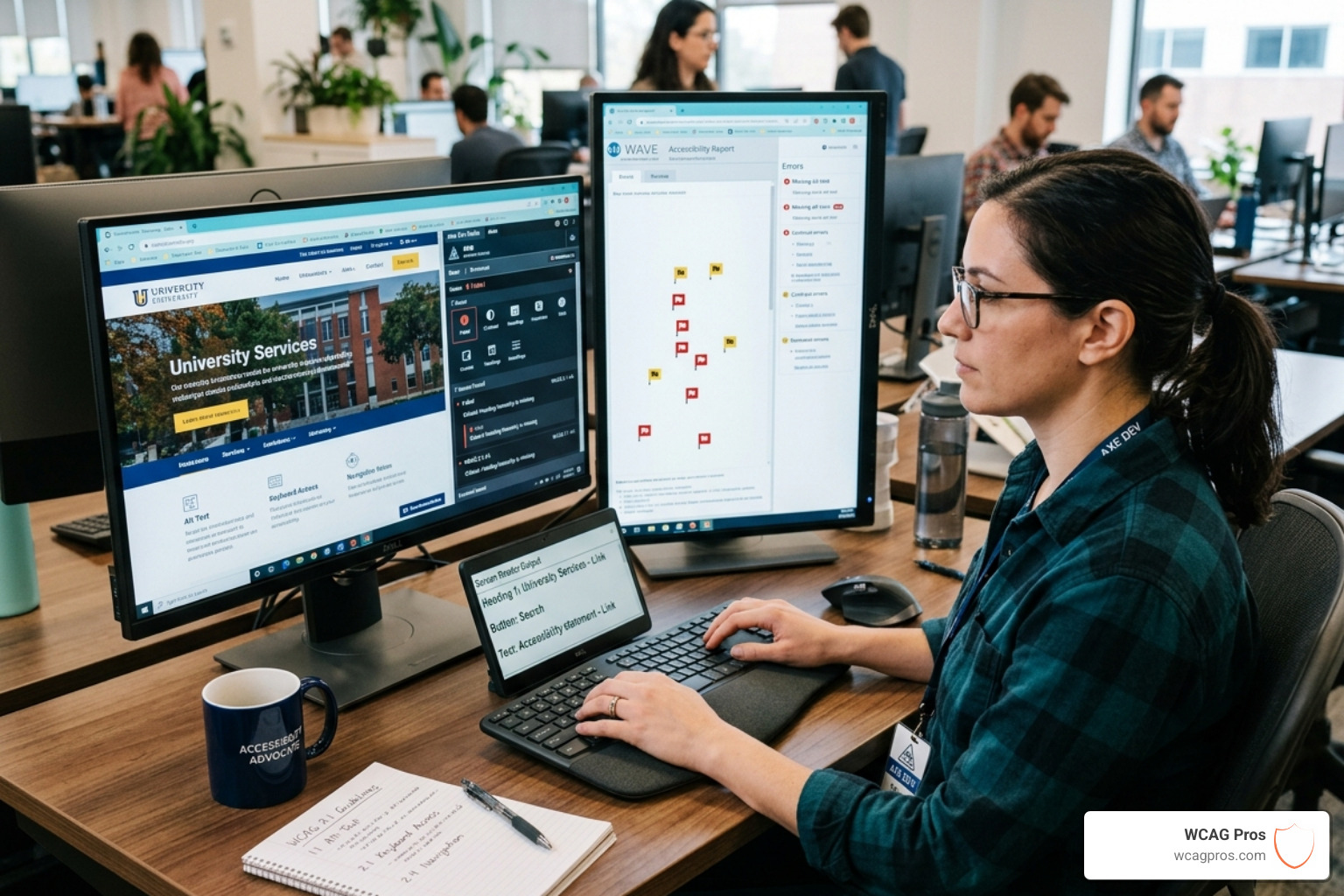
When we test site for accessibility, we use a combination of three methods: automated, manual, and hybrid. No single tool can catch 100 percent of issues, so a balanced approach is key.
- Automated Scans: These are software programs that crawl your code and flag obvious errors like missing alt text or poor color contrast. They are fast and can scan thousands of pages in minutes.
- Manual Testing: This involves a human being actually using the site. We test things like keyboard navigation and screen reader logic that machines often miss.
- Hybrid Methods: This is the “sweet spot” where automated tools assist a human tester by highlighting areas that need a closer look.
For a deeper dive into the tech side, our guide on Automated Tools Audit explains how to get the most out of software.
Popular Free Tools to Test Site for Accessibility
You do not need a massive budget to start your journey. There are several high quality free tools available:
- WAVE (Web Accessibility Evaluation Tool): A browser extension that provides visual feedback about your page’s accessibility by injecting icons directly into your layout.
- AccessibilityChecker.org: A simple URL scanner that provides a compliance score and a list of fixes.
- accessScan: An AI powered tool that gives a quick overview of WCAG 2.2 adherence.
- A11y Utilities: For quick checks, the Accessibility Tools – Free Online A11y Utilities – utils.com suite offers a variety of browser based checkers.
For more options, browse The Ultimate List of Free Online Accessibility Checkers.
How to Select the Right Evaluation Tool
With 118 tools listed by the W3C, picking one can be tricky. When choosing, consider:
- Browser Support: Does it work on the browser your developers use?
- Language Support: Can it handle content in multiple languages?
- WCAG 2.2 Levels: Does it specifically check for the latest standards?
- Reporting: Does it give you actionable steps to fix the problems?
To narrow it down, read our tips on how to Pick the Best Web Accessibility Evaluation Tool for Your Team or find Your Shortcut to the Best WCAG Checker Tool.
Manual Methods to Complement Automated Scans
Automated tools are great, but they are not perfect. They typically catch only about 30 to 50 percent of accessibility issues. To get the full picture, you must roll up your sleeves and perform manual checks.
One of the most effective manual tests is the “No Mouse Challenge.” Try to navigate your entire website using only the Tab, Enter, and Arrow keys. If you cannot reach a link, or if you get “stuck” in a menu, you have found a critical barrier. You should also consider How to Test Your Website’s Accessibility Using Real Users who actually rely on assistive technology.
Testing Specific Issues Like Color Contrast and Alt Text
Color contrast is a major hurdle for many users. Under WCAG 2.2 AA, regular text must have a contrast ratio of at least 4.5:1 against its background. Large text (18pt or 14pt bold) needs a 3:1 ratio.
| Standard | Normal Text Ratio | Large Text Ratio | UI Components |
|---|---|---|---|
| WCAG 2.2 AA | 4.5:1 | 3:1 | 3:1 |
| WCAG 2.2 AAA | 7:1 | 4.5:1 | 3:1 |
Beyond color, we look at:
- Alt Text: Do images have descriptions that convey their meaning?
- Semantic HTML: Are you using actual “button” tags for buttons, or just styled “div” tags?
- ARIA Labels: Are you using Accessible Rich Internet Applications attributes to help screen readers understand complex elements?
You can see how these elements look to a screen reader by using a Screen Reader Simulator – Accessibility Testing Tool – utils.com.
Mobile vs Desktop Testing Requirements
Testing on a phone is different than testing on a laptop. Mobile devices rely on touchscreens and have smaller displays, which introduces new challenges. WCAG 2.2 criterion 2.5.8 focuses on “Target Size,” ensuring that buttons and links are large enough to be tapped easily without hitting the wrong thing.
On mobile, we also test with built in screen readers like TalkBack for Android and VoiceOver for iOS. These tools change how the user interacts with the screen, making it vital to ensure your mobile site behaves as expected.
Step-by-Step Guide to a Complete Accessibility Audit
If you want to test site for accessibility thoroughly, you need a structured plan. A random check here and there is a start, but a full audit is what ensures compliance.
- Planning and Scoping: Decide which pages are most important. Usually, this includes the homepage, contact page, and any key conversion paths like a checkout or sign up form.
- Running the Tools: Use your chosen automated scanners to get a baseline report.
- Manual Verification: Go through the scoped pages manually to check keyboard focus and screen reader flow.
- Remediation: This is where you fix the code. Prioritize high impact issues like broken navigation first.
- Ongoing Monitoring: Accessibility is not a “one and done” task. Every time you add a new blog post or update a feature, you need to retest.
For a detailed walkthrough, our WCAG Audit page covers exactly what we look for during a professional review.
Integrating Testing into Development Workflows
The most efficient way to maintain an accessible site is to build it that way from the start. We recommend integrating accessibility checks into your Continuous Integration (CI) pipeline. This means every time a developer submits new code, an automated test runs to ensure they haven’t introduced any new errors.
Content authors also play a big role. By training your team to add alt text and use proper heading levels when they upload content, you prevent many issues before they ever reach the live site. Our Beginner’s Guide to Website Accessibility Audit is a great resource for getting your team up to speed.
Using Professional Services to Test Site for Accessibility
Sometimes, the DIY approach isn’t enough, especially for complex sites or businesses in highly regulated industries. That is where we come in. At WCAG Pros, we provide comprehensive audits of all 54 WCAG A/AA points. We don’t just give you a list of problems; we provide the actual code fixes.
Working with a Top Web Accessibility Testing Service for Companies in California or a dedicated consultant like us ensures that you don’t miss the subtle nuances that automated tools often overlook. Plus, once you are compliant, you can display a certification badge to show your commitment to inclusivity. To get started on your own, you can use The Ultimate Website Accessibility Testing Checklist for 2026.
Frequently Asked Questions about Accessibility Testing
How accurate are automated accessibility testing tools?
Automated tools are excellent for catching “binary” issues like missing tags or incorrect color hex codes. However, they struggle with context. For example, a tool can tell you if an image has alt text, but it cannot tell you if that text actually describes the image accurately or if it is just a string of keywords. Human review is always necessary to ensure the site is truly usable.
How can testing help avoid legal lawsuits?
Regular testing provides a paper trail of your efforts to remain compliant. If you are ever challenged, having a recent audit and a remediation plan shows that you are acting in good faith. Under ADA Title II, which was updated in 2024, government entities now have very specific requirements for WCAG 2.2 AA compliance, and private businesses are increasingly held to the same standard in court.
What are the requirements for Section 508 compliance?
Section 508 applies to federal agencies and any business that provides services to them. It requires that all Information and Communication Technology (ICT) be accessible. This includes websites, software, and even hardware like printers or kiosks. The government uses the “Trusted Tester” program to standardize how these tests are performed, ensuring a consistent baseline of accessibility across all federal digital properties.
Conclusion
Making the web a place for everyone is a journey, not a destination. When you test site for accessibility, you are doing more than just avoiding a lawsuit; you are opening your brand to millions of people who have been historically left behind by digital design.
From the Website Accessibility Information – City of Norco – Horsetown USA to the largest global corporations, every organization has a responsibility to be inclusive. By using the tools and methods we’ve discussed, you can build a site that is faster, more SEO friendly, and welcoming to all. If you want to dive deeper into the technical side, our Expert Website WCAG Audit Guide for Businesses is always here to help.
Start Your Compliance Journey Today
Ready to see where your site stands? Don’t leave your accessibility to chance. Let us help you navigate the complexities of WCAG 2.2 and the ADA with a professional review.
Read more website accessibility articles
Get Help With Your Website
We'll follow up with info about:
- The process
- Cost
- Timeline
We promise to respect your privacy, and never abuse the information you provide. We will not sell or rent your information to any third party.
By submitting this form, you consent to receive SMS messages and/or emails from SEM Dynamics LLC, dba WCAG Pros. To unsubscribe, follow the instructions provided in our communications. Msg & data rates may apply for SMS. Your information is secure and will not be sold to third parties.