
How to Fix Website Accessibility Issues in 5 Quick Changes
The Growing Cost of Ignoring Website Accessibility Code Remediation
Website accessibility code remediation is the process of finding and fixing barriers in your website’s HTML, CSS, JavaScript, and ARIA attributes so that people with disabilities can use it fully. According to the W3C Web Accessibility Initiative, these technical standards are essential for digital inclusion.
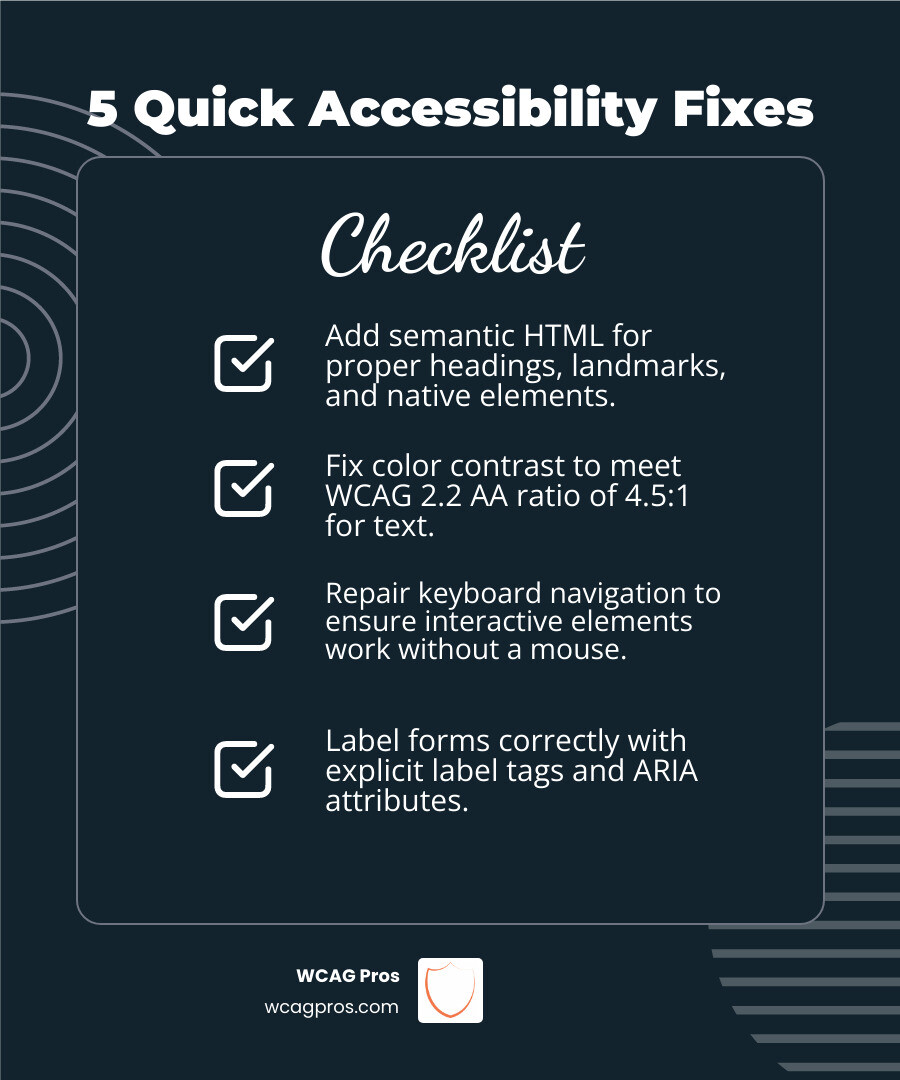
Here are the five most impactful fixes you can make right now:
- Add semantic HTML : use proper heading tags, landmarks, and native elements
- Fix color contrast : meet the WCAG 2.2 AA ratio of 4.5:1 for text
- Repair keyboard navigation : ensure all interactive elements are reachable without a mouse
- Label forms correctly : attach explicit
tags and ARIA attributes to every field - Write descriptive alt text : add meaningful descriptions to images and captions to videos
The numbers are hard to ignore. About 98% of websites currently fail ADA and WCAG standards. Over 4,000 ADA website lawsuits are filed every year, and that number is climbing fast. In just the first half of 2024, 4,280 Title III ADA lawsuits were filed in federal courts alone.
And here is the part that surprises most business owners: using an accessibility overlay or widget does not protect you. In fact, digital accessibility lawsuits against businesses using overlays jumped 62% in 2023 compared to the year before. Overlays patch the surface. They do not fix the code underneath.
Real protection comes from fixing the source code itself.
I’m Matthew Post, co-founder of WCAG Pros and a web developer with over 20 years of experience, and website accessibility code remediation is at the core of the work I do every day. I’ve personally overseen audits and remediation projects for businesses of all sizes, helping them reduce legal risk and build websites that genuinely work for every user. In the sections below, I’ll walk you through five concrete code-level changes that make the biggest difference fastest.
Website accessibility code remediation vocab explained:
Understanding Website Accessibility Code Remediation

When we talk about website accessibility code remediation, we are talking about going under the hood. It is not about adding a fancy button that changes the font size. It is about restructuring the actual source code so that it speaks clearly to assistive technologies like screen readers.
In May 2026, the gold standard for this work is WCAG 2.2. These guidelines provide a technical roadmap for making digital content accessible to people with visual, auditory, physical, speech, cognitive, and neurological disabilities. For businesses operating in California or across the U.S., following these standards is the best way to ensure ADA Title III compliance.
At WCAG Pros, we believe that Expert Website Accessibility Code Remediation is the only path to true digital inclusion. By editing the HTML, CSS, and JavaScript directly, we create a permanent solution that works for everyone. If you want to ensure your site is truly compliant, you should look into Professional ADA Remediation Services You Can Trust.
Why Source Code Fixes Outperform Temporary Automated Fixes
You might have seen ads for “one line of code” fixes that promise instant compliance. These are usually accessibility overlays or widgets. While they sound like a dream come true, they often turn into a legal nightmare.
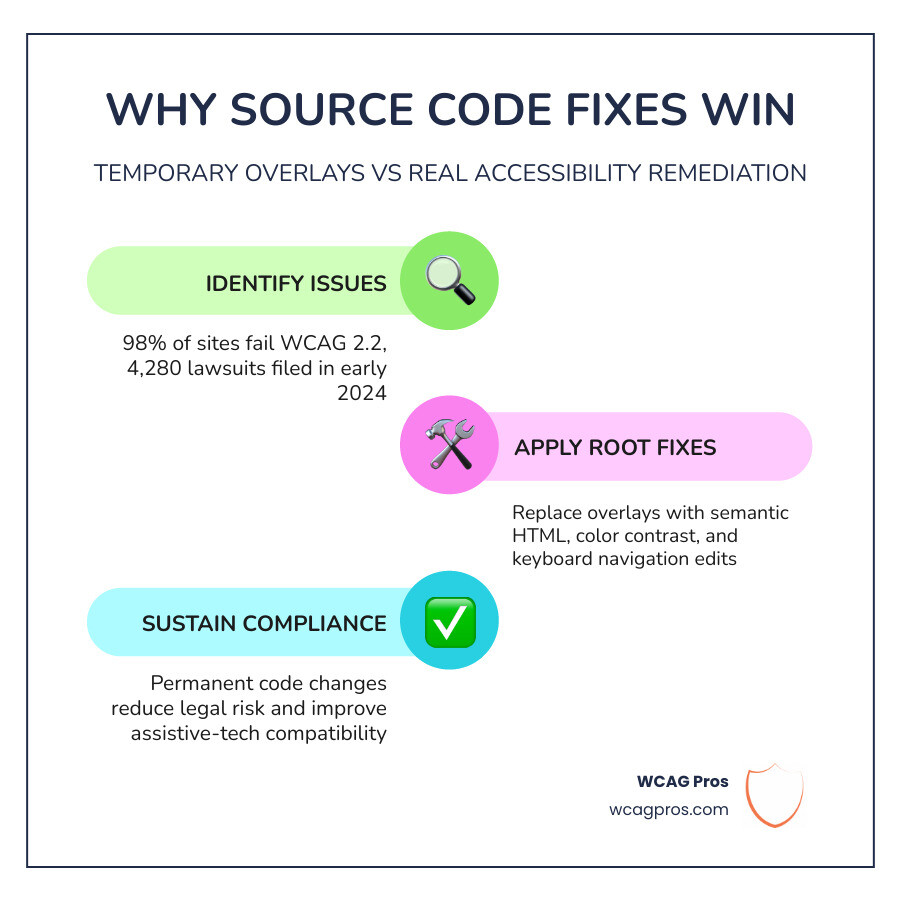
Statistics show a 62 percent increase in digital accessibility lawsuits against businesses using these widgets in 2023. Why? Because these tools often interfere with how screen readers naturally work. They are like a “band-aid” on a broken leg. They might hide the problem for a second, but the underlying issue remains.
Source code remediation is legally defensible because it addresses the root cause. When we fix the code, we are making the site inherently accessible. This is why we focus on Professional Accessibility Support that targets the foundation of your website. For more on how to avoid legal trouble, check out The No-Lawsuit Guide to Website Remediation.
Five Quick Changes to Fix Accessibility Issues

If your website has thousands of pages, the idea of remediation can feel overwhelming. The secret is prioritization. We recommend starting with high-traffic pages and global templates. If you fix a header or footer template, that change cascades across your entire site instantly.
For a deeper dive into these technical steps, you can read Detailed Accessibility Fixes for a More Inclusive Web. Let’s look at the five changes that offer the most “bang for your buck.”
Implementing Semantic HTML for Website Accessibility Code Remediation
The most common mistake developers make is using By using semantic HTML, you give the browser and assistive technology context. If your text is too light or your background is too busy, people with low vision or color blindness will struggle to read your content. WCAG 2.2 AA requires a contrast ratio of at least 4.5:1 for normal text. We often see beautiful designs that fail this simple test. Using a color contrast analyzer tool is a quick way to find these errors. This also applies to non-text elements like icons and form borders. Improving contrast is one of the easiest ways to boost your user experience for everyone, especially people using mobile devices in bright sunlight. Many users do not use a mouse. They might use a keyboard, a switch device, or a mouth stick. If they cannot “tab” through your site, they are effectively locked out. Forms are often the most frustrating part of a website for users with disabilities. If a form field is not labeled correctly, a screen reader user will hear “edit text” but won’t know if they should type their name, email, or credit card number. Every input needs an explicit Images need “alt text” to describe their purpose to people who cannot see them. If an image is purely decorative, you should still include an For video content, synchronized captions are a must. This helps not only the Deaf and hard-of-hearing community but also people in loud environments or those who prefer to watch videos with the sound off. Providing a text transcript for audio-only content like podcasts is another essential step for WCAG 2.2 compliance. At WCAG Pros, our workflow is designed to be thorough. We start with a manual audit because automated tools typically only catch 30 to 40 percent of accessibility issues. A machine can tell you if an image is missing alt text, but it cannot tell you if the alt text actually makes sense in context. Once the audit is complete, we provide a prioritized roadmap. We implement the code fixes, then we validate them using assistive technology like NVDA, JAWS, or VoiceOver. This ensures that the fixes actually work in the real world. For those looking for cost-effective options, we offer Remediation with Fixes That Won’t Break the Bank. The timeline depends on the size and complexity of your site. A small business website might take 4 to 8 weeks, while a large enterprise platform could take several months. At WCAG Pros, we focus on high-impact areas first to get you protected as quickly as possible. While we cannot provide legal advice, industry data shows that settlements for small businesses often range from $25,000 to $75,000. For larger corporations, the costs can reach into the millions when you factor in legal fees and the cost of court-ordered remediation. No. Automated tools are a great starting point, but they cannot replace human judgment. Issues like logical tab order, the meaningfulness of alt text, and complex ARIA implementations require a manual review by an expert to ensure full compliance. Website accessibility is not a “one and done” project. As you add new content or features, you need to ensure they are accessible from day one. Integrating accessibility checks into your CI/CD pipeline and training your developers are the best ways to maintain compliance long-term. If you are ready to move beyond temporary fixes and achieve real, lasting compliance, we are here to help. From page-by-page audits to hands-on website accessibility code remediation, our team at WCAG Pros ensures your site is inclusive for everyone. Check out our WCAG Remediation services or contact us for Professional Accessibility Support today. Together, we can build a web that works for everyone. Read more website accessibility articles tags for everything. While these tags are versatile, they have no meaning. A screen reader does not know if a
through in a logical order. Never skip levels., , and tags. This allows screen reader users to jump directly to the content they want. for navigation and for actions like submitting a form or opening a menu.Enhancing Color Contrast for Website Accessibility Code Remediation
Fixing Keyboard Navigation and Focus Management
outline: none in your CSS unless you are replacing it with a better visible focus style. Users need to see where they are on the page.Optimizing Form Labels and Error Handling
tag. Using placeholder text is not enough because it disappears when the user starts typing. Additionally, use aria-describedby to link error messages or instructions to the specific field. This ensures that if someone makes a mistake, they know exactly how to fix it.Correcting Image Alt Text and Media Captions
alt="" attribute so the screen reader knows to skip it.The Professional Remediation Workflow
Frequently Asked Questions about Website Accessibility
How long does website accessibility remediation take?
What is the average cost of an ADA website lawsuit settlement?
Can automated tools achieve full WCAG 2.2 compliance?
Conclusion
Get Help With Your Website
We'll follow up with info about:
- The process
- Cost
- Timeline
We promise to respect your privacy, and never abuse the information you provide. We will not sell or rent your information to any third party.
By submitting this form, you consent to receive SMS messages and/or emails from SEM Dynamics LLC, dba WCAG Pros. To unsubscribe, follow the instructions provided in our communications. Msg & data rates may apply for SMS. Your information is secure and will not be sold to third parties.