
A Practical Guide to WordPress Accessibility
A Practical Guide to WordPress Accessibility
Why WordPress Accessibility Is a Legal and Business Priority in 2026
WordPress accessibility refers to the practice of making WordPress powered websites usable by everyone, including people with disabilities who rely on screen readers, keyboard navigation, or other assistive technologies.
Quick answer: What is WordPress accessibility?
| Question | Answer |
|---|---|
| What is it? | Building and maintaining WordPress sites so all users, including those with disabilities, can perceive, navigate, and interact with content |
| What standard applies? | WCAG 2.2 Level AA is the benchmark WordPress targets and what courts and regulators reference |
| Who does it affect? | Over 28.7% of US adults (61 million people) have a disability |
| Is it legally required? | Yes, for most commercial websites under ADA Title III |
| What happens if you ignore it? | Rising lawsuit risk, lost revenue, and reputational damage |
WordPress powers over 42.9% of all websites. That makes it, arguably, the single most important platform when it comes to the overall state of web accessibility online.
Yet many WordPress sites fall short. Themes introduce broken navigation. Plugins add inaccessible interactive elements. Content creators skip alt text or use vague link labels like “click here.” The result is a site that legally qualifies as a barrier to access for millions of users.
And the legal pressure is real. Websites are considered places of public accommodation under ADA Title III. Lawsuits targeting inaccessible websites have risen sharply, and no business size is immune.
People with disabilities and their families control an estimated $1.3 trillion in disposable income in North America alone. Inaccessible sites do not just carry legal risk. They actively turn away customers.
The good news? WordPress gives you the tools to do this right. You just need to know where to start.
I’m Matthew Post, co founder of WCAG Pros and a web developer with over 20 years of experience auditing and remediating sites for WordPress accessibility and WCAG compliance. In the sections below, I’ll walk you through everything you need to know to make your WordPress site accessible, legally defensible, and open to every user.
Understanding WordPress Accessibility and Why It Matters
When we talk about web accessibility, we are talking about removing barriers that prevent people with disabilities from interacting with the digital world. In the physical world, we have wheelchair ramps and braille signs. In the digital world, we have screen reader compatibility, keyboard only navigation, and high contrast text.
To understand why this matters, we only have to look at the numbers. In the United States alone, more than one in four adults has some form of disability. That is roughly 61 million Americans who may navigate the web differently than you do. Globally, people with disabilities control more than 8 trillion dollars in discretionary spending. When we build a website that ignores these users, we are not just failing a moral test. We are actively locking the door on a massive portion of our target audience.
From a legal standpoint, the landscape has changed dramatically. Digital accessibility is no longer a polite suggestion. If you want to dive deeper into how the law applies to your website, you can read our comprehensive guide on ADA Compliance WordPress 101. The short version is simple. If your business is open to the public, your website must be accessible to the public.
What is WordPress Accessibility
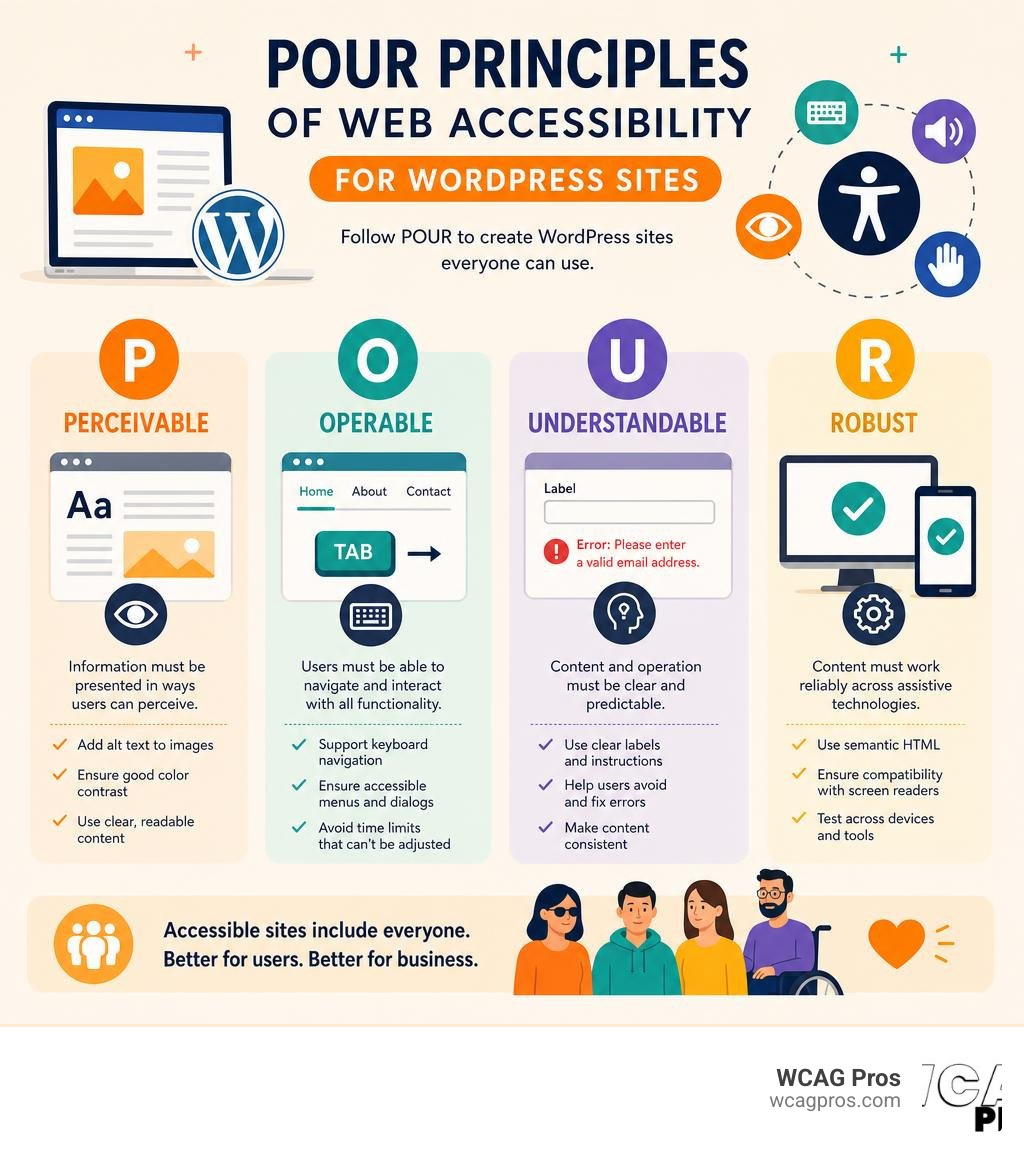
At its core, WordPress accessibility is the practice of ensuring that any website built on the WordPress platform conforms to the Web Content Accessibility Guidelines, which we refer to as WCAG. Specifically, the global standard is WCAG 2.2 Level AA.
These guidelines are organized under four main principles, which make up the acronym POUR. First, content must be Perceivable. This means users must be able to see or hear the information. Second, content must be Operable. Users must be able to navigate the page using a keyboard or voice controls. Third, content must be Understandable. The text and interface must be clear and predictable. Fourth, content must be Robust. Your website must work reliably across different browsers and with assistive technologies like screen readers.
The official WordPress project has a dedicated accessibility team that works to make the core software conform to these principles. You can read more about their mission on the Official WordPress Accessibility Statement.
The Legal and Business Benefits of Compliance
Ensuring your WordPress site is compliant is not just about avoiding trouble, though avoiding trouble is certainly a great motivator. In the United States, websites are considered places of public accommodation under Title III of the Americans with Disabilities Act, or the ADA. Federal agencies and organizations that receive federal funding must also comply with Section 508.
The risk of ignoring these laws is real. ADA digital lawsuits have climbed steadily over the last several years. Many businesses receive demand letters or face costly legal battles because of simple oversights like missing alt text or keyboard traps. If you want to protect your business, you should Discover how to make your WordPress ADA Compliant.
Beyond the legal shield, accessibility is fantastic for business. Accessible websites are naturally better optimized for search engines because search engine crawlers read websites in a very similar way to screen readers. Clean heading structures, descriptive link text, and alternative text for images all help search engines understand your content better, which can boost your organic rankings. Plus, a site that is easy to navigate for a user with a disability is also much easier to navigate for everyone else, leading to higher conversion rates and happier customers.
Evaluating Out of the Box WordPress Accessibility
A common question we hear from business owners is whether WordPress is accessible right after installation. The honest answer is that WordPress provides a very strong foundation, but what you build on top of that foundation determines your final compliance status.
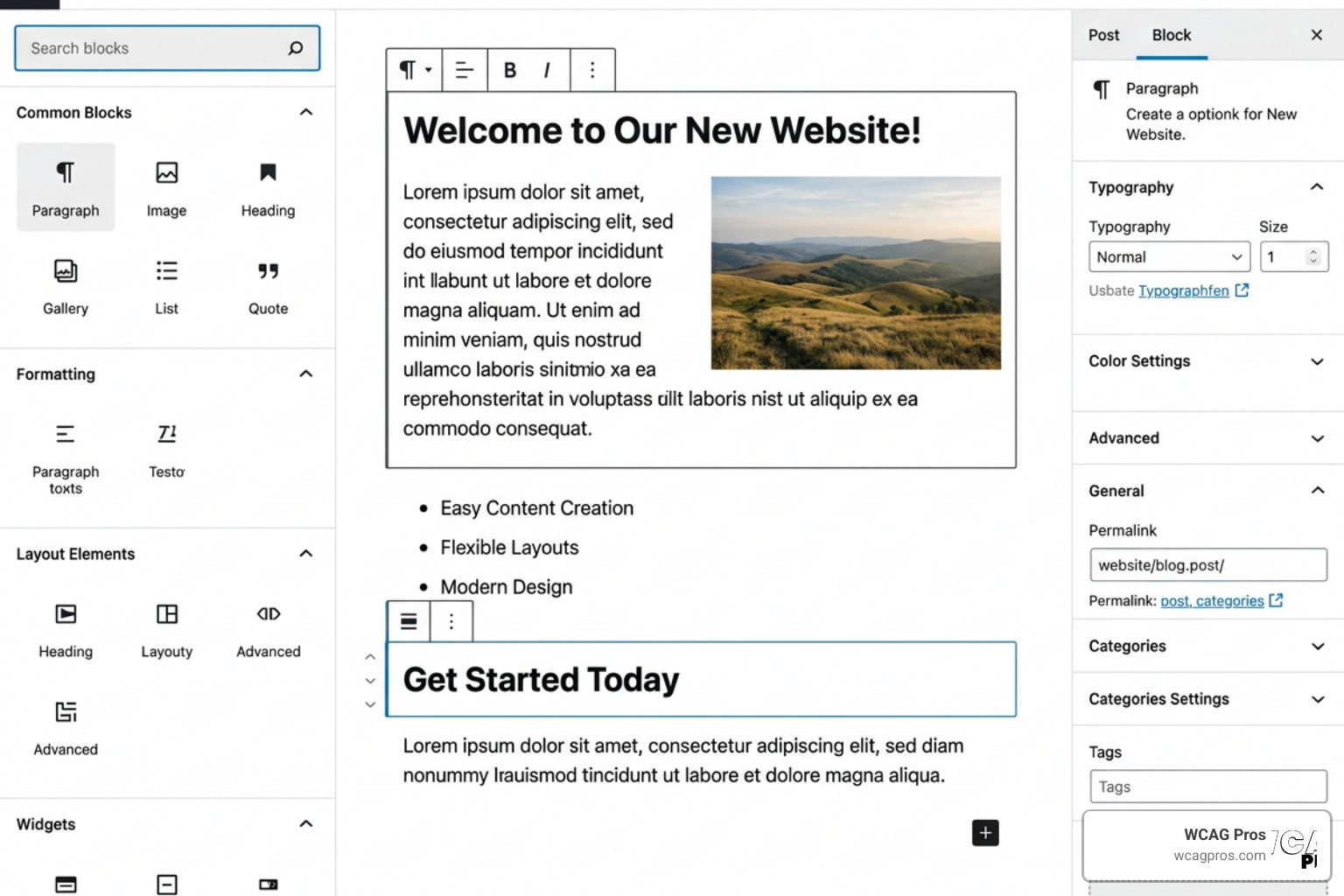
The core WordPress software is developed with accessibility in mind. However, because WordPress is a modular system, the themes and plugins you install can easily break that accessibility. For a detailed look at how the latest core updates have addressed these issues, you can Read about Accessibility Improvements in WordPress 7.0.
Core Strengths of the WordPress Platform
The WordPress core development team is deeply committed to WCAG 2.2 Level AA compliance. Every new piece of code added to the core software must pass accessibility reviews.
Some of the built-in strengths of the platform include:
- Standardized semantic HTML structures in default themes.
- Improved screen reader alerts and notifications within the admin dashboard.
- Better keyboard navigation support in the backend interface.
- Automated metadata import, which allows WordPress to pull alternative text directly from image files.
The core team also works toward authoring tool standards, which help content creators write accessible posts and pages without needing a degree in web development.
Current Limitations and Gutenberg Challenges
Despite these strengths, the platform is not perfect. The introduction of the Gutenberg block editor was a major milestone for WordPress, but it also introduced significant accessibility hurdles.
An independent audit of the block editor conducted by WPCampus identified dozens of accessibility issues, particularly for screen reader users and those who rely entirely on keyboard navigation. While the core team has worked tirelessly to resolve these bugs, the highly visual, drag and drop nature of modern page builders and block editors makes maintaining accessibility an ongoing challenge.
Additionally, WordPress cannot control what third party developers do. If a theme developer decides to hide keyboard focus outlines or a plugin developer builds a popup modal that cannot be closed with the Escape key, your site becomes inaccessible, regardless of how clean the WordPress core code is.
How to Choose and Build Accessible Themes and Plugins
Because themes and plugins make up the vast majority of your website’s front end code, they are the most common source of accessibility barriers. Choosing the wrong theme can set you back hundreds of hours in manual remediation.

To help developers and site owners build better websites, the WordPress theme review team has updated its guidelines. You can Check the Accessibility Ready Requirements Updated to see the modern standards that themes must meet to earn this designation.
Selecting and Testing Themes
When browsing the official WordPress theme directory, you can filter your search using the “accessibility ready” tag. Themes with this tag have undergone a basic manual review to ensure they support essential features like keyboard navigation, visible focus styles, and proper heading hierarchies.
If you are building a custom theme or evaluating a premium option, look for these critical features:
- Skip Links: A skip link allows keyboard users to bypass the main navigation menu and jump straight to the primary content of the page.
- Visible Focus States: When a user tabs through your site, there must be a clear, highly visible outline around the currently selected element.
- Responsive Reflow: The theme must support text resizing and layout scaling up to 400 percent without content spilling off the screen or overlapping.
- No Inaccessible Bundled Plugins: The theme should not force you to install plugins that break accessibility guidelines.
For custom development projects, we highly recommend starting with a clean starter theme like Underscores, which provides an accessible HTML foundation from day one.
Selecting Plugins for WordPress Accessibility
Plugins are the wild west of the WordPress ecosystem. With tens of thousands of options available, many plugins are built without a single thought given to accessibility. Interactive elements like image sliders, contact forms, and dropdown menus are notorious for trapping keyboard users or failing to announce state changes to screen readers.
When choosing plugins, always test their output. If you are looking for a general utility plugin to patch common theme issues, you can check out the WP Accessibility: WordPress plugin | WordPress.org or the WP Accessibility Plugin on WordPress.com for quick fixes.
These plugins can help you enforce alt text, add skip links, and remove redundant title attributes. However, you must remember that no plugin can magically make an inaccessible site fully compliant. True accessibility requires fixing the underlying code of your theme and content.
Practical Steps for Testing and Improving WordPress Site Accessibility
Improving your website’s accessibility does not have to be an overwhelming chore. By breaking the process down into automated testing, manual testing, and content best practices, you can systematically eliminate barriers on your site.
Automated Testing Tools and Checkers
Automated scans are a fantastic starting point. They can quickly scan hundreds of pages and flag obvious errors like missing alt text, low color contrast, and empty form labels.
Some excellent tools to include in your workflow include:
- axe DevTools: A powerful browser extension that allows you to inspect individual pages and identify WCAG violations in real time.
- Native WordPress Checkers: Plugins like Equalize Digital’s Accessibility Checker scan your content directly within the WordPress dashboard, keeping your data secure on your own server.
- Enterprise Scanners: For larger websites, you can use comprehensive scanning platforms to monitor your compliance health over time.
Automated tools are only designed to catch about 30 to 40 percent of accessibility issues. They cannot tell you if your alt text actually makes sense or if your keyboard navigation order is logical. For that, you need manual testing.
Manual Testing and Screen Reader Evaluation
Manual testing is the gold standard of accessibility verification. It allows you to experience your website exactly how a user with a disability would.
To perform a basic manual test, set your mouse aside and try to navigate your entire website using only your Tab key, Enter key, Spacebar, and Arrow keys. Can you access every link? Can you fill out and submit your contact forms? Do you get stuck in any interactive widgets? If you find yourself trapped, you have identified a critical keyboard barrier that must be fixed.
Next, you should test your site with a screen reader. Windows users can download NVDA for free, while Mac and iOS users have VoiceOver built directly into their operating systems. If you want a step by step guide on how to navigate this process, we recommend reading The Ultimate Manual for Screen Reader WordPress Testing.
Content Creation Best Practices
Even if your theme is perfectly coded, your content creators can still introduce accessibility violations every time they write a new post. Training your team on these simple best practices will prevent future issues:
- Write Descriptive Alt Text: Do not just stuff your alt text with keywords. Describe the actual image. Instead of writing “bridge,” write “View of the Brooklyn Bridge on a sunny day.” If an image is purely decorative, leave the alt text blank so screen readers will ignore it.
- Maintain Heading Hierarchy: Headings are the outline of your page. Use H1 for your main title, H2 for main sections, and H3 for subsections. Never skip a level just to make the text look smaller or larger.
- Ensure High Color Contrast: Text must be easy to read against its background. Aim for a contrast ratio of at least 4.5:1 for normal text and 3:1 for large text.
- Use Descriptive Links: Avoid links that say “click here” or “read more.” Screen reader users often navigate pages by jumping from link to link. A link that says “Download our 2026 Accessibility Guide” makes perfect sense on its own, whereas “click here” tells the user absolutely nothing.
Frequently Asked Questions About WordPress Accessibility
Is WordPress accessible out of the box
Yes, the core WordPress platform is highly accessible and aims for WCAG 2.2 Level AA compliance. However, your final compliance depends entirely on the theme and plugins you install, as well as the content you create. A single poorly coded plugin can make an otherwise accessible WordPress site completely unusable.
Can accessibility plugins make a site fully compliant
No, they cannot. While utility plugins like WP Accessibility can help patch minor theme errors, automated overlay widgets that claim to instantly make your site compliant often do more harm than good. Many of these overlays fail to work with screen readers and can even block users from using their own assistive software. True compliance must be built directly into your website’s source code.
How do I test my WordPress site for WCAG 2.2 compliance
The best approach is a combination of automated scanning tools to catch bulk errors and manual testing to evaluate keyboard navigation and screen reader compatibility. For complete peace of mind, we recommend partnering with professional auditors who can perform a comprehensive page by page review.
Conclusion
Building an accessible WordPress website is not a one time project. It is an ongoing commitment to inclusivity, usability, and legal safety. As you add new plugins, publish new blog posts, and update your theme, you must continue to monitor your compliance.
If you want to ensure your website is fully compliant without the stress of doing it all yourself, we are here to help. At WCAG Pros, based in Norco CA, we specialize in comprehensive page by page audits of all 54 WCAG points. We do not just hand you a list of problems. We provide actual code fixes and offer free re-audits to help you earn your compliance badges.
If you are ready to take the next step, you can learn How to Hire a WordPress ADA Compliance Consultant Without Losing Your Mind or go ahead and Get professional WCAG remediation services today. Let us help you make your website welcoming to everyone.
Read more website accessibility articles
Get Help With Your Website
We'll follow up with info about:
- The process
- Cost
- Timeline
We promise to respect your privacy, and never abuse the information you provide. We will not sell or rent your information to any third party.
By submitting this form, you consent to receive SMS messages and/or emails from SEM Dynamics LLC, dba WCAG Pros. To unsubscribe, follow the instructions provided in our communications. Msg & data rates may apply for SMS. Your information is secure and will not be sold to third parties.