
A – Z Guide to Accessible Website Services
A – Z Guide to Accessible Website Services
Why Accessible Website Services Matter More Than Ever in 2026
Accessible website services are professional solutions that help businesses identify, fix, and maintain ADA and WCAG 2.2 compliance on their websites. Here is a quick overview of what they cover:
| Service Type | What It Does |
|---|---|
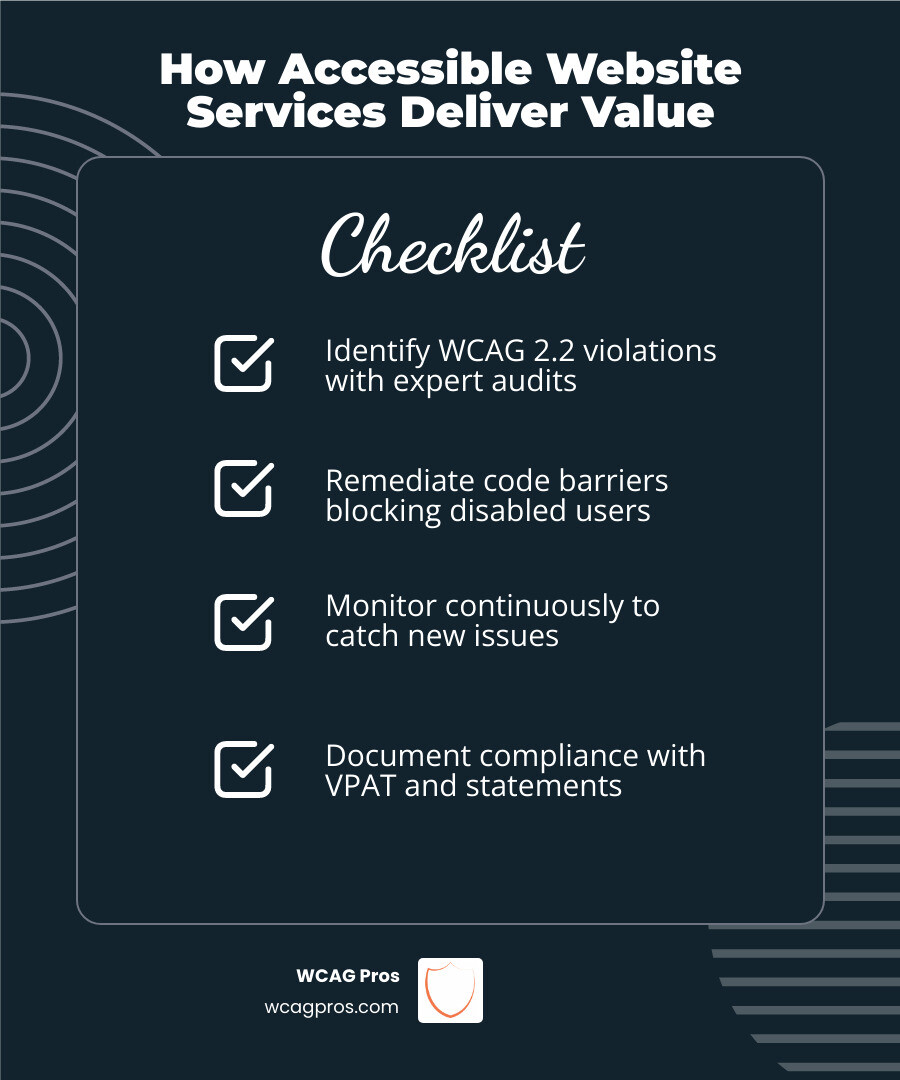
| Accessibility Audit | Scans your site for WCAG 2.2 violations |
| Remediation | Fixes code level barriers blocking disabled users |
| Manual Testing | Human experts test with real assistive technology |
| Ongoing Monitoring | Catches new issues as your site changes |
| Documentation | Provides VPAT, accessibility statements, and conformance reports |
| Training | Teaches your team to build and maintain accessible content |
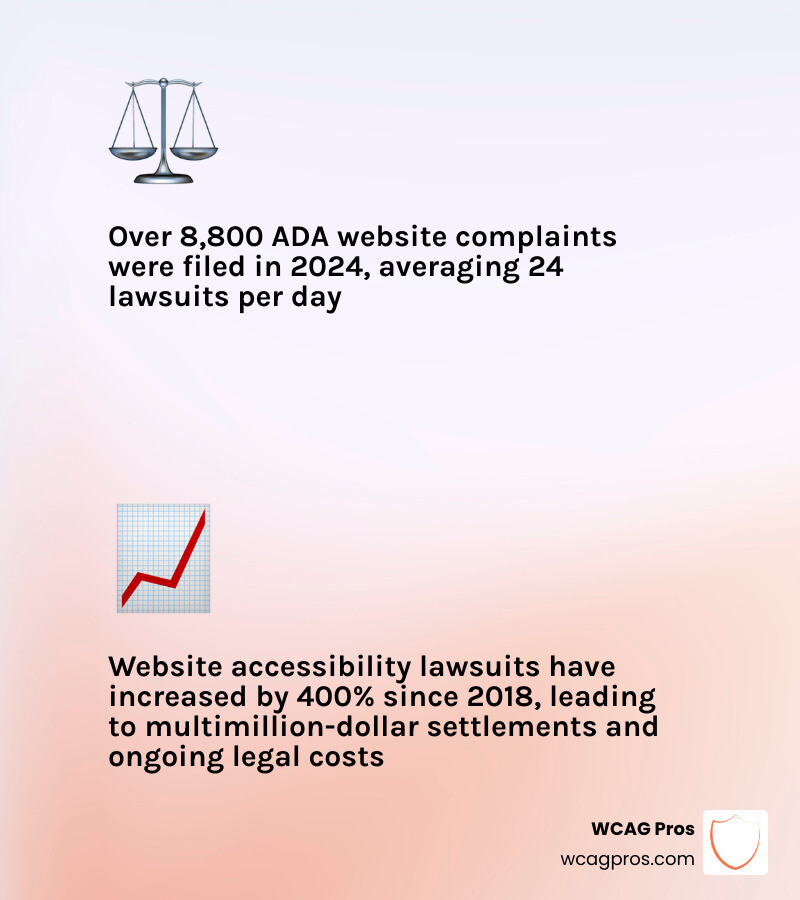
Right now, 8,800 federal ADA website complaints were filed in 2024 alone. That is roughly 24 lawsuits every single day.
And it is not slowing down. Web accessibility lawsuits have increased by 400% since 2018.
The risk is real. But so is the opportunity. People with disabilities control an estimated $13 trillion in annual disposable income worldwide. When your website excludes them, 67% simply leave and never come back.
The good news? A professional accessibility service can fix both problems at once. It reduces your legal exposure and opens your site to a much larger audience.
I’m Matthew Post, co founder of WCAG Pros and a web developer with over 20 years of experience specializing in accessible website services, WCAG compliance, and ADA remediation. I personally supervise every audit and remediation project we take on, so you get practical fixes backed by deep technical expertise. Let’s walk through everything you need to know.
Basic accessible website services vocab:
What Accessible Website Services Actually Include
When people hear “website accessibility,” they often imagine a plugin, a toolbar, or a little wheelchair icon in the corner. That is usually only a tiny piece of the picture.
Real accessible website services are broader. They combine legal awareness, technical audits, code remediation, usability testing, documentation, and ongoing maintenance. In plain English, they help make your website usable for people with disabilities and help your business show a real good faith effort toward ADA and WCAG 2.2 conformance.
Core components of accessible website services
A complete service should include:
- A full WCAG 2.2 audit
- Manual expert review, not just automated scans
- Code level remediation for templates, components, and page content
- Testing with screen readers, keyboards, zoom, and other assistive tools
- User testing or feedback from people with disabilities when needed
- Accessibility statements
- VPAT or conformance documentation for procurement and enterprise needs
- Ongoing monitoring and re audits
- Team training for designers, developers, and content editors
At WCAG Pros, we focus on comprehensive page by page audits across all 54 WCAG success criteria at Levels A and AA, plus deeper review where AAA techniques improve usability. Then we fix the underlying code. No smoke. No mirrors. No “install this and hope for the best.”
Who needs accessible website services in 2026
In 2026, accessibility is not just for giant brands or government agencies.
Organizations that commonly need these services include:
- E commerce businesses
- Healthcare providers
- Schools and universities
- Local governments and public entities
- Enterprise software and SaaS companies
- Nonprofits
- Financial service providers
- Government contractors
- Any business covered by ADA Title III
If your website lets people shop, book, apply, pay, register, learn, or access services, accessibility matters. That includes public facing sites, portals, web applications, PDFs, and multimedia.
Why accessibility is a legal requirement and not just a best practice
This is the part where accessibility stops being a “nice idea” and becomes an actual business obligation.
Under the ADA, covered organizations must provide equal access to their services. The U.S. Department of Justice has made clear that this applies to web content. The ADA may not list every line of HTML you should write, but the obligation is still there. If your digital front door is blocked, you can still face legal risk.
WCAG 2.2 is widely used as the technical benchmark for evaluating accessibility. It also aligns with many procurement and compliance frameworks used by businesses and public entities.
Depending on your organization, other standards may matter too:
- Section 508 for certain federal and contractor contexts
- EN 301 549 for European procurement and accessibility requirements
- European Accessibility Act obligations for covered digital products and services
For official guidance and resources, see Website Accessibility Resources – DGS (ca.gov).
The Most Common Barriers These Services Must Fix
Accessibility work is not abstract. It usually comes down to specific barriers that block real people from completing real tasks.
Some of the most common issues we see are surprisingly ordinary:
- Images without alt text
- Videos without captions
- Low color contrast
- Forms with missing labels
- Menus that do not work by keyboard
- Headings that are out of order
- Popups that trap keyboard focus
- PDFs that are unreadable with screen readers
- Confusing instructions and vague error messages
Visual, audio, and motor barriers that block access
A user who is blind may rely on a screen reader. A user with low vision may zoom text or need stronger contrast. A deaf user may need captions and transcripts. A user with limited hand mobility may navigate only by keyboard or switch device.
Barriers in these areas often include:
- Missing or meaningless alt text
- Buttons and links with no accessible name
- Text that blends into the background
- Audio or video without captions
- Audio only content without transcripts
- Interactive elements that require a mouse
- Broken focus order
- Missing skip links
- Carousels or motion that cannot be paused
These are not minor inconveniences. They can completely block checkout, contact forms, appointment scheduling, or account access.

Cognitive, language, and form usability issues
Accessibility also includes people with cognitive, learning, language, and neurological disabilities.
That means good services should catch issues like:
- Overly complex language
- Inconsistent navigation
- Form instructions that disappear too quickly
- Error messages that do not explain what went wrong
- Time limits with no warning or extension
- Flashing content that may trigger seizures
- Dense layouts that overwhelm users
- Unclear button labels like “Click Here”
A lot of these problems are technically passable in some tools but still frustrating in real life. That is one reason human review matters so much.
Why WCAG 2.2 is the global benchmark for compliance
WCAG 2.2 is the best known accessibility standard because it provides a shared framework for testing and remediation. It is organized around four principles:
- Perceivable
- Operable
- Understandable
- Robust
Those principles become testable success criteria at different levels, mainly Level A and Level AA for most business and legal use cases.
WCAG is considered the global benchmark because it is used to measure accessibility across many legal and enterprise frameworks. It is also recognized internationally as the most practical standard for web accessibility work.
If you want a deeper look at audits, conformance, and certification, see The Ultimate Guide to Website Accessibility Certification Services.
Accessible Website Services Compared: Automated Checks vs Audits vs Managed Service
Not all services solve the same problem. Some only scan. Some identify issues. Some actually fix them and help you stay compliant as your site changes.
| Service Model | What It Does Well | Main Limits | Best For |
|---|---|---|---|
| Automated Checks | Finds common detectable errors quickly | Misses many usability and code context issues | Baseline monitoring |
| Expert led Audit | Finds deeper barriers and provides accurate remediation guidance | Requires hands on work and follow up | Serious compliance efforts |
| Managed Service | Combines audits, fixes, monitoring, reporting, and support over time | More involved process than a plugin | Long term accessibility programs |
Are automated scans enough for accessible website services
Short answer, no.
Automated tools are useful. We use them too. They are great for spotting repeatable issues such as missing alt attributes, empty buttons, low contrast, and obvious structural errors. They also help with recurring scans and regression checks.
But automation has limits:
- It cannot fully judge whether alt text is meaningful
- It may not understand custom components correctly
- It often misses keyboard traps and focus problems
- It cannot reliably evaluate context, intent, or clarity
- It may mark issues as fixed when the user experience is still broken
This is where businesses get into trouble. A scan report can look comforting while users are still stuck. That is what we call “false confidence,” which is much less comforting.
Automated tools can also affect performance if they inject heavy scripts or multiple overlays. Lightweight tools may have a smaller impact, especially when they load asynchronously, but performance claims should still be tested against your actual site.
Why expert led audits find what automation misses
An expert led audit examines the site the way people actually use it.
That includes:
- Manual keyboard testing
- Screen reader testing
- Review of headings, landmarks, labels, and instructions
- Evaluation of forms, modals, menus, sliders, and custom widgets
- Review of templates and page types
- Checking dynamic states and error handling
- Validation of PDFs, documents, and media where applicable
This kind of audit finds barriers that scanners commonly miss, especially in custom interfaces and high value user flows.
It also leads to more useful remediation. Instead of saying “there is a problem somewhere on page 214,” an expert audit can tell your team what the issue is, why it matters, how to fix it, and whether the fix actually worked.
For a closer comparison of expert support and DIY tools, read Why Hiring a Web Accessibility Consulting Firm Is a Genius Move.
Managed service vs one time remediation
A one time remediation project fixes known issues at a point in time. That can be a good start.
A managed service goes further. It treats accessibility as an ongoing program.
That usually includes:
- Scheduled re scans and manual reviews
- Regression testing after updates
- Monitoring for new content issues
- Documentation updates
- Support for internal teams
- Accessibility governance and reporting
- Re audits after remediation
This matters because websites change constantly. New landing pages, marketing popups, CMS edits, app features, third party tools, and redesigns can all introduce fresh barriers.
A “set it and forget it” plugin does not manage that reality very well. A managed service does.
Business Benefits of Accessible Website Services Beyond Compliance
Avoiding lawsuits gets attention. But accessibility also improves how your website performs for everyone.
How accessibility improves SEO, UX, and conversion rates
Many accessibility fixes overlap with good technical SEO and user experience.
Examples include:
- Semantic HTML that helps search engines understand page structure
- Descriptive alt text that supports image context
- Clear heading hierarchy
- Better link text
- Stronger mobile usability
- Cleaner forms and error handling
- Faster task completion for all users
Accessible websites are often easier to crawl, easier to navigate, and easier to convert on. That can mean lower bounce rates, stronger engagement, and better conversion performance.
For more on that connection, visit The Business Benefits of an Accessible Website.
The market opportunity most businesses overlook
The disability market is huge.
Consider these numbers:
- 26 percent of Americans have disabilities
- About 60 million people in the U.S. alone live with disabilities
- People with disabilities control about $13 trillion in annual disposable income worldwide
- Accessible websites can help businesses reach over $8 trillion in expendable income
- 67 percent of users with disabilities leave websites they cannot use
That is not a niche audience. That is a major customer segment many businesses accidentally lock out.
Accessibility also supports:
- Older adults
- Mobile users
- People with temporary injuries
- People in low bandwidth situations
- Users navigating in noisy or distracting environments
In other words, accessible design is often just better design.
The legal and financial cost of inaction
The cost of noncompliance can be serious.
The numbers are hard to ignore:
- 8,800 federal ADA website complaints were filed in 2024
- That averages about 24 per day
- Lawsuits have risen 400 percent since 2018
And the consequences go beyond settlements. Businesses may face:
- Attorney fees
- Remediation under tight deadlines
- Internal disruption
- Lost sales
- Damaged brand trust
- Procurement barriers for enterprise opportunities
Well known website accessibility litigation has resulted in multi million dollar settlements and substantial legal costs. Even smaller organizations can face painful expenses that far exceed the cost of proactive remediation.
How to Choose the Right Accessible Website Services Provider
A good provider does more than point at problems. They help solve them thoroughly and sustainably.
Features every comprehensive provider should offer
Look for a provider that offers:
- Full site or page by page auditing
- Manual QA and assistive technology testing
- Code level remediation support
- Clear issue tracking and prioritization
- PDF and document accessibility help
- Video captioning and transcript guidance
- Accessibility statement support
- Re testing after fixes
- Documentation for compliance efforts
- Team training and workflow guidance
At WCAG Pros, we also provide free re audits for compliance badge qualification after remediation work is completed. That helps clients show progress with evidence, not wishful thinking.
Why VPATs and documentation matter for enterprises and government contractors
A VPAT, or Voluntary Product Accessibility Template, is a standardized format used to describe how a digital product conforms to accessibility requirements.
Why it matters:
- Enterprise buyers often request it during procurement
- Government contractors may need it for Section 508 related evaluations
- It supports due diligence and audit trails
- It helps legal, compliance, and procurement teams review accessibility claims
A good provider should understand how to create or support VPAT documentation based on real testing, not guesswork. In many cases, that documentation is the difference between moving forward in a sales process and getting stuck in procurement purgatory.
How to integrate accessibility into design, development, and content workflows
Accessibility works best when it is built into everyday processes.
That means:
- Designers use accessible color contrast, focus styles, and component patterns
- Developers use semantic HTML, proper labels, and keyboard support
- Content teams write descriptive links, alt text, and clear headings
- QA teams test accessibility before launch
- CMS workflows include accessibility checks before publishing
- Teams review feedback from users and assistive tech testers
This shared responsibility model is important. Accessibility is not just a developer problem, and it is definitely not something to throw at one heroic intern on a Friday afternoon.
For a broader look at program design and consulting support, see Everything You Need to Know About Comprehensive Accessibility Consulting Services.
Signs a provider can deliver a truly usable experience
The best providers care about real usability, not just reports.
Good signs include:
- They combine automated tools with manual testing
- They can explain how they test with assistive technology
- They include or recommend testing by people with disabilities
- They provide transparent findings and remediation guidance
- They support ongoing questions after launch
- They can help with accessibility statements and conformance documents
If you want to see what a public facing accessibility statement looks like in practice, here is an example: View our Accessibility Statement – Norco Trailers.
Frequently Asked Questions about Accessible Website Services
How long do accessible website services usually take
It depends on:
- Website size
- Number of templates and page types
- Complexity of forms and transactions
- Use of third party tools
- CMS limitations
- Whether PDFs, videos, or documents are included
A smaller brochure site may move quickly. A large e commerce or enterprise platform usually takes longer because testing and remediation must cover more templates, states, and user flows.
The real timeline usually includes audit, remediation, re testing, and final documentation.
Do accessible website services slow down your website
They should not, at least not when done properly.
Manual code remediation often improves site quality because it removes broken patterns and strengthens semantic structure. Monitoring tools and scripts should be reviewed carefully. Some load asynchronously and have minimal performance impact. Others may add unnecessary weight or interfere with Core Web Vitals.
That is one reason we prefer fixing the source code whenever possible. Accessibility should support your website, not make it drag like it is carrying a piano uphill.
Can accessible website services help with PDFs, videos, and documents too
Yes, and they should.
Many organizations focus only on HTML pages and forget that users also need access to:
- PDFs
- Office documents
- Videos
- Audio files
- Downloadable forms
- Slide decks and embedded media
A complete accessibility service can review document structure, tags, reading order, captions, transcripts, and other barriers across those formats too.
For more on that topic, see Professional ADA Remediation Services You Can Trust.
Conclusion
The best accessible website services do not stop at scans or overlays. They combine expert auditing, code remediation, documentation, and ongoing support so your website is actually usable for people with disabilities and better aligned with ADA and WCAG 2.2 expectations.
That is how we approach accessibility at WCAG Pros.
We provide page by page audits, code fixes, and free re audits tied to our compliance badge process. We review all 54 WCAG success criteria with practical remediation guidance so your team can move from uncertainty to action.
If you are ready to improve accessibility, reduce legal risk, and build a better experience for every visitor, start here: More info about accessible website services
Read more website accessibility articles
Get Help With Your Website
We'll follow up with info about:
- The process
- Cost
- Timeline
We promise to respect your privacy, and never abuse the information you provide. We will not sell or rent your information to any third party.
By submitting this form, you consent to receive SMS messages and/or emails from SEM Dynamics LLC, dba WCAG Pros. To unsubscribe, follow the instructions provided in our communications. Msg & data rates may apply for SMS. Your information is secure and will not be sold to third parties.