
Accessibility Audit Tools 101: Compare WCAG 2.2 Options
Accessibility Audit Tools 101: Compare WCAG 2.2 Options
What Are Accessibility Audit Tools and Why Are They Essential?
Digital accessibility ensures everyone can read, navigate, and interact with your website. Modern legal frameworks across the globe use the Web Content Accessibility Guidelines (WCAG) 2.2 as the primary technical benchmark for digital inclusion.
In the United States, ADA Title III applies to private sector businesses, requiring public accommodations to maintain accessible websites. Federal agencies and organizations receiving federal funding must adhere to Section 508. Outside the US, rules are equally strict. The European Accessibility Act mandates digital compliance for private European web assets, while Canadian standards like AODA strictly enforce digital access. Under AODA, corporate fines for non-compliance can reach up to $100,000 per day, while individuals face fines up to $50,000 per day.
Using specialized software is the first line of defense in identifying accessibility barriers across your site. However, automated testing software has inherent boundaries.
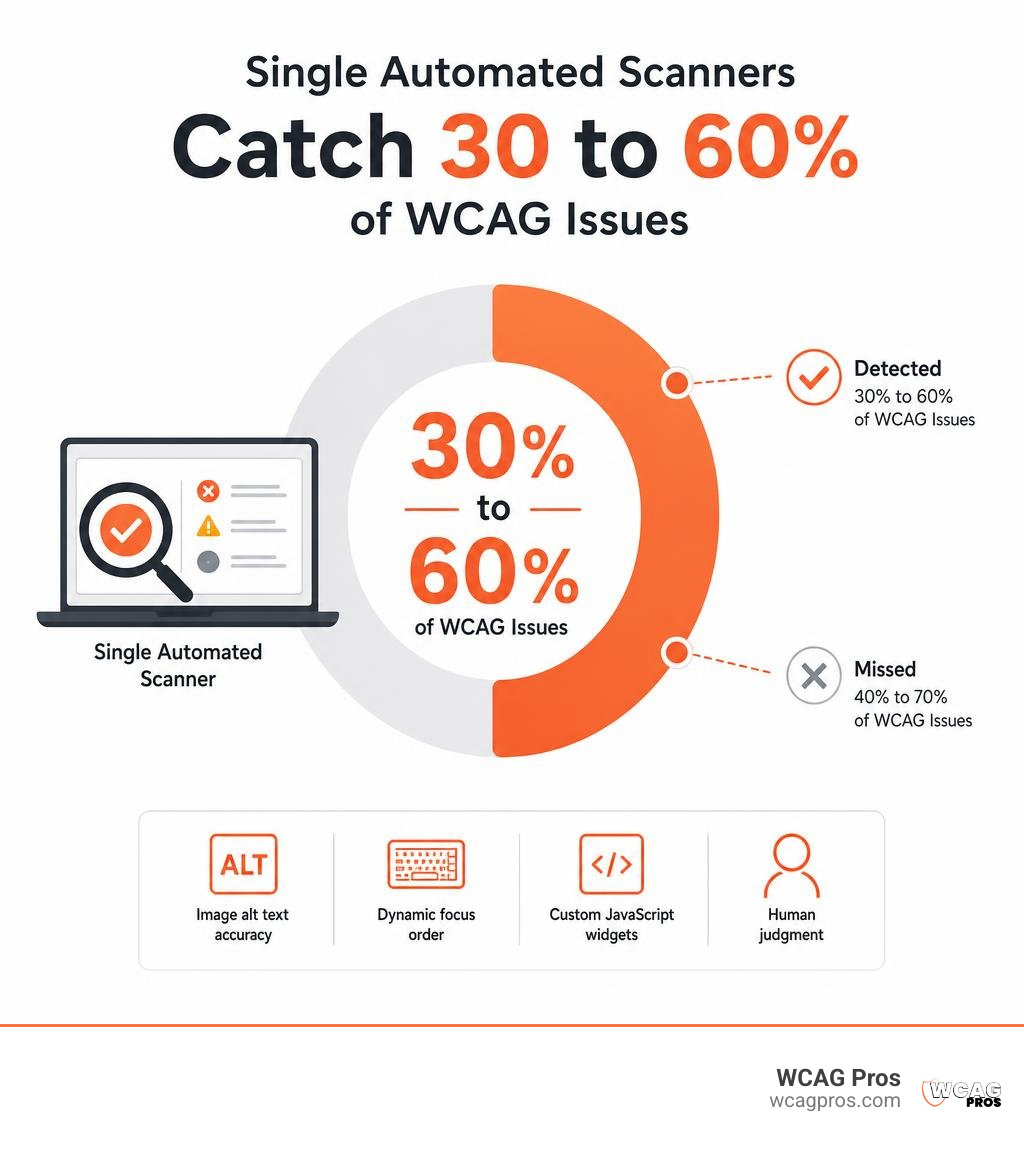
Independent research indicates that single automated accessibility scanners typically catch only 30% to 60% of WCAG violations. Automated checkers excel at detecting deterministic code errors, such as missing basic image tags or bad HTML syntax. They fail when human judgment is needed. A scanner cannot tell if image alt text accurately describes a photo, whether dynamic focus order makes logical sense, or if custom JavaScript widgets are usable for a keyboard navigation user.
For a complete look at how software fits into your compliance workflow, read our Practical Accessibility Testing Guide 2026.
Top Automated and Manual Accessibility Audit Tools in 2026
Choosing the right testing software depends on your site size, team technical skills, and auditing workflow. The W3C Web Accessibility Initiative maintains a directory featuring 119 tools for testing web content against accessibility criteria.
The evaluation spectrum spans simple browser extensions to enterprise engines embedded inside continuous integration (CI/CD) pipelines.
| Tool Name | Tool Category | Primary Testing Focus | Ideal Audience |
|---|---|---|---|
| WAVE | Browser Extension | Single-page visual feedback | Designers, content editors, beginners |
| Axe DevTools | Extension & Engine | DOM rules & guided AI testing | Developers, QA engineers |
| Silktide | Browser Extension | On-page scans & impairment simulators | Webmasters, marketing teams |
| Google Lighthouse | DevTools Built-in | Fast automated baseline scores | Developers |
| AccessSpark | Cloud Platform | SPA scans, performance, & VPAT generation | SaaS teams, agencies |
| Look-see | Open-Source Engine | Rendered pixels & user journeys | Engineers, technical consultants |
| Level Access | Enterprise Platform | Web/Mobile SDK & manual audit acceleration | Large enterprises |
| Adibilis | Multi-Engine Engine | Code patches & CI/CD pipeline checks | SaaS developers |
To review more directory tools, browse the official Web Accessibility Evaluation Tools List W3C .
Top Free Accessibility Audit Tools for Quick Scans
Free extensions provide immediate, visually clear feedback on single web pages without requiring account setups or complex coding.
- WAVE Browser Extension: Maintained by WebAIM, WAVE injects visual icons directly onto your webpage. It highlights errors, contrast failures, and structural items, making human evaluation straightforward.
- Axe DevTools (Free Tier): Powered by the axe-core engine, this extension runs fast automated DOM tests inside Google Chrome, Firefox, and Edge developer tool panels with zero false positives.
- Silktide Browser Extension: Runs over 200 automated checks across WCAG 2.2 standards at Levels A, AA, and AAA, presenting findings in plain language.
- Google Lighthouse: Pre-installed inside Chrome DevTools, Lighthouse provides quick single-page audits covering general accessibility, SEO, and speed performance metrics.
For step-by-step guidance on running fast baseline checks, see our list of 5 Free ADA Compliance Tools to Check Your Website Instantly.
Enterprise Accessibility Audit Tools for Full Compliance
Large websites, single-page applications (SPAs), and engineering teams require robust enterprise software that handles continuous monitoring and multi-page user flows.
- AccessSpark: Audits fully rendered pages using headless Chrome to evaluate dynamic web applications. It maps detected issues straight into VPAT reporting templates for WCAG 2.2 AA compliance.
- Siteimprove: A comprehensive digital governance suite that scans continuous subdomains for accessibility errors while scoring overall content quality and search performance.
- Level Access: An enterprise platform that bridges automated crawling, mobile app SDK testing, and manual audit tracking into unified leadership dashboards.
- Adibilis: Scans web application code against 900 cross-validated WCAG rules. It operates within CI/CD pipelines to block pull requests containing critical violations before code reaches production.
- Look-see: An open-source platform that reads websites via HTML code and rendered pixels. It traces complex user journeys, like multi-step checkout sequences, mapping structural barriers inside a Neo4j graph database. Check out the open-source code at brandonkindred/Look-see .
To streamline your team workflow using automated scanners, read Automated Web Accessibility Testing Made Easy.
Screen Reader Simulators and Browser Extensions
Specialized browser utilities help team members understand how assistive technologies process web content.
- Silktide Screen Reader Simulator: Allows beginners to experience how web pages read aloud without learning complex native screen reader keyboard commands.
- DigitalA11Y Tublets: Visual bookmarklets that let auditors toggle page headings, alt tags, and ARIA landmarks directly on the screen for fast manual verification.
- IBM Equal Access Accessibility Checker: Integrates directly into browser developer tools and continuous delivery suites, providing visual overlay reports and baseline fix guidance.
- Native Screen Readers: Native software remains mandatory for accurate verification. Windows users rely on NVDA (NonVisual Desktop Access) or JAWS. Apple users test with native VoiceOver on macOS and iOS, while Android devices utilize TalkBack.
How to Conduct a Complete WCAG 2.2 Audit Combining Automated and Manual Testing
A complete audit requires pairing initial automated code scans with manual evaluation and user testing.
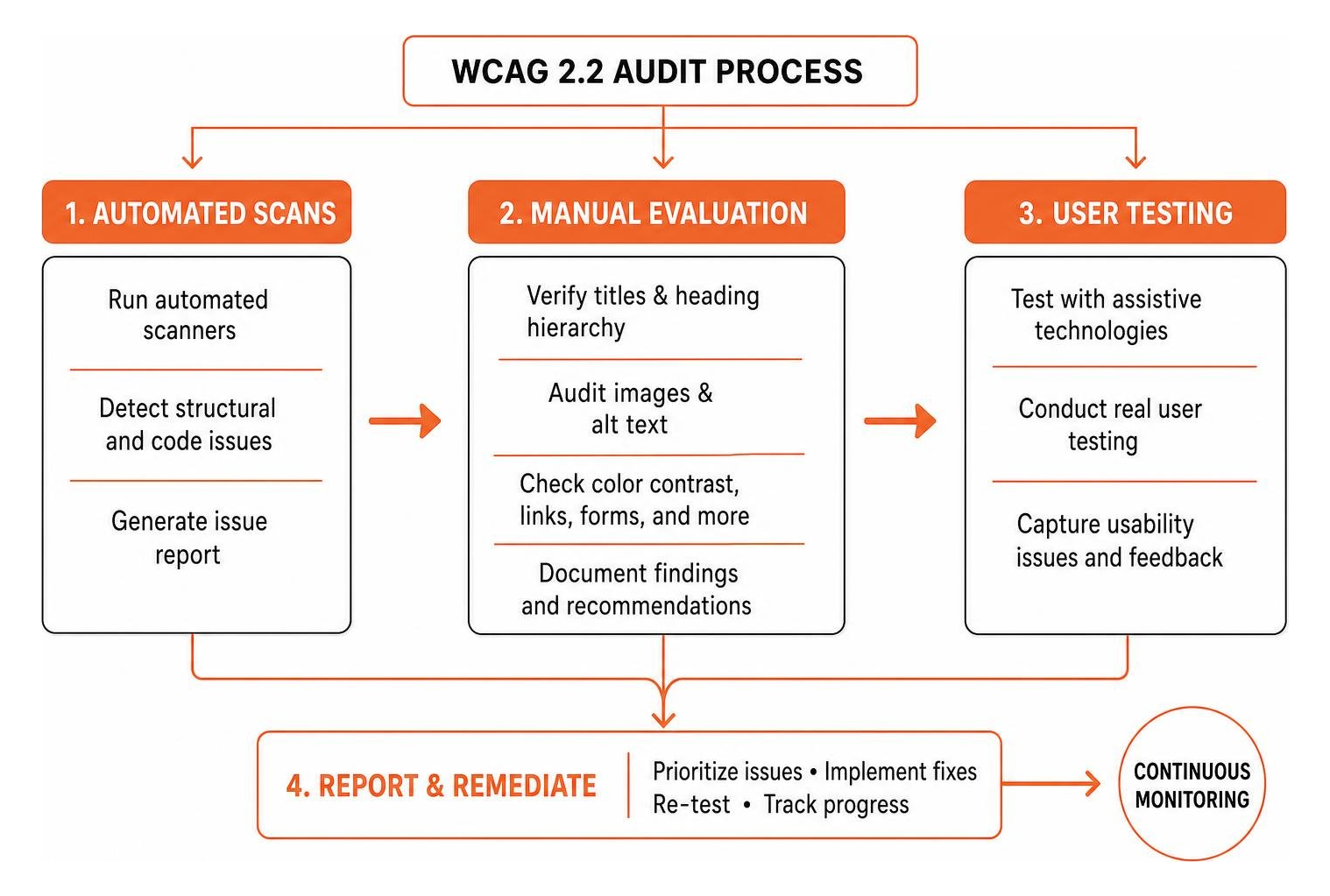
Follow this step-by-step process to evaluate web assets against WCAG 2.2 Level AA requirements:
- Run an Automated Scanner Pass: Scan your pages using browser extensions or enterprise crawlers to catch obvious structural markup errors.
- Verify Page Titles and Heading Hierarchy: Confirm every page has a unique HTML title tag. Ensure each page contains a single H1 tag matching the main page topic. Verify that subheadings (H2, H3, H4) follow a logical hierarchy without skipping levels.
- Audit Images and Alt Text: Ensure every image features an alt attribute. Informative images must have descriptive alt text explaining the content. Decorative images require an empty alt attribute (alt=””) so screen readers ignore them.
- Test Keyboard Navigation: Unplug your mouse. Use the Tab key to navigate forward through all interactive elements and Shift+Tab to move backward. Confirm that a visible focus outline highlights every active link, button, and input field. Verify there are no focus traps that trap users inside dynamic modals or dropdown menus.
- Check Skip-to-Content Links: Ensure the first focusable element on every page is a visible skip-to-content link, allowing keyboard users to bypass top navigation headers.
- Evaluate Forms: Verify every input field has an explicitly linked visual
tag. Confirm instructions appear above input fields. Trigger artificial errors to confirm error messages clearly describe what went wrong and how to fix it. - Verify Color Contrast Ratios: Check text colors against background elements. WCAG 2.2 AA requires a minimum contrast ratio of 4.5:1 for normal body text and 3:1 for large text (18pt or 14pt bold). Ensure primary information never relies solely on color cues. For example, add secondary textual labels alongside red and green indicators, as 8% of men experience color blindness.
- Test Text Zoom at 200%: Zoom your web browser to 200% magnification. Ensure content reflows into a readable single column without overlapping text, broken buttons, or horizontal scrolling bars.
- Evaluate Mobile Screen Readers: Turn on VoiceOver on iOS or TalkBack on Android. Swipe through mobile touch targets, verifying swipe order follows visual layouts and buttons report accurate accessible labels.
- Incorporate User Testing: Engage native assistive technology users with disabilities to navigate multi-step user flows, like placing an order or registering an account.
- Document Findings and Generate VPAT Reports: Log identified issues into a standardized tracking template mapping each problem to its exact WCAG 2.2 success criterion.
For guided evaluation assistance, use the checklist above to structure your manual review. If you are brand new to accessibility audits, follow our guide on How to Test Website Accessibility Even If You’ve Never Tried It Before.
Frequently Asked Questions About Accessibility Auditing
How often should you perform an accessibility audit?
Perform automated scans continuously on every new code release to prevent code regressions. Conduct thorough manual accessibility audits at least once per year or whenever launching major website redesigns, template updates, or dynamic feature additions.
What are the main limitations of automated accessibility checkers?
Automated accessibility checkers parse HTML code structure, but they cannot assess contextual meaning or end-user experience. They cannot judge whether image alt text is accurate, if video captions sync correctly, if focus indicators are visually distinct, or if interactive widgets operate smoothly for a screen reader user.
How do you get started with accessibility testing if you have no experience?
Install a free browser extension like WAVE or Axe DevTools. Run a single-page scan on your homepage. Turn off your mouse, use the Tab key to navigate your web content, and look for visible focus rings around active links and form controls.
Conclusion
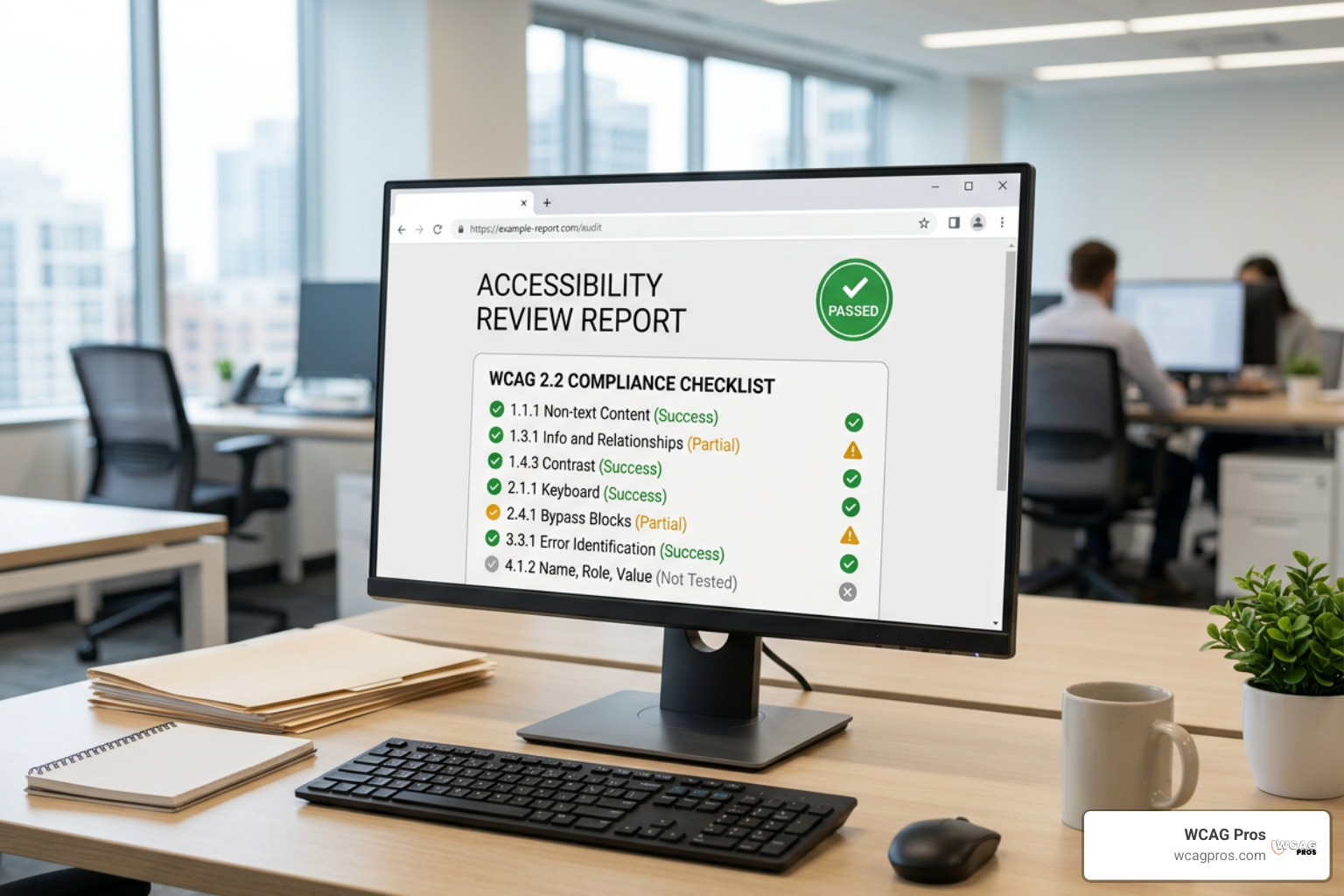
Relying entirely on automated tools leaves your business exposed to undetected digital barriers, poor user experiences, and potential compliance liabilities. Reaching full WCAG 2.2 compliance requires combining fast automated software passes with manual testing, native screen reader evaluations, and clear remediation code fixes.
At WCAG Pros, we specialize in helping organizations create digital experiences accessible to everyone. Our team conducts manual page-by-page audits across all 54 WCAG A/AAA success criteria, supplying exact code fixes to resolve barriers. Once remediated, we provide free re-audits and official compliance badges to document your site accessibility.
Ready to confirm your digital accessibility standing? Learn more about our Comprehensive WCAG Audit Services today.
Read more website accessibility articles
Get Help With Your Website
We'll follow up with info about:
- The process
- Cost
- Timeline
We promise to respect your privacy, and never abuse the information you provide. We will not sell or rent your information to any third party.
By submitting this form, you consent to receive SMS messages and/or emails from SEM Dynamics LLC, dba WCAG Pros. To unsubscribe, follow the instructions provided in our communications. Msg & data rates may apply for SMS. Your information is secure and will not be sold to third parties.