
Free ADA Compliance Checker: Beginner’s Guide to Using It
Free ADA Compliance Checker: Beginner’s Guide to Using It
Why a Free ADA Compliance Checker Is the First Step Every Website Needs
Using a free ADA compliance checker takes less than a minute and can reveal dozens of hidden barriers blocking users with disabilities from your site. Here is what you need to know right away:
How to scan your site for ADA compliance in 3 steps:
- Go to a free checker (such as WAVE, ADAchecker, or AccessibilityChecker.org)
- Paste your website URL into the scan field
- Review your report for WCAG 2.2 violations, prioritized by severity
Quick answer: A free ADA compliance checker scans your website’s code against WCAG 2.2 standards and flags issues like missing alt text, low color contrast, and unlabeled form fields. It gives you an instant snapshot of your legal risk, no cost required.
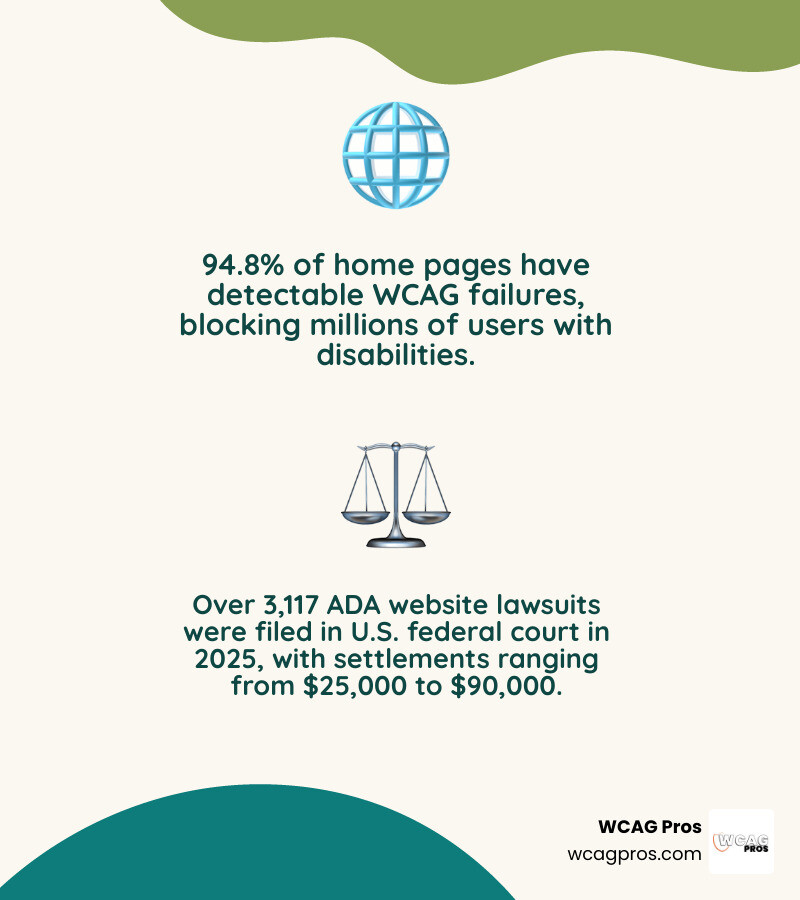
The numbers are hard to ignore. 94.8% of home pages have detectable WCAG failures. Meanwhile, 1 in 4 U.S. adults lives with a disability, meaning a large share of your potential customers may not be able to use your site right now.
And the legal pressure is real. Over 3,117 ADA website lawsuits were filed in U.S. federal court in 2025 alone. The typical settlement ranges from $25,000 to $90,000, not counting attorney fees.
A free scan will not solve everything. But it will show you exactly where your site stands today.
I’m Matthew Post, cofounder of WCAG Pros and a web developer with over 20 years of experience auditing sites for accessibility issues, including running and interpreting results from every major free ADA compliance checker on the market. In the guide below, I’ll walk you through how these tools work, what they find, and what to do next.
What is a Free ADA Compliance Checker and How Does It Work
An ADA compliance checker is an automated software tool designed to scan your website code and identify technical barriers. Think of it as a spell checker for web accessibility. It looks at the underlying HTML, CSS, and JavaScript of your pages to ensure they follow the Web Content Accessibility Guidelines, which are known as WCAG 2.2.
Most free checkers rely on established testing engines like the open source axe core library. When you enter a URL, the tool programmatically analyzes the page in real time. It checks every element against a set of automated rules to see if your site is friendly to assistive technologies like screen readers.
Once the scan is complete, the tool generates an Accessibility Score. This score usually ranges from 0 to 100. To make the report easy to understand, many checkers calculate this score using a standard mathematical formula. Points are deducted from a perfect score of 100 based on the severity of the violations found:
- Critical violations deduct 20 points
- Serious violations deduct 10 points
- Moderate violations deduct 5 points
- Minor violations deduct 2 points
This weighted system helps you see where your site has major blockers. For example, a critical error like a keyboard trap will hurt your score far more than a minor issue. To learn more about how these tests fit into a broader strategy, check out The Ultimate Guide to Online Accessibility Testing.
Why Your Website Needs a Free ADA Compliance Checker
Web accessibility is no longer optional. Under Title III of the Americans with Disabilities Act, websites are considered places of public accommodation. This means private businesses must make their digital experiences accessible to everyone. If you run an ecommerce store, a restaurant, a medical practice, or a professional services agency, you are legally obligated to provide an accessible website.
For public organizations, the rules are even stricter. ADA Title II applies to state and local governments, public schools, libraries, and public transit agencies. Additionally, Section 508 requires federally funded entities and government contractors to meet strict accessibility standards.
Failing to comply with these laws carries massive financial and legal risks. Over 5,000 ADA website lawsuits were filed in 2025. In federal courts alone, plaintiff attorneys filed 3,117 website accessibility lawsuits.

If your business is sued, the costs can escalate quickly. The typical settlement range is $25,000 to $90,000. When you add in litigation attorney fees, court costs, and emergency developer remediation, the total cost of a lawsuit can easily reach $55,000 to $170,000.
For businesses in states like California, New York, Florida, and Texas, the legal environment is especially hostile. In California, the Unruh Civil Rights Act allows plaintiffs to demand statutory damages per violation, which often results in average settlements of $65,000.
Beyond avoiding lawsuits, making your site accessible is smart business. People with disabilities and their families represent a massive market with trillions of dollars in spending power. A simple scan can help you capture this audience. For a complete look at the legal landscape, read our AZ Guide to ADA Compliance Checkers.
Common Accessibility Violations Found by Free Scanners
When you run a free ADA compliance checker on your website, you are likely to find several common errors. In fact, WebAIM research shows that the vast majority of home pages fail basic WCAG 2.2 standards.
Here are the six most common code failures that trigger the majority of ADA website claims:
- Low contrast text: Text that is too light against its background is incredibly difficult for low vision users to read. WCAG 2.2 requires a minimum contrast ratio of 4.5 to 1 for standard text.
- Missing image alt text: Screen readers rely on alternative text to describe images to blind users. If an image lacks alt text, the screen reader may just read the file name aloud, which sounds like gibberish.
- Unlabeled form fields: Input fields on contact forms or checkout pages must have clear programmatic labels. Without them, a blind user cannot tell what information they are supposed to enter.
- Empty links: A link must contain text that describes its destination. If you have an icon link with no text, a screen reader user will not know where it leads.
- Empty buttons: Much like empty links, buttons without descriptive text or labels make form submission and site navigation impossible for assistive technology users.
- Missing document language: Declaring the language of your website in the HTML code helps screen readers use the correct voice engine.
To see how common these issues are, review the list below:
- Low Contrast Text: 79.1% of home pages affected
- Missing Image Alt Text: 55.5% of home pages affected
- Unlabeled Form Fields: 48.2% of home pages affected
- Empty Links: 45.4% of home pages affected
- Empty Buttons: 29.6% of home pages affected
- Missing Document Language: 15.8% of home pages affected
Addressing these high frequency errors is the fastest way to lower your legal risk. You can learn more about finding and fixing these issues in our guide on How to Test Web Accessibility and Succeed.
Limitations of a Free ADA Compliance Checker Compared to Manual Audits
While a free ADA compliance checker is an excellent starting point, you must understand its limitations. Automated tools are only capable of catching about 30% of all WCAG 2.2 issues.
Automated scanners are great at checking binary rules. They can easily tell if an image has an alt attribute, but they cannot tell you if the alt text actually describes the image accurately. For example, if an image of a red shoe has the alt text “logo”, an automated scanner will pass it, even though the description is completely wrong.
This is why human review is essential. Many critical accessibility features require manual testing, including:
- Keyboard navigation: Testing if a user can navigate the entire site using only the Tab key.
- Keyboard focus traps: Ensuring a user does not get stuck inside a menu or popup window with no way to escape.
- Screen reader compatibility: Verifying that built in screen readers like VoiceOver or TalkBack read the page content in a logical order.
We also want to warn you about accessibility overlay widgets. Many companies sell quick fix overlays or AI plugins that promise instant compliance. In reality, these widgets do not repair your underlying source code. They often make the user experience worse for disabled visitors and have actually become frequent targets of ADA lawsuits themselves.
True accessibility requires permanent, code level changes. To understand the differences between various testing methods, read The Definitive Guide to Accessibility Testing Tools Online.
How to Use a Free ADA Compliance Checker to Fix Your Site
To get the most value out of a free scanner, you should follow a structured remediation process. Here is a simple step by step workflow:
- Scan your high traffic pages: Start by scanning your homepage, your main product or service pages, your contact form, and your checkout page.
- Prioritize critical issues: Focus on fixing keyboard navigation blocks, missing form labels, and severe color contrast issues first.
- Make permanent source code changes: Edit your website’s actual HTML and CSS. Do not rely on temporary overlay scripts.
- Use AI powered suggestions carefully: Some modern checkers provide AI generated code fixes. These can be helpful shortcuts, but always have a developer review the code before applying it to your live site.
- Establish a compliance audit log: Keep a dated, written record of your scans and the fixes you implement. This serves as a critical paper trail showing your good faith efforts to achieve compliance.
- Prevent compliance drift: Websites change constantly. Set up a schedule to scan your site at least once a month to catch any new errors introduced by fresh content or plugin updates.
By integrating these steps into your regular website maintenance, you can steadily improve your accessibility score. For more advice on making this process easy, explore Automated Web Accessibility Testing Made Easy and Test Site for Accessibility Without Breaking a Sweat.
Frequently Asked Questions about Web Accessibility
What is the best free ADA compliance checker for small businesses
For small businesses starting their accessibility journey, we recommend using a mix of reputable tools. The W3C WAI directory lists various evaluation tools that you can filter by technical requirements. Free browser extensions like WAVE are incredibly helpful because they allow you to test password protected pages, local staging environments, and dynamic content directly within your browser.
You can also use online tools to get quick, single page audits. To compare more options, check out our resource on The Ultimate List of Free Online Accessibility Checkers.
Can a free ADA compliance checker protect my site from lawsuits
No automated tool can guarantee 100% legal immunity. Because automated scanners only catch about 30% of technical issues, a plaintiff could still find manual navigation errors on your site.
However, running regular scans and fixing the identified issues significantly reduces your legal risk. Maintaining a dated audit record of your scans and fixes is highly valuable. If you receive a demand letter, having a documented paper trail of your good faith efforts to comply with WCAG 2.2 is the first thing your defense attorney will ask for. To learn more about selecting the right tool for your risk level, read Your Shortcut to the Best WCAG Checker Tool.
What are the key deadlines for ADA Title II and Section 504 compliance
If you manage a public sector or healthcare website, you must pay close attention to several upcoming federal deadlines.
Under the Department of Justice’s updated Title II rule, state and local governments, public schools, and libraries must comply with WCAG 2.2 standards. The compliance deadlines are:
- April 26, 2027 for large entities with populations of 50,000 or more
- April 26, 2028 for smaller entities and special districts
For healthcare providers receiving federal financial assistance, the Department of Health and Human Services has established its own Section 504 rule. The deadline for healthcare web accessibility is May 11, 2027. Because we are currently in July 2026, these critical deadlines are approaching quickly, and organizations should begin auditing their digital portals immediately.
Conclusion
A free ADA compliance checker is a fantastic tool for diagnosing immediate, high risk errors on your website. It helps you identify contrast issues, missing alt text, and unlabeled forms in seconds.
However, automated tools can only take you so far. To achieve complete peace of mind and protect your business from costly lawsuits, you need a professional touch.
At WCAG Pros, based in Norco, CA, we provide comprehensive, page by page manual audits of all 54 WCAG A/AAA points. We do not just hand you a list of errors. We provide guaranteed code fixes and conduct free reaudits to ensure your site earns its compliance badges.
Ready to make your website truly inclusive and compliant? Start by exploring our list of resources on The Ultimate List of Free Online Accessibility Checkers, or reach out to us today for a professional human audit.
Read more website accessibility articles
Get Help With Your Website
We'll follow up with info about:
- The process
- Cost
- Timeline
We promise to respect your privacy, and never abuse the information you provide. We will not sell or rent your information to any third party.
By submitting this form, you consent to receive SMS messages and/or emails from SEM Dynamics LLC, dba WCAG Pros. To unsubscribe, follow the instructions provided in our communications. Msg & data rates may apply for SMS. Your information is secure and will not be sold to third parties.