
The Complete Guide to WCAG AA Compliance Requirements
The Complete Guide to WCAG AA Compliance Requirements
What WCAG AA Compliance Requirements Actually Mean (And Why They Matter Now)
WCAG AA compliance requirements define the set of technical standards your website must meet to be considered accessible to people with disabilities. Here is a quick summary:
- Standard: Web Content Accessibility Guidelines (WCAG), published by W3C
- Target level: Level AA is the most commonly required conformance level
- Current version: WCAG 2.2 (December 2024)
- Who must comply: State and local governments, federal contractors, and increasingly all public facing websites
- Key legal tie-in: ADA Title II, Section 508, European Accessibility Act
- Failure rate: 96% of the top one million home pages contain WCAG violations
- Core framework: Four principles: Perceivable, Operable, Understandable, Robust (POUR)
If your website fails Level AA, you are exposed to real legal risk. ADA related website lawsuits numbered over 11,000 plaintiffs in 2021 alone, and that number has continued to climb. The standard courts and regulators point to is WCAG Level AA. It is not a suggestion anymore.
Level AA sits in the middle of the three tier system (A, AA, AAA). It is strict enough to protect most users with disabilities, but realistic enough that most organizations can actually achieve it. That is why it is the level built into laws and enforcement actions worldwide.
I’m Matthew Post, co founder of WCAG Pros and a web developer with over 20 years of experience auditing and remediating websites for WCAG AA compliance requirements. I personally oversee every audit we run, and I have seen which failures put businesses at legal risk and how to fix them fast. This guide covers everything you need to know to get compliant and stay that way.
Understanding WCAG AA Compliance Requirements
When we talk about web accessibility, the conversation always leads back to the W3C and their guidelines. But what does it actually take to make a website conform to these rules?
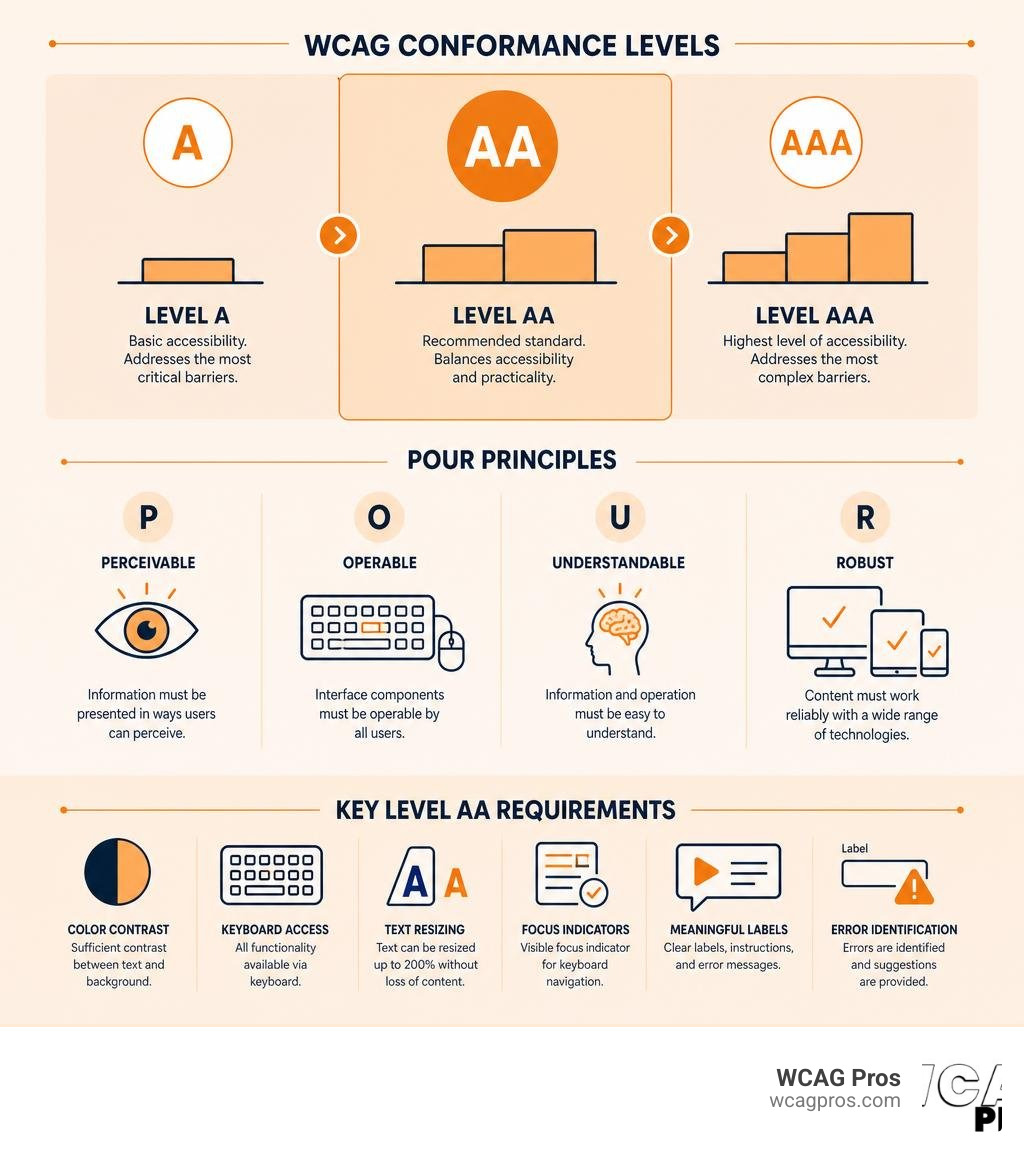
To achieve Level AA conformance, your website must satisfy all Level A and Level AA success criteria. You cannot skip the Level A rules. Level A represents the absolute minimum baseline of accessibility, while Level AA builds upon that baseline to establish a fully usable digital environment.
This standard has become the default target for legal compliance. For example, under the ADA Title II regulations, state and local government entities must ensure their web content and mobile applications meet these exact standards. In California, public entities and businesses serving the public must pay close attention to these rules to avoid costly litigation. If you want to dive deeper into the background, you can read our comprehensive guide on Everything You Need to Know About WCAG 2.2 AA Compliance to see how these rules apply to different business models.
Why WCAG AA Compliance Requirements Matter for Organizations
Historically, some organizations treated accessibility as a minor technical detail. In 2026, it is a core business requirement. The legal landscape has shifted dramatically. Title II of the ADA now mandates that public entities meet WCAG 2.2 Level AA standards. The Department of Justice recently established clear timelines, giving larger public entities until April 26, 2027, and smaller entities until April 26, 2028, to achieve full compliance.
Private businesses are not exempt from scrutiny. Courts across the United States regularly use WCAG Level AA as the benchmark for resolving Title III ADA lawsuits. Failing to meet these standards leaves your business vulnerable to demand letters, expensive settlements, and brand damage.
Beyond avoiding lawsuits, building an accessible website is simply good business. There are over 1.3 billion people globally living with some form of disability. When you block these users with poor design, you are turning away potential customers. Embracing accessibility improves your search engine rankings, enhances mobile usability, and shows that your brand values inclusivity. To learn more about the positive impacts, check out our resource on The Business Benefits of an Accessible Website.
The Difference Between Level A Level AA and Level AAA
To help organizations prioritize their accessibility efforts, the W3C structured the guidelines into three levels of conformance:
- Level A: This is the bare minimum. Without meeting Level A criteria, your website is highly likely to be completely unusable for people who rely on assistive technologies. Examples include basic keyboard navigation and image alt text.
- Level AA: This is the global standard for most commercial and governmental sites. It addresses the most common barriers for users with physical, cognitive, and visual impairments. It includes rules for color contrast, text resizing, and consistent navigation.
- Level AAA: This is the highest and most strict level of accessibility. While it provides an exceptional user experience, the W3C itself acknowledges that it is not always possible to achieve Level AAA for all types of content. It requires advanced features like sign language interpretation for all videos and extremely high contrast ratios.
Choosing the right target is critical. For an in-depth breakdown of how to choose between them, read our analysis on The Great Debate: WCAG AA vs AAA Explained.
Here is a quick reference comparison of the three levels:
- Level A: Designed for basic assistive technology users. It focuses on keyboard access, non text alternatives, and basic structure. It is rarely accepted as legally sufficient on its own.
- Level AA: Designed for broad public and commercial use. It focuses on contrast ratios, text resize, focus indicators, and reflow. It is the universal gold standard for legal compliance.
- Level AAA: Designed for specialized and high accessibility use cases. It focuses on sign language, enhanced contrast, and strict time limits. It is recommended only for specialized or dedicated portals.
The POUR Principles and Technical Success Criteria
At the heart of all WCAG standards is a simple acronym: POUR. These four principles serve as the foundation of web accessibility. If your site does not follow these principles, it cannot be compliant. To understand how these principles fit together, you can read The Definitive Guide to WCAG Guidelines.
Let us break down how each principle translates into real world requirements.
Perceivable and Operable WCAG AA Compliance Requirements
Perceivable means that users must be able to comprehend the information being presented. They cannot be expected to understand content that is invisible to their senses.
To meet this principle under Level AA, you must ensure that all text and visual elements are easily distinguishable. For example, text and images of text must have a contrast ratio of at least 4.5:1 against their background. For large text, a ratio of 3.0:1 is acceptable. You must also ensure that users can resize text up to 200 percent without breaking the layout or losing functionality.
Operable means that users must be able to interact with the user interface. If a user cannot navigate your website, the information is useless.
The most critical requirement here is keyboard accessibility. Every single interactive element on your page, including buttons, links, form fields, and dropdowns, must be fully usable with only a keyboard. You must also ensure that the keyboard focus is always visible. If a user tabbing through your site cannot see where they are, your site fails.
Furthermore, you must support diverse pointer inputs. Users should not be forced to perform complex multipoint gestures unless they are absolutely essential. For a detailed checklist of how to meet these interactive requirements, refer to the How to Meet WCAG (Quickref Reference) .
Understandable and Robust Criteria
Understandable means that both the information and the operation of the user interface must be clear. Users should not have to guess how your site works.
To satisfy this, your navigation menus and interactive components must behave in predictable ways. If a user clicks a link, it should not unexpectedly submit a form or open a popup without warning. You must also provide clear input assistance. When a user makes an error on a form, your site must detect the error, describe it in text, and offer clear suggestions on how to fix it.
Robust means that your content must be compatible with a wide variety of browsers, operating systems, and assistive technologies like screen readers.
This requires clean, valid code. You must use semantic HTML elements correctly so that assistive technologies can programmatically determine the role, state, and value of every component on your page.
Media Requirements for Captions and Audio Descriptions
If your website uses video or audio, you must meet specific Level AA requirements for synchronized media:
- Captions for Prerecorded Media: All prerecorded video that contains audio must have accurate captions. These captions must include not only spoken dialogue but also important background sounds and sound effects.
- Captions for Live Media: For Level AA, you must also provide captions for live audio content, such as live streamed webinars or public meetings.
- Audio Descriptions: You must provide an audio description track for prerecorded video content. This track describes important visual details that cannot be understood from the main audio track alone, such as facial expressions, scene changes, or on screen text.
Evolving Standards from WCAG 2.0 to WCAG 2.2
The W3C updates its guidelines periodically to keep pace with changing technology. The original Web Content Accessibility Guidelines (WCAG) 2.0 was published back in 2008. While it established the core POUR framework, it did not account for the explosion of smartphones, tablets, and modern web applications.
To address these gaps, the W3C released WCAG 2.2 as a formal recommendation. The great thing about these updates is backward compatibility. If your website conforms to the latest WCAG 2.2 Level AA standard, it automatically conforms to the older 2.0 standard as well.
New Success Criteria in WCAG 2.2
The transition to the latest Web Content Accessibility Guidelines (WCAG) 2.2 added nine new success criteria to improve accessibility for users with cognitive, learning, and mobility disabilities. Several of these criteria directly impact Level AA compliance:
- Focus Not Obscured (Minimum): When an element receives keyboard focus, it must not be completely hidden by other page elements, such as sticky footers or floating cookie banners.
- Dragging Movements: If an interface requires a dragging motion, like a slider or a kanban board, you must also provide a simple single click alternative, such as arrow buttons.
- Target Size (Minimum): Interactive targets must be large enough to be easily clicked or tapped. The minimum target size is now 24 by 24 CSS pixels, with some exceptions for inline links.
- Accessible Authentication (Minimum): You cannot force users to solve cognitive tests, like memorizing a password or solving a puzzle, to log in. You must provide an alternative, such as support for password managers or magic links.
To learn more about implementing these specific updates, read Web Content Accessibility Guidelines (WCAG) 2.2 .
Impact of Reflow Non-Text Contrast and Text Spacing
Modern web design must prioritize flexibility. Three specific criteria from recent updates have completely changed how designers and developers build websites:
- Reflow: Your site must support reflow. Content must scale down to a width of 320 CSS pixels without requiring horizontal scrolling or losing any information. This ensures that users with low vision who zoom in up to 400 percent on a desktop screen can still read your content easily.
- Non Text Contrast: Visual elements like graphical icons, buttons, input borders, and active states must have a contrast ratio of at least 3.0:1 against adjacent colors. This helps users with low contrast sensitivity identify interactive areas.
- Text Spacing: Users must be able to override text spacing, including line height, letter spacing, and paragraph spacing, without any content overlapping or becoming cut off.
Implementing these requirements means moving away from fixed pixel layouts and embracing fluid, responsive design systems.
Testing and Documenting Conformance
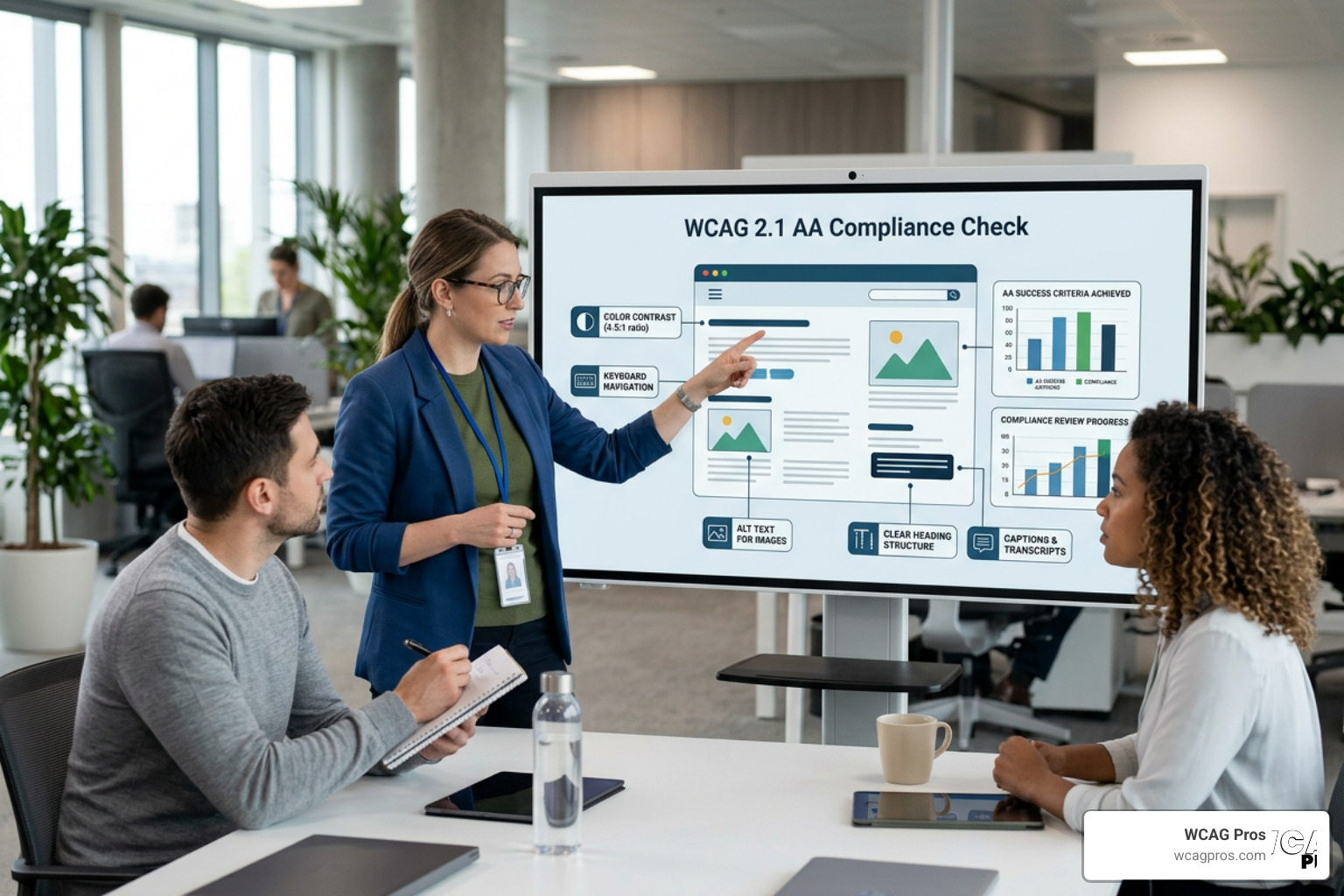
Achieving compliance is not a one time project. It requires a structured testing and documentation process. If you want a quick way to assess your site right now, take a look at our ADA Compliance Website Checklist: 10 Must Haves.
Automated Manual and User Testing Methods
We recommend a three pronged approach to verify that your website meets all WCAG AA compliance requirements:
- Automated Testing: Automated scanners are an excellent starting point. They can quickly scan thousands of pages to find obvious issues like missing alt text, duplicate IDs, and basic contrast failures. However, automated tools can only detect about 30 to 40 percent of all accessibility issues.
- Manual Testing: To find the remaining issues, you must conduct a manual code review. An expert must test your site using only a keyboard and popular screen readers like NVDA or JAWS. This is the only way to verify complex interactions, logical tab orders, and focus management.
- User Testing: Testing your site with real users who have disabilities provides invaluable insights. They can identify usability barriers that technical standards might miss, helping you build a truly inclusive experience.
Many business owners wonder how these changes affect their marketing. To understand the relationship between accessibility and search visibility, read our guide on WCAG Compliance vs SEO.
How to Document Conformance Claims
Once your site is compliant, you can choose to publish an accessibility statement or a formal conformance claim. While claims are optional, they are highly recommended for public transparency.
According to the official guidance on Understanding Conformance | WAI | W3C , a valid claim must include:
- The date of the claim.
- The specific guidelines and version used, such as WCAG 2.2 Level AA.
- The specific web pages covered by the claim.
- A list of the web technologies relied upon, like HTML, CSS, and JavaScript.
If you have third party content on your site that you cannot control, you can file a statement of partial conformance. For a real world example of how a business structures its accessibility commitment, you can view the View our Accessibility statement for Norco Trailers .
To ensure you are documenting everything correctly under older frameworks as well, you can review Understanding Conformance | Understanding WCAG 2.0 .
Common Pitfalls and Accessibility Failures
Over our years of auditing, we have seen the same mistakes repeated across hundreds of websites. Here are the most common failures to avoid:
- Keyboard Traps: A user tabs into a component, like a calendar widget, but cannot tab back out. They are trapped and must refresh the page.
- Vague Link Text: Using links that say “click here” or “read more” provides zero context for screen reader users. Use descriptive links like “Download our annual report PDF” instead.
- Inaccessible Form Labels: Forms that rely only on placeholder text instead of real, programmatically associated labels. When the user clicks the field, the placeholder disappears, leaving them confused.
To make sure your team does not fall victim to these mistakes, download The Ultimate WCAG Checklist (PDF, Excel, and Print Ready Versions).
Frequently Asked Questions About WCAG AA Compliance
What is the difference between WCAG 2.0 and WCAG 2.2 Level AA?
WCAG 2.2 is the latest standard, whereas WCAG 2.0 is the older version published in 2008. WCAG 2.2 includes all the rules from WCAG 2.0 but adds new criteria to address mobile devices, touch input, and cognitive barriers. Because WCAG 2.2 is backward compatible, meeting its requirements means you automatically meet the WCAG 2.0 standards as well.
Is WCAG AA compliance a legal requirement under the ADA?
The ADA itself does not explicitly name WCAG in its original text. However, the Department of Justice and federal courts have repeatedly ruled that public accommodations must provide accessible digital experiences. For state and local governments under Title II, WCAG 2.2 Level AA is now the explicit, mandatory technical standard. If you operate in California, you must pay close attention to state specific regulations like the Unruh Civil Rights Act to understand the local legal environment.
Can automated tools guarantee full WCAG AA compliance?
No. Automated tools are helpful for finding quick, obvious errors, but they cannot evaluate context. For example, an automated tool can tell you if an image has an alt attribute, but it cannot tell you if the description is accurate or if the image is decorative and should be ignored. Full compliance requires manual auditing and expert human evaluation.
Conclusion

Ensuring your website meets all WCAG AA compliance requirements is no longer optional. It is a critical step to protect your organization from legal liability, expand your audience, and build a better user experience for everyone.
At WCAG Pros, we specialize in helping organizations in Norco, California, and throughout the region navigate the complexities of digital accessibility. We provide comprehensive, page by page audits of all success criteria, complete with clear code fixes and free re-audits to help you earn your compliance badge.
Let us handle the technical details so you can focus on running your business. Book a professional audit today at WCAG Pros Audit Services to secure your website and protect your brand.
Read more website accessibility articles
Get Help With Your Website
We'll follow up with info about:
- The process
- Cost
- Timeline
We promise to respect your privacy, and never abuse the information you provide. We will not sell or rent your information to any third party.
By submitting this form, you consent to receive SMS messages and/or emails from SEM Dynamics LLC, dba WCAG Pros. To unsubscribe, follow the instructions provided in our communications. Msg & data rates may apply for SMS. Your information is secure and will not be sold to third parties.