
Shield Your Business by Auditing Digital Accessibility Today
Shield Your Business by Auditing Digital Accessibility Today
How to Check Your Website for ADA Compliance
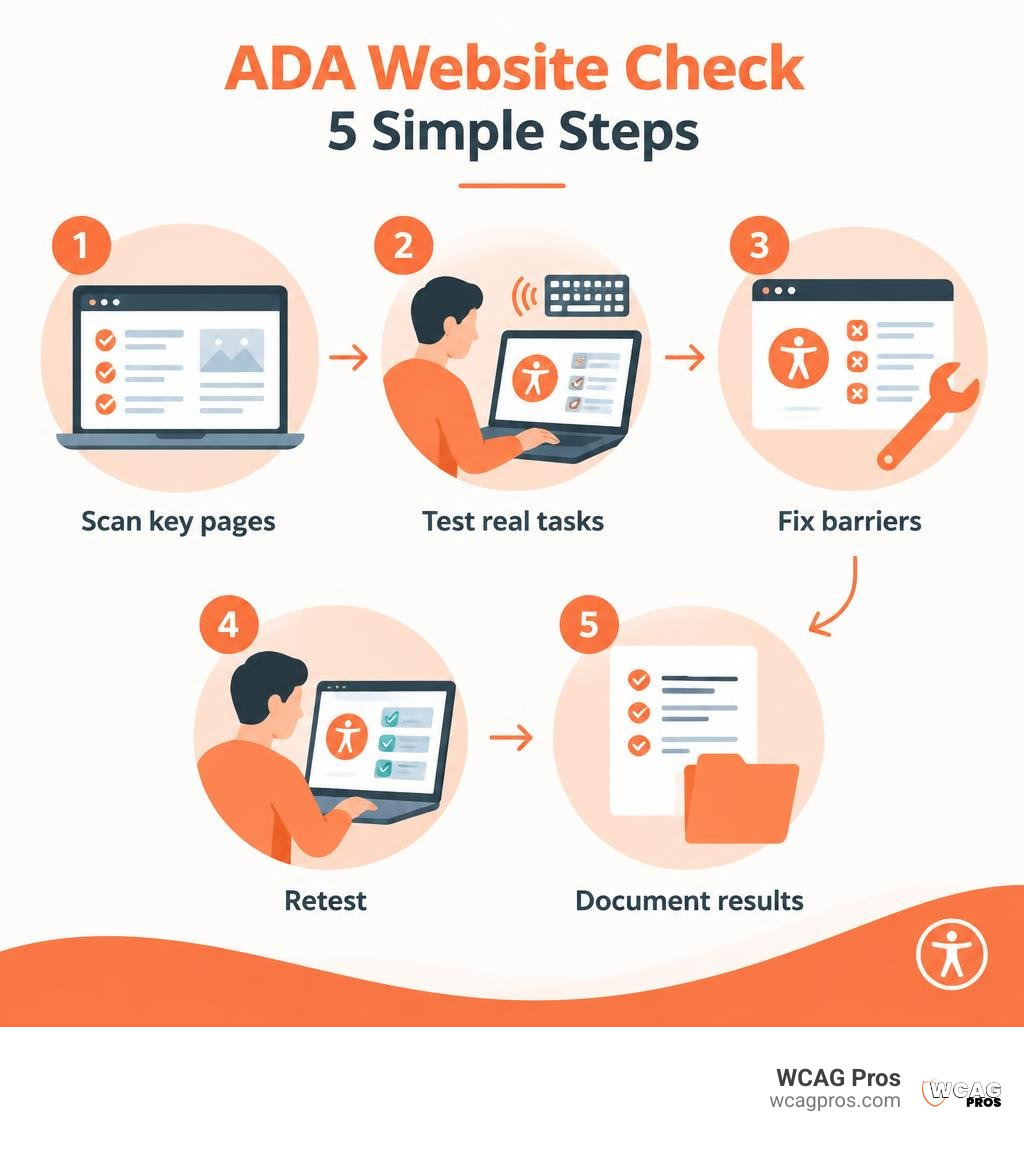
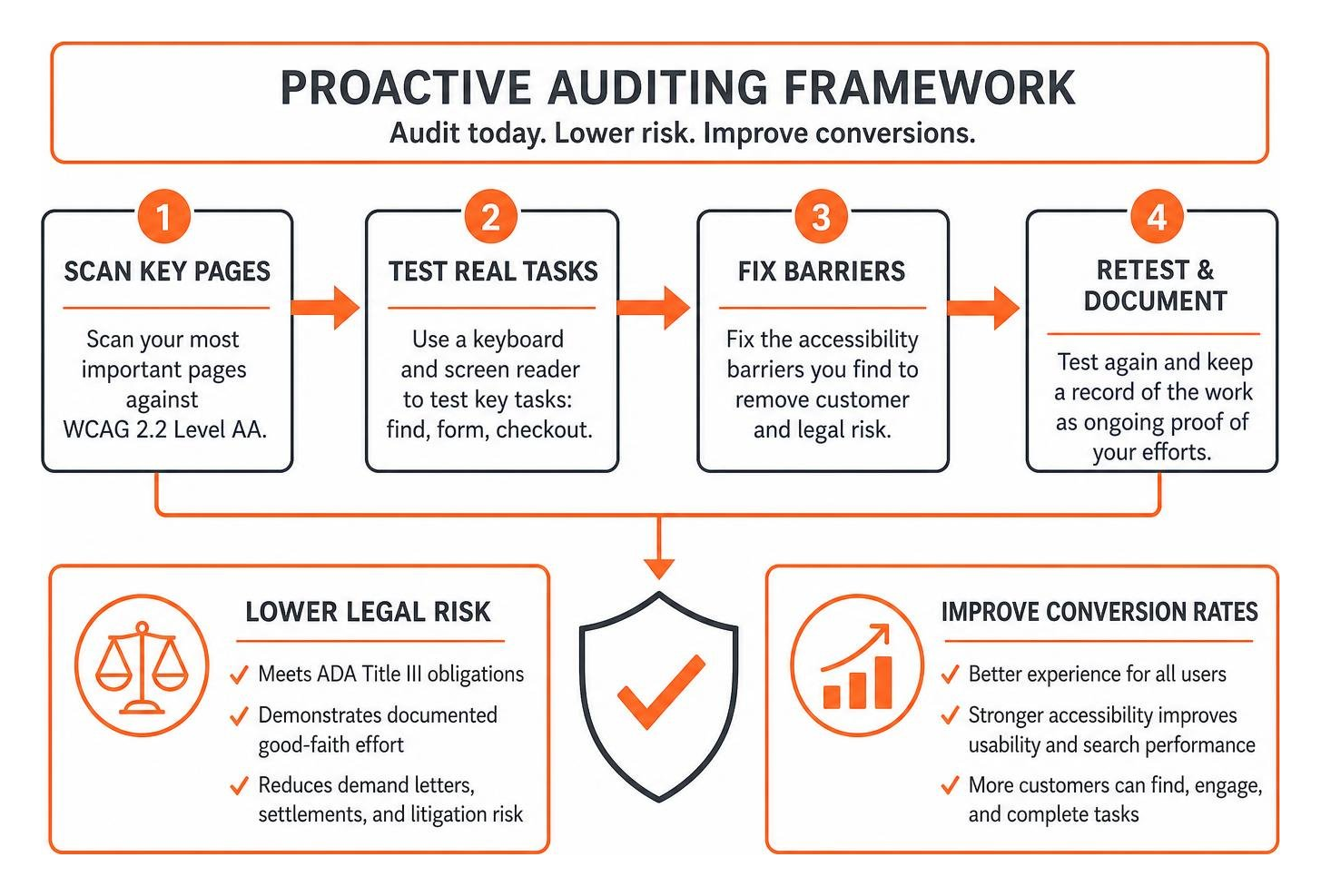
To run an ADA compliance check on your website, scan your most important pages against WCAG 2.2 Level AA. Then use a keyboard and screen reader to test tasks like finding a product, filling out a form, and completing checkout. Fix the barriers you find, test again, and keep a record of the work. A clean scan alone does not prove your site is accessible.
For a business that serves the public, an inaccessible website can create barriers for customers and raise ADA Title III risk. Checking both the code and the real user experience gives you a clearer place to start.
I’m Matthew Post, co-founder of WCAG Pros, with more than 20 years of web development experience. I oversee each website ADA compliance check and remediation project to help businesses turn findings into practical fixes.
Understanding Legal Requirements and WCAG 2.2 Standards
The Americans with Disabilities Act was signed into law in 1990 to prevent discrimination against individuals with disabilities. While the original statute focused on physical architectural spaces like ramps, doorways, and braille signage, courts across the country have long interpreted digital spaces as places of public accommodation. When visitors cannot purchase products, submit inquiries, or read critical announcements, businesses face significant legal exposure under ADA Title III.
The Department of Justice continues to affirm that digital properties must remain fully accessible. In federal enforcement actions and legal settlements, the benchmark used to measure compliance is the Web Content Accessibility Guidelines. Although previous guidance referenced older benchmarks, WCAG 2.2 Level AA serves as the modern international standard for digital inclusion. It outlines clear technical criteria grouped under four foundational principles: content must be perceivable, operable, understandable, and robust.
Failing to meet these benchmarks can lead to severe financial consequences. In 2025 alone, 3,117 website accessibility lawsuits were filed in federal courts, representing a 27 percent increase from the previous year. Website cases made up 36 percent of all federal ADA Title III filings. Typical settlements range from $25,000 to $100,000 once defense fees, plaintiff legal fees, and mandatory remediation costs are factored in. State regulatory bodies, such as those highlighted in public Website Accessibility Resources, underscore that accessibility is a legal imperative rather than an optional design preference. Understanding how to tell if your website is ADA compliant helps leadership get ahead of these liabilities before demand letters arrive.
Title II and Title III Deadlines and Risk Factors
ADA Title II applies to state and local government entities, public school districts, and municipal agencies. The Department of Justice finalized formal rules establishing strict compliance deadlines for Title II entities to achieve WCAG 2.2 Level AA conformity. Public bodies serving populations over 50,000 face an April 2026 deadline, while smaller local agencies have until April 2027 to ensure their web portals, downloadable documents, and mobile applications meet digital accessibility standards.
Title III applies to private commercial enterprises operating places of public accommodation. This includes e-commerce shops, medical clinics, hospitality providers, professional service firms, and restaurants. Online retail continues to represent the largest share of federal filings, with high transaction volumes and dynamic product pages creating multiple opportunities for accessibility barriers. If a blind shopper cannot navigate a digital cart using assistive technology, the business faces immediate legal vulnerability.
Why Every Business Needs a Website Accessibility Audit
Proactive testing protects your company from serial demand letters and costly litigation. Running a comprehensive audit demonstrates a documented good-faith effort to maintain accessible digital spaces. Federal judges look favorably on organizations that track, document, and actively remediate digital barriers through structured compliance programs.
Beyond reducing litigation risk, accessible websites convert better. Approximately 16 percent of the global population lives with a significant disability, representing trillions of dollars in collective spending power. When you optimize page navigation for assistive devices, you simultaneously improve search engine crawlability and mobile usability for all visitors.
How to Run an ADA Compliance Check on Your Website
A complete accessibility review begins by evaluating how automated engines interact with your Document Object Model. Automated testing tools rapidly scan thousands of lines of HTML, CSS, and JavaScript, flagging code violations that deviate from WCAG 2.2 rules.
While automated scanners provide an essential first step, a thorough assessment requires a two-part methodology. You must pair software scans with structured human testing across essential transactional funnels.
The 6 Most Common Automated Accessibility Violations
Large-scale web studies reveal that nearly 95.9 percent of commercial homepages contain detectable WCAG errors, averaging more than 56 errors per page. Automated scanners routinely flag six core issues:
- Low Contrast Text: Over 83.9 percent of homepages feature text that fails to meet the minimum 4.5:1 contrast ratio against its background, making text unreadable for low-vision visitors.
- Missing Image Alt Text: More than 53.1 percent of scanned pages contain graphic elements lacking functional alternative descriptions, leaving screen-reader users without context.
- Unlabeled Form Fields: Approximately 51 percent of forms omit descriptive label tags, preventing assistive tech from announcing what input is required.
- Empty Links: Found on 46.3 percent of sites, empty links contain no anchor text or readable elements, producing confusing announcements for users.
- Empty Buttons: Appearing on 30.6 percent of sites, unlabelled buttons leave users guessing about their function.
- Missing Document Language: Around 13.5 percent of websites fail to define the programmatic language attribute in their root HTML, preventing screen readers from choosing the right speech pronunciation.
Automated vs. Manual Testing in a Website ADA Compliance Check
Automated testing tools excel at speed, but they cannot interpret human context. For example, a scanner can confirm an image contains an alt tag, but it cannot determine if the text accurately describes the image or is stuffed with irrelevant keywords.
Manual testing fills these critical gaps. Professional auditors use screen readers such as NVDA, JAWS, and VoiceOver to verify content structure, ensure logical focus order, and confirm that modal dialogs trap focus properly. They also test keyboard navigation to verify that users can tab through interactive elements without getting stuck, ensuring every control provides a clear focus indicator.
Automated Scanners vs. Professional Accessibility Audits
Relying solely on automated checkers or third-party overlay widgets creates a false sense of security. Overlays modify client-side rendering without addressing the underlying source code, which has led to many businesses being targeted by lawsuits despite using them.
| Evaluation Metric | Automated Scan | Accessibility Overlay Widget | Professional WCAG 2.2 Audit |
|---|---|---|---|
| WCAG 2.2 Coverage | 30% to 57% of criteria | Cosmetic visual adjustments | 100% of all 54 Success Criteria |
| Source Code Remediation | Identifies select rule breaks | None (injects superficial scripts) | Delivers direct code-level fixes |
| Assistive Device Verification | None | Often interferes with screen readers | Native testing with NVDA and VoiceOver |
| Legal Standing in Court | Limited without manual logs | Frequently named in lawsuits | Provides strong proof of good-faith effort |
| Cognitive and Logic Checks | Cannot evaluate workflow context | Cannot evaluate workflow context | Validates complete user journeys |
To evaluate how your platform performs, explore our A-Z guide to ADA compliance checkers and review our quick-start guide to check if your site is ADA compliant. You can also reference our ADA website accessibility checker survival guide to help prioritize your remediation efforts.
Step-by-Step Remediation Plan After Your Accessibility Scan
Once your scan and manual audit are complete, establish a clear remediation plan to address barriers efficiently across your digital footprint.

- Triage Critical Blockers: Fix issues that prevent core user tasks first, such as unnavigable checkout funnels, unlabeled registration inputs, and keyboard traps.
- Resolve Global Template Errors: Update header structures, navigation menus, and footer styling across your global templates to fix hundreds of downstream page errors at once.
- Enhance Interactive Components: Ensure custom modals, dropdown menus, and accordion panels utilize proper ARIA roles and maintain logical keyboard tab order.
- Conduct Regression Testing: Re-scan updated templates and manually retest complex interactive features to confirm fixes do not introduce new issues.
- Publish an Accessibility Statement: Draft and publish a clear accessibility policy that outlines your commitment to WCAG 2.2 standards, documents ongoing remediation, and provides direct contact information for visitors who encounter barriers.
For complete coverage, our professional WCAG and ADA website audit services provide comprehensive, code-level support to help you achieve and maintain compliance.
Frequently Asked Questions About Website Accessibility Testing
Does passing an automated accessibility scan guarantee ADA compliance?
No. Automated testing software catches between 30 and 57 percent of potential WCAG violations. Scanners cannot evaluate contextual factors like keyboard focus order, dynamic error feedback, or the quality of image descriptions. Complete compliance requires manual auditing by experienced accessibility specialists.
How often should you check your website for accessibility compliance?
Organizations should run automated scans monthly and conduct full audits whenever deploying major platform updates or redesigns. High-traffic e-commerce and media websites benefit from continuous monitoring to catch errors introduced by routine content updates.
What is the difference between WCAG 2.2 and ADA requirements?
The ADA is a federal civil rights statute that prohibits discrimination against individuals with disabilities, while WCAG 2.2 is the technical standard used by regulatory agencies, courts, and web professionals to measure digital accessibility under the law.
Conclusion
Building an accessible digital presence protects your organization from costly litigation while creating an inclusive experience for every visitor. By combining regular automated scans with thorough human audits, your team can systematically remove barriers and maintain long-term compliance.
At WCAG Pros, we deliver comprehensive page-by-page audits across all 54 WCAG 2.2 Level A through AAA checkpoints. Our engineering team provides direct code fixes and free re-audits to verify your fixes, helping you earn a verified compliance badge. Contact us today to schedule your comprehensive digital accessibility audit.
Read more website accessibility articles
Get Help With Your Website
We'll follow up with info about:
- The process
- Cost
- Timeline
We promise to respect your privacy, and never abuse the information you provide. We will not sell or rent your information to any third party.
By submitting this form, you consent to receive SMS messages and/or emails from SEM Dynamics LLC, dba WCAG Pros. To unsubscribe, follow the instructions provided in our communications. Msg & data rates may apply for SMS. Your information is secure and will not be sold to third parties.