
The Definitive Guide to Web Page Compliance Testing Tools
The Definitive Guide to Web Page Compliance Testing Tools
Why Web Page Compliance Testing Should Be on Every Business Owner’s Radar
Web page compliance testing is the process of evaluating a website against established accessibility standards to ensure all users, including those with disabilities, can access and use it effectively.
Here is what you need to know quickly:
- What it checks: Color contrast, alt text, keyboard navigation, ARIA labels, form labels, HTML structure, and more
- Key standards: WCAG 2.2, ADA Title III, Section 508, European Accessibility Act (EAA)
- Who it affects: Any business with a website, especially those serving the public
- Main methods: Automated scanning, manual review, or a hybrid of both
- Why it matters now: Over 5,000 ADA website lawsuits were filed in 2025 alone, a 37% increase from the prior year
The numbers are hard to ignore. 96% of websites currently fail accessibility compliance. And with 1 in 4 Americans living with a disability, an inaccessible website is not just a legal risk. It is a barrier that shuts out a massive portion of your potential customers.
The stakes are financial too. The average ADA lawsuit settlement runs around $25,000, and that does not include legal fees or the cost of emergency remediation under pressure.
Beyond lawsuits, there is a simple business case. Research shows that 88% of consumers are less likely to return to a site after a bad experience. Accessibility problems create bad experiences for everyone, not just users with disabilities.
I am Matthew Post, co founder of WCAG Pros and a web developer with over 20 years of experience specializing in web page compliance testing and WCAG remediation. I personally oversee every audit we conduct, and this guide draws directly from that hands on work helping businesses reduce legal risk and build genuinely inclusive websites.
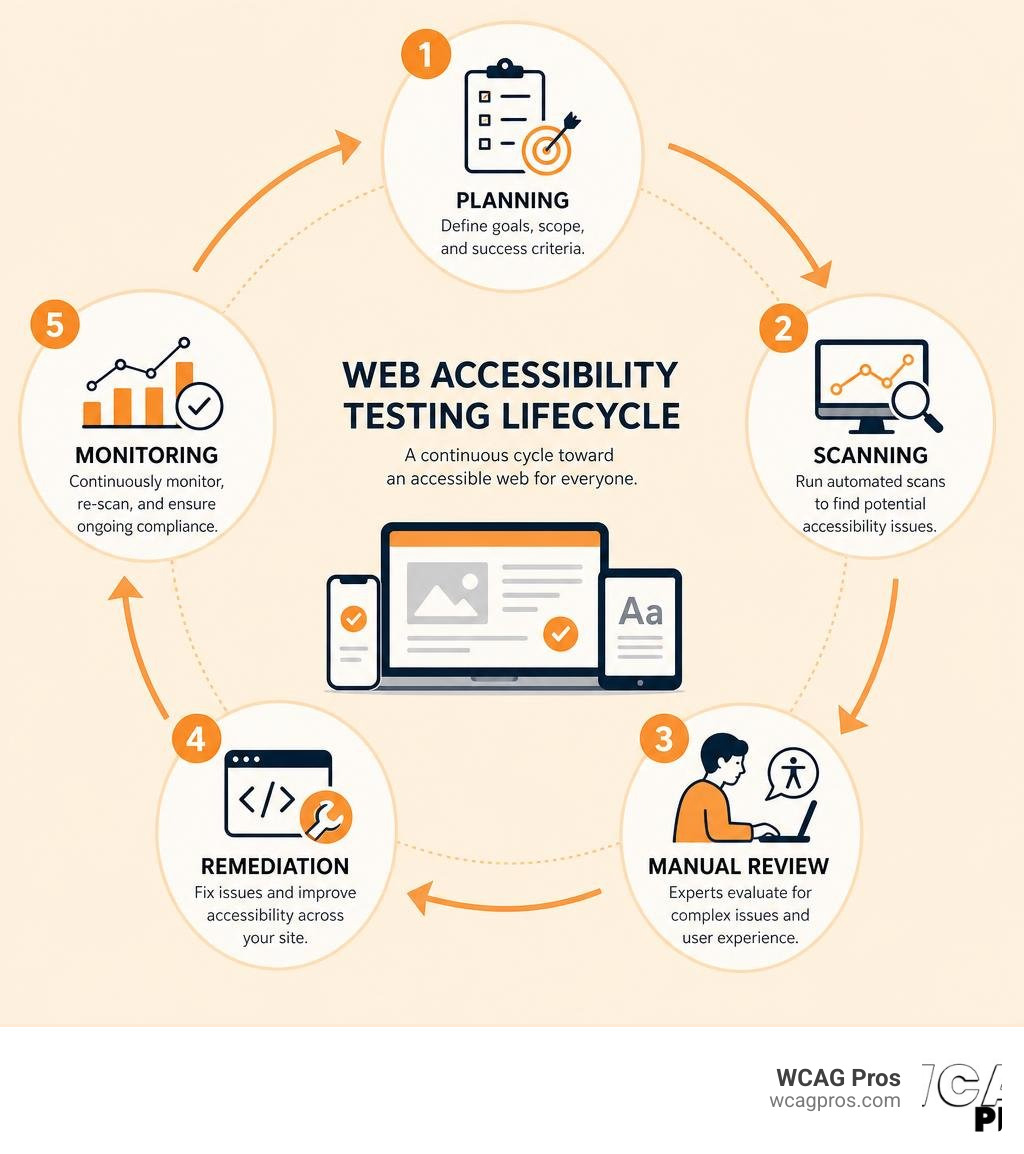
Web page compliance testing terms at a glance:
What is Web Page Compliance Testing and Why It Matters
When we talk about web page compliance testing, we are discussing more than just checking off legal boxes. At its core, this testing ensures that your digital door is open to everyone. Digital inclusion means designing and testing your website so that people who are blind, deaf, have motor difficulties, or have cognitive disabilities can navigate your site just as easily as anyone else.
With 1 in 4 Americans living with a disability, ignoring accessibility means you are actively turning away a quarter of your potential audience. Furthermore, research shows that 88 percent of consumers are less likely to return to a website after a bad experience. A broken layout, an unclickable button, or confusing navigation can drive customers straight to your competitors.
In California, where strict civil rights laws protect consumer access, web page compliance testing is a critical business practice. If you want to make sure your site is up to par, you can start by reviewing The Ultimate Website Accessibility Testing Checklist for 2026 to map out your testing goals.
Key Benefits of Web Page Compliance Testing
Investing in regular compliance testing provides several massive advantages for your business:
- Robust Legal Protection: By proactively testing and fixing your website, you build a strong defense against costly lawsuits. Under California law, web accessibility is heavily enforced, making regular checks your best insurance policy.
- Enhanced Brand Reputation: Consumers prefer to support businesses that demonstrate social responsibility and care about inclusivity.
- Boosted Search Engine Optimization (SEO): Search engines love clean, accessible code. Many accessibility improvements, such as descriptive alt text for images, clear heading structures, and proper form labels, directly help your website rank higher in search results.
- Expanded Market Reach: When your site is accessible, you tap into a massive market of users with disabilities who are ready to buy your products or services.
Global Accessibility Standards and Legal Frameworks
To test your website effectively, you need to know which rules apply to you. The primary standard for digital accessibility is the Web Content Accessibility Guidelines, or WCAG. The latest version, WCAG 2.2, includes updated requirements to protect users on mobile devices and those with cognitive disabilities.
If your business operates in California, you must understand How To Meet WCAG Compliance Requirements In California. In the United States, ADA Title III requires places of public accommodation, which courts widely interpret as including commercial websites, to be accessible. For government agencies and organizations receiving federal funding, Section 508 sets strict standards for all information and communication technology.
If you do business internationally, you must also pay attention to the European Accessibility Act. This law has been enforceable since June 2025, and it requires private commercial websites offering services in the European Union to meet accessibility standards. Failing to comply can result in severe fines, making global compliance more important than ever.
Automated Scanners versus Manual Testing Methods
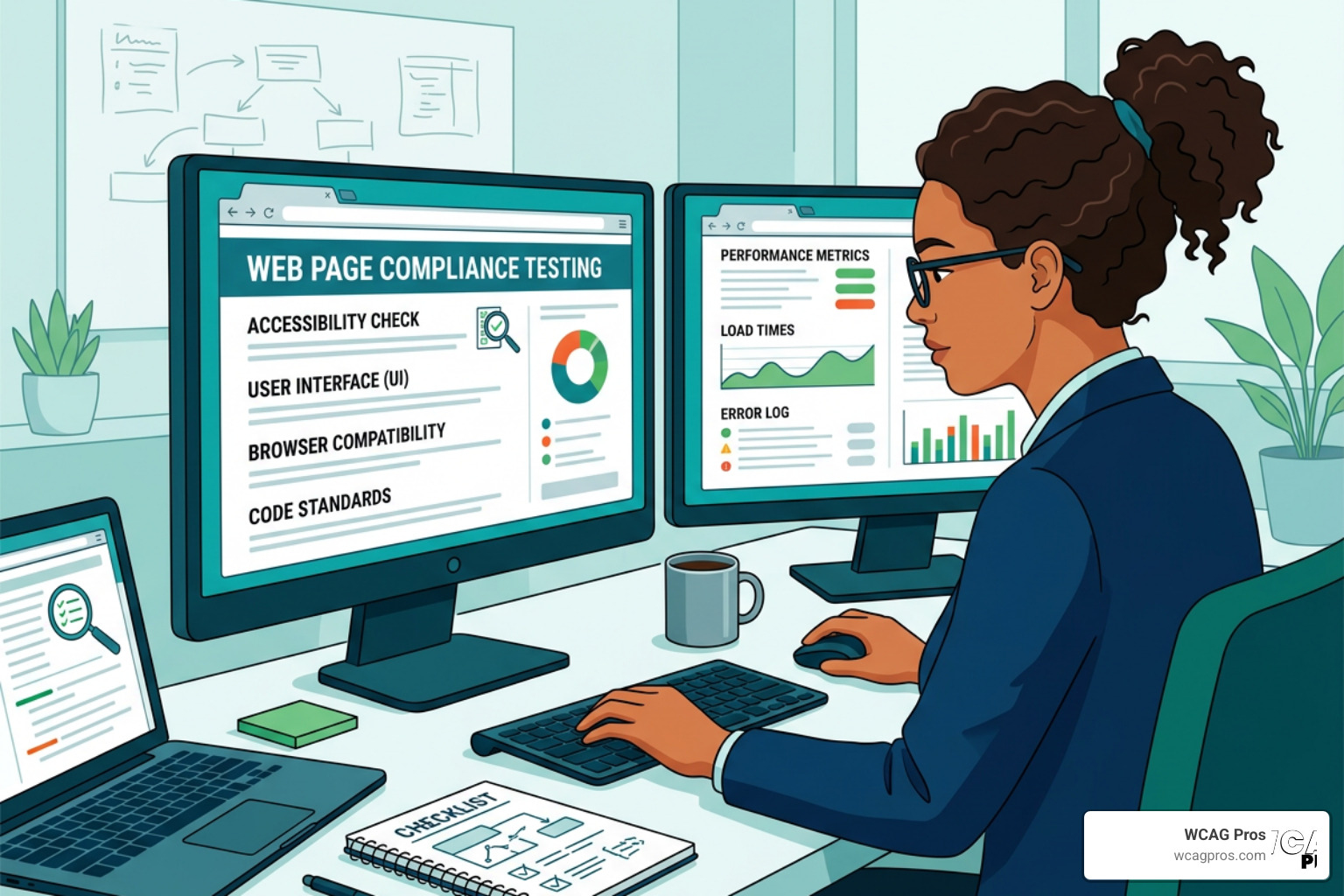
When establishing your testing strategy, you will choose between automated tools and manual reviews. A successful compliance plan uses a hybrid testing approach that combines both methods.
Automated scanners are excellent for scanning hundreds of pages in seconds, but they cannot think like a human. Manual reviews, on the other hand, require real people to test your site using keyboards and screen readers. Together, these methods cover the entire testing lifecycle, which includes planning, scoping, testing, remediating, and ongoing monitoring. For a deeper look at this process, check out our guide on Automated Web Accessibility Testing Made Easy.
What Automated Scanners Can and Cannot Detect
Automated scanners are a great starting point. They can instantly flag technical issues like missing alt text, low color contrast, and missing language attributes in your code. They can also perform basic code validation to ensure your website markup is clean. To check your raw code structure, you can use The W3C Markup Validation Service.
However, automated tools have major limitations. While they can tell you if an image has an alt attribute, they cannot tell you if the alt text actually describes the image accurately. If a photo of a golden retriever has the alt text “blue sky”, an automated scanner will mark it as a pass, but a human user will be completely confused. This is why automated tools only catch a portion of overall accessibility errors, leaving many critical issues hidden.
The Critical Role of Manual and Human Led Reviews
To achieve true accessibility, human eyes and hands must test your website. Manual testing ensures that your interactive elements are fully functional for everyone.
- Keyboard Navigation: Many users with physical disabilities cannot use a mouse. They rely on the Tab key to navigate. Manual testing ensures that users can see exactly where they are on the page and can access all buttons, menus, and forms using only a keyboard.
- Screen Reader Testing: Screen readers are software programs that read web content aloud to blind or visually impaired users. Testing your site with screen readers like NVDA, JAWS, or VoiceOver reveals whether your reading order is logical and whether your interactive elements are properly announced.
- Real User Testing: There is no substitute for lived experience. By testing your site with individuals who have disabilities, you get invaluable feedback on how usable your website actually is. You can learn more about this by reading our guide on How to Test Your Websites Accessibility Using Real Users.
Top Tools for Checking Web Accessibility and Compliance
To build your testing toolkit, you should understand the different options available, from simple browser extensions to robust enterprise platforms.
| Tool Name | Type | Best For | Key Advantage |
|---|---|---|---|
| WAVE | Browser Extension / Online | Single page quick checks | Visual icons directly on the page |
| axe core | Developer Tool / Library | Integration into build pipelines | Extremely low false positive rate |
| Lighthouse | Browser Built in | Fast general audits | Already installed in Google Chrome |
| Siteimprove | Enterprise Platform | Multi page monitoring | Automated tracking and task assignment |
| WebAIM Contrast Checker | Online Tool | Color design testing | Simple interface for ratio validation |
For a comprehensive breakdown of these options, you can read The Definitive Guide to Accessibility Testing Tools Online.
Free and Open Source Compliance Testing Tools
You do not need a massive budget to start testing your website. There are several powerful, free tools available online:
- WAVE: Created by WebAIM, WAVE is a beloved tool that highlights accessibility issues directly on your web page using intuitive icons. It is perfect for content creators and web designers.
- axe core: Developed by Deque, axe core is the industry standard engine for automated testing. It is highly accurate and used by developers worldwide to test code.
- Lighthouse: Built directly into Chrome DevTools, Lighthouse allows you to run a quick accessibility scan with a single click, providing a helpful score and remediation tips.
- AccessibilityChecker.org: A popular online scanner that helps small businesses perform quick checks, conducting over 50,000 scans monthly to identify common WCAG 2.2 errors.
Enterprise Platforms and Continuous Monitoring Solutions
For larger websites or organizations with multiple digital properties, manual checks on every single page become impossible. This is where enterprise platforms come in. These tools crawl your entire website, including deep pages, checkout flows, and even PDF documents, to find hidden violations.
Enterprise platforms provide continuous compliance tracking by scheduling regular automated scans and sending alerts if your accessibility score drops. This creates a documented record of your commitment to accessibility, which is incredibly useful for demonstrating a good faith effort in legal situations. Many organizations have achieved perfect compliance scores by using these platforms systematically to assign tasks to their design and development teams.
Contrast Checkers and Color Accessibility Tools
Color contrast is one of the most common failures on the web. If your text color is too close to your background color, people with low vision or those viewing their screens in bright sunlight will not be able to read your content.
The WebAIM Contrast Checker is an invaluable free tool that helps you meet WCAG 2.2 requirements. Under WCAG 2.2 Level AA, you must meet the following contrast ratios:
- 4.5 to 1 ratio: Required for normal text, which is defined as text smaller than 18 point or 14 point bold.
- 3 to 1 ratio: Required for large text, which is defined as 18 point or larger, or 14 point bold or larger.
- 3 to 1 ratio: Required for active user interface components and critical visual elements, such as form borders and graphical icons.
Using contrast checkers during the design phase ensures you choose an accessible color palette before a single line of code is written.
How to Implement a Compliance Testing Strategy

A successful compliance strategy is not a one time project. It is an ongoing process that is built into your everyday business workflows. If you are looking for professional assistance to build and execute this strategy, we recommend exploring our Professional WCAG Audit Services to get a comprehensive, page by page evaluation of your site.
How to Integrate Web Page Compliance Testing into CI CD Workflows
The most cost effective way to fix accessibility issues is to prevent them from ever reaching your live website. By integrating automated testing into your continuous integration and continuous delivery (CI CD) workflows, you can automatically test your code every time a developer makes a change.
Using tools like GitHub Actions, you can set up automated gating. If a developer submits a pull request that contains a critical accessibility error, such as a form input without a label, the build will fail and block the merge. This ensures that your team resolves accessibility issues during the development cycle, rather than scrambling to fix them after your site goes live.
Prioritizing and Remediating Accessibility Issues
When you run your first deep scan, you might receive a report with hundreds of issues. Do not panic. The key is to prioritize your remediation efforts based on severity levels:
- Critical Issues: Fix these first. These are barriers that completely block users from navigating your site or completing an action, such as a checkout button that cannot be clicked with a keyboard.
- Serious Issues: These make navigation highly difficult, such as missing form labels or incorrect heading structures that confuse screen readers.
- Moderate and Minor Issues: These are smaller violations, like minor contrast issues on decorative elements, that should be scheduled for regular maintenance updates.
Many modern testing tools now offer AI powered fixes and code level remediation hints, providing your developers with the exact HTML corrections needed to resolve the issue quickly.
Frequently Asked Questions about Web Accessibility Compliance
Navigating web compliance can be confusing, so we have answered some of the most common questions we hear from business owners.
What are the legal risks of non compliance with ADA and WCAG 2.2?
The legal risks are very real and growing. In 2025, there were over 5,000 ADA website lawsuits filed in the United States, representing a 37 percent increase in lawsuits compared to the previous year. If your website is not compliant, you face a high risk of receiving a demand letter or a formal lawsuit. The average settlement amount for these lawsuits is around $25,000, and that does not include your own legal fees or the cost of hiring emergency developers to rebuild your site. In California, businesses are also subject to the Unruh Civil Rights Act, which allows plaintiffs to recover damages for accessibility barriers, making compliance a top priority for local companies.
How often should we run web page compliance tests?
You should think of accessibility testing as continuous monitoring rather than a yearly audit. We recommend running automated weekly scans to catch new content errors, such as a marketing team member uploading a blog post with missing alt text. Additionally, you should conduct a comprehensive manual audit during major website redesigns or quarterly development cycles.
Can automated tools guarantee 100 percent compliance?
No. Automated tools are incredibly helpful, but they can only detect about 30 to 40 percent of overall accessibility issues. They cannot evaluate the user experience, understand context, or verify if manual features like keyboard focus indicators are easy to see. True compliance requires a hybrid approach that combines automated scans with thorough manual testing and expert human evaluation.
Conclusion
Web page compliance testing is no longer optional for businesses in California and across the globe. It is a fundamental part of running a modern, inclusive, and legally protected digital business. By combining automated testing tools for fast scanning with expert manual reviews, you can ensure your website is welcoming to all users.
At WCAG Pros, we specialize in helping businesses navigate this journey without the stress. We provide comprehensive, page by page audits of all 54 WCAG A to AAA success criteria, delivering clear code fixes and free re audits to help you earn your compliance badges. If you want to protect your business and open your doors to everyone, contact us today for a professional WCAG audit.
Read more website accessibility articles
Get Help With Your Website
We'll follow up with info about:
- The process
- Cost
- Timeline
We promise to respect your privacy, and never abuse the information you provide. We will not sell or rent your information to any third party.
By submitting this form, you consent to receive SMS messages and/or emails from SEM Dynamics LLC, dba WCAG Pros. To unsubscribe, follow the instructions provided in our communications. Msg & data rates may apply for SMS. Your information is secure and will not be sold to third parties.