
A Comprehensive Guide to Digital Accessibility Solutions
A Comprehensive Guide to Digital Accessibility Solutions
What Are Digital Accessibility Solutions (And Which One Do You Need)?
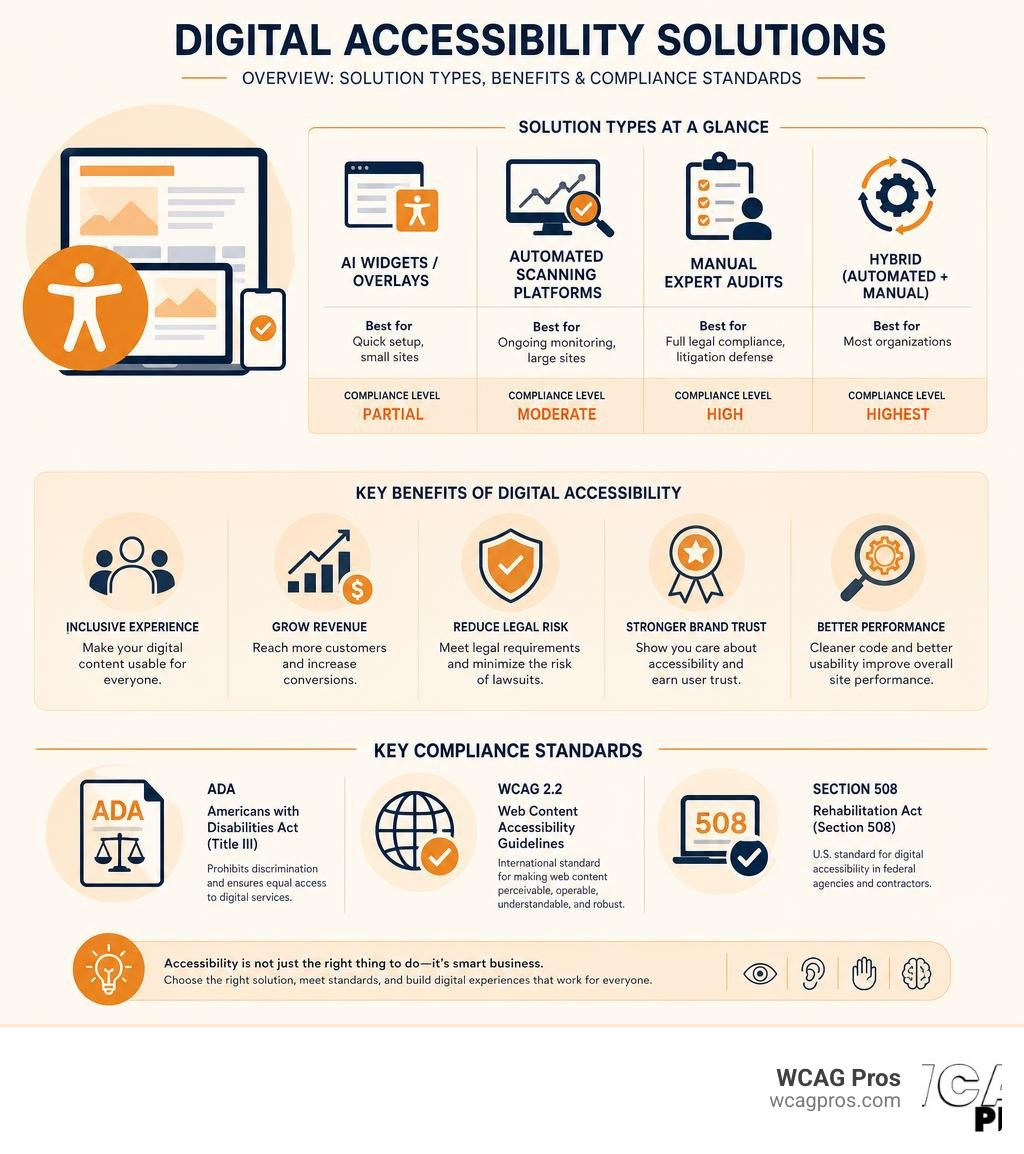
Digital accessibility solutions are tools and services that help websites meet legal standards like ADA, WCAG 2.2, and Section 508 so that people with disabilities can use them. Here is a quick breakdown of your main options:
| Solution Type | Best For | Compliance Level |
|---|---|---|
| AI widgets / overlays | Quick setup, small sites | Partial |
| Automated scanning platforms | Ongoing monitoring, large sites | Moderate |
| Manual expert audits | Full legal compliance, litigation defense | High |
| Hybrid (automated + manual) | Most organizations | Highest |
The right choice depends on your risk level, site complexity, and legal exposure.
Right now, 1.3 billion people worldwide live with a disability and control an estimated $8 trillion in annual spending. Yet 67% of users with disabilities abandon websites they cannot use. That is a serious revenue problem, not just a compliance checkbox.
And the legal pressure is real. ADA website lawsuits have surged in recent years. If your site does not meet WCAG 2.2 standards, you are exposed.
The good news: there are more digital accessibility solutions available today than ever before. The hard part is knowing which one actually protects your business.
I’m Matthew Post, cofounder of WCAG Pros and a web developer with over 20 years of experience specializing in digital accessibility solutions, audits, and WCAG remediation. I’ve personally overseen hundreds of compliance projects and seen what works and what leaves businesses vulnerable.
Understanding Digital Accessibility and Legal Requirements
Digital accessibility means designing and developing websites, mobile applications, and digital documents so that everyone can perceive, operate, and understand them. This includes users with visual, auditory, motor, and cognitive limitations. When we build digital spaces with inclusion in mind, we ensure that assistive technologies like screen readers or voice control software can interact with our code seamlessly.
In the United States, the primary legal driver for digital inclusion is the Americans with Disabilities Act, specifically Title III. While the ADA was originally written for physical spaces, federal courts and the Department of Justice have repeatedly ruled that websites are places of public accommodation. Under the Unruh Civil Rights Act in California, businesses face strict state level penalties for inaccessible websites, making compliance an absolute necessity for organizations operating in or targeting California.
To understand your specific responsibilities, you can read A Comprehensive Guide to ADA Business Requirements.
The global baseline for digital accessibility is the Web Content Accessibility Guidelines, maintained by the World Wide Web Consortium. The official WCAG 2.2 recommendation is the gold standard that organizations must meet. WCAG 2.2 introduces new criteria to protect users with low vision, cognitive limitations, and motor difficulties on mobile devices.
Beyond the ADA, public entities and federal contractors must comply with Section 508 of the Rehabilitation Act, which mandates accessible information technology. Meanwhile, the European Accessibility Act enforces similar requirements for businesses selling products and services in the European Union. Failing to meet these standards leaves your organization vulnerable to expensive lawsuits, demand letters, and reputational damage.
Types of Digital Accessibility Solutions
When navigating the market for digital accessibility solutions, you will find three main categories of tools and services. These are automated scanning tools, expert manual testing services, and hybrid approaches. Each has its own strengths and limitations.
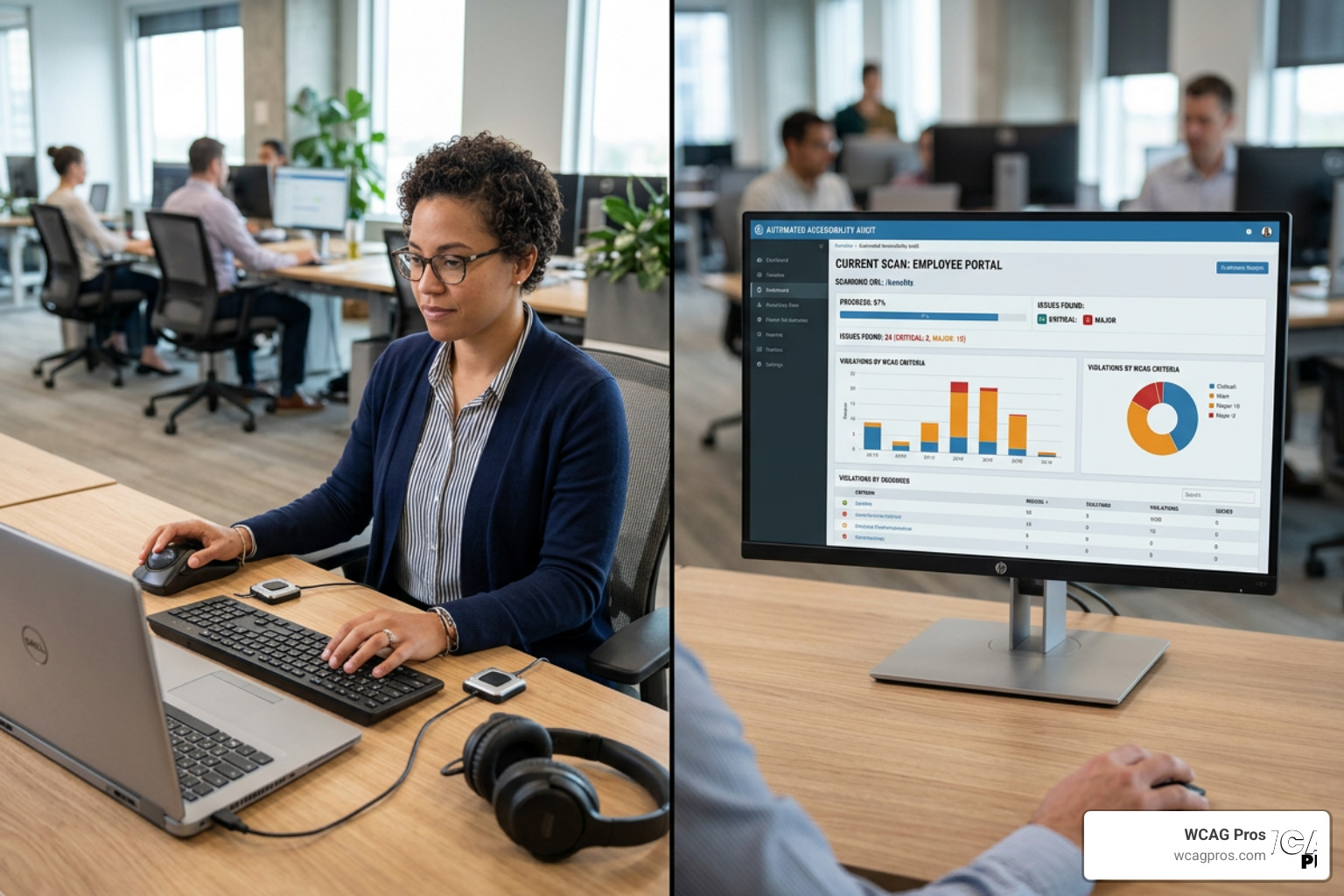
Automated tools use algorithms and artificial intelligence to scan website code for obvious errors, such as missing image alternative text or poor color contrast. These tools are fast and cost effective, but they cannot think like a human. They cannot tell you if an image description actually makes sense in context, or if a complex form can be navigated logically using only a keyboard.
Manual testing involves real human experts, including native users of assistive technology, who navigate your website step by step. They test your keyboard navigation, check screen reader compatibility, and evaluate complex interactive elements. To understand how we perform these evaluations, read our Website Accessibility Testing Services Definitive Guide.
For a complete overview of the auditing process, we recommend exploring The Ultimate Guide to a WCAG Comprehensive Website Audit.
The hybrid approach combines automated scanning for continuous monitoring with manual testing for deep compliance and remediation. This is generally the most effective strategy for modern organizations.
Automated Digital Accessibility Solutions
Automated solutions consist of software platforms, browser extensions, and cloud based scanners that crawl your website to identify accessibility errors. These tools are excellent for catching low hanging fruit. They can instantly flag missing alt attributes, empty links, and incorrect heading hierarchies across thousands of pages.
However, automated scanners have a major limitation. Industry research shows that automated tools can only detect about 30% to 50% of all accessibility issues. They cannot evaluate the user experience of a person with a disability. For example, an automated tool can verify that an image has alternative text, but it cannot determine if the text “image of a blue button” is helpful or completely irrelevant to the user.
Expert Manual Digital Accessibility Solutions
Expert manual solutions rely on seasoned accessibility consultants who understand both the technical requirements of WCAG 2.2 and the practical needs of users with disabilities. These experts conduct thorough line by line code reviews and functional testing.
During a manual audit, a specialist will test your website using screen readers like NVDA or JAWS. They will ensure that dynamic content, such as pop up modals and dropdown menus, is fully keyboard accessible and properly announced to blind users. Once the issues are identified, we provide direct code fixes to resolve the errors permanently at the root. You can learn more about how this works by visiting our guide on Professional ADA Remediation Services You Can Trust.
Comparing Digital Accessibility Approaches
Choosing the best approach requires comparing the primary methods side by side. The table below outlines how software platforms, manual service providers, and hybrid models compare across key operational areas.
| Evaluation Criteria | Software Platforms | Manual Service Providers | Hybrid Models (Like WCAG Pros) |
|---|---|---|---|
| Issue Detection Rate | 30% to 50% | 100% of tested flows | 100% comprehensive |
| Speed of Implementation | Instant | Weeks to months | Structured and ongoing |
| Code Integration | External overlay or dashboard | Direct source code edits | Source code fixes with monitoring |
| Legal Protection | Low to moderate | High | Highest |
| Maintenance Effort | Automated but surface level | Periodic manual checks | Continuous automated and manual |
Enterprise Software Platforms
Enterprise software platforms provide centralized dashboards to monitor the accessibility health of large web properties. These platforms are designed for WebOps and digital marketing teams who need to track compliance scores over time across multiple departments.
Many of these platforms offer integrations with project management systems, allowing teams to assign accessibility bugs directly to developers. These enterprise systems combine testing, reporting, and governance features. While these platforms are powerful for tracking progress, they still require your internal development team to write the actual code fixes. If your team lacks accessibility training, these platforms can quickly become lists of unresolved issues.
AI Widgets and Overlays
AI widgets and overlays are popular among small businesses because they promise instant compliance with a single line of JavaScript. These tools display an accessibility menu on the website, allowing users to adjust contrast, change font sizes, or trigger an automated screen reader mode.
While the pitch sounds perfect, the reality is highly problematic. Overlays do not change the underlying code of your website. Instead, they attempt to modify the page in the browser on the fly. Assistive technology users already have their own highly customized screen readers and settings, and overlays often interfere with these personal devices, making the website harder to use.
Furthermore, plaintiffs attorneys regularly target websites that use overlays, because the presence of a widget proves the business knows its site has accessibility issues but chose a shortcut instead. Relying solely on a widget does not provide legal safety.
Key Features to Look For in Digital Accessibility Solutions
When you evaluate different digital accessibility solutions for your business, you should look for features that empower your team and provide measurable results. A complete solution should offer more than just a list of errors.

An effective solution should include:
- Automated scanning with low false positives: The scanning engine should be highly accurate, saving your developers from wasting time on incorrect error flags.
- Actionable remediation guidance: Instead of just stating that an element is broken, the tool should provide clear code examples showing how to fix it.
- Ongoing compliance monitoring: Websites are living documents that change constantly. Your solution must scan for new issues every time content is updated.
- Robust reporting and documentation: You need clear reports and Voluntary Product Accessibility Templates to prove your compliance progress to stakeholders, legal teams, and clients.
Integration with CMS and Development Workflows
To make accessibility sustainable, it must be integrated directly into your existing processes rather than treated as an afterthought. Modern accessibility tools offer plugins for popular Content Management Systems like WordPress, Drupal, and Shopify, warning content creators about missing alt text or poor heading structures before they publish a page.
For development teams, integrating accessibility checks into the Integrated Development Environment and the Continuous Integration and Continuous Deployment pipeline is a game changer. This allows developers to catch and fix code issues during the building phase, long before the code ever reaches production. This proactive approach saves time and prevents compliance regressions.
The Business Case and ROI of Digital Accessibility
While legal compliance is a strong motivator, digital accessibility is also an excellent business strategy. Making your website accessible expands your market reach to include millions of users who were previously locked out. People with disabilities and their families control over $13 trillion in annual disposable income, representing a massive, underserved market.
Accessible websites also perform better in search engine rankings. Search engine crawlers act very much like screen readers, navigating your site using alt text, headings, and semantic HTML. By optimizing your site for accessibility, you naturally improve your SEO, resulting in up to 15% more visibility in search results.
To explore these financial benefits in detail, read The Business Benefits of an Accessible Website.
Additionally, prioritizing inclusion builds immense brand trust. When customers see that you care about everyone, their loyalty increases. You can read more about this connection in our article on The Link Between Accessibility and Brand Trust.
For smaller organizations, we have compiled a guide on The ROI of Accessibility for Small Businesses, and we discuss competitive advantages in our resource Why Website Accessibility Is a Competitive Advantage for Businesses in 2025.
Public Sector Compliance Requirements
Government agencies, public educational institutions, and organizations receiving federal funding face even stricter compliance mandates. These entities must ensure their digital environments are completely accessible to the public and employees alike under Section 508 and state level regulations.
To meet these high standards, public sector organizations often partner with specialized consultants and enterprise service providers. These partners offer comprehensive compliance services for complex documents, web portals, and digital services to ensure strict compliance with state and federal laws.
Frequently Asked Questions about Web Accessibility
What is the difference between automated and manual compliance tools?
Automated tools use software algorithms to scan your website code. They are fast and can scan thousands of pages quickly, but they only catch about 30% to 50% of accessibility issues.
Manual compliance tools involve human experts testing your website with actual assistive technologies like screen readers. Manual testing is highly accurate and can identify complex logical and usability issues that software cannot detect.
How does WCAG 2.2 impact digital accessibility compliance?
WCAG 2.2 is the latest official standard for digital accessibility. It adds nine new success criteria to the previous guidelines, focusing heavily on improving mobile device accessibility, supporting users with cognitive disabilities, and making input processes easier.
To stay compliant and protected from legal risk, businesses must update their digital properties to meet these new WCAG 2.2 standards. You can read our detailed guide on Everything You Need to Know About WCAG 2.2 Compliance to learn more.
Can an AI widget guarantee complete ADA compliance?
No, an AI widget or overlay cannot guarantee complete ADA compliance. These widgets do not fix the underlying code of your website, and they often fail to work correctly with professional screen readers used by blind individuals.
Relying on a widget can actually increase your legal risk because it demonstrates awareness of accessibility issues without resolving them at the source. For a detailed breakdown of these risks, read The Truth About ADA Reaudit Guarantees and Legal Safety.
Conclusion
Finding the right digital accessibility solutions does not have to be an overwhelming process. While automated tools have their place for high level monitoring, achieving true compliance and protecting your business requires a human touch.
At WCAG Pros, based in Norco, California, we help organizations navigate this journey with confidence. We provide comprehensive, page by page audits covering all 54 points of WCAG A/AAA guidelines. Crucially, we do not just hand you a list of errors and walk away. We provide the actual code fixes to resolve the issues, and we offer free reaudits to issue your compliance certification badge.
To learn more about the certification process, you can read The Ultimate Guide to Website Accessibility Certification Services.
If you are wondering why your business needs to take action now, check out Why Your Small Business Needs an Annual ADA Compliance Audit.
To start building your roadmap to digital inclusion, explore The ADA Web Consultation: Your Roadmap to Digital Inclusion.
Ready to secure your website, improve your user experience, and protect your business from legal risks? Get a Comprehensive WCAG Audit Today and let our team of experts handle the hard work for you.
Read more website accessibility articles
Get Help With Your Website
We'll follow up with info about:
- The process
- Cost
- Timeline
We promise to respect your privacy, and never abuse the information you provide. We will not sell or rent your information to any third party.
By submitting this form, you consent to receive SMS messages and/or emails from SEM Dynamics LLC, dba WCAG Pros. To unsubscribe, follow the instructions provided in our communications. Msg & data rates may apply for SMS. Your information is secure and will not be sold to third parties.