
A Practical Guide to Comparing the Best Accessibility Tools
A Practical Guide to Comparing the Best Accessibility Tools
Core Categories of the Best Accessibility Tools
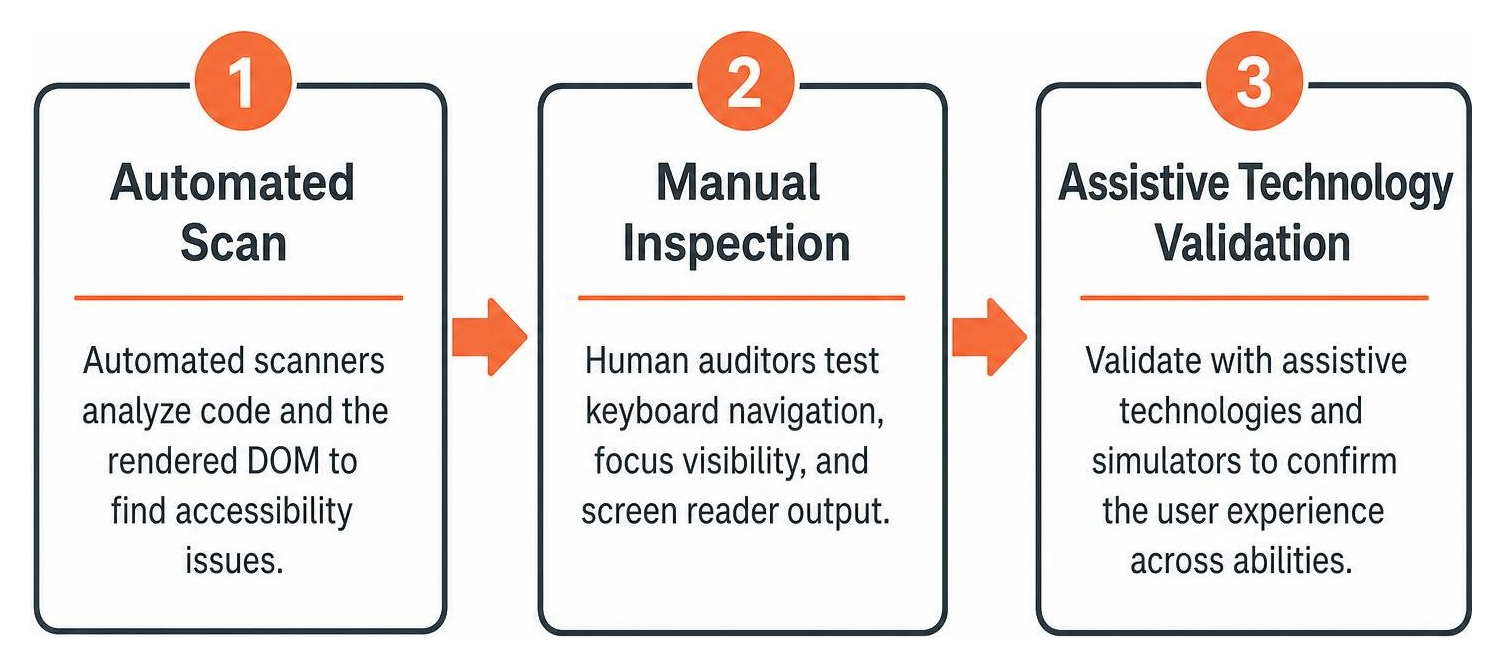
When selecting evaluation software, understanding how different tools function is critical. The W3C Web Accessibility Evaluation Tools List showcases 119 tools across various platforms, showing that no single piece of software does everything. Digital accessibility software splits into three distinct categories, each addressing a unique stage of evaluation and development. To explore the broader testing landscape, consult The Definitive Guide to Web Page Compliance Testing Tools.
Automated Scanners and CI/CD Integrations
Automated scanners parse the rendered Document Object Model (DOM) and underlying markup to identify programmatic errors against documented rules. Software engines analyze your code after JavaScript executes, catching issues like missing alt tags, improper table markup, and invalid ARIA attributes. Integrating these engines into continuous integration pipelines ensures that regressions are caught before code hits production. You can learn more about pipeline automation through Automated Web Accessibility Testing Made Easy.
Manual Inspection and Screen Readers
Manual inspection tools enable auditors to evaluate interactive behaviors that automation cannot verify. These include bookmarklets, DOM inspectors, and screen readers. A human auditor uses these tools to test keyboard navigation, ensure that visual focus indicators remain unobstructed, and confirm that assistive technologies announce interactive components correctly.
User Experience and Disability Simulators
Simulators modify the display of a webpage to emulate conditions like color vision deficiencies, low vision, tunnel vision, cataracts, or cognitive processing differences such as dyslexia. While simulators cannot replace authentic user testing, they serve as powerful empathy building resources for designers and developers during early wireframing and prototyping.
Comparing Top Free Browser Extensions for Rapid Audits
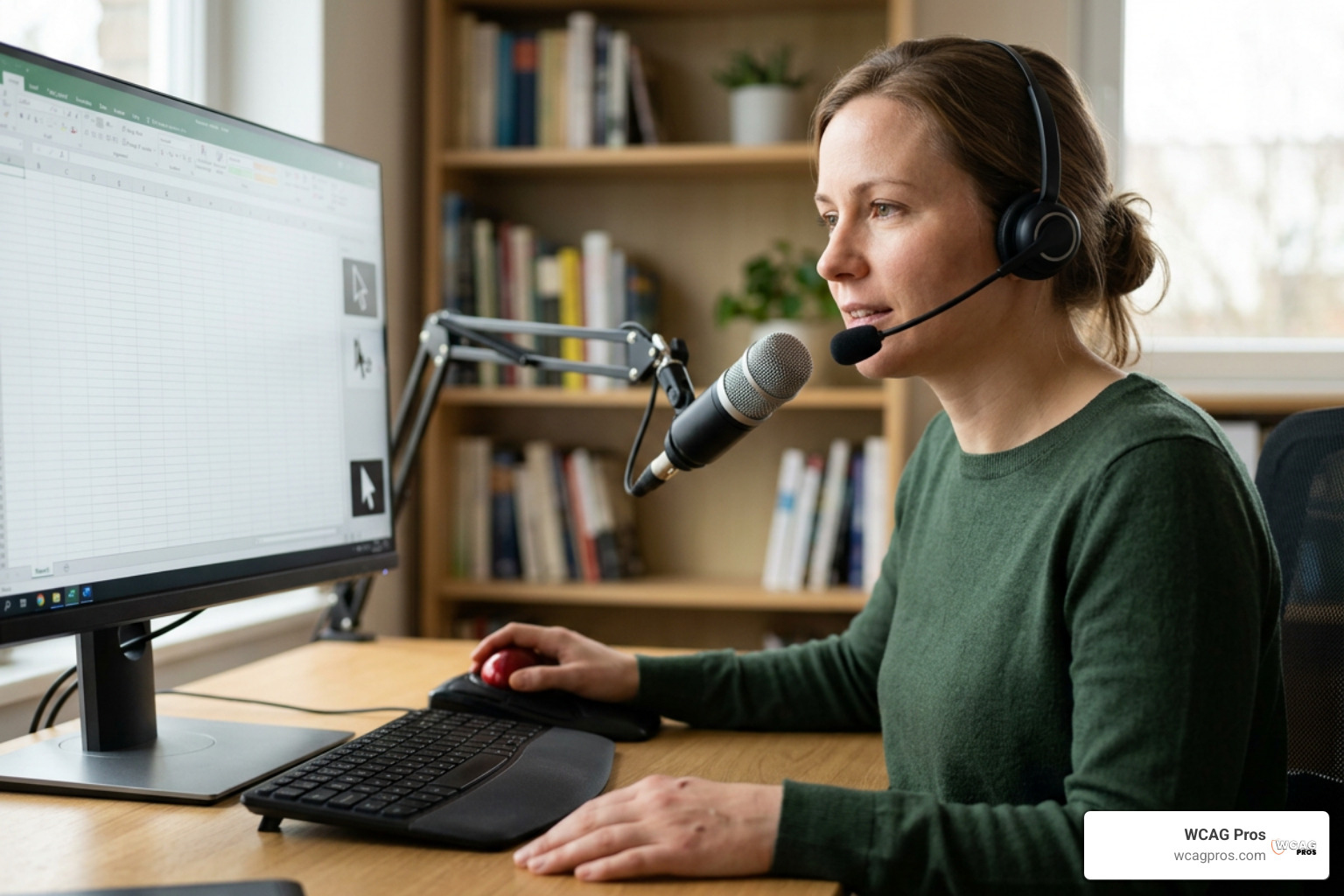
Browser extensions offer the fastest way to spot-check individual pages during active development. They evaluate rendered DOM states locally within the browser, making them safe for testing staging environments, single-page applications, and password-protected portals. For a breakdown of instant checkers, read 5 Free ADA Compliance Tools to Check Your Website Instantly.
Axe DevTools and Core Engine Capabilities
The axe-core engine powers a significant portion of modern web testing software and has surpassed 3 billion total downloads. The Axe DevTools extension has more than 800,000 installs in Google Chrome alone. Its main advantage is a zero-false-positive design philosophy, meaning developers can trust its automated rule violations without chasing phantom bugs. Furthermore, axe DevTools evaluates dynamic single-page applications without requiring a page refresh, preserving complex user states and open modal dialogs during testing.
WAVE, Accessibility Insights, and Targeted Checkers
The WAVE Evaluation Tool provides immediate visual feedback by injecting informative icons directly onto the webpage canvas. It visualizes structural hierarchy, highlights missing labels, and exposes hidden ARIA properties. Similarly, Accessibility Insights provides automated fast passes alongside guided walkthroughs for complex manual checks. Complementary single-purpose tools help teams inspect specific criteria, such as reading order and color contrast ratios. You can read our detailed breakdown in How to Test Color Contrast Compliance.
Enterprise Platforms vs. Lightweight Testing Suites
Lightweight extensions are perfect for individual developers, but larger organizations require centralized governance. Enterprise platforms crawl thousands of pages automatically, generate compliance health scores, track remediation progress over time, and provide documentation for VPAT and ACR procurement requirements.
| Feature / Dimension | Free Browser Extensions | Enterprise Audit Suites | Manual Expert Audits |
|---|---|---|---|
| Primary Use Case | Real-time developer checks | Sitewide monitoring and governance | Legal compliance and usability verification |
| Audit Scope | Single rendered page state | Entire domains and site trees | Full customer user flows and templates |
| WCAG 2.2 Coverage | Programmatic issues only | Programmatic issues plus crawl trends | Complete coverage across all success criteria |
| CI/CD Integration | Available via CLI packages | Native cloud integrations | Periodic verification sprints |
| Context Analysis | No | No | Yes |
Choosing the Best Accessibility Tools for Enterprise Governance
Enterprise platforms like Silktide, Siteimprove, and Deque Axe Platform help organizations manage large digital footprints. For instance, the Silktide accessibility checker runs over 200 checks, highlighting issues and providing easy to understand explanations. These tools crawl entire website architectures, prioritize violations by traffic volume or template impact, and integrate directly with issue trackers like Jira to assign tasks across engineering teams.
The Reality of AI Widgets and Automated Overlays
Many vendors market quick-fix accessibility widgets and AI overlays claiming instant compliance via a single JavaScript snippet. In reality, automated overlays operate entirely on the client-side DOM and cannot correct underlying source-code failures, complex keyboard traps, or broken screen reader forms. Relying on overlays often introduces secondary accessibility barriers while leaving organizations exposed to ADA legal scrutiny. Sustainable compliance requires fixing issues directly in your codebase.
Assistive Technologies and Mobile Accessibility Testing

Testing digital products requires evaluating how assistive software interacts with your content across various operating systems and devices.
Essential Screen Readers for Desktop and Mobile
Desktop and mobile platforms rely on distinct screen readers that interpret code semantically:
- JAWS (Job Access With Speech): A robust commercial screen reader widely used in enterprise Windows environments. Learn more directly from the JAWS Screen Reader Software | Enabling Digital Accessibility for Blind Users product page.
- NVDA (NonVisual Desktop Access): A popular open-source screen reader for Windows that pairs well with Firefox and Chrome for code auditing.
- Apple VoiceOver: Built natively into macOS and iOS, providing deep hardware and gesture integration for Apple ecosystems.
- Android TalkBack: The standard screen reader built into Google Android devices, essential for mobile touch interaction testing.
Native Mobile Testing on iOS and Android
Mobile accessibility testing requires checking touch target sizes, device orientation responsiveness, and screen reader gestures. Both major mobile operating systems include dedicated testing utilities, such as the Google Accessibility Scanner for Android and native developer inspection suites. For Apple devices, review our IOS Accessibility Inspector Guide 2026 to configure your mobile testing suite effectively.
How to Build a Hybrid Accessibility Testing Strategy
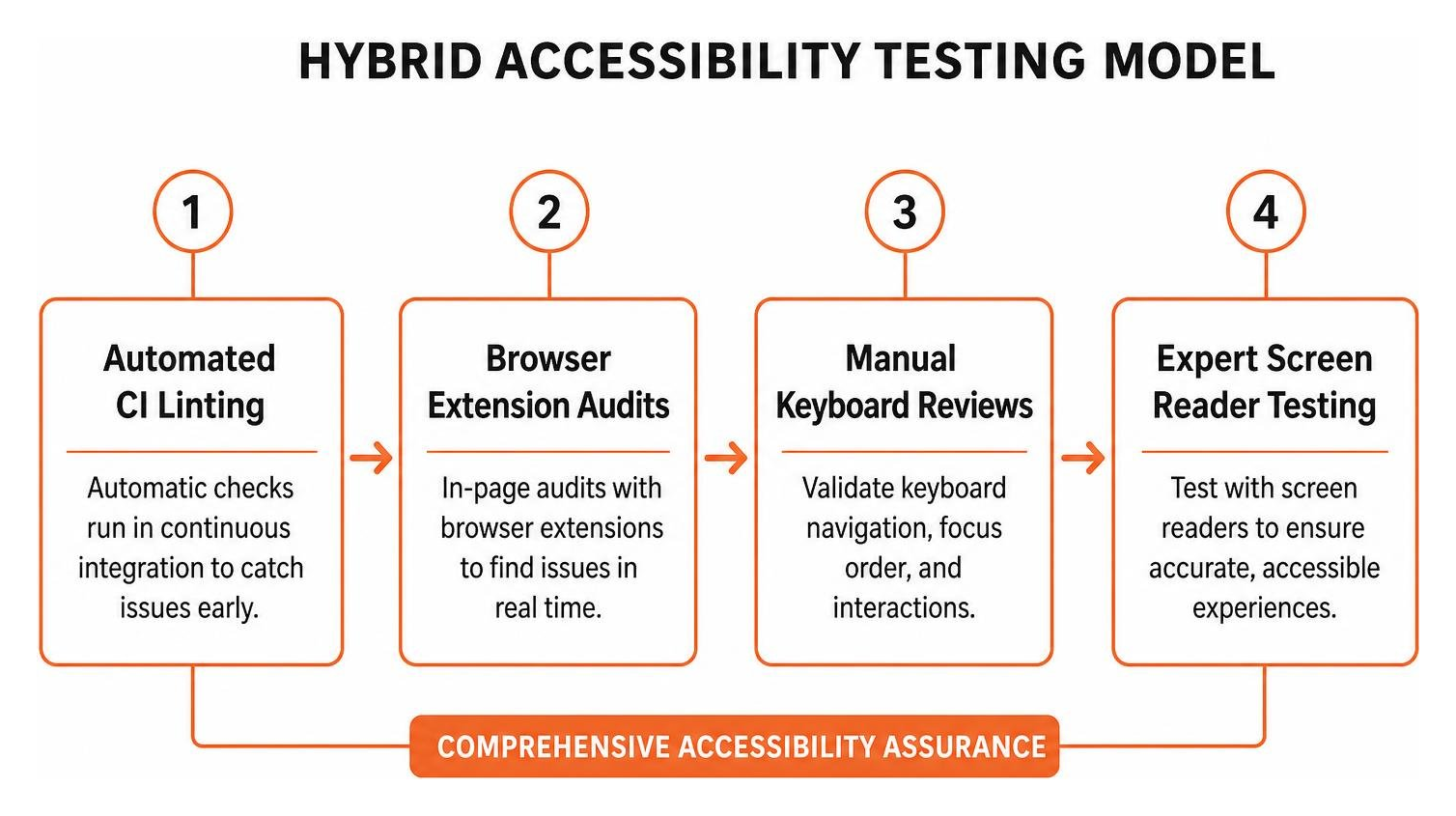
A reliable accessibility program combines automated testing with systematic manual evaluation. Industry data indicates that 96% of the top websites contain easily detectable accessibility issues. Catching these early through automation frees up your team to focus on nuanced usability challenges. For an in-depth framework comparison, check out Accessibility Audit Tools 101 Compare WCAG 22 Options.
Finding the Best Accessibility Tools for Comprehensive WCAG 2.2 Audits
When building your toolkit, ensure your software adheres to documented Accessibility Conformance Testing (ACT) Rules and fully supports the latest WCAG 2.2 criteria. This includes checking for accessible authentication, consistent help mechanisms, and dragging movements. Your automated tools should handle the heavy lifting for baseline Level A and Level AA programmatic checks, allowing developers to shift testing left directly into the build environment.
Overcoming Automated Testing Blind Spots with Manual Review
Automated tools cannot understand the meaning of your content. A scanner can verify that an image contains an alt attribute, but it cannot determine whether the description accurately reflects the image or if it contains redundant filler like “image of logo”. Similarly, automated checkers cannot evaluate whether a dynamic multi-step form traps keyboard focus or if a logical tab order is maintained during dynamic page updates. Expert human verification bridges this gap to ensure complete, real-world usability.
Frequently Asked Questions About Digital Accessibility Tools
What are the main limitations of automated accessibility testing tools?
Automated accessibility tools identify programmatic violations of WCAG standards, but they cannot evaluate subjective context. They cannot judge whether video captions match spoken audio, verify the semantic accuracy of alternative text, or assess whether instructions are easy to understand for users with cognitive impairments. Human review remains essential.
Can AI overlays replace standard WCAG 2.2 code-level audits?
No. AI overlays and front-end accessibility widgets do not alter the underlying source code of your website. They attempt to modify the DOM after rendering, which often conflicts with native assistive technologies and fails to resolve structural accessibility defects. True WCAG 2.2 compliance requires clean semantic markup and native code remediation.
How often should digital accessibility evaluations be conducted?
Automated scans should run continuously within your CI/CD pipeline on every code commit or pull request. In-browser extension reviews should occur during component development and sprint QA testing. Comprehensive manual audits across your core user journeys should be scheduled quarterly or whenever major template redesigns take place.
Conclusion
Building an accessible digital presence is an ongoing practice that requires the right balance of software automation and expert human evaluation. Automated browser extensions and enterprise scanners provide rapid feedback for common code defects, but full WCAG 2.2 conformance demands hands-on testing with keyboard navigation and assistive technology.
At WCAG Pros, based in Norco CA, we deliver comprehensive page-by-page audits covering all 54 WCAG A and AAA checkpoints. We provide precise code-level fixes and free re-audits to help your business achieve verifiable compliance. To explore the right testing strategy for your organization, check out our guide to Pick the Best Web Accessibility Evaluation Tool for Your Team and start building a more inclusive digital experience today.
Read more website accessibility articles
Get Help With Your Website
We'll follow up with info about:
- The process
- Cost
- Timeline
We promise to respect your privacy, and never abuse the information you provide. We will not sell or rent your information to any third party.
By submitting this form, you consent to receive SMS messages and/or emails from SEM Dynamics LLC, dba WCAG Pros. To unsubscribe, follow the instructions provided in our communications. Msg & data rates may apply for SMS. Your information is secure and will not be sold to third parties.