
A–Z Guide to 508 Compliance for Websites
A–Z Guide to 508 Compliance for Websites
What 508 Compliance for Websites Actually Means (and Why It Matters)
508 compliance for websites refers to meeting the accessibility standards set by Section 508 of the Rehabilitation Act, a U.S. federal law that requires electronic and information technology (ICT) to be accessible to people with disabilities.
Here is a quick answer to the most common questions:
| Question | Quick Answer |
|---|---|
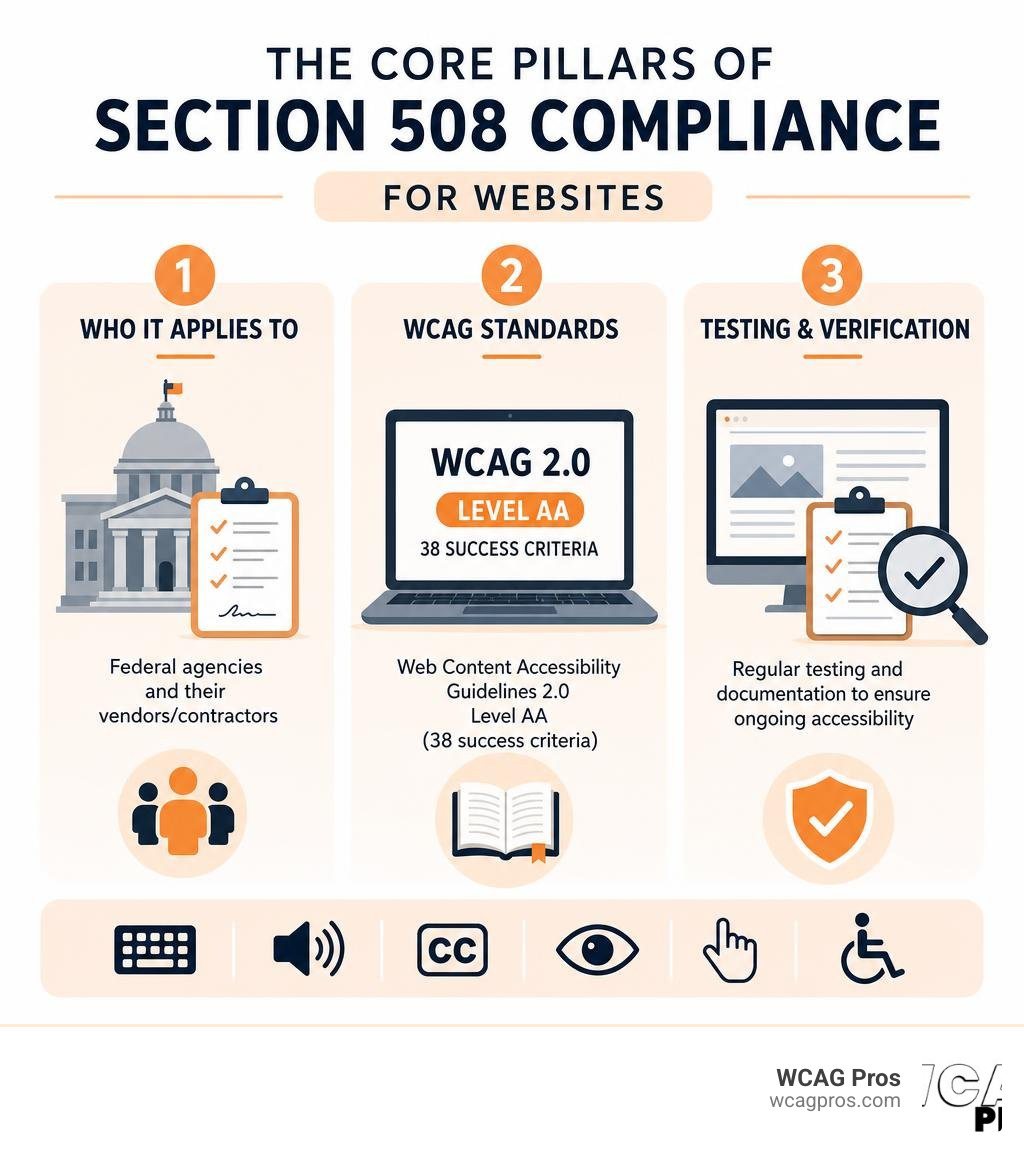
| Who must comply? | Federal agencies and their vendors/contractors |
| What standard applies? | WCAG 2.0 Level AA (38 success criteria) |
| Does it cover websites? | Yes, including documents, apps, and all digital content |
| Do private companies need to comply? | Only if they work with federal agencies, but ADA may still apply |
| What happens if you don’t comply? | Lawsuits, contract loss, and financial penalties |
The stakes are real. In 2013, a Department of Homeland Security lawyer sued his employer for failing to provide accessible technology. The case settled for $550,000. And that is just one example. ADA-related website lawsuits have been rising sharply, with over 8,600 filed in 2025 alone.
Accessibility is not just a legal box to check. A World Bank study found that accessibility technology makes web navigation possible or easier for 57% of all computer users. That is a massive portion of your potential audience.
Whether you run a government agency, sell software to federal clients, or simply want to reduce legal risk, understanding 508 compliance is essential in 2026.
I’m Matthew Post, co-founder of WCAG Pros and a web developer with over 20 years of experience auditing and remediating websites for 508 compliance for websites and WCAG standards. I personally oversee every audit and remediation project at WCAG Pros, so the guidance in this article comes from real-world compliance work, not theory.
What is Section 508 Compliance and Who Must Follow It
Section 508 is a crucial amendment to the Rehabilitation Act of 1973. It was created to ensure that the federal government does not build, buy, or use technology that shuts out people with disabilities. In our increasingly digital world, this means federal agencies must make their digital presence fully accessible to everyone.
But who exactly is bound by these rules? The scope is broader than you might think.
First, all federal departments and agencies must comply. This includes everything from the Department of Veterans Affairs to the Social Security Administration. Every public-facing website, internal portal, and digital document they produce must meet these standards.
Second, government contractors and vendors must follow Section 508. The federal government is the largest purchaser of technology in the world. If you want to sell software, build websites, or provide digital services to a federal agency, your product must comply with Section 508. This requirement is built directly into federal procurement contracts. If your product is not accessible, you cannot win the contract.
Third, organizations that receive federal funding often face these requirements. This includes many public universities and research institutions. For example, institutions like Section 508 at Norco College must ensure their digital environments are accessible to all students and staff.
Finally, state-level policies often mirror these federal rules. Many states have passed their own laws, often called mini Section 508 laws, which require state agencies and local governments to meet identical accessibility standards. You can learn more about these local requirements through the State-level Accessibility Law and Policy | Section508.gov resource.
Even if you run a small business that does not directly contract with the government, understanding these rules is vital. Federal standards heavily influence broader civil rights laws like the ADA. To see how these rules impact smaller organizations, check out our guide on ADA Compliance for Small Businesses in 2025: A Complete Guide. For a deeper dive into federal procurement and general standards, you can always visit the official Home | Section508.gov portal.
How Section 508 Relates to WCAG Standards
To understand 508 compliance for websites, you must understand the Web Content Accessibility Guidelines (WCAG). WCAG is the international gold standard for digital accessibility, developed by the World Wide Web Consortium (W3C).
In the early days of Section 508, the law had its own unique set of technical rules. However, technology evolved much faster than federal regulations. To fix this, the U.S. Access Board enacted the Section 508 Refresh. This update, published in the Federal Register / Vol. 82, No. 11 / Wednesday, January 18, 2017 / Rules and Regulations , officially harmonized Section 508 with WCAG 2.0 Level AA.
By incorporating WCAG 2.0 Level AA by reference, the government simplified the compliance landscape. If your website meets WCAG 2.0 Level AA, it meets the technical requirements of Section 508.
However, we are now in 2026. The digital world has moved forward, and WCAG 2.2 is the modern standard. While the legal baseline for Section 508 remains anchored to WCAG 2.0 Level AA, we strongly advise our clients to target WCAG 2.2 Level AA. Designing for WCAG 2.2 ensures your site is ready for future legal updates and provides a much better experience for users on mobile devices. You can explore the differences in our resource, The Definitive Guide to WCAG Guidelines.
The Revised 508 Standards also introduced a safe harbor provision. This provision protects legacy electronic and information technology that complied with the original 508 standards before January 18, 2018. As long as that legacy content is not altered, it does not need to be retrofitted to meet the newer WCAG standards. However, any updates or new content must comply with the current rules.
Here is a quick look at how Section 508 compares to the ADA:
| Feature | Section 508 | ADA (Title III) |
|---|---|---|
| Primary Target | Federal agencies and federal contractors | Private businesses and public accommodations |
| Enforcement | Procurement contracts and administrative complaints | Civil lawsuits and Department of Justice consent decrees |
| Technical Standard | WCAG 2.0 Level AA (explicitly written into law) | WCAG 2.2 Level AA (established through court precedents) |
| Scope of Content | All federal ICT, websites, software, and PDFs | Public-facing websites, mobile apps, and customer portals |
Technical Requirements of 508 Compliance for Websites
The technical requirements of 508 compliance for websites are organized under the four core principles of WCAG, often called the POUR principles. These principles ensure that your digital content is usable by everyone, regardless of their physical or cognitive abilities.
- Perceivable: Users must be able to see or hear the information. This means providing text alternatives for images, captions for videos, and sufficient color contrast so text is readable against its background.
- Operable: Users must be able to navigate the site. This requires full keyboard accessibility, giving users enough time to read content, and avoiding design elements that could cause seizures.
- Understandable: The content and user interface must be clear. This means using readable language, making navigation predictable, and helping users avoid and correct input errors on forms.
- Robust: Your website must work reliably across different technologies, including assistive tools like screen readers. This requires clean, standardized HTML code.
In addition to these principles, Section 508 includes Functional Performance Criteria. These criteria are used when the specific technical standards do not address a unique technology. They require that the overall system remains usable for individuals with visual, auditory, physical, speech, or cognitive limitations. To understand how to implement these technical criteria on your site, read our detailed breakdown on Everything You Need to Know About WCAG 2.2 AA Compliance.
Common Accessibility Issues in 508 Compliance for Websites
When we perform audits at WCAG Pros, we see the same accessibility barriers over and over again. These issues make websites difficult or impossible to navigate for users with disabilities, putting organizations at high risk of non-compliance.

Here are the most common violations we encounter:
- Missing or Poor Alt Text: Images need descriptive alternative text so screen readers can explain them to visually impaired users. Leaving alt text blank or using useless descriptions like “image1.jpg” is a direct violation.
- Keyboard Traps and Poor Navigation: Many users rely entirely on a keyboard to navigate. A keyboard trap occurs when a user can tab into an element, like a dropdown menu or modal popup, but cannot tab back out.
- Insufficient Color Contrast: Text must be easy to read. Under WCAG standards, normal text must have a contrast ratio of at least 4.5 to 1 against its background. Light gray text on a white background is one of the most common design mistakes we fix.
- Missing Form Labels: When a blind user encounters a form field, their screen reader reads the associated label. If your form fields lack proper HTML labels, the user will have no idea what information to enter.
- No Video Captions or Transcripts: Videos must include accurate, synchronized captions for deaf or hard of hearing users. Audio-only content requires a complete written transcript.
- Improper Heading Structure: Headings should organize content logically. Skipping from an H2 to an H4 confuses screen reader users who rely on headings to understand the page layout.
To avoid these common pitfalls, we recommend developers and designers collaborate closely. The official Guide to Accessible Web Design & Development | Section508.gov provides an excellent roadmap for building accessible components from scratch. You can also review our practical checklist of essential elements in the Website ADA Compliance Checklist: 10 Must-Haves.
How to Test and Audit Your Website for Section 508 Standards
Achieving 508 compliance for websites requires a rigorous testing process. You cannot simply look at a website and assume it is accessible. True testing requires a combination of automated tools and manual expertise.

Automated web scanners are a great starting point. They can scan hundreds of pages in minutes and quickly flag obvious issues like missing alt text or incorrect color contrast. However, automated tools only catch about 30 to 40 percent of accessibility errors.
To catch the remaining issues, you must conduct manual testing. Manual testing involves navigating your website using only a keyboard to check for focus indicators and keyboard traps. It also requires testing your site with real assistive technologies, such as JAWS, NVDA, or VoiceOver screen readers, to verify that the content is read in the correct order.
When auditing a product for federal procurement, you will need to document your findings using a Voluntary Product Accessibility Template (VPAT). Once completed, this template becomes an Accessibility Conformance Report (ACR). The ACR is the official document that federal procurement officers review to determine if your product meets Section 508 standards.
For a thorough self-assessment, you can refer to the WebAIM: Section 508 Checklist . If you are preparing for a comprehensive evaluation, our guide on The Ultimate Website Accessibility Testing Checklist for 2026 will walk you through the entire process.
A Step-by-Step Process for 508 Compliance for Websites
At WCAG Pros, we use a structured, step-by-step process to help organizations achieve and maintain compliance without disrupting their daily operations.
- Conduct a Conformance Audit: Establish a baseline by running a comprehensive audit of your digital properties. This includes scanning your website, mobile applications, and downloadable documents like PDFs.
- Create an Accessibility Conformance Report (ACR): Use the results of your audit to fill out a VPAT. This document serves as your official proof of compliance for government clients.
- Remediate Web Content Violations: Prioritize and fix the accessibility barriers found during the audit. This involves updating your website code, adding missing alt text, fixing form labels, and rewriting CSS for better color contrast.
- Remediate Documents and Multimedia: Ensure all downloadable PDFs, Word documents, and media files are fully accessible. PDFs must be properly tagged so screen readers can navigate them.
- Build Accessibility into Your Development Process: Adopt a “shift left” approach. This means testing for accessibility early in the design and development phases, rather than trying to patch errors right before launch. It is much cheaper and easier to design an accessible button than to rewrite a complex application later.
To help guide your organizational strategy, we suggest reviewing the Technology Accessibility Playbook: Introduction | Section508.gov which outlines how federal agencies manage accessibility at scale. If you want to learn more about our professional auditing methodology, read about The Ultimate Guide to a WCAG Comprehensive Website Audit.
Frequently Asked Questions about Section 508 Compliance
Navigating digital accessibility laws can be confusing. Here are answers to some of the most common questions we receive from organizations working toward compliance.
Does Section 508 apply to private companies?
Section 508 does not directly regulate private companies that have no relationship with the federal government. However, there are two major exceptions.
First, if your private company sells technology, software, or digital services to federal agencies, you must comply. The procurement requirements of Section 508 flow down to you through your contracts.
Second, private companies are still subject to ADA Title III, which covers places of public accommodation. While the ADA does not explicitly mention Section 508, federal courts and the Department of Justice routinely use WCAG standards to determine if a private website is accessible. To understand how these laws overlap for private entities, read our guide on A Comprehensive Guide to ADA Compliant Website.
What is a VPAT and do I need one?
A VPAT, or Voluntary Product Accessibility Template, is a blank form created by the Information Technology Industry Council (ITIC). It is used to document how well a digital product conforms to accessibility standards.
Once you fill out the VPAT based on actual testing, it becomes an Accessibility Conformance Report (ACR). If you are a vendor bidding on federal contracts, you absolutely need an ACR. Federal procurement officers will ask for one during the bidding process to verify that your software or website is accessible.
What is the difference between ADA and Section 508?
The main difference lies in their scope and enforcement mechanisms.
The ADA is a broad civil rights law that prohibits discrimination against people with disabilities. It applies to both public entities (Title II) and private businesses (Title III). The ADA does not contain specific technical web standards in its original text, though courts overwhelmingly enforce WCAG 2.2 as the legal benchmark.
Section 508 is a procurement and operational law that applies specifically to federal agencies and their contractors. Unlike the ADA, Section 508 explicitly writes WCAG into its regulatory text, making it a direct legal requirement for covered technology.
Conclusion
Ensuring 508 compliance for websites is about more than just avoiding legal penalties and contract disputes. It is about digital inclusion, making sure that the millions of people living with disabilities have equal access to information, services, and opportunities online.
Achieving full compliance requires specialized technical expertise. Automated checkers are useful, but they cannot replace the accuracy of professional manual testing.
At WCAG Pros, based in Norco CA, we provide comprehensive, page-by-page audits of all WCAG points. We do not just hand you a list of errors, we provide actual code fixes to help your development team resolve issues quickly. Plus, we offer free re-audits to ensure your site is completely accessible and ready for certification.
Do not wait for a procurement officer to reject your bid or a legal complaint to arrive. Protect your organization and open your digital doors to everyone. Schedule a Comprehensive WCAG Audit with WCAG Pros today.
Read more website accessibility articles
Get Help With Your Website
We'll follow up with info about:
- The process
- Cost
- Timeline
We promise to respect your privacy, and never abuse the information you provide. We will not sell or rent your information to any third party.
By submitting this form, you consent to receive SMS messages and/or emails from SEM Dynamics LLC, dba WCAG Pros. To unsubscribe, follow the instructions provided in our communications. Msg & data rates may apply for SMS. Your information is secure and will not be sold to third parties.