
Automated Accessibility Testing vs Manual Testing Explained
Why Automated and Manual Accessibility Testing Work Together
When comparing automated accessibility testing vs manual testing, the key difference is scale versus judgment. Automated tools quickly flag code issues, such as missing form labels. Manual testers check whether people can navigate, understand, and complete tasks, including with assistive technology. Use both to assess your website against WCAG 2.2. A scan with no reported errors does not prove a site is accessible or meets ADA requirements.
I’m Matthew Post, co-founder of WCAG Pros. With more than 20 years in web development and experience overseeing WCAG audits and fixes, I’ll explain automated accessibility testing vs manual testing and where each belongs in your testing plan.
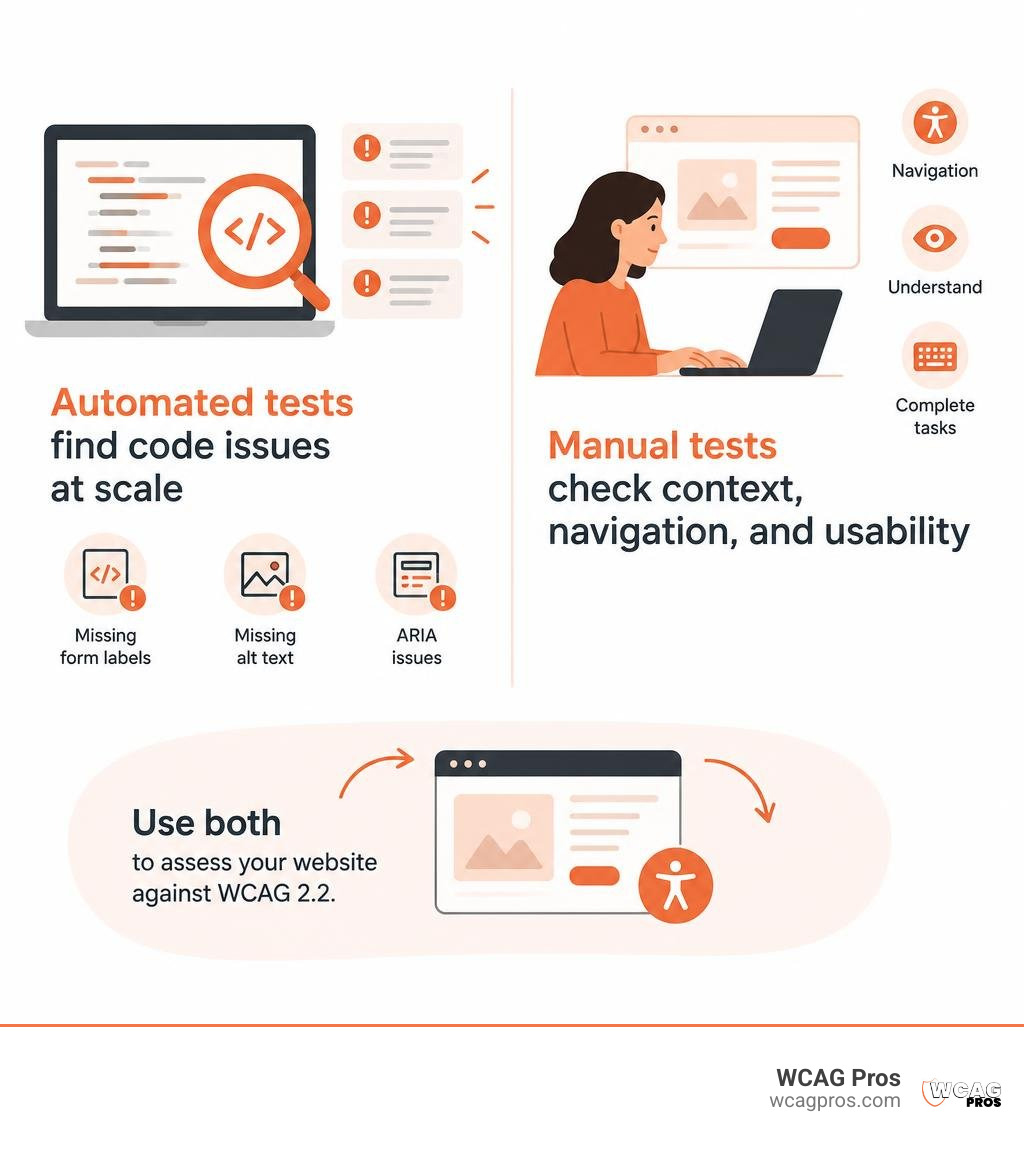
Easy automated accessibility testing vs manual glossary:
Automated Accessibility Testing vs Manual Testing: The Core Differences
The fundamental debate surrounding automated accessibility testing vs manual methods centers on speed and volume versus human contextual analysis. Automated testing uses software algorithms to parse code, scan hundreds of pages in minutes, and flag explicit violations of technical guidelines. Manual testing relies on human specialists who interact with digital interfaces using assistive devices, keyboard controls, and specialized techniques to evaluate the real user experience.
Organizations seeking to meet ADA standards must navigate these distinct capabilities. For teams building a structured approach, our website accessibility testing guide outlines how these two testing disciplines support long-term conformance.
| Evaluation Area | Automated Accessibility Testing | Manual Accessibility Testing |
|---|---|---|
| Primary Scope | Static code analysis, syntax verification, rule compliance | Contextual relevance, task completion, assistive tech support |
| Speed and Scale | Thousands of pages in minutes | Sample-based page evaluations and focused user journeys |
| Detection Target | Missing attributes, code errors, basic contrast ratios | Focus order, screen reader clarity, logical reading flow |
| False Positives | Common with complex scripts, redirects, and dynamic elements | Low because human judgment filters out erroneous flags |
| WCAG Coverage | Up to 40% of standard accessibility issues individually | Evaluates subjective and qualitative WCAG 2.2 criteria |
| Integration Point | CI/CD build pipelines, pull requests, scheduled monitoring | Pre-release gates, template overhauls, periodic audits |
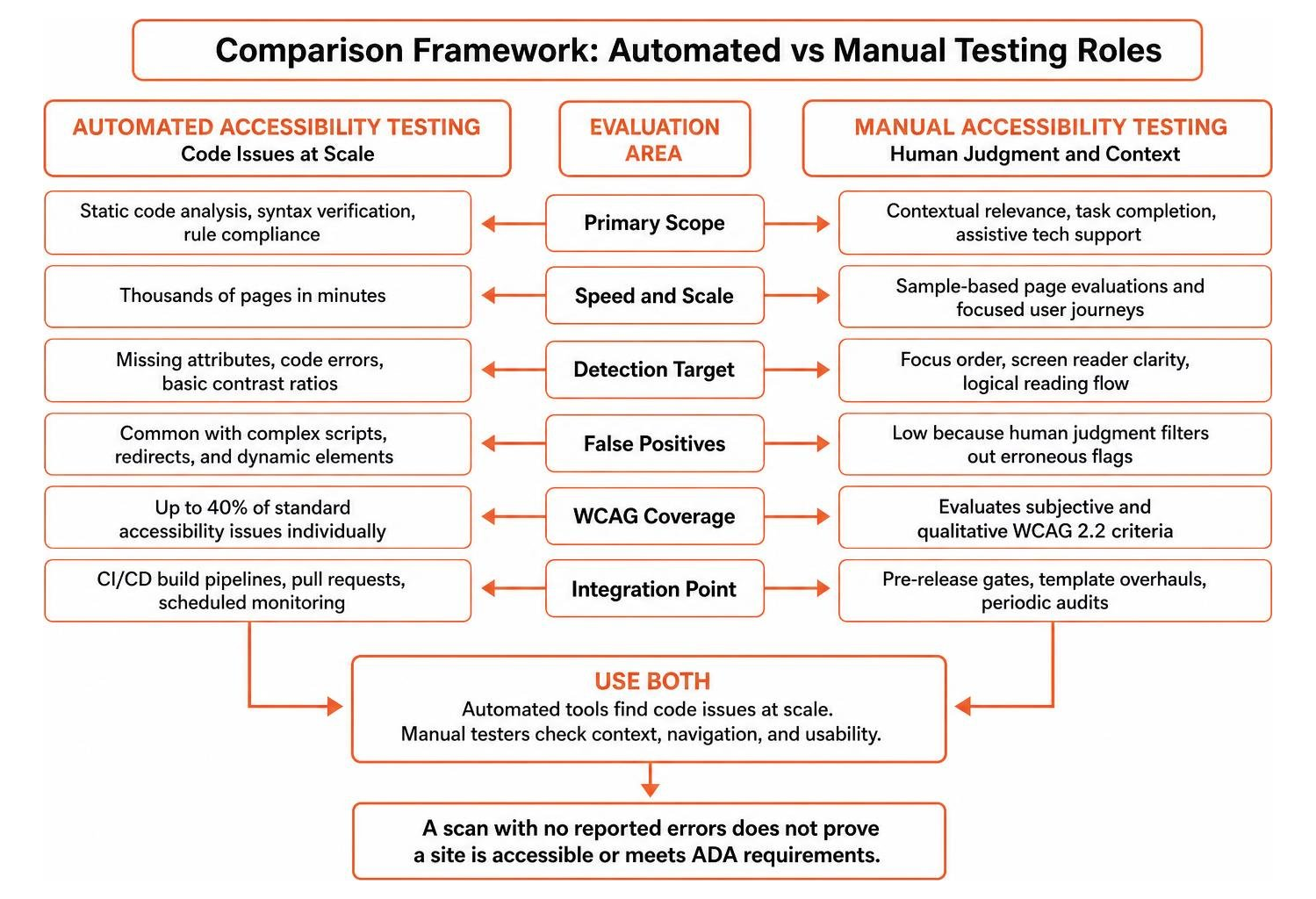
Automated Accessibility Testing vs Manual Code-Level Detection
Automated code analysis inspects the Document Object Model (DOM) to verify that developers have included necessary accessibility attributes. It excels at checking mathematical formulas for color contrast ratios, discovering missing form field labels, and ensuring structural heading hierarchies follow logical descending order.
Because scanners operate deterministically against programmatic rules, they provide instantaneous feedback for developers during local builds. You can discover practical strategies for setting up these automated checks through our guide to automated web accessibility testing.
Automated Accessibility Testing vs Manual Usability Evaluation
While automation verifies whether an HTML element exists, it cannot evaluate whether the page is functional or understandable for a person with a disability. Manual usability testing examines whether a user can complete an end-to-end task, such as creating an account, adjusting an order, or navigating a dynamic dropdown menu without getting trapped.
Evaluating cognitive friction, meaningful error prevention, and sequential reading orders demands thoughtful human judgment. Understanding these qualitative checks is essential, and our primer on manual accessibility testing techniques explains how human reviewers evaluate these nuanced criteria.
Strengths and Critical Blind Spots of Automated Scans

Automated scanners provide indispensable baseline coverage across expansive digital estates. However, automated testing has clear boundaries. Research across accessibility benchmarks indicates that an automated scan can detect up to 40% of all accessibility issues at best. Even when running three distinct tools together, teams can expect to catch only up to 50% of common accessibility barriers. The federal standards outlined in the testing overview from Section508.gov confirm that automated software alone cannot establish full compliance.
Understanding these structural boundaries helps teams avoid a false sense of security when an automated tool returns zero flagged errors. To understand tool limits across different testing platforms, review our automated accessibility tools evaluation.
What Automated Checkers Catch Accurately
Automated tools perform exceptionally well when auditing technical syntax that does not depend on human context. Key elements that automated tools identify include:
- Missing
altattributes on image elements across thousands of indexed templates. - Broken or invalid WAI-ARIA syntax, such as unsupported role combinations or malformed states.
- Empty button and anchor tags that contain no discernible text or programmatic labels.
- Duplicate element IDs in the DOM that break assistive software mapping.
- Basic color contrast failures between static background and foreground hex codes.
When selecting software to handle these routine checks, consult our guide to automated accessibility testing tools for criteria to assess scanning performance.
Common False Positives and Undetected Barriers
The primary risk of relying entirely on automation lies in undetected barriers and false positives. For example, an automated tool can verify that an image has an alt attribute, but it cannot evaluate whether the text “image123.jpg” or “banner graphic” provides meaningful context to a blind user.
Similarly, automated checkers struggle with dynamic content loaded through client-side scripts. Scanners frequently miss keyboard traps inside interactive modal dialogs, miscalculate color contrast when text sits over responsive background imagery, and trigger false positive warnings on redirected URLs that point to identical destinations. Human oversight is required to interpret these edge cases accurately.
Why Human Expertise and Assistive Technology Validation Are Irreplaceable

Human evaluation bridges the gap between technical code compliance and real-world digital inclusion. Manual audits replicate the practical ways people with disabilities interact with websites, software, and electronic documents. As detailed in the accessibility testing guide from Yale, combining human interaction with automated tools ensures both experiential quality and legal compliance under the ADA.
Screen Reader Interaction and Keyboard-Only Navigation
Manual testing requires navigating digital properties using only a physical keyboard and native assistive software like NVDA, JAWS, and VoiceOver. Testers ensure that:
- Every interactive element can be reached using the Tab key without activating a mouse.
- Focus indicators remain clearly visible as a user navigates through interactive components.
- Hidden skip navigation links function properly to bypass repetitive header menus.
- Screen readers announce state changes, validation errors, and dynamic notifications clearly without omitting critical text.
The training on testing methods from UIC shows that screen readers parse DOM markup sequentially, ignoring certain formatting styles like strikethroughs unless explicit semantic text alternatives are provided in the code.
Usability Testing with People with Disabilities
Engaging individuals with disabilities to test key workflows delivers insights that no checklist can duplicate. Authentic user feedback uncovers subtle friction points in complex user flows like checkout funnels, multi-step application forms, and customer support chats.
Testing with real assistive technology users helps teams identify functional barriers before code reaches production. Our resource on website accessibility testing with real users explores how to organize these sessions effectively.
How to Build a Hybrid Testing Workflow in CI/CD Pipelines
The most effective accessibility program is a hybrid workflow that combines automated scanning with structured manual audits. Following the testing framework from the DWP Accessibility Manual, teams achieve the best efficiency by validating HTML first, running automated tools second, conducting guided manual checks third, and executing assistive software testing fourth.
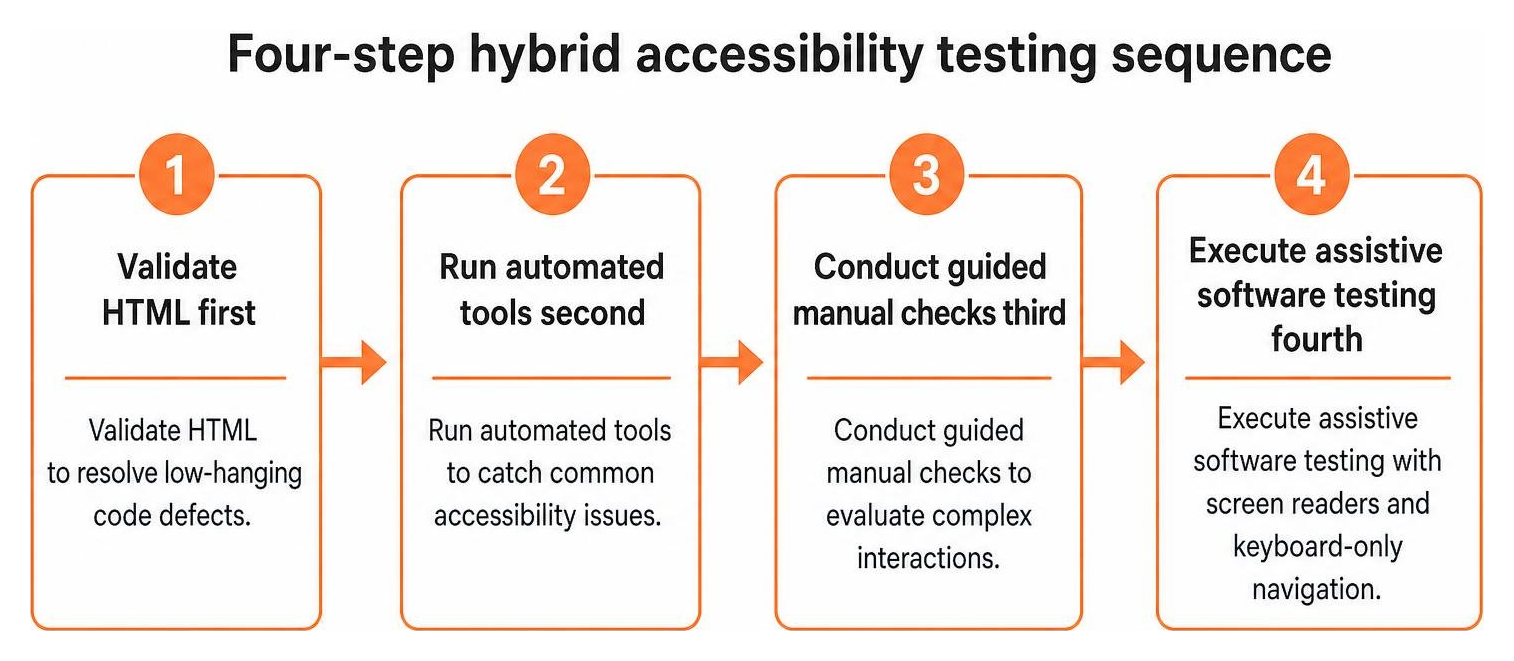
This sequence prevents wasted effort by resolving low-hanging code defects before human reviewers evaluate complex interactions. To prevent regressions in active codebases, our guide on smart automated accessibility testing outlines how to configure automated checks within agile sprints.
Automated Quality Gates in Development Cycles
Shifting accessibility testing into early development helps prevent barriers before they merge into production branches. Teams can implement automated quality gates by:
- Running accessibility linters within code editors to alert developers to missing tags during drafting.
- Configuring continuous integration checks that scan pull requests and flag regressions automatically.
- Performing automated component audits inside shared design systems to ensure UI elements are accessible before reuse.
- Running scheduled site-wide scans every month to monitor template health across large content libraries.
Periodic Expert Audits and VPAT Documentation
While automated monitoring runs in the background, organizations require periodic manual audits conducted by accessibility professionals. Formal compliance documentation, including Voluntary Product Accessibility Templates (VPATs) used for vendor procurement, requires rigorous manual verification against all WCAG 2.2 Level A and AA success criteria.
At WCAG Pros, our team in Norco CA delivers comprehensive page-by-page audits evaluating all 54 WCAG points. We provide concrete code fixes and conduct free re-audits to issue verifiable compliance badges, ensuring your organization meets Section 508 and ADA requirements.
Frequently Asked Questions About Accessibility Testing
Can automated testing alone make a website WCAG 2.2 compliant?
No. Automated tools can only evaluate a fraction of WCAG 2.2 success criteria. Programmatic rules cannot determine whether alt text is meaningful, reading order is logical, error guidance is clear, or dynamic components work properly with assistive technologies. Complete WCAG 2.2 conformance requires human manual testing.
What percentage of accessibility issues can automated tools detect?
A single automated tool detects up to 40% of standard accessibility issues. Combining multiple automated scanning engines can raise detection coverage to roughly 50%. The remaining 50% or more of accessibility barriers require manual evaluation, keyboard testing, and screen reader verification.
When should teams prioritize manual testing over automated scans?
Teams should prioritize manual testing on high-risk, mission-critical user workflows. These include authentication and onboarding flows, checkout processes, interactive web forms, dynamic modal dialogs, and newly launched page templates.
Conclusion
Relying solely on automated checkers leaves organizations exposed to legal risk and creates usability barriers for visitors with disabilities. True digital accessibility requires a balanced strategy that unites the speed of automated scans with the context and judgment of expert manual auditing.
If you are ready to evaluate your website, begin by reviewing our list of free online accessibility checkers for initial scanning, and partner with WCAG Pros to complete a full manual audit for long-term ADA compliance and digital inclusion.
Read more website accessibility articles
Get Help With Your Website
We'll follow up with info about:
- The process
- Cost
- Timeline
We promise to respect your privacy, and never abuse the information you provide. We will not sell or rent your information to any third party.
By submitting this form, you consent to receive SMS messages and/or emails from SEM Dynamics LLC, dba WCAG Pros. To unsubscribe, follow the instructions provided in our communications. Msg & data rates may apply for SMS. Your information is secure and will not be sold to third parties.