
WCAG 2 Compliance: Demystifying Levels A, AA, and AAA
WCAG 2 Compliance: Demystifying Levels A, AA, and AAA
What WCAG 2 Compliance Levels Mean for Your Website
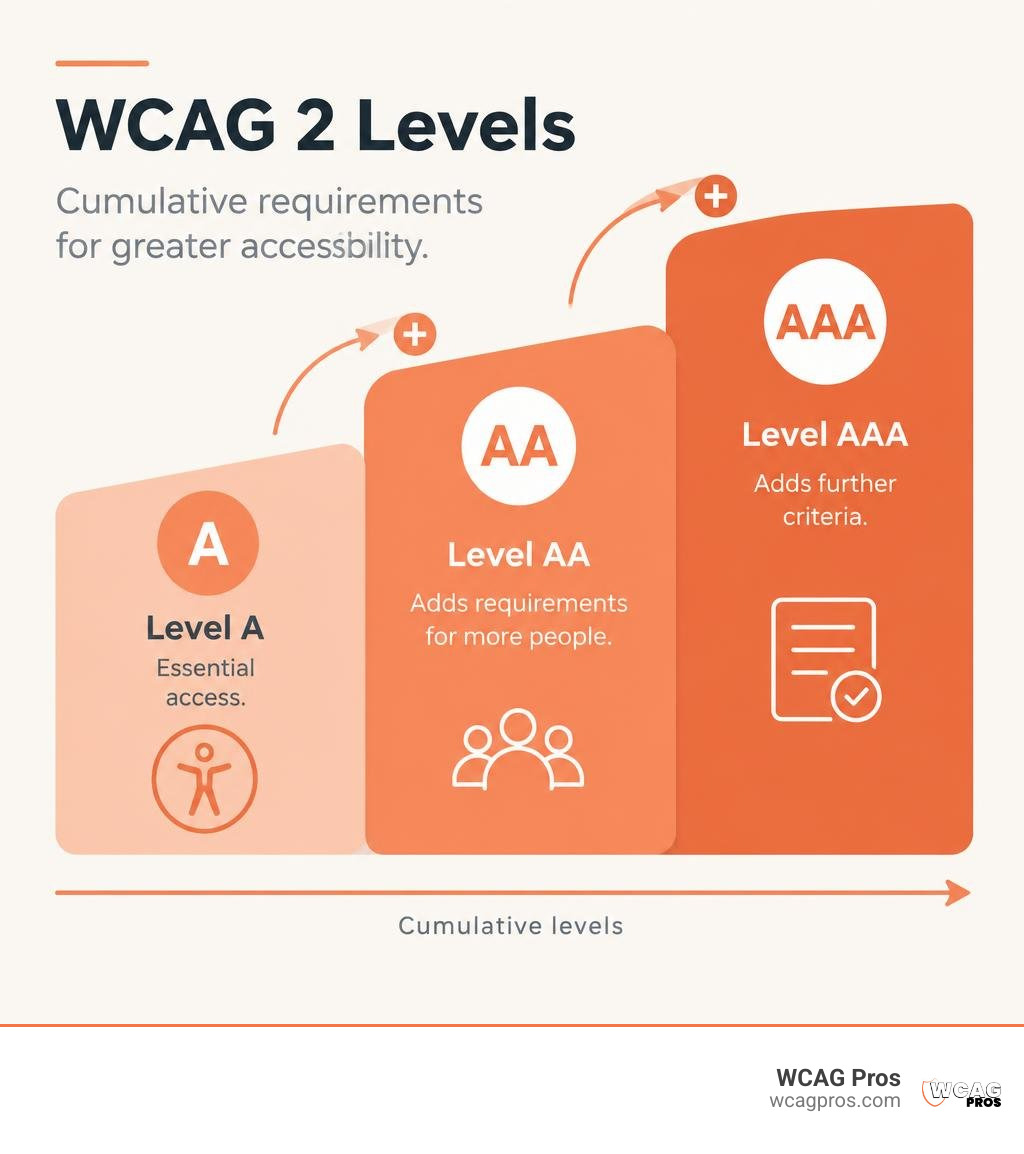
WCAG 2 compliance has three levels. Level A covers essential access. Level AA adds requirements that make more tasks usable for more people and is the usual target for organizations. Level AAA adds the most demanding criteria. Each level includes the requirements below it.
For most commercial websites, WCAG 2.2 Level AA is a practical goal, but meeting it does not automatically settle every legal question. The right starting point is to test your site’s key tasks, fix barriers, and check again when the site changes.
I’m Matthew Post, co-founder of WCAG Pros, and I’ve spent more than 20 years in web development. I oversee audits and remediation projects that help businesses work toward WCAG 2 compliance.
Explore more about WCAG 2 compliance:
What is WCAG 2 and Why Does It Matter for Web Accessibility?
The Web Content Accessibility Guidelines, created by the World Wide Web Consortium, define international technical standards for digital accessibility. The guidelines provide clear benchmarks that explain how to make websites, software applications, and electronic files fully usable for individuals with visual, auditory, motor, or cognitive disabilities.
WCAG 2 is approved internationally as ISO/IEC 40500, which gives it universal weight across regulatory bodies worldwide. Digital accessibility is fundamentally an issue of digital civil rights. When an online banking portal or store checkout fails to support assistive technologies, it excludes millions of people from daily economic and civic life.
The standards are built on technology-agnostic success criteria. Whether you build interfaces in vanilla HTML, React, or modern mobile frameworks, the underlying accessibility requirements remain the same. The standards maintain full backward compatibility across versions. Meeting the updated criteria of WCAG 2.2 guarantees that your content also meets the foundational rules established in earlier publications. You can review the official WCAG 2 Overview from the W3C Web Accessibility Initiative or consult The Definitive Guide to WCAG Guidelines to understand the complete structural framework.
The Four POUR Principles Guiding Accessibility
Every rule in WCAG 2 connects directly to four guiding principles known as POUR. These principles shape how assistive technology interacts with digital content.
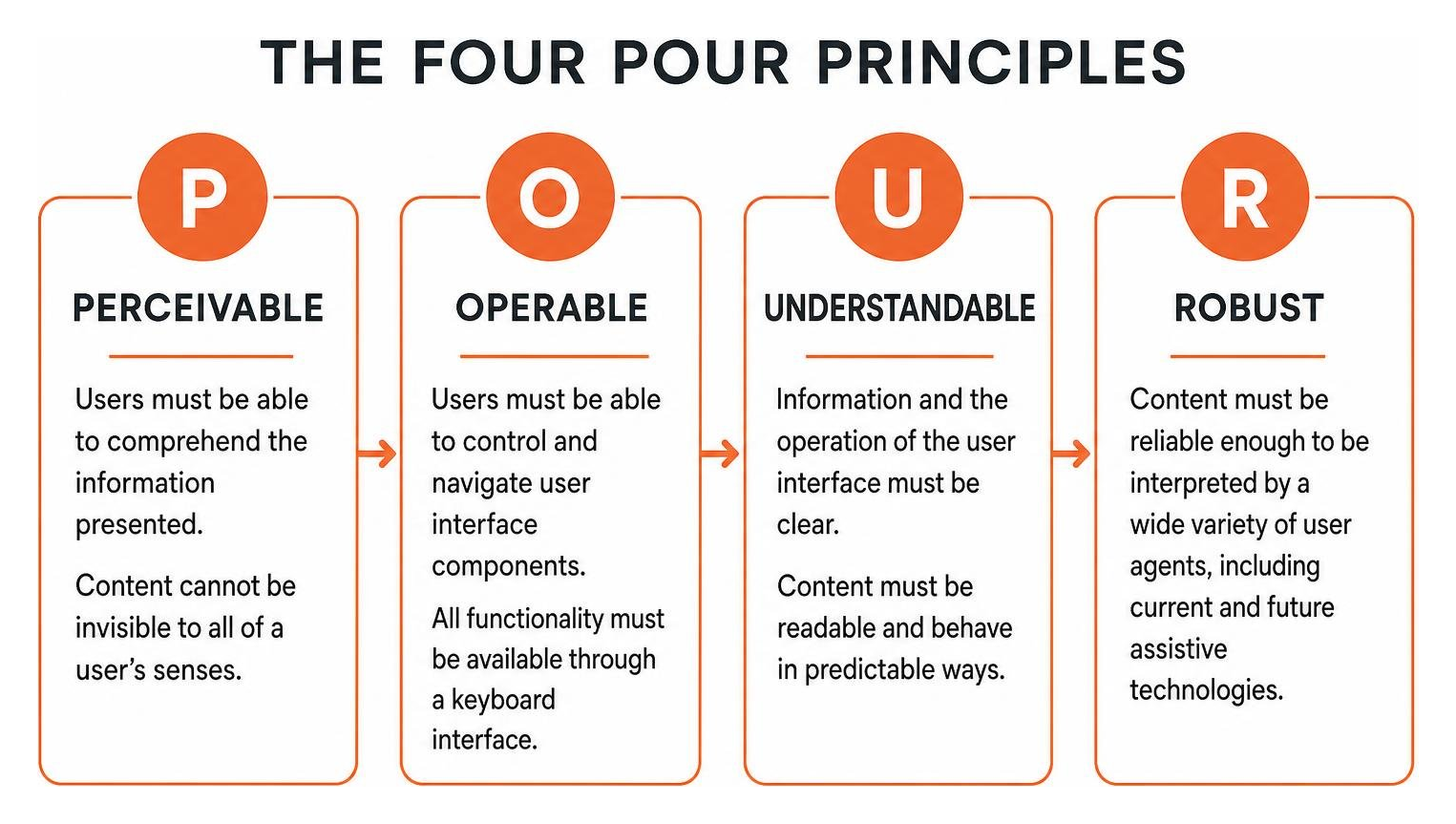
- Perceivable: Users must be able to comprehend the information presented. Content cannot be invisible to all of a user’s senses. This principle requires alternative text for images, captions for multimedia, and sufficient color contrast so that screen reader software and individuals with low vision can perceive every element.
- Operable: Users must be able to control and navigate user interface components. All functionality must be available through a keyboard interface without requiring a mouse. Navigation must be logical, interactive targets must be easy to activate, and users must receive enough time to complete actions.
- Understandable: Information and the operation of the user interface must be clear. Text content must be readable, pages must behave in predictable ways, and forms must offer input assistance with clear error suggestions.
- Robust: Content must be reliable enough to be interpreted by a wide variety of user agents, including current and future assistive technologies. This relies on clean structural markup and appropriate ARIA roles so that assistive tools interpret the document object model accurately.
Demystifying the 3 Levels of WCAG 2 Compliance
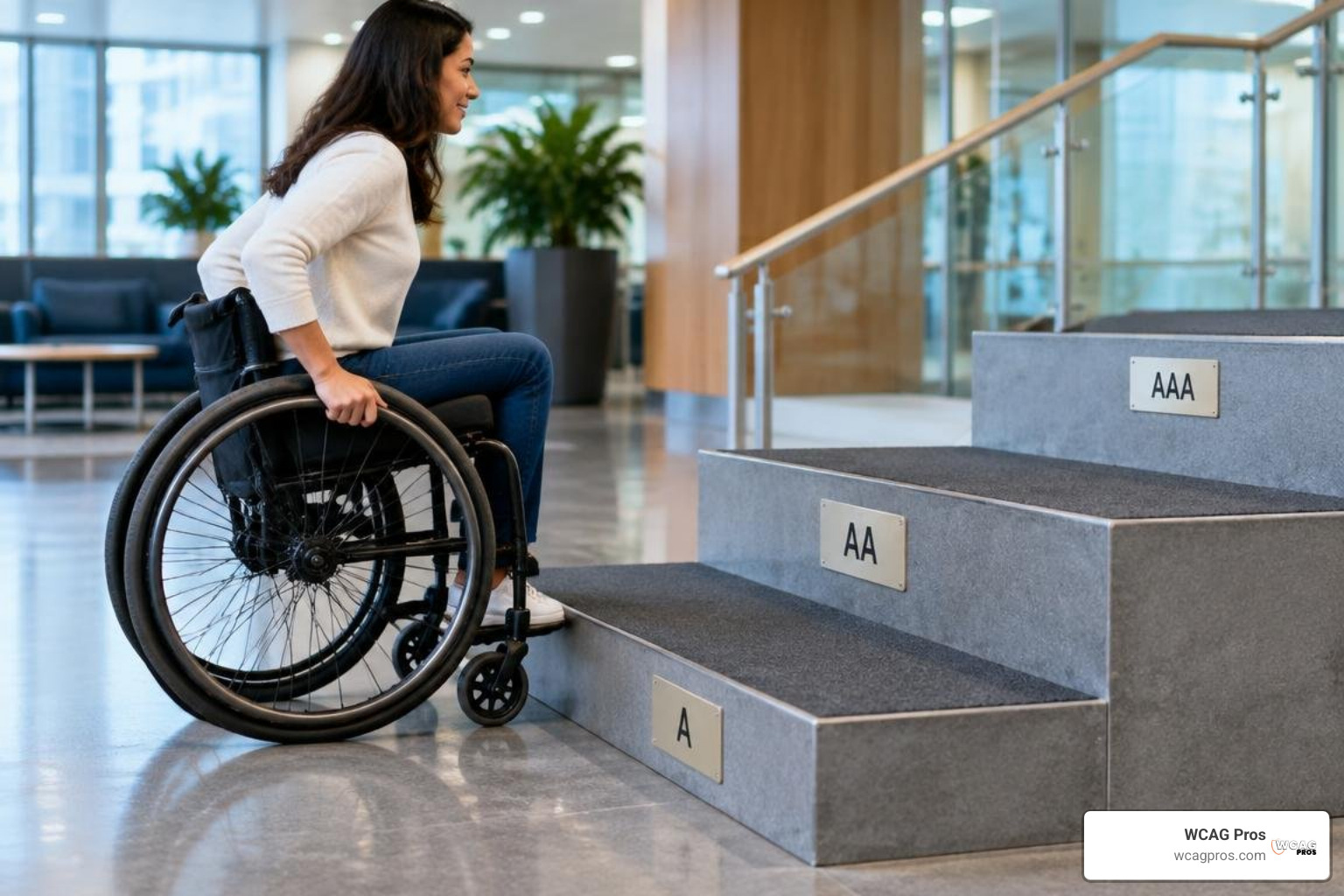
WCAG 2 structures its testable success criteria into three progressive tiers: Level A, Level AA, and Level AAA. These levels are strictly cumulative. You cannot claim Level AA conformance without first meeting every single Level A requirement, and you cannot achieve Level AAA without satisfying all criteria from Levels A and AA.
| Conformance Level | Primary Focus | Practical Application | General Regulatory Expectation |
|---|---|---|---|
| Level A | Basic accessibility safeguards | Eliminates catastrophic barriers that completely block access | Minimum baseline, rarely sufficient alone |
| Level AA | Comprehensive real-world usability | Resolves common barriers across desktop and mobile devices | Standard legal benchmark globally |
| Level AAA | Specialized, advanced adaptations | Enhances specific experiences for targeted user groups | Applied selectively, not required sitewide |
Level A: Essential Baseline Accessibility
Level A represents the absolute minimum foundation for digital inclusion. It addresses severe barriers that prevent people with disabilities from interacting with a webpage.
Failing a Level A criterion often creates an absolute dead end for assistive technology users. Key requirements at this level include:
- Providing text alternatives for non-text content so screen readers can describe images, icons, and diagrams.
- Ensuring full keyboard operability without trapping focus inside custom widgets or modal dialogs.
- Supplying synchronized text captions for prerecorded video content.
- Implementing bypass blocks, such as visible skip-to-content links, so keyboard users can bypass repetitive navigation menus.
- Providing clear, programmatic error identification when a user submits an incomplete form.
While essential, Level A alone does not create a fully accessible experience and leaves significant usability gaps for users with low vision or cognitive differences.
Level AA: The Standard Benchmark for WCAG 2 Compliance
Level AA tackles the most common and pervasive barriers encountered across modern web applications. Because it balances robust accessibility with design flexibility, Level AA serves as the global standard for business and public sector websites.
Meeting Level AA ensures that your digital products accommodate a broad spectrum of real-world needs. Core success criteria at Level AA include:
- Maintaining a minimum color contrast ratio of 4.5:1 for normal body text and 3:1 for large text and graphical interface components.
- Displaying a clear, visible focus indicator when interactive elements receive keyboard focus.
- Supporting content reflow so responsive pages adapt down to a width of 320 CSS pixels without horizontal scrolling or loss of information.
- Allowing text resizing up to 200 percent without breaking the visual layout.
- Providing accessible authentication mechanisms that do not rely on cognitive function tests, such as memorizing passwords or solving complex puzzles, without an easy alternative.
To explore these technical benchmarks in detail, review A Comprehensive Guide to WCAG 2.2 Level AA Standards and consult public guidelines such as the Americans with Disabilities Act Digital Accessibility Information.
Level AAA: Advanced and Specialized Conformance
Level AAA is the highest tier of accessibility. It introduces rigorous success criteria designed for specialized user needs and high-dependency environments.
The W3C explicitly notes that it is not recommended to require Level AAA conformance across entire websites, as certain types of dynamic content cannot satisfy every AAA criterion. Key Level AAA standards include:
- Providing enhanced visual contrast with a ratio of at least 7:1 for normal text.
- Supplying sign language interpretation for all prerecorded audio and video media.
- Offering contextual help and plain-language alternatives for complex reading levels.
- Preventing any timing restrictions on content or giving users complete control over time limits.
Organizations typically adopt specific Level AAA criteria in targeted sections, such as patient portals or essential civic tools, to support maximum inclusion. For an in-depth comparison of these upper tiers, see The Great Debate: WCAG AA vs AAA Explained.
Legal Requirements and Global Standards in 2026
Digital accessibility legislation has expanded rapidly, establishing clear technical standards for public entities and commercial enterprises.
In the United States, Title II of the ADA requires state and local government entities to conform to Level AA standards across all public web portals and native mobile applications. For private businesses operating places of public accommodation under ADA Title III, federal courts routinely rely on Level AA as the primary benchmark when evaluating digital discrimination claims and consent decrees. Federal agencies and their contractors must also satisfy Section 508, which aligns directly with Level AA criteria.
Internationally, the European Accessibility Act enforces strict digital accessibility requirements across commercial e-commerce, banking, and consumer digital services using the harmonized EN 301 549 technical standard.
Failing to maintain conformance exposes organizations to substantial legal, financial, and reputational risk. In 2025 alone, plaintiffs filed 3,948 ADA website accessibility lawsuits in federal courts, with over 45 percent of actions targeting repeat defendants whose one-time fixes failed to prevent compliance decay. Proactive conformance protects your business from costly litigation while expanding your audience reach. For an overarching review of current mandates, read our WCAG Compliance Guide 2026.
Extending WCAG 2 Conformance to Non-Web Content
Accessibility requirements extend well beyond standard desktop web pages. Regulatory frameworks apply these identical principles across all digital touchpoints:
- Native Mobile Apps: Touch target sizes, screen rotation flexibility, and mobile screen reader gestures on iOS VoiceOver and Android TalkBack must satisfy Level AA standards.
- Electronic Documents: Publicly distributed PDF, Word, PowerPoint, and spreadsheet files must contain tagged reading orders, real headings, and descriptive image alt text.
- Enterprise Software and Authoring Tools: Internal software platforms and customer portals must support keyboard navigation and programmatic name-role-value bindings.
- Vendor Management: Procurement teams should actively collect and verify Voluntary Product Accessibility Templates to confirm third-party software accessibility.
Practical Strategies for Testing and Implementation
Building sustainable accessibility requires a structured testing workflow that blends automated tooling with expert manual evaluation. Automated scans catch immediate syntax issues, but manual reviews ensure that interactive workflows truly function for people with disabilities.

To establish an effective testing cadence, organizations should follow a clear multi-stage implementation pipeline. You can review our detailed roadmap in Step-by-Step WCAG Conformance Testing Strategies That Ensure Accessibility.
How to Audit and Test for WCAG 2 Compliance
An effective audit combines automated tools, code inspection, and assistive technology walkthroughs:
- Automated Scans: Use automated engines like axe DevTools to rapidly detect objective structural defects, such as missing language tags, basic color contrast failures, and broken form field associations.
- Keyboard-Only Inspections: Disconnect your mouse and navigate the entire user journey using only the Tab, Shift+Tab, Enter, Space, and Arrow keys. Ensure focus rings remain visible and that no interactive components trap the keyboard.
- Screen Reader Validation: Test critical conversion paths with NVDA, JAWS, or VoiceOver to verify that custom ARIA widgets announce accurate names, roles, states, and value changes.
- Reflow and Zoom Checks: Zoom your browser to 400 percent to verify that page content reflows cleanly without horizontal clipping or overlapping containers.
Because automated scanning tools detect roughly one-third of all potential accessibility violations, human evaluation remains essential. Learn how to perform these hands-on evaluations using our guide to WCAG 2.2 Manual Testing 101.
Common Remediation Pitfalls and Governance
Many organizations make the critical mistake of treating digital accessibility as a one-time development project. As content teams publish new articles, designers introduce refreshed themes, and engineers push code updates, unmonitored sites experience rapid compliance decay.
Another common pitfall is relying on automated third-party overlay widgets or temporary script injections. These tools cannot fix deep architectural defects in HTML structures or ensure logical screen reader announcements, and they do not prevent legal exposure.
Sustainable compliance requires component-level remediation within your core design system and templates. Once you fix a reusable header, navigation bar, or form component at the code level, you instantly resolve violations across thousands of downstream pages. Finally, document your progress by publishing a transparent accessibility statement that lists your conformance target, ongoing remediation efforts, and direct contact details for users requesting accommodations.
Frequently Asked Questions About WCAG 2 Compliance
Which WCAG 2 conformance level is legally required for most organizations?
Level AA is the recognized legal and commercial standard. It is directly referenced by ADA Title II regulations, the European Accessibility Act through EN 301 549, Section 508, and major federal court settlements involving commercial websites. Level A is insufficient to ensure reasonable usability, while Level AAA is designed for specialized applications rather than entire commercial platforms.
Can automated testing tools achieve complete WCAG 2 conformance?
No. Automated testing software can reliably detect only about 30 to 40 percent of all success criteria. Automated checkers can easily identify whether an image has an alt attribute, but they cannot evaluate whether the alternative text accurately describes the image in context. Automated tools also struggle to assess logical reading orders, meaningful focus sequences, and complex custom ARIA interactions. Achieving full conformance requires hands-on manual testing with screen readers and keyboard navigation.
What is the difference between WCAG 2.0 and WCAG 2.2?
WCAG 2.0 established the initial 12 guidelines and 54 success criteria across four principles. WCAG 2.2 expands this framework by adding criteria specifically targeting mobile device interactions, touch target sizing, low-vision navigation, visible focus indicators, and accessible authentication for individuals with cognitive disabilities. Because the standards are backward compatible, conforming to WCAG 2.2 automatically satisfies all historical requirements from WCAG 2.0.
Conclusion
Achieving and maintaining digital accessibility requires continuous monitoring, structured code remediation, and clear governance. At WCAG Pros, our team in Norco CA delivers comprehensive page-by-page audits evaluating all Level A and Level AA success criteria. We pair our technical evaluations with precise code fixes and provide free re-audits to grant verified compliance badges, ensuring your digital presence remains welcoming, accessible, and legally protected.
To begin building an inclusive digital environment for all users, explore our complete web accessibility guidelines today.
Read more website accessibility articles
Get Help With Your Website
We'll follow up with info about:
- The process
- Cost
- Timeline
We promise to respect your privacy, and never abuse the information you provide. We will not sell or rent your information to any third party.
By submitting this form, you consent to receive SMS messages and/or emails from SEM Dynamics LLC, dba WCAG Pros. To unsubscribe, follow the instructions provided in our communications. Msg & data rates may apply for SMS. Your information is secure and will not be sold to third parties.