
WCAG Compliant Websites: Practical Takeaways from Accessible Brands
WCAG Compliant Websites: Practical Takeaways from Accessible Brands
What Accessible Websites Get Right
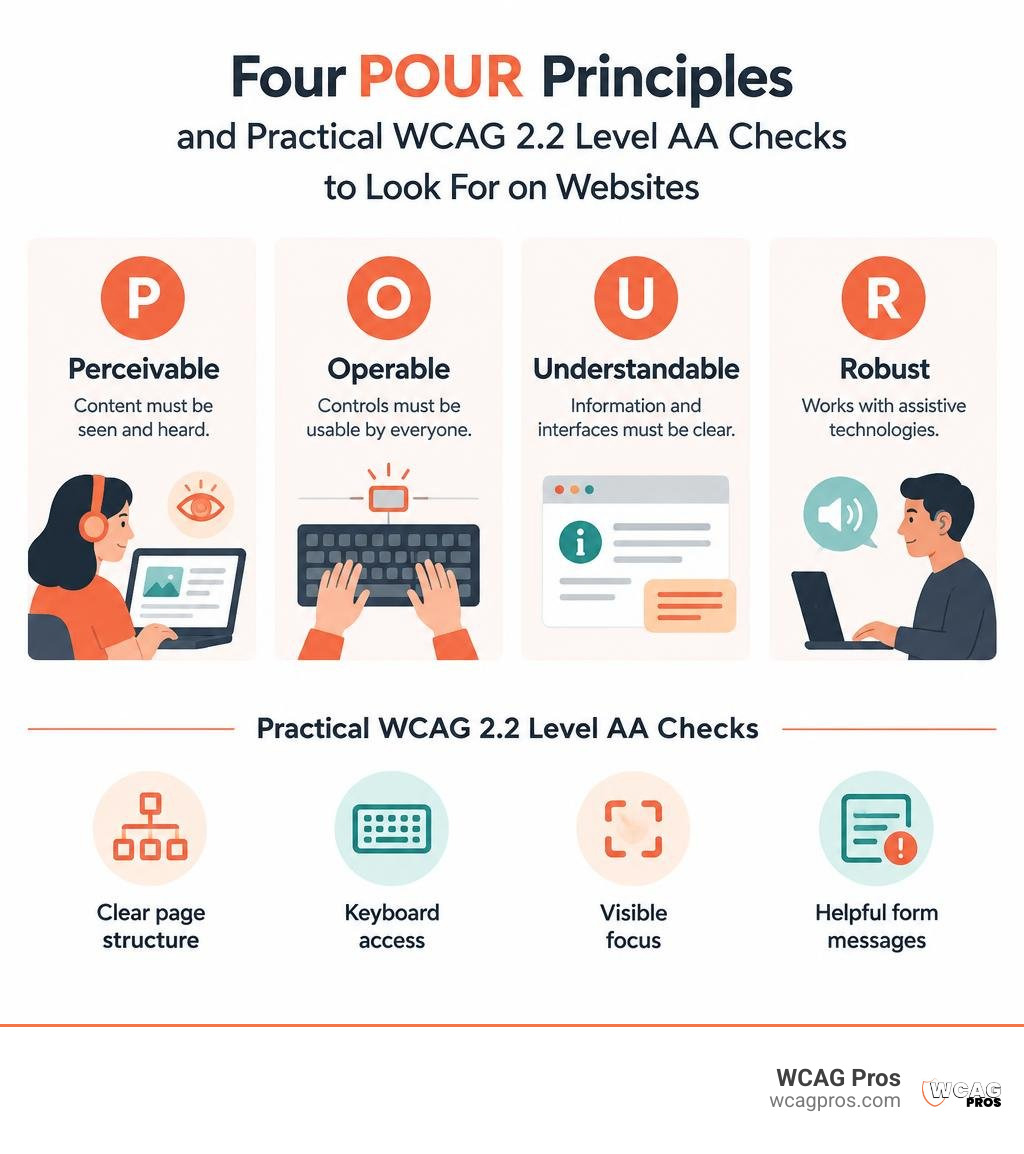
Looking for examples of WCAG compliant websites? Start with the W3C Design System’s navigation and public websites built with the U.S. Web Design System. Look for clear page structure, keyboard access, visible focus, and forms that tell users what went wrong. These are useful examples to study, not proof that every page meets WCAG.
In 2026, WCAG 2.2 Level AA is a practical target for new work. Its four principles are simple: people must be able to perceive content, operate controls, understand what happens, and use the site with assistive technology. Accessibility also matters to businesses facing ADA obligations or rules under the European Accessibility Act.
I’m Matthew Post, co-founder of WCAG Pros. I’ve spent more than 20 years in web development and now oversee audits and fixes that help businesses build WCAG compliant websites.
Related content about WCAG compliant websites:
What Defines WCAG Compliant Websites in 2026?
Building truly accessible digital experiences requires understanding global standards. The Web Content Accessibility Guidelines, maintained by the W3C, set the international technical benchmark. Today, roughly 16% of the global population experiences some form of disability. Digital accessibility is no longer optional. It is essential for human inclusion, brand reach, and legal protection.
Data from The WebAIM Million 2025 report shows that 94.8% of the top one million homepages still contain detectable WCAG failures, averaging 51 errors per page. Even more striking is that 96% of all detected errors fall into six basic categories:
- Low contrast text
- Missing alternative text for images
- Missing form input labels
- Empty links
- Empty buttons
- Missing document language declarations
Homepages have grown 61% more complex over the past six years, rising to an average of 1,257 elements per page. As complexity climbs, disciplined adherence to WCAG becomes vital.
| Conformance Level | Technical Focus | Common Requirements | Legal Relevance in 2026 |
|---|---|---|---|
| Level A | Basic web accessibility | Native HTML structure, keyboard navigation, image alt text | Baseline foundation, rarely sufficient alone |
| Level AA | Comprehensive inclusion | 4.5:1 text contrast, focus visibility, accessible authentication, target sizes | Global legal benchmark (ADA, Section 508, EAA) |
| Level AAA | Specialized enhancements | 7:1 contrast, sign language interpretation, extended timeouts | Targeted specialized environments |
Core Technical Pillars: The POUR Framework in Practice
Every success criterion in WCAG rests on four foundational principles. We can review them in depth through the definitive guide to WCAG guidelines:
- Perceivable: Information and interface components must be presentable to users in ways they can perceive. Text must meet minimum color contrast ratios of 4.5:1 for standard text and 3:1 for large text. Non-text elements such as images need descriptive text alternatives.
- Operable: Interface components and navigation must be operable via multiple input modes. Keyboard-only users must navigate every interactive element without encountering keyboard traps.
- Understandable: Information and UI operations must be clear. Pages require declared languages, predictable navigation, and helpful form validation messages.
- Robust: Content must be robust enough to work reliably across diverse user agents, including assistive tools. This means writing clean semantic HTML and minimizing custom ARIA when native HTML tags already convey the proper role and state.
What’s New in WCAG 2.2 vs Older Baselines
Organizations updating their web assets should reference our comprehensive guide to WCAG 2.2 Level AA standards. WCAG 2.2 builds upon previous iterations to address mobile usability, cognitive impairments, and modern authentication flows:
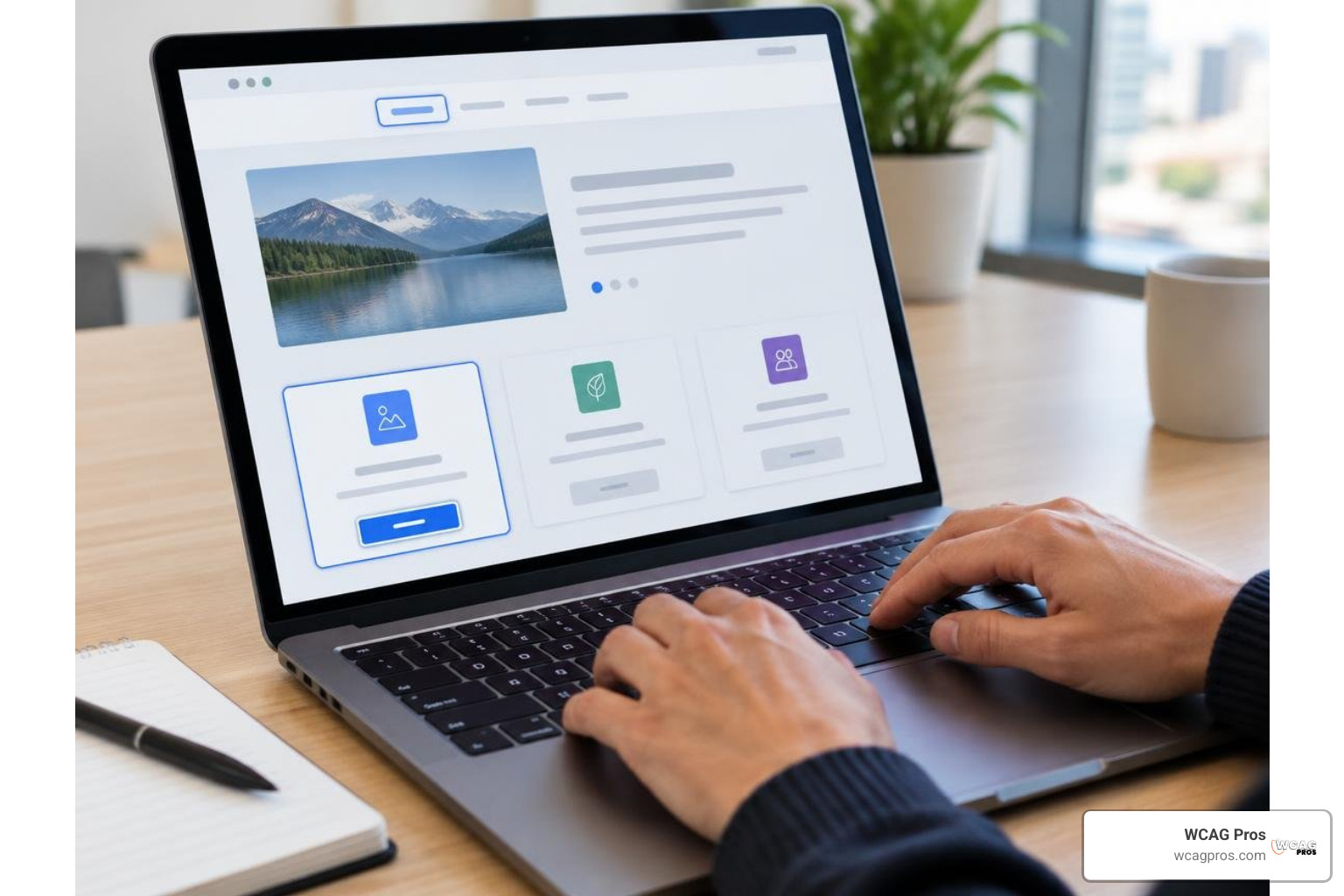
- Focus Appearance (2.4.11 / 2.4.13): Focus indicators must have sufficient size and contrast against adjacent backgrounds, ensuring keyboard users never lose their place.
- Target Size Minimum (2.5.8): Interactive touch and click targets must be at least 24 by 24 CSS pixels, or have adequate spacing around them, preventing accidental activations.
- Accessible Authentication (3.3.8): Login flows must not rely on cognitive function tests such as memorizing passwords or solving complex puzzles, unless alternative assistance or password manager support is provided.
- Redundant Entry (3.3.7): Previously entered information in multi-step processes must be auto-populated or available for selection to reduce cognitive strain.
- Dragging Movements (2.5.7): Features that rely on dragging motions, such as sliders or reorderable lists, must offer a simple single-pointer click alternative.
Practical Lessons from Leading Accessible Brands
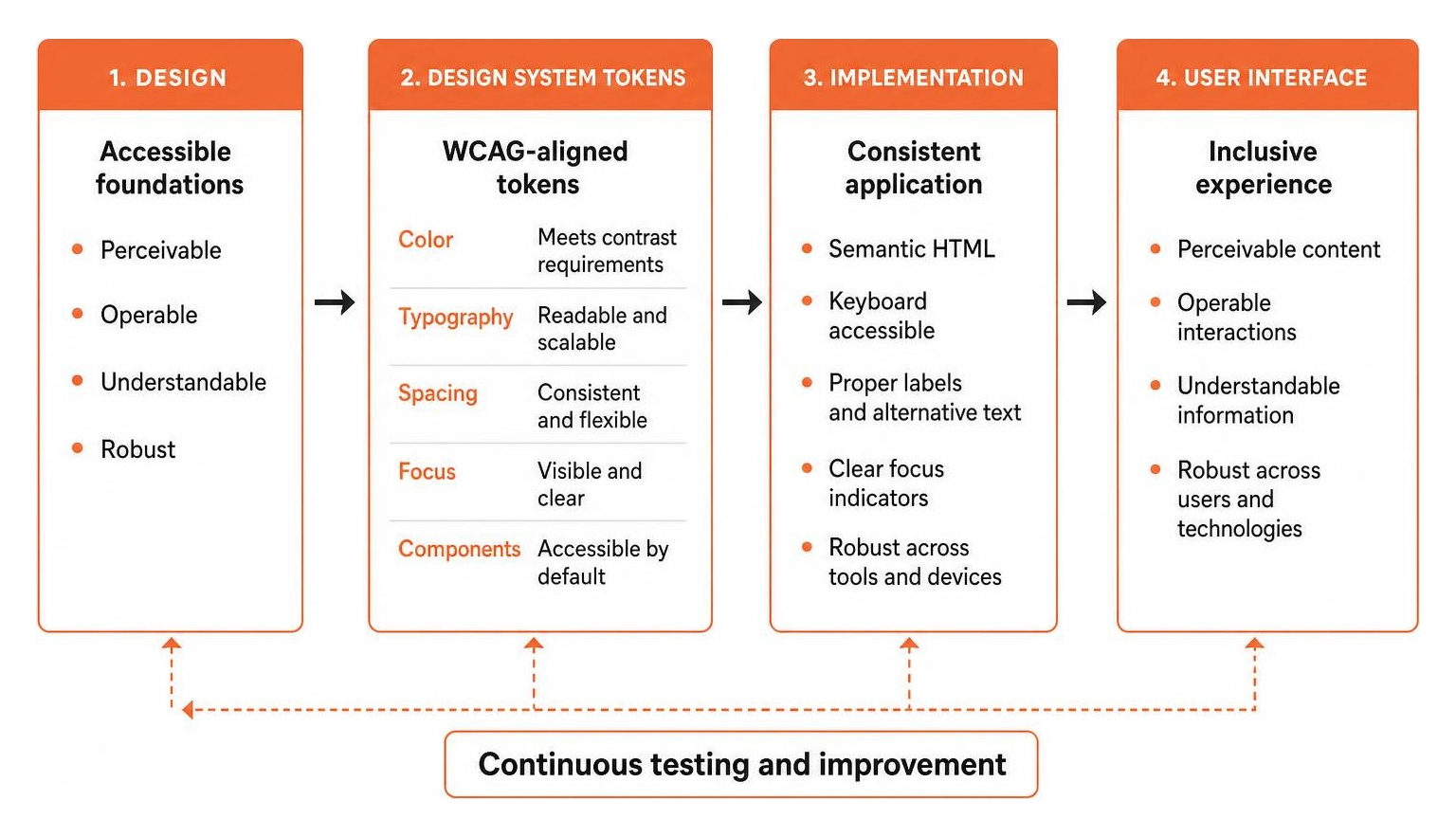
Accessible brands build accessibility directly into their platforms from the start. Platforms adopting an accessible by default: built in, not bolted on philosophy deliver core content through resilient HTML and CSS before layering advanced client-side scripts.
By using design tokens that enforce WCAG contrast thresholds across color palettes, typography, and motion preferences, engineering teams prevent regressions automatically.
Lessons from Leading WCAG Compliant Websites
The W3C design system showcases how global navigation should function. Under the W3C Design System navigation guidelines, menus use clean markup, bypass blocks, and polite live regions:
- Live Region Announcements: Screen readers receive non-intrusive status updates when dynamic content changes without interrupting the user.
- Bypass Blocks and Skip Links: A keyboard-accessible link at the top of the page allows users to skip past header menus directly to primary content.
- Keyboard Routing: Submenus open and close predictably using standard Tab, Escape, and Arrow keys.
- Multilingual Clarity: Language pickers use both
hreflangandlangattributes, paired with descriptive screen-reader text.
Government portals built on the U.S. Web Design System apply these principles across complex forms and high-traffic public services, proving that rigorous compliance scales smoothly.
Enterprise E-Commerce and Content Platforms
WordPress powers over 43% of the web in 2026. Forward-thinking e-commerce brands and publishers build their WordPress ecosystems around accessible themes and clean code, avoiding heavy page-builder bloat.
To maintain compliance, teams implement the requirements detailed in our complete guide to WCAG AA compliance requirements:
- Structuring main layouts with native HTML5 landmarks (
header,nav,main,footer). - Labeling every form input with explicit
labelelements rather than placeholder text. - Synchronizing accurate captions and audio transcripts for all video content.
- Providing immediate, accessible inline error validation during multi-step checkout processes.
Architectural Blueprint: Building and Maintaining Accessible Codebases
Treating accessibility as an ongoing engineering discipline ensures digital platforms remain compliant as new features roll out.

A key technical requirement is satisfying WCAG 2.4.7 Focus Visible requirements. CSS resets that use outline: none without providing a replacement style create immediate barriers. Modern styling should use :focus-visible to present a 2px to 3px high-contrast ring for keyboard navigators while keeping clicks uncluttered for mouse users.
When auditing digital assets, engineering teams must watch for the six most frequent failure categories:
- Low Contrast Elements: Text and interactive UI elements failing the 4.5:1 ratio against their background.
- Missing Alternative Text: Informative graphics lacking concise text descriptions, or decorative graphics missing empty
alt=""attributes. - Unlabeled Form Fields: Input tags missing programmatic associations with visible text labels.
- Empty Links: Anchor tags containing only icons without accompanying screen-reader text.
- Empty Buttons: Interactive buttons lacking discernible names or aria-labels.
- Missing Language Declarations: HTML documents missing a declared
langattribute in the root element.
Testing and Validating WCAG Compliant Websites
A dependable testing strategy combines automation, manual review, and real-world evaluation. For a deep look at testing stacks, read our guide to web page compliance testing tools.
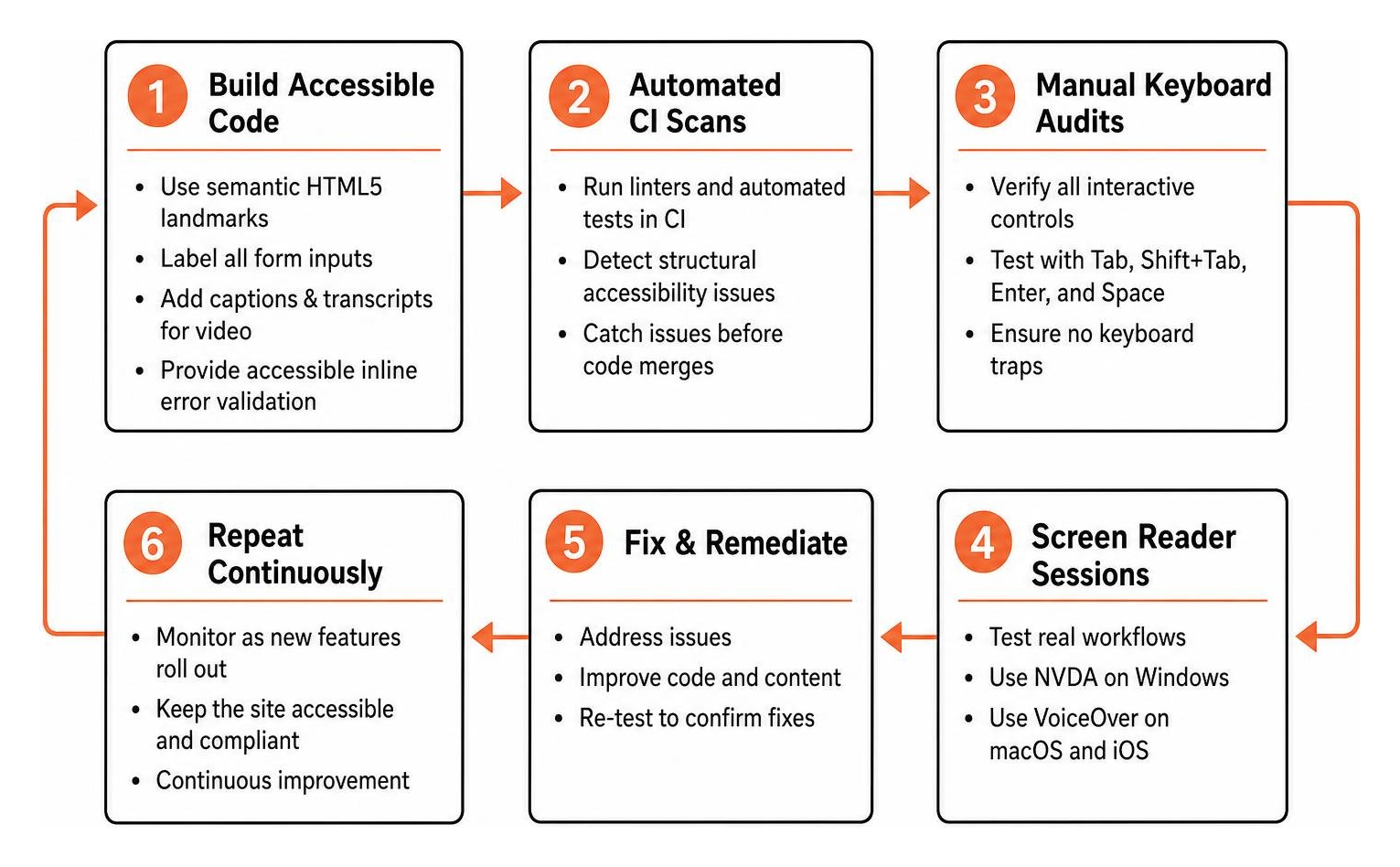
Automated scanners catch roughly 30% to 40% of WCAG issues. The remaining 60% to 70% require human verification. A sustainable testing program includes:
- Automated CI Scans: Linters and automated test runners detect structural issues before code merges.
- Manual Keyboard Audits: Reviewers verify that all interactive controls are operable using Tab, Shift+Tab, Enter, and Space without keyboard traps.
- Screen Reader Sessions: Testers validate workflows using NVDA on Windows and VoiceOver on macOS and iOS.
- Task-Based User Testing: Users with disabilities complete critical journeys to identify practical friction points.
A structured roadmap delivers steady progress:
- First 30 Days: Audit high-impact paths, fix contrast failures, restore focus indicators, and repair form labels.
- 30 to 90 Days: Refactor custom interactive components and implement accessible design tokens.
- 90 to 180 Days: Establish continuous CI checks, conduct user testing, and formalize organizational governance.
SEO and AI Search (GEO) Advantages of Accessible Markup
Building accessible markup creates substantial advantages for search visibility and Generative Engine Optimization. For broader strategic context, see our WCAG compliance guide 2026.
Search engine crawlers and large language model indexing bots process web pages much like assistive technologies do. They interpret the underlying HTML DOM rather than visual styling. Clean heading structures (H1 through H3), descriptive image alt text, and informative link anchors help AI search engines parse and cite your content accurately.
Furthermore, accessible layouts minimize DOM bloat and improve Core Web Vitals, delivering faster load times and smoother user experiences for everyone.
Frequently Asked Questions About Web Accessibility
Which WCAG version and level should websites target in 2026?
Websites should target WCAG 2.2 Level AA. This level meets legal standards across major jurisdictions, including the ADA in the United States, EN 301 549 in the European Union, and international procurement rules. Because WCAG 2.2 is backwards compatible, conforming to 2.2 Level AA automatically satisfies earlier versions.
Can automated fixes make an existing site WCAG compliant?
No. Automated scripts and temporary code patches cannot replace clean source code. Automated scripts manipulate the DOM dynamically but regularly miss structural issues like incorrect heading orders, broken keyboard paths, and inaccurate alt text. They can also interfere with native screen-reader software, creating additional legal risk. Full compliance requires remediating the actual codebase.
How long does it take to remediate an existing website for WCAG compliance?
For a standard business website, remediation typically takes two to eight weeks, depending on template complexity and content volume. Large enterprise platforms or SaaS applications may require several months of iterative development. Organizations can learn more by reviewing our ultimate guide to a WCAG comprehensive website audit.
Conclusion
Creating accessible digital experiences is an ongoing commitment to usability, quality code, and digital equality. Organizations that embed accessibility into their development lifecycle protect themselves from legal risk while expanding their audience to millions of users worldwide.
Maintaining long-term compliance requires sustainable governance, clear procurement standards, and an up-to-date accessibility statement. At WCAG Pros, based in Norco CA, we provide comprehensive page-by-page audits evaluating all 54 WCAG A and AAA points. We pair our technical findings with practical code fixes and free re-audits for your compliance badge. To strengthen your digital presence, explore WCAG guidelines and compliance resources with our team today.
Read more website accessibility articles
Get Help With Your Website
We'll follow up with info about:
- The process
- Cost
- Timeline
We promise to respect your privacy, and never abuse the information you provide. We will not sell or rent your information to any third party.
By submitting this form, you consent to receive SMS messages and/or emails from SEM Dynamics LLC, dba WCAG Pros. To unsubscribe, follow the instructions provided in our communications. Msg & data rates may apply for SMS. Your information is secure and will not be sold to third parties.