
The Definitive Guide to WCAG 2.2 Website Remediation Steps
The Definitive Guide to WCAG 2.2 Website Remediation Steps
Fix Accessibility Barriers With WCAG 2.2 Website Remediation
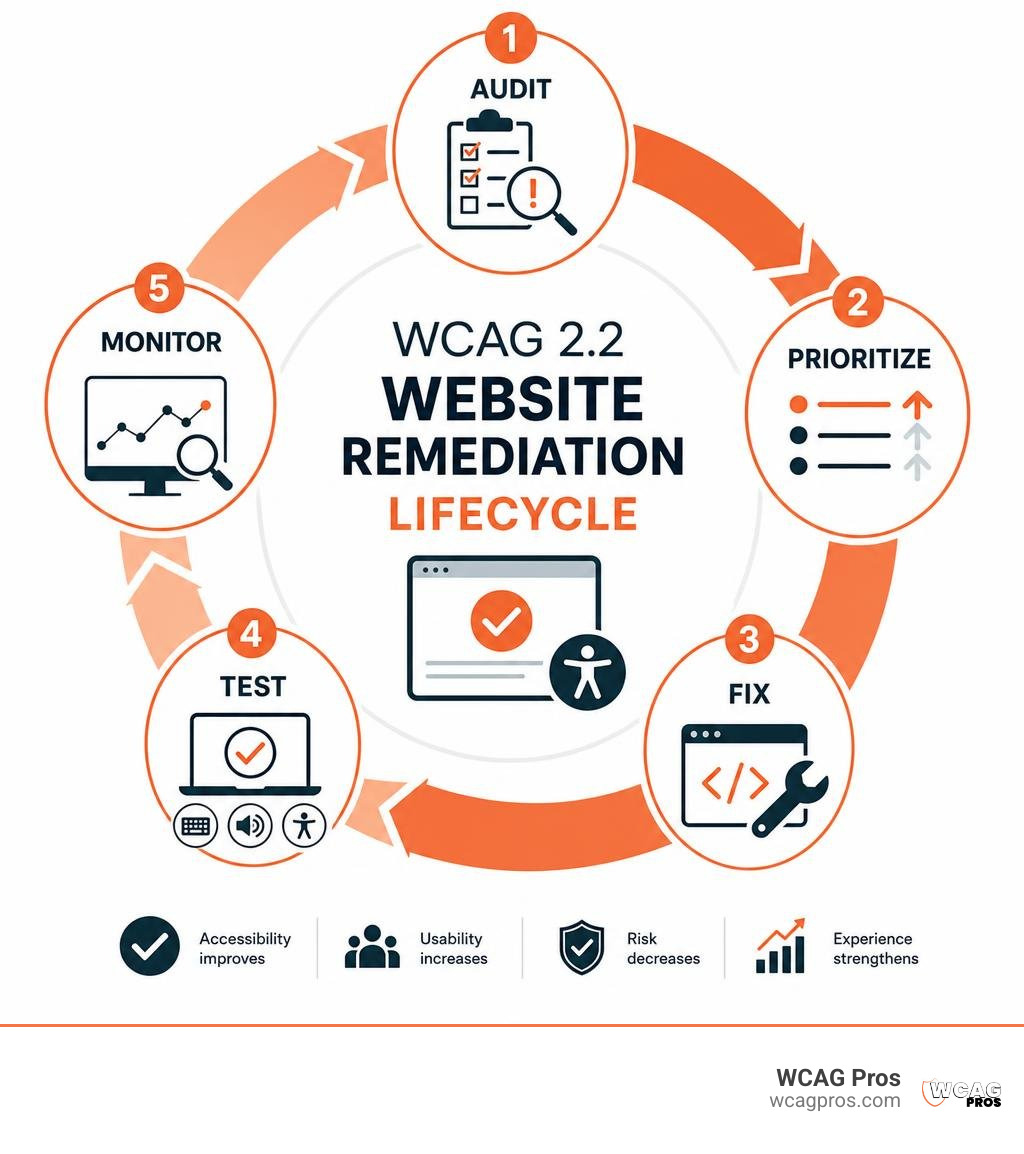
WCAG website remediation means finding, fixing, and verifying the code, content, and design barriers that stop people with disabilities from using your site. Start with a combined automated and manual audit, then fix the highest-impact barriers on key user journeys such as navigation, forms, login, and checkout.
- Identify failures against WCAG 2.2, with Level AA as the practical target.
- Prioritize barriers that block keyboard and screen reader users.
- Make native fixes in your HTML, CSS, JavaScript, and content.
- Retest with automated tools, keyboard-only use, and assistive technology.
An audit tells you what is wrong. Remediation is the work of correcting those problems and proving the fixes work in real use. It is not a one-time scan or a script placed over broken code.
This matters for users and for your business. Many sites still fail basic accessibility checks, while ADA website claims continue to create real legal and operational risk. More importantly, inaccessible pages can cause customers to leave before they can learn, register, contact you, or buy.
I am Matthew Post, co-founder of WCAG Pros and a programmer with more than 20 years of web development experience. Since 2021, I have supervised WCAG website remediation projects that turn audit findings into practical fixes, stronger usability, and lower accessibility risk.
Wcag website remediation basics:
The Core Framework for WCAG Website Remediation
Digital accessibility is rooted in civil rights laws and technical standards designed to create equal access across digital spaces. In the United States, Title III of the Americans with Disabilities Act (ADA) applies to places of public accommodation, which courts interpret to include commercial websites, web applications, and customer portals. Government agencies and contractors are also governed by Section 508 of the Rehabilitation Act. Organizations can review state resources like the Website Accessibility Resources provided by the California Commission on Disability Access to stay informed on regional compliance initiatives.
Recent litigation trends highlight the exposure businesses face. Over 4,000 federal ADA website accessibility lawsuits were filed in 2024 alone. Typical settlements range from $10,000 to $50,000 plus plaintiff attorney fees, with total costs rising higher when defense costs and emergency fixes are included. Navigating these requirements demands a clear understanding of practical solutions, which you can explore in An Essential Guide to ADA Remediation Services for Compliance.
Legal and Technical Conformance Under WCAG 2.2
The Web Content Accessibility Guidelines (WCAG) published by the World Wide Web Consortium (W3C) serve as the global technical benchmark for digital compliance. WCAG 2.2 organizes requirements into three tiers of conformance:
- Level A: The foundational requirements addressing essential barriers such as non-text content alternatives, keyboard traps, and basic page structure.
- Level AA: The standard legally recognized baseline that addresses color contrast, visible focus, form feedback, and responsive navigation.
- Level AAA: The most specialized criteria designed for dedicated environments and advanced usability.
Organizations operating in specific jurisdictions must review local digital compliance mandates. WCAG 2.2 introduces important focus appearance and redundant entry requirements that make Level AA conformance essential for modern legal protection.
Why Audits and Overlays Fail Without Native Code Fixes
Many organizations attempt to resolve accessibility issues by installing third-party JavaScript widgets or overlay toolbars. These overlays attempt to modify page rendering dynamically, but they do not alter the underlying source code. Because automated scripts cannot correct core document object model errors, missing semantic form labels, or broken keyboard tab sequences, overlay-equipped websites still face ADA demand letters and federal lawsuits.
Genuine digital accessibility requires full-code remediation. Removing accessibility barriers at the source ensures screen readers, speech input tools, and custom browser settings interact directly with clean, standards-compliant HTML. For an overview of proactive defense strategies, read The No Lawsuit Guide to Website Remediation.
Manual vs. Automated WCAG Website Remediation
Automated testing tools are fast and cost-effective, but they reliably detect only 30% to 40% of WCAG criteria. Critical issues such as meaningful alternative text, logical heading structures, dynamic state updates, and assistive technology compatibility require human verification.
| Evaluation Metric | Automated Scanning Only | Manual Testing Only | Hybrid Native Remediation |
|---|---|---|---|
| WCAG 2.2 AA Coverage | 30% to 40% of criteria | 100% of criteria on sample pages | 100% full-site structural coverage |
| Speed and Scale | Instantaneous across thousands of URLs | Methodical and sample-based | Rapid automated triage plus targeted manual code fixes |
| Contextual Accuracy | High false positives and missed context | High precision with real-world context | Complete code integrity and practical context |
| Assistive Tech Usability | Cannot simulate real screen reader flow | Real screen reader and keyboard checks | Native code repair validated by assistive technology |
A hybrid remediation strategy pairs automated scanning for rapid error detection with thorough manual inspection by accessibility engineers.
Step-by-Step Process for Comprehensive Website Remediation
Executing a successful remediation project requires an organized workflow that moves from discovery to validation.
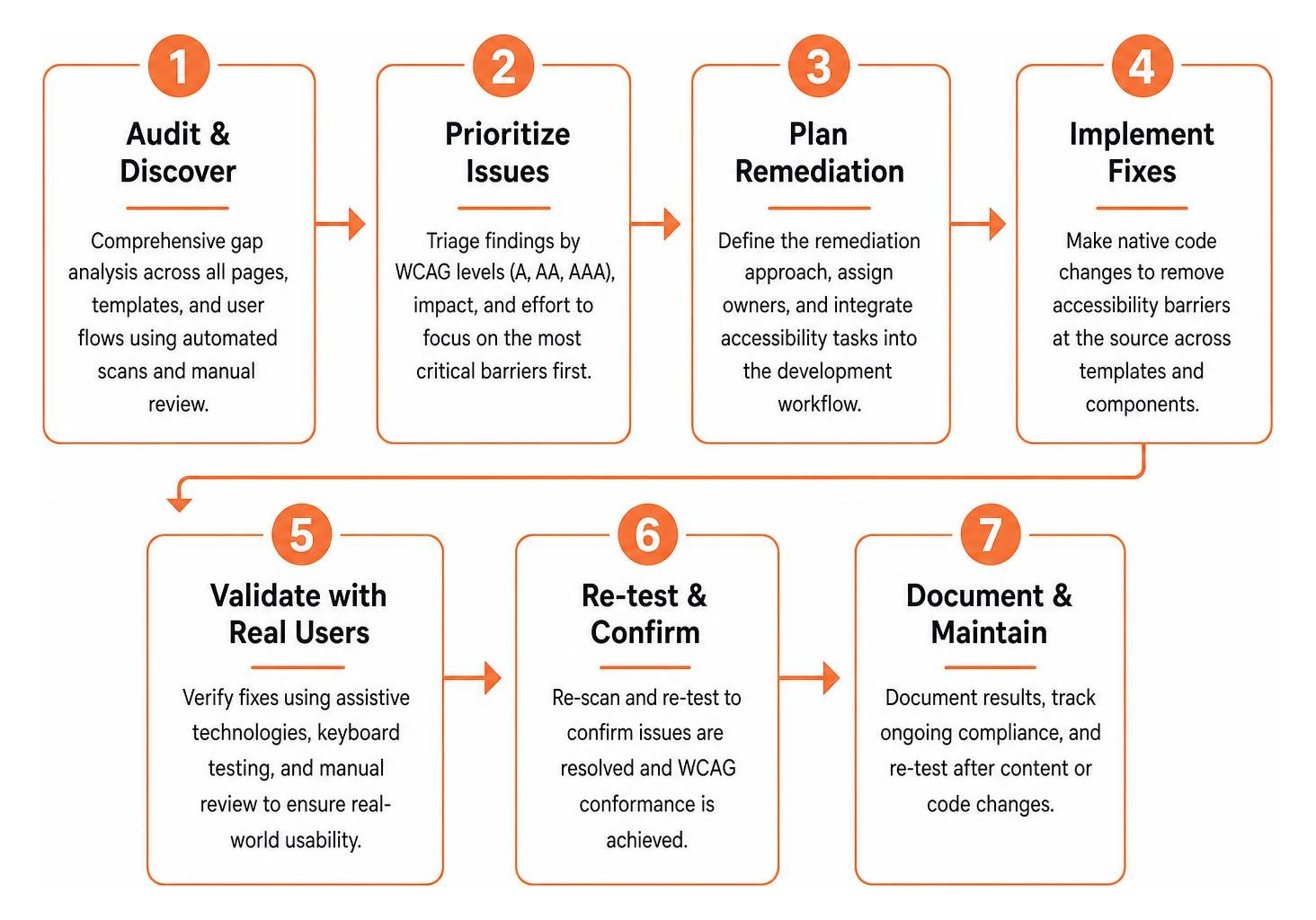
Following a structured roadmap ensures development teams make progress without interrupting ongoing product updates. Learn how auditing lays the foundation in The Complete Guide to Website WCAG Full Audit.
Phase 1: Baseline Auditing and Barrier Discovery
Remediation begins with a comprehensive gap analysis covering all pages, templates, and dynamic user flows. Automated tools scan the codebase for syntax errors, color contrast failures, and missing tags, while manual auditors review screen reader interactions and keyboard functionality across major browsers. To review the mechanics of an initial assessment, check How to Do an Accessibility Audit in 5 Easy to Follow Steps.
Phase 2: Impact-Weighted Prioritization
Audit reports often contain dozens of line items, which can overwhelm technical teams if not properly prioritized. Organizing issues by severity helps developers address the most critical items first:
- Critical Blockers (Week 1): Keyboard traps, missing form submission controls, inaccessible authentication flows, and missing form labels.
- Serious Usability Barriers (Weeks 2-3): Color contrast failures, missing alternative text on informative graphics, and missing visible focus indicators.
- Moderate Enhancements (Week 4): Landmark adjustments, redundant links, and heading sequence refinements.
Prioritizing key paths like checkout flows and lead forms protects users while reducing legal exposure. For quick wins, see How to Fix ADA Website Issues in 5 Easy Steps.
Phase 3: Code and Content Execution
Developers implement direct source code modifications during this phase. Because modern websites rely on modular component libraries and shared templates, fixing a master header, footer, or navigation bar automatically resolves violations across thousands of pages. Technical teams can reference Detailed Accessibility Fixes for a More Inclusive Web when implementing semantic HTML elements and ARIA roles.
Phase 4: Assistive Technology Validation and Retesting
After deploying code updates, our engineers perform regression testing using screen readers like NVDA, JAWS, and VoiceOver, alongside keyboard-only navigation checks. This step confirms all interactive components function properly and provides timestamped documentation demonstrating good-faith compliance efforts. Explore retesting workflows in our ADA Compliance Retest Guide Free.
Technical Strategies for Common Code and Content Barriers

Addressing code barriers directly ensures a site remains accessible across different devices and operating systems. Cost-effective strategies are detailed in Remediation With Fixes That Won’t Break the Bank.
Remediation for Forms, Navigation, and Interactive Elements
Interactive components require clear visual and programmatic cues:
- Explicit Form Labels: Every input field requires a corresponding
tag oraria-labelattribute. Avoid using placeholder text as a substitute for labels, as screen readers frequently skip placeholders. - Focus Indicators: Never remove focus outlines with
outline: noneunless you replace them with a distinct:focus-visiblestyle that provides sufficient contrast against the background. - Skip Navigation Links: Place a hidden skip link at the very top of the page so keyboard users can bypass repetitive navigation menus and jump directly to the
content container. - Dynamic Error Handling: Pair
aria-invalid="true"witharia-describedby="error-id"so error messages are automatically read by screen readers when validation fails.
Remediating Non-HTML Assets: Digital Documents and Media
Remediation extends beyond HTML pages to include downloadable files and multimedia assets:
- PDF and Document Tagging: Ensure all downloadable PDFs conform to PDF/UA standards. Proper document tags preserve heading structures, reading order, and table headers. Converting complex PDFs into native HTML web pages often provides a more reliable user experience.
- Captions and Audio Descriptions: Provide synchronized closed captions for prerecorded video content and full text transcripts for audio-only podcasts.
Refactoring Legacy Codebases and Third-Party Plugins
Older websites and enterprise content management systems often output non-semantic markup filled with generic Digital accessibility requires ongoing maintenance. Every new blog post, design refresh, or plugin update can introduce new barriers if accessibility isn’t built into regular publishing workflows. Publishing a public accessibility statement with an easy feedback mechanism allows visitors to report any issues they encounter. For an overview of long-term compliance strategies, see our In-Depth Guide to Website Remediation Services. Adopting a shift-left approach embeds accessibility testing directly into the development lifecycle: Learn how to plan your long-term roadmap in our Website Accessibility Remediation Guide 2026. Building a sustainable accessibility program involves training designers, engineers, and content editors on accessibility best practices. Establishing clear accessibility key performance indicators and adding vendor conformance requirements to procurement policies helps organizations maintain compliance over time. An accessibility audit is a diagnostic evaluation that catalogs non-compliant code and usability barriers against WCAG standards. Remediation is the technical work of rewriting source code, fixing design assets, and testing updates with assistive technology to resolve those issues. Timelines depend on site size and template complexity. Resolving critical issues on a standard website typically takes several days to a few weeks, while large enterprise platforms or legacy web applications may require several months of planned sprint cycles. No. Automated testing tools detect only 30% to 40% of WCAG success criteria. Evaluating context-dependent requirements like alternative text quality, keyboard navigation flow, and screen reader behavior requires manual review and native code updates by experienced engineers. Website accessibility remediation ensures every visitor can navigate, understand, and interact with your digital content. Beyond mitigating legal risks under the ADA, building accessible digital experiences expands your audience and improves search performance. At WCAG Pros, we provide comprehensive, page-by-page assessments of all 54 WCAG 2.2 Level A and AA points. Our team delivers direct code fixes and free re-audits to verify your site meets compliance standards. Schedule a professional WCAG Audit with our team today to remove digital barriers and create an inclusive online experience for all users.Long-Term Governance and Sustainable Accessibility Maintenance
Integrating WCAG Website Remediation into CI/CD Pipelines
Training Teams and Establishing Internal Governance
Frequently Asked Questions About Website Accessibility
What is the difference between an accessibility audit and WCAG remediation?
How long does full WCAG 2.2 website remediation take?
Can automated tools achieve full WCAG compliance without manual fixes?
Conclusion
Read more website accessibility articles
Get Help With Your Website
We'll follow up with info about:
- The process
- Cost
- Timeline
We promise to respect your privacy, and never abuse the information you provide. We will not sell or rent your information to any third party.
By submitting this form, you consent to receive SMS messages and/or emails from SEM Dynamics LLC, dba WCAG Pros. To unsubscribe, follow the instructions provided in our communications. Msg & data rates may apply for SMS. Your information is secure and will not be sold to third parties.