
Navigating Compliance: What WCAG Website Certification Means for Your Team
Navigating Compliance: What WCAG Website Certification Means for Your Team
What WCAG Website Certification Really Means
There is no official WCAG website certification from W3C. To show that your site conforms, choose a target such as WCAG 2.2 AA, get an expert audit, fix the barriers found, and have the fixes checked. You can then request a dated conformance statement or an Accessibility Conformance Report (ACR) that clearly states what was tested.
This work can help you address ADA risk while making your site easier to use. That matters for the people with disabilities who may make up 15% to 20% of your potential visitors.
I’m Matthew Post, co-founder of WCAG Pros. I’ve spent more than 20 years in web development and now oversee accessibility audits and fixes, helping businesses understand what WCAG website certification can and cannot prove.
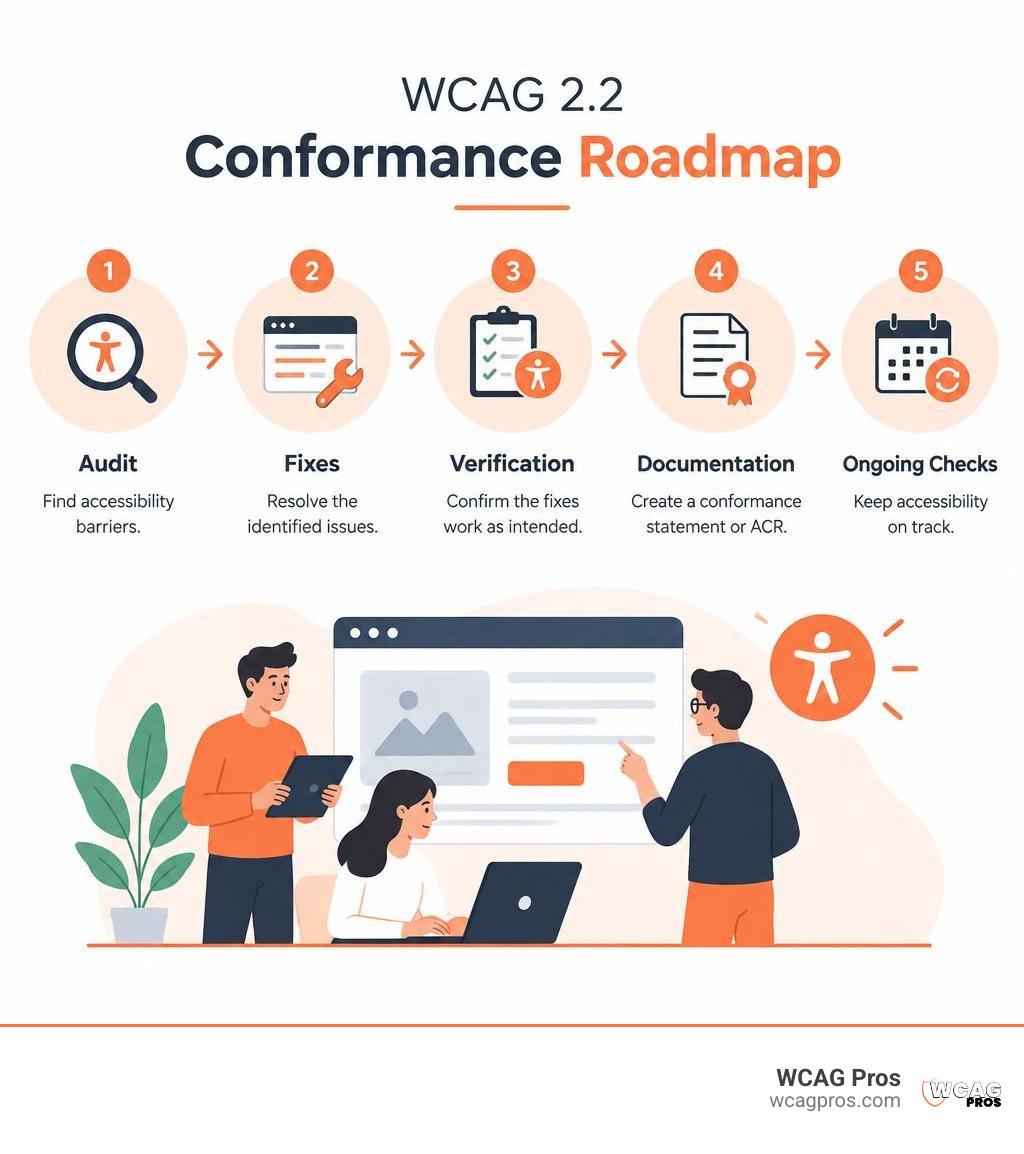
Key terms for WCAG website certification:
The Reality of WCAG Website Certification: Myths, Standards, and Proof
When leadership teams ask for a digital accessibility certificate, they usually want assurance that their digital properties are safe from legal scrutiny and easy for everyone to use. Digital standards are established by the World Wide Web Consortium (W3C), and WCAG 2.2 is recognized internationally as ISO/IEC 40500. Even with these standards in place, the organization that authors the rules does not issue official passing certificates.
Many organizations choose to work with trusted website accessibility certification services to audit their code, verify remediation, and provide third-party validation. A physical paper certificate or a shiny digital badge carries little legal weight on its own. What truly matters in courtrooms and corporate procurement departments is the documented technical evidence supporting your claims.
Does an Official WCAG Website Certification Exist?
The short answer is no. The W3C develops guidelines but does not inspect websites, run testing laboratories, or grant compliance seals. Instead, the W3C framework allows website owners to publish a formal claim of conformance.
Because self-claims can be biased, businesses rely on independent expert testing to secure de facto certification. Following a practical guide to website accessibility helps teams avoid common shortcuts. Quick fixes such as automated overlay widgets often claim to deliver instant conformance with a single line of JavaScript. In reality, these automated overlays fail to correct fundamental structural barriers in HTML, leaving organizations open to legal risk.
Documentation Types: Statements of Conformance vs. VPAT and ACR
Demonstrating compliance requires clear documentation. Depending on your business model, customer base, and industry regulations, your team may produce or request several distinct documents.
| Documentation Type | Primary Purpose | Key Audience | Typical Scope |
|---|---|---|---|
| Statement of Conformance | Public declaration of adherence to WCAG 2.2 levels | Website visitors, consumers | Entire public domain or specified site templates |
| Statement of Partial Conformance | Discloses third-party exceptions like plugins or ads | Users, regulatory reviewers | Defined core site, excluding external content |
| VPAT / ACR | Granular technical report mapping each success criterion | B2B buyers, government procurement | Exact software build or specific digital product version |
| Provider Certification | Third-party attestation of independent audit and testing | Leadership, legal teams, partners | Audited user flows, key templates, and core functionality |
A formal Voluntary Product Accessibility Template (VPAT) is an industry-standard template used to create an Accessibility Conformance Report (ACR). If you sell software or digital services to enterprises or government institutions, buyers will request an ACR to evaluate your product. For standard public websites, a well-documented Statement of Conformance or an independent provider attestation from an experienced auditor often serves as practical proof. You can also explore the official W3C accessibility standards to understand how global guidelines define technical compliance validation.
Step-by-Step Roadmap to Digital Accessibility Conformance
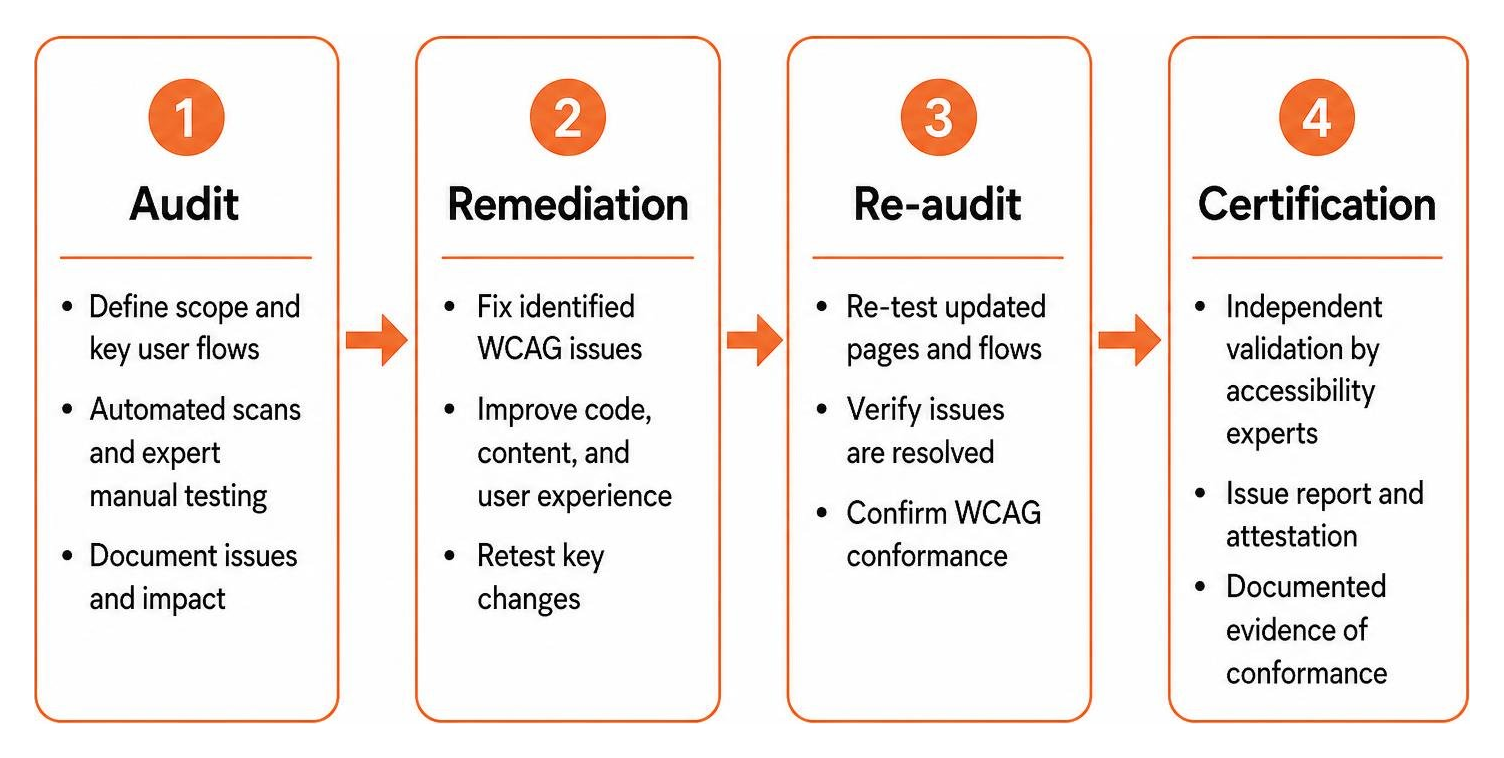
True accessibility is achieved through a structured methodology rather than a single scan. Achieving dependable conformance requires discovery, expert human testing, engineering fixes, and thorough re-testing.
How to Prepare for a WCAG Website Certification Audit
Preparation begins by defining your audit scope. Rather than testing every single page across a massive site, teams select a representative sample of templates, key landing pages, dynamic interactions, and high-priority conversion flows such as checkout funnels and contact forms.
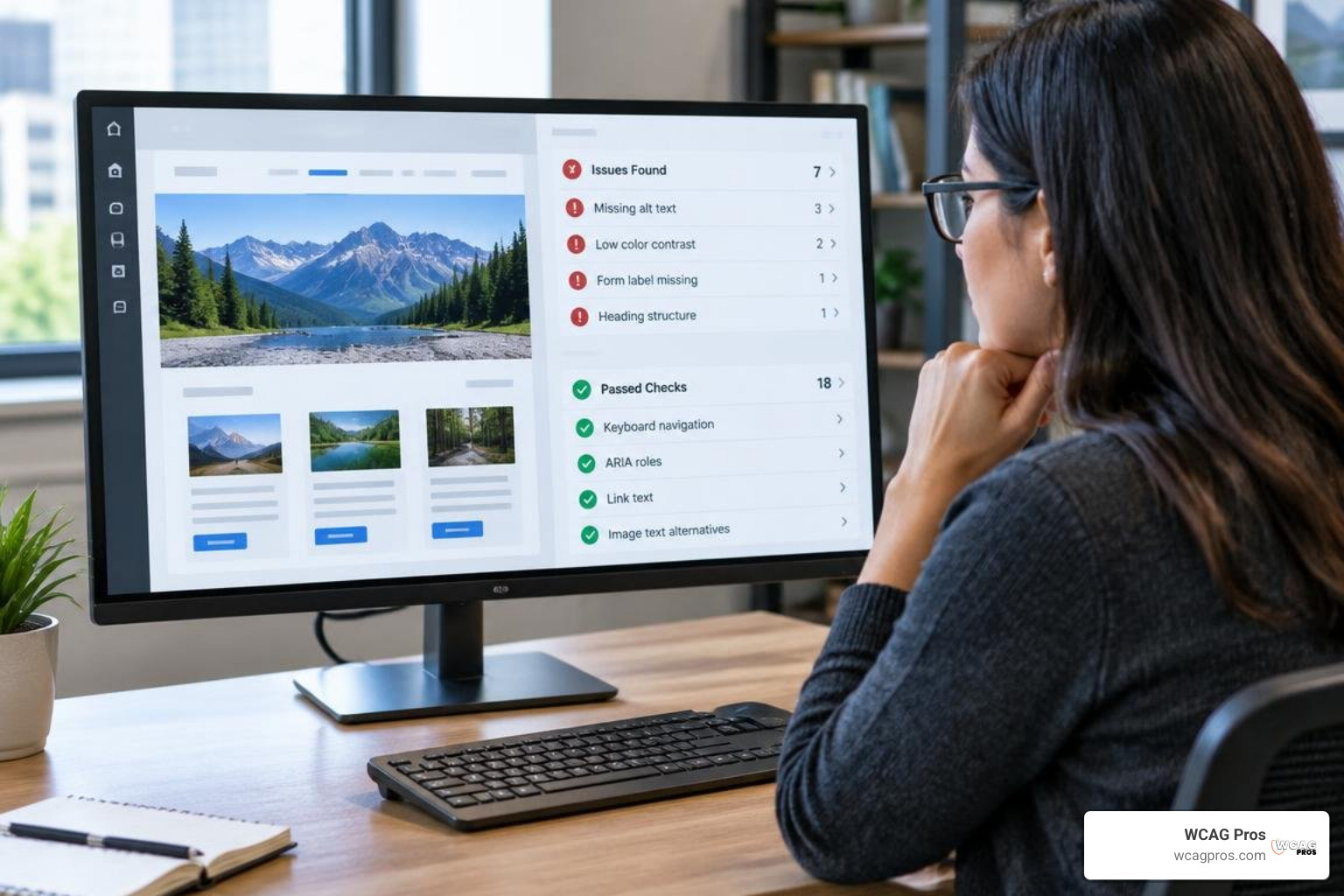
Automated scanning engines like Axe, WAVE, and Lighthouse are useful for establishing a baseline, catching low-hanging issues such as missing image alternative text or poor color contrast. However, automated scanners detect only 30% to 40% of WCAG issues. Reviewing our guide on how to pass WCAG 2.2 AA conformance gives your development team an early roadmap for organizing codebases before manual testing begins.
Remediation, Code Fixes, and Multi-Round Verification
Once the initial audit report highlights accessibility barriers, your developers can begin remediation. This process involves writing semantic HTML, managing keyboard focus, repairing dynamic ARIA labels, and ensuring content scales properly when zoomed up to 200%.

Remediation is rarely finished in a single pass. Fixing one layout issue can unintentionally alter another component. Most organizations undergo 2 to 5 rounds of re-testing to resolve complex regressions. Consulting a no-nonsense guide to ADA audit ensures your technical staff focuses on high-impact code repairs first.
Why User Testing with Assistive Technology Matters
Technical code compliance is only half the battle. Real-world usability ensures that people navigating with assistive tools enjoy a seamless experience. Manual testing must involve actual screen readers like NVDA, JAWS, and VoiceOver, alongside keyboard-only navigation for individuals with motor disabilities.
Engaging people with disabilities during the testing phase reveals subtle usability obstacles that automated scripts miss, such as confusing form labels or illogical reading orders. Professional evaluators also emphasize pairing assistive technology testing with expert manual reviews to validate practical user experiences.
Cost Breakdown, Timeframes, and Certification Longevity
Budgeting for accessibility requires an understanding of what drives project costs. Pricing is shaped by website complexity, the number of unique screen templates, custom application logic, and the level of remediation guidance required.
Estimated Costs and Budgeting for Accessibility Audits
Every web property features unique architectural requirements. When navigating the true investment of digital accessibility, organizations should evaluate site scope, manual testing depth, and validation rounds.
| Website Tier | Typical Scope and Characteristics | Audit Focus Areas | Retest and Remediation Scope |
|---|---|---|---|
| Small / Brochure Site | 1 to 5 unique page templates, static marketing content | Basic navigation, contact forms, typography, color contrast | 1 verification pass, direct code fix reviews |
| Standard Business Site | 10 to 20 distinct templates, blogs, user portals | Interactive components, lead flows, media embeds, forms | 2 verification rounds, developer remediation support |
| Complex E-Commerce / Web App | Dynamic checkouts, filters, dashboards, authentication | Dynamic states, ARIA widgets, screen reader compatibility | 2 to 5 verification passes, continuous regression audits |
Investing in a thorough manual audit and complete remediation is far more economical than resolving an unexpected legal dispute. Once your team completes the remediation phase, you can proudly consider displaying an accessibility badge to show your commitment to inclusion.
Expected Project Timelines and Ongoing Maintenance
A standard corporate website audit and certification cycle typically takes 4 to 6 weeks. Large portals, custom software, and extensive e-commerce ecosystems usually require 8 to 12 weeks to complete testing, engineering updates, and multi-round verifications.
A completed evaluation provides a snapshot of your site at that exact moment. Because modern content management systems change frequently through blog posts, marketing banners, and software updates, third-party attestations generally carry a 12-month validity period. Maintaining conformance requires integrating automated linters into your continuous integration pipelines alongside annual manual re-audits.
Professional Credentials and In-House Accessibility Competence
Building internal expertise ensures your organization designs accessible digital products right from the start. Industry certifications help teams cultivate that internal knowledge.
Industry Recognitions: CPACC, WAS, and CPWA
The International Association of Accessibility Professionals (IAAP) offers recognized credentials for individuals. Exploring top professional certifications can help your team members select the best path:
- Certified Professional in Accessibility Core Competencies (CPACC): Focuses on foundational accessibility concepts, disability models, and international legal frameworks.
- Web Accessibility Specialist (WAS): Designed for technical developers, engineers, and QA specialists who audit code and resolve WCAG issues.
- Certified Professional in Web Accessibility (CPWA): Awarded to professionals who successfully earn both the CPACC and WAS credentials.
Foundational training from the W3C also provides great value. Surveys show that 96% of participants who completed foundational accessibility coursework reported a direct increase in practical skills, with 96% actively applying those techniques in their daily roles.
Demonstrating Compliance Without Third-Party Seals
You do not need an external badge to show that your business takes accessibility seriously. You can demonstrate conformance by publishing a clear, transparent accessibility statement in your website footer.
A comprehensive accessibility statement highlights your target standard, details known limitations, outlines active remediation projects, and provides direct contact details for users who need assistance. Transparency builds meaningful trust with users of all abilities.
Strategic Value: Legal Protection and Business ROI
Pursuing verifiable WCAG 2.2 AA conformance is an investment that yields measurable business returns. Beyond lowering legal risk, accessible digital experiences enhance usability for all customers and open your business to a broader audience.
Reviewing why your business needs official ADA compliance certification shows how verifiable documentation strengthens your market position. Adopting a certified WCAG audit process ensures that if your business ever faces legal questions, you have the historical testing data and remediation records needed to defend your digital presence.
Frequently Asked Questions About Web Conformance
How long does a website accessibility certificate remain valid?
Most third-party audit attestations remain valid for 12 months. Because digital content, marketing promotions, and CMS plugins update continually, websites require ongoing monitoring and an annual manual re-audit to preserve reliable conformance.
What is the difference between an accessibility statement and a VPAT?
An accessibility statement is a public-facing web page that describes your accessibility goals, known exceptions, and support contact options. A VPAT is a detailed, structured technical document used to create an Accessibility Conformance Report (ACR) for corporate procurement and government contract reviews.
Can automated testing tools provide full WCAG 2.2 AA certification?
No. Automated tools can only check about 30% to 40% of all WCAG success criteria. Complex requirements like keyboard navigation order, screen reader context, color contrast within images, and focus visibility require hands-on evaluation by human specialists.
Conclusion
Securing digital accessibility conformance is an ongoing journey of continuous improvement rather than a one-time project. While an official stamp from the W3C does not exist, achieving verifiable WCAG 2.2 AA conformance protects your organization legally, welcomes every visitor, and improves site performance across search engines. At WCAG Pros, our team in Norco CA conducts thorough, page-by-page audits covering all 54 WCAG A and AAA checkpoints, providing your developers with precise code fixes and free re-audits to help you earn your compliance documentation. Ready to build a digital experience that works for everyone? Schedule your comprehensive WCAG audit with our team today.
Read more website accessibility articles
Get Help With Your Website
We'll follow up with info about:
- The process
- Cost
- Timeline
We promise to respect your privacy, and never abuse the information you provide. We will not sell or rent your information to any third party.
By submitting this form, you consent to receive SMS messages and/or emails from SEM Dynamics LLC, dba WCAG Pros. To unsubscribe, follow the instructions provided in our communications. Msg & data rates may apply for SMS. Your information is secure and will not be sold to third parties.