
Building True Accessibility Conformance Across All Your Digital Products
Building True Accessibility Conformance Across All Your Digital Products
What Accessibility Conformance Means for Your Digital Products
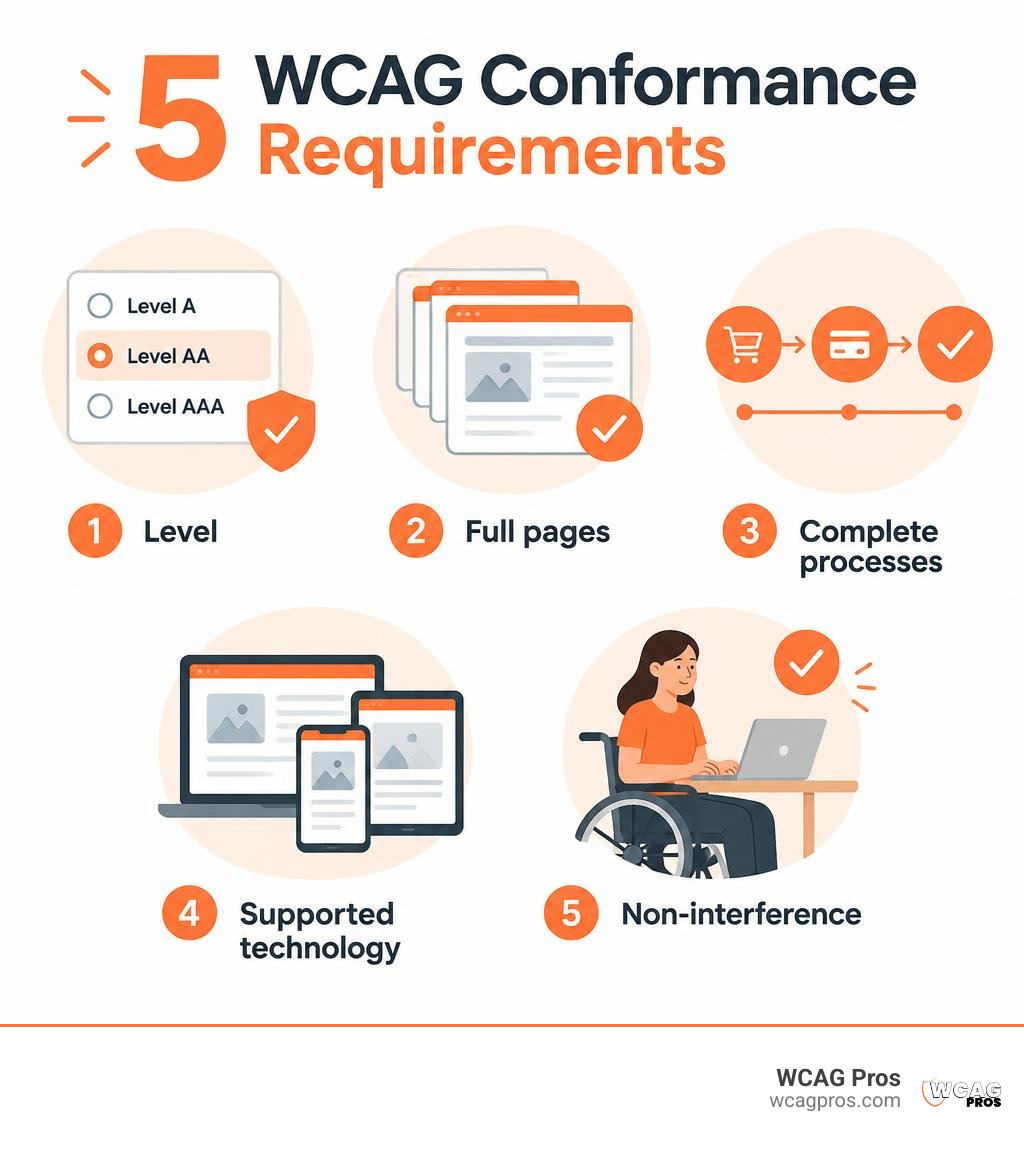
Accessibility conformance means your digital content meets the WCAG 2.2 success criteria for the level you claim. That claim must cover whole pages and complete tasks, such as checkout, not just the parts that are easy to test. Start by choosing a conformance level, testing with automated tools and human reviewers, fixing failures, and documenting the results. An Accessibility Conformance Report (ACR) helps explain what was tested and where gaps remain. It does not, by itself, make a product accessible.
I’m Matthew Post, co-founder of WCAG Pros and a web developer with more than 20 years of experience. I oversee WCAG audits and remediation to help businesses test and improve accessibility conformance.
Relevant articles related to accessibility conformance:
Understanding Accessibility Conformance: Core Definitions and Standards
When we talk about digital accessibility, terms like compliance and conformance often get mixed up. Compliance typically refers to satisfying legal mandates such as Title III of the ADA or specific state procurement statutes. Conformance, on the other hand, is technical adherence to an established standard. The primary global benchmark published by the World Wide Web Consortium (W3C) is the Web Content Accessibility Guidelines.
Under the official Understanding Conformance specifications from the W3C, a digital asset conforms only when every relevant criterion has been satisfied without violating any baseline requirements.
Essential Criteria for Digital Accessibility Conformance
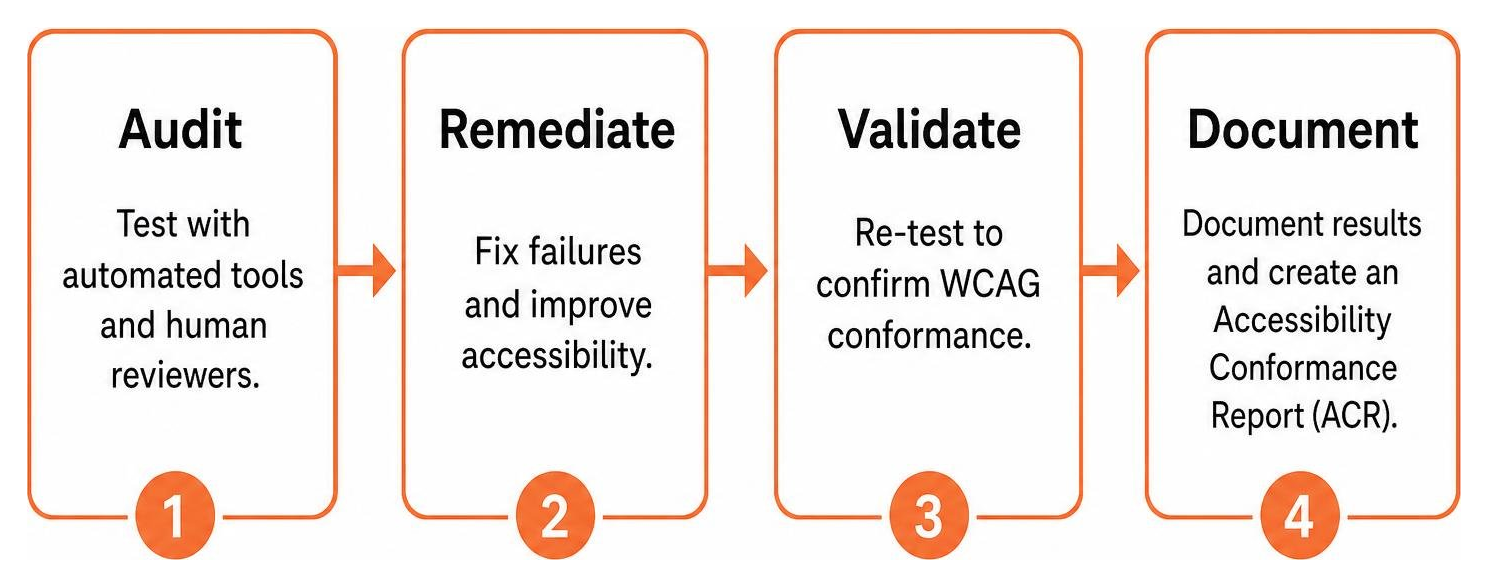
To legitimately assert that a web application or website conforms to WCAG guidelines, you must satisfy five foundational rules:
- Conformance Level Met: The content must fully satisfy all criteria for your chosen level, or provide a conforming alternate version.
- Full Page Conformance: Partial page conformance is prohibited. You cannot claim that an article body conforms while ignoring the header, footer, or navigation menu.
- Complete Processes: When a user flow spans multiple pages, such as an e-commerce checkout or an insurance application, every single page in that sequence must conform. If step three of a four-step process fails, the entire transaction fails conformance.
- Only Accessibility-Supported Ways of Using Technologies: Content must rely solely on technologies that assistive tech can parse and present properly.
- Non-Interference: If technologies that are not accessibility-supported are used on a page, they must not block or disrupt assistive devices. Specifically, four critical criteria apply to all page elements without exception: Audio Control (1.4.2), No Keyboard Trap (2.1.2), Three Flashes or Below Threshold (2.3.1), and Pause, Stop, Hide (2.2.2).
When you host third-party widgets or user-generated content that falls completely outside your administrative control, you may issue a Statement of Partial Conformance, clearly disclosing the external portions you cannot modify.
Deciphering Levels A, AA, and AAA
WCAG establishes three distinct levels of achievement:
- Level A: The absolute minimum baseline. Satisfying Level A eliminates the most severe barriers, such as missing text alternatives for images or complete keyboard traps.
- Level AA: The standard target for global regulations and enterprise procurement. Level AA encompasses all Level A and Level AA criteria, covering essential areas like color contrast ratios, focus visible indicators, and consistent navigation. You can read our detailed breakdown of WCAG 2 compliance levels to see how these tiers function together.
- Level AAA: The highest standard of accessibility. While individual Level AAA criteria provide immense benefits, the W3C does not recommend requiring site-wide Level AAA compliance as a general policy. For certain types of rich media or specialized content, meeting all Level AAA rules is technically impossible. To explore this dynamic further, review the great debate between WCAG AA and AAA.
Programmatically Determined vs. Accessibility Supported
Two technical phrases appear frequently in accessibility discussions:
- Programmatically Determined: This means information, relationships, and structure are encoded in markup so software agents can extract them automatically. For instance, using true HTML heading tags (
) rather than bolded paragraph tags allows a screen reader to generate a jump list of page sections. - Accessibility Supported: This describes whether assistive technologies and mainstream web browsers actually work with that markup in practice. If you use a brand-new HTML attribute that no modern screen reader supports yet, that code is programmatically determined but not accessibility-supported.
Both aspects must work together for assistive technology users to experience seamless navigation.
Demystifying the VPAT and the Accessibility Conformance Report (ACR)
When enterprise buyers and government organizations evaluate software, they require formal documentation of accessibility features. This is where the Voluntary Product Accessibility Template (VPAT) and the Accessibility Conformance Report (ACR) enter the picture.
The Relationship Between VPAT Templates and ACR Documents
The Information Technology Industry Council (ITI) produces and maintains the VPAT. The VPAT itself is simply a blank template. When an organization tests its digital product against established standards and populates that template with specific findings, the resulting document is called an Accessibility Conformance Report (ACR).
In recent years, industry initiatives have introduced OpenACR, an open, machine-readable data format that allows procurement platforms to ingest and compare accessibility data automatically. Regardless of whether an ACR is delivered as an OpenACR file or a standard document, it serves as the vendor’s formal statement of product accessibility.
Global Accessibility Frameworks: Section 508, EN 301 549, and WCAG 2.2
Vendors operate across diverse regulatory environments, and the VPAT template is updated periodically to accommodate multiple standards. The current VPAT 2.5 edition accommodates four distinct reporting formats:
| VPAT Edition | Primary Regulatory Focus | Core Standards Covered |
|---|---|---|
| VPAT 508 | United States Federal Procurement | Revised Section 508 Standards |
| VPAT EU | European Public and Private Sector | EN 301 549, European Accessibility Act |
| VPAT WCAG | International Private Enterprise | WCAG 2.0, WCAG 2.2 (Levels A, AA, AAA) |
| VPAT INT | Global Multi-National Solicitations | Combines Section 508, EN 301 549, and WCAG |
For organizations updating their products, our comprehensive guide to WCAG 2.2 Level AA standards outlines the exact criteria required across these frameworks.
Interpreting Conformance Classifications
Within an ACR, every individual criterion receives one of four standardized conformance level classifications:
- Supports: The product functionality fully satisfies the criterion without exception.
- Partially Supports: The product satisfies some aspects of the criterion, but known gaps exist. The vendor must provide specific remarks explaining where and why the failure occurs.
- Does Not Support: Most or all of the product fails the criterion.
- Not Applicable: The specific criterion does not apply to the product (such as audio description rules for an application that contains zero video content).
Vague claims or empty notes should never accompany these terms. High-quality ACRs always include detailed remarks describing the exact evaluation findings for each row.
Building and Validating Legally Defensible Conformance Claims
Issuing an official conformance claim or publishing an ACR creates a public statement of your product capabilities. To make sure your claims withstand legal and procurement scrutiny, follow established documentation protocols.
Essential Metadata and Documentation Requirements
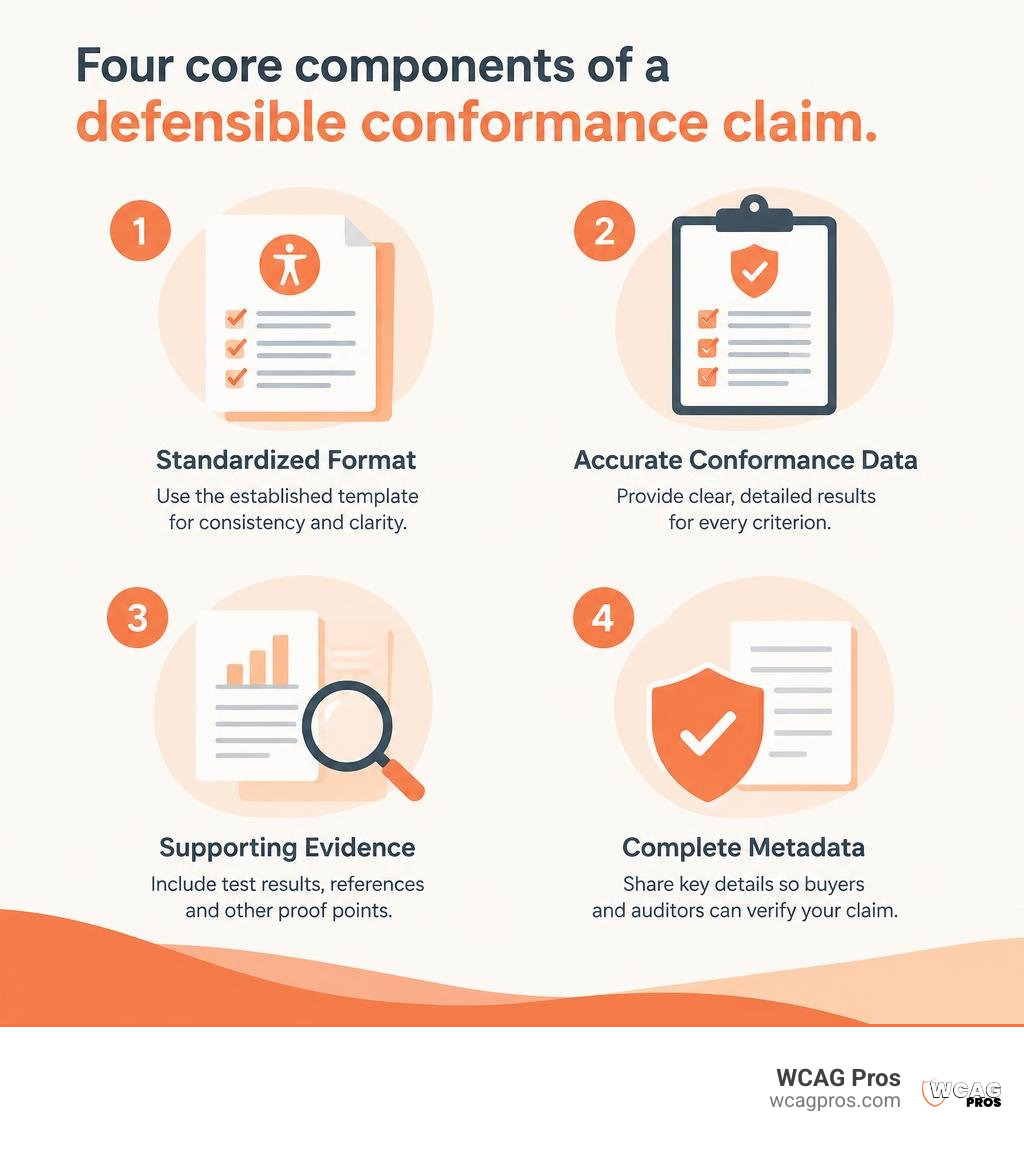
A complete, defensible conformance claim must contain explicit metadata so buyers and auditors can verify the findings. To see how these requirements align with organizational risk, explore the complete guide to WCAG AA compliance requirements.
Ensure your documentation includes:
- Claim Date: The exact date the evaluation concluded (claims older than twelve months generally require updating).
- Product Name and Exact Version: Software updates frequently change codebases, so claims must state the precise build or release evaluated.
- Guidelines and Versions: Explicitly list the target standards, such as WCAG 2.2 Level AA.
- Evaluation Methods: The specific testing mix, including automated engines, assistive technologies (such as JAWS, NVDA, and VoiceOver), and manual inspection routines.
- Technologies Relied Upon: The core web technologies required to render the experience, such as HTML5, CSS, WAI-ARIA, and JavaScript.
Publishing these details using machine-readable metadata formats such as JSON-LD, RDFa, or Evaluation and Report Language (EARL) allows automated procurement tools to process your accessibility posture instantly.
When and How to Use Conforming Alternate Versions
WCAG allows authors to provide a Conforming Alternate Version only under specific circumstances. An alternate version is permissible when technical or platform constraints prevent the primary page from meeting standards directly.
To be valid, the alternate version must:
- Meet all success criteria for the claimed conformance level.
- Provide identical information and functionality in the same human language.
- Be reachable directly from the non-conforming page via an accessible link or mechanism.
- Stay updated in real time whenever the primary content changes.
Alternate versions should remain a last resort. Designing accessible primary interfaces delivers a vastly superior user experience.
Testing Methodologies to Validate Accessibility Conformance
Accurate conformance reporting requires rigorous evaluation. Relying on superficial scanning tools produces inaccurate ACRs that fail procurement reviews and expose organizations to legal disputes.

Automated Scans vs. Manual Assistive Technology Testing
Automated testing tools are fast and efficient for scanning thousands of pages across a digital property. They easily detect missing alternative text attributes, empty links, or explicit color contrast failures. However, automated testing only uncovers roughly one-third of all potential WCAG violations.
Manual testing by experienced specialists is essential to evaluate human-judged criteria:
- Logical Focus Order: Ensuring keyboard tab sequences follow an intuitive reading path.
- Meaningful Alternative Text: Confirming that image descriptions accurately convey visual intent rather than stuffing irrelevant keywords.
- Complex Custom Widgets: Testing dynamic dropdown menus, modals, and tabs with screen readers to verify proper ARIA announcements.
- Keyboard Operability: Verifying that users can access and trigger all functionality without encountering keyboard traps.
Federal programs such as the Department of Homeland Security (DHS) Trusted Tester program (Version 5) provide structured methodologies combining automated rules with reproducible manual testing steps. To implement a similar testing protocol, consult our guide on step-by-step WCAG conformance testing strategies as well as our article on demystifying WCAG A, AA, and AAA conformance testing.
Auditor Credentials and Testing Matrices
When preparing or reviewing an ACR, evaluate the qualifications of the testing personnel. Leading credentials from the International Association of Accessibility Professionals (IAAP), such as the Certified Professional in Web Accessibility (CPWA), indicate verified expertise across technical and functional domains. Learn more about industry standards in our review of top professional certifications for ADA and WCAG conformance.
Audits should also employ a structured testing matrix covering multiple browser and assistive technology combinations, including Chrome with NVDA, Firefox with JAWS, and Safari with VoiceOver across desktop and mobile operating systems.
ICT Procurement: Assessing Vendor ACRs and Overcoming Conformance Gaps
Procurement departments in enterprise corporations and public sector bodies routinely use ACRs to mitigate legal risk and verify software usability. Guidelines such as the Supplier Accessibility Compliance procedures outline strict standards for evaluating vendor documentation.
Buyer Evaluation Checklist for Vendor ACRs
When reviewing an ACR submitted by a prospective software vendor, use this practical evaluation checklist:
- Check the Report Date: Is the document less than 12 months old? Digital products evolve quickly, and outdated reports rarely reflect current code.
- Confirm Product Version Alignment: Does the version listed in the ACR match the exact software version being purchased?
- Verify Evaluator Expertise: Was the assessment conducted by qualified accessibility engineers or a reputable third-party firm?
- Scrutinize the Evaluation Scope: Does the report cover all core functional workflows, or did the vendor test only their marketing homepage?
- Inspect the Remarks Column: Reject reports that mark every item as “Supports” without explanatory text. Trustworthy reports provide specific technical remarks, even for fully supported criteria.
- Evaluate WCAG Standards: Ensure the report benchmarks against WCAG 2.2 Levels A and AA. Refer to our updated WCAG compliance guide for procurement baselines.
Documenting Known Gaps and Remediation Roadmaps
A vendor reporting partial support for certain criteria is common and expected. What matters is transparency and a clear path toward resolution.
Vendors should attach an Issue Detail Supplement outlining:
- The exact UI components where violations occur.
- The specific user impact and severity of each finding.
- Feasible workarounds for users relying on assistive technology.
- A structured remediation roadmap with targeted delivery dates for code fixes.
By maintaining clear documentation and conducting ongoing monitoring, organizations turn accessibility into a sustainable operational standard.
Frequently Asked Questions About Accessibility Conformance
What is the exact difference between a VPAT and an ACR?
A VPAT is the blank reporting template published by the Information Technology Industry Council (ITI). An Accessibility Conformance Report (ACR) is the completed document created after an organization uses that template to evaluate and record the specific accessibility status of a product.
Why is Level AAA conformance not recommended as a site-wide policy?
The W3C explicitly advises against requiring Level AAA conformance across entire websites because satisfying every Level AAA criterion is not possible for all content types. Specialized visual layouts, complex real-time data visualizers, and certain multimedia assets cannot meet all Level AAA requirements without compromising their core purpose. Organizations should focus on achieving full Level AA conformance while adopting Level AAA criteria wherever feasible.
How often should an Accessibility Conformance Report be updated?
An ACR should be updated at least once every twelve months, or immediately following any major product release, core platform redesign, or architectural update. Outdated reports lose validity during enterprise procurement reviews.
Conclusion
Building genuine accessibility conformance is an ongoing operational commitment that requires sound engineering, thorough validation, and transparent reporting. Rather than treating accessibility as a one-time project, leading organizations embed automated checks, manual expert reviews, and structured documentation into every stage of their product lifecycle.
At WCAG Pros, we specialize in delivering comprehensive page-by-page audits across all 54 WCAG criteria, paired with actionable code fixes and validation re-audits. To learn how we can help your team achieve defensible compliance, explore our expert WCAG remediation and certification services.
Read more website accessibility articles
Get Help With Your Website
We'll follow up with info about:
- The process
- Cost
- Timeline
We promise to respect your privacy, and never abuse the information you provide. We will not sell or rent your information to any third party.
By submitting this form, you consent to receive SMS messages and/or emails from SEM Dynamics LLC, dba WCAG Pros. To unsubscribe, follow the instructions provided in our communications. Msg & data rates may apply for SMS. Your information is secure and will not be sold to third parties.